In this lesson we’ll cover how Kubernetes manages software releases, what the version numbers mean, the release cadence, release stages (alpha, beta, stable), and how component versioning (etcd, CoreDNS, etc.) relates to a Kubernetes release. Getting the Kubernetes server version is typically the first step when inspecting a cluster. For example:
This output shows the Kubernetes version installed on each node (here, v1.33.0). Kubernetes versions follow semantic versioning: major.minor.patch. Understanding semantic versioning
  • Major: breaking changes (Kubernetes has historically remained at major version 1 for many releases).
  • Minor: new features and API additions; released on a regular cadence (roughly every few months).
  • Patch: bug fixes and security updates; released more frequently between minor releases.
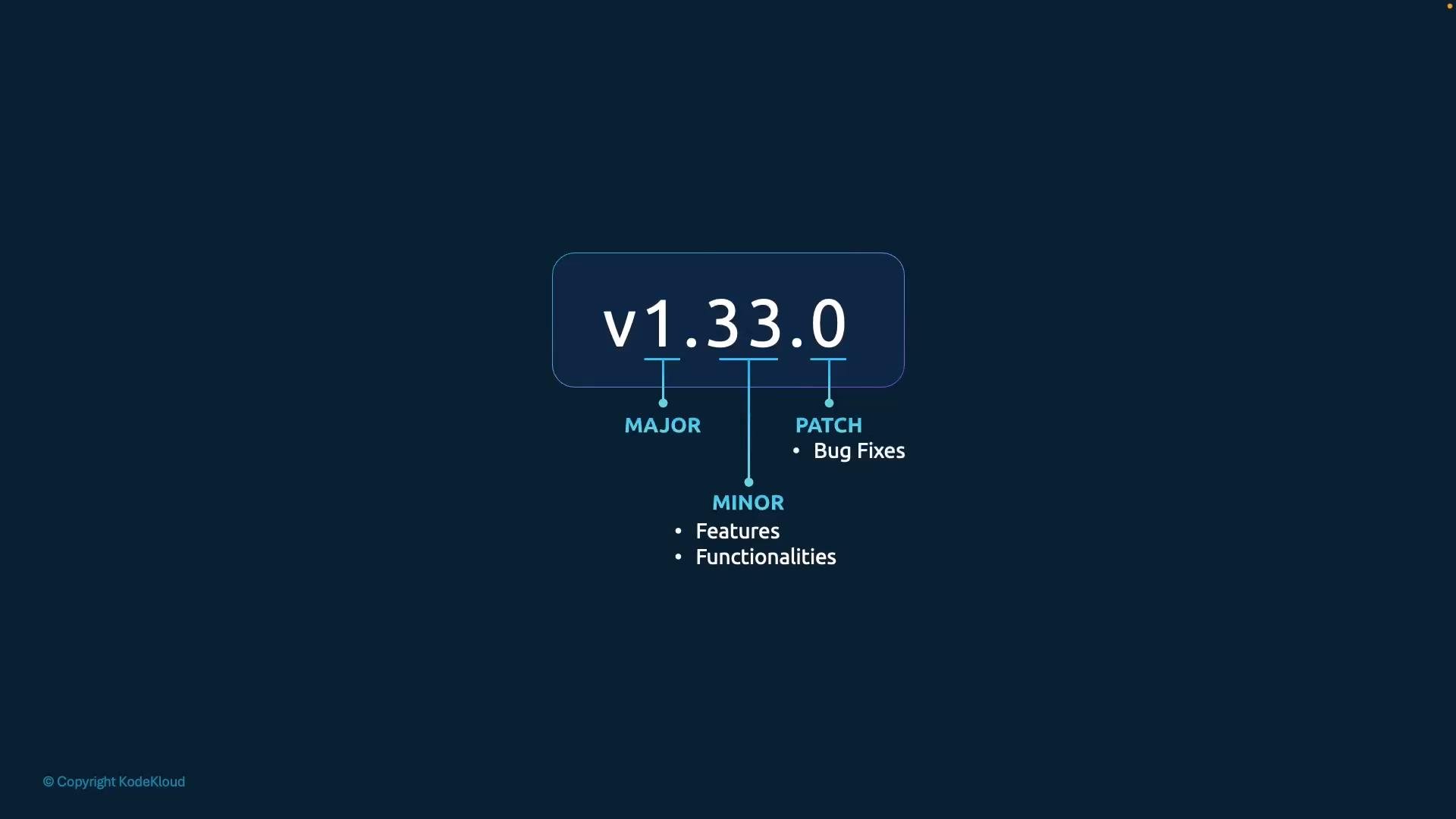
A diagram showing the semantic version "v1.33.0" with labeled components for Major, Minor (features, functionalities) and Patch (bug fixes). The graphic is centered on a dark blue background.
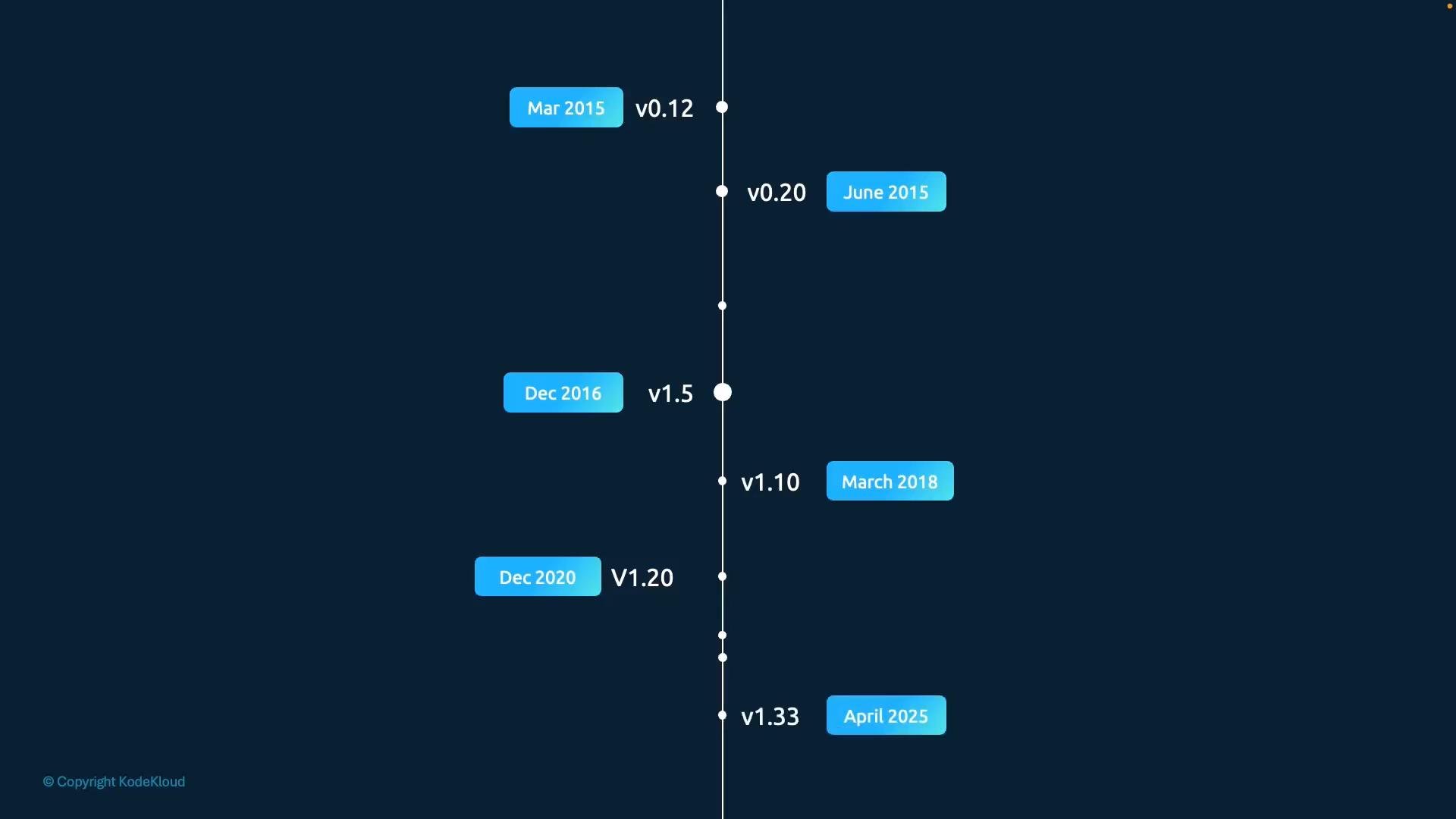
Release cadence and history Kubernetes follows a predictable release process: new minor releases introduce features and deprecations, while patch releases deliver fixes and security patches. The project began with v1.0 in July 2015 and has continued with regular releases (for example, v1.20 in 2020 and v1.33 in 2025). Understanding the timeline helps when planning upgrades and evaluating when features become stable.
A vertical timeline infographic on a dark blue background showing software release milestones, with a central line and white dots plus blue date labels. Examples include entries like "Mar 2015 v0.12," "Dec 2016 v1.5," and "April 2025 v1.33."
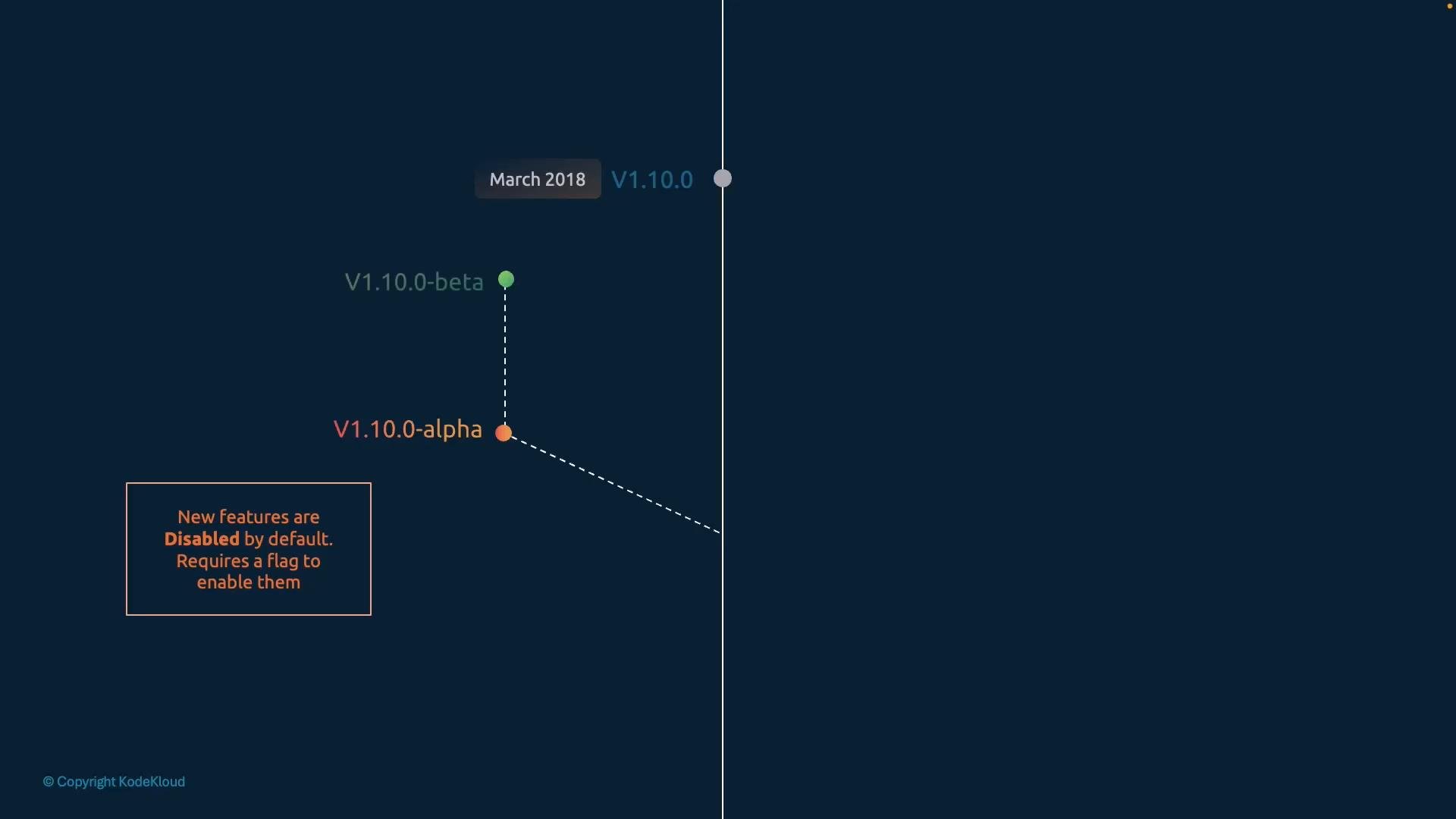
Release stages: alpha, beta, stable Kubernetes features progress through three standard stages:
  • Alpha: Use cautiously. Alpha features are experimental and can change or be removed.
  • Beta: Recommended for testing; they are usually on by default and are expected to become stable.
  • Stable: Suitable for production use.
A dark timeline graphic showing V1.10.0 (March 2018) with connected V1.10.0-alpha and V1.10.0-beta nodes. A boxed note states that new features are disabled by default and require a flag to enable.
Alpha features are experimental and can be removed or changed without notice. Avoid relying on alpha-stage functionality in production clusters unless you fully understand the risks and have a rollback plan.
Kubernetes is a collection of projects When you download a Kubernetes release tarball (for example, kubernetes.tar.gz) you get the control plane binaries (kube-apiserver, kube-controller-manager, kube-scheduler, etc.) built for that Kubernetes release. However, cluster dependencies such as etcd and CoreDNS are separate projects and have independent versioning and compatibility constraints. Each Kubernetes release documents supported or recommended versions of these dependencies in its release notes and compatibility matrix.
Always consult the Kubernetes release notes and compatibility matrix to confirm supported versions of etcd, CoreDNS, and other dependent components before upgrading.
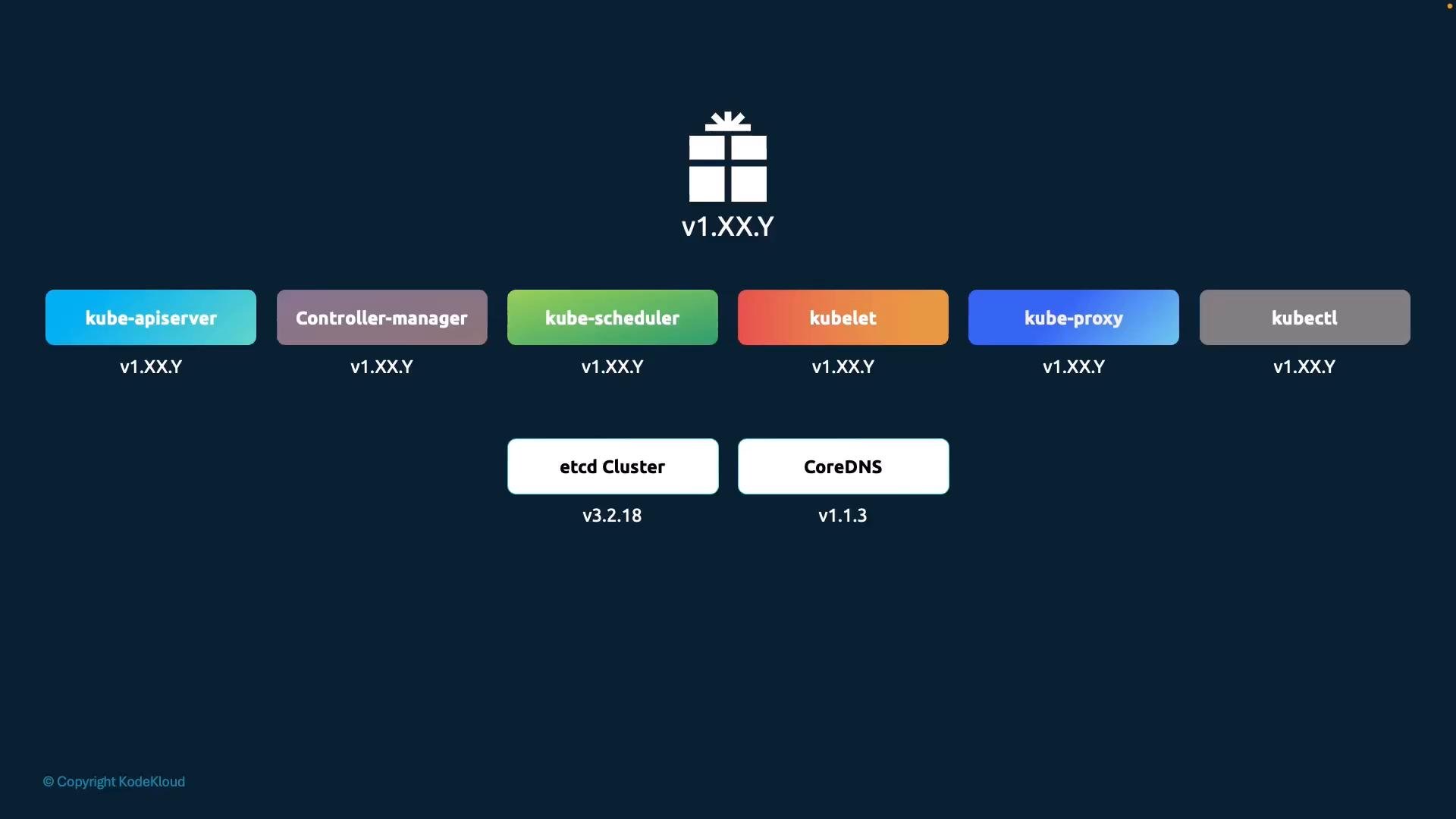
A schematic diagram of Kubernetes core components—kube-apiserver, controller-manager, kube-scheduler, kubelet, kube-proxy and kubectl—shown as colored blocks with version placeholders v1.XX.Y. Below them are etcd Cluster (v3.2.18) and CoreDNS (v1.1.3), and a gift-box icon labeled v1.XX.Y at the top.
Next steps
  • Plan upgrades by reviewing the minor release notes for deprecations and API removals.
  • Test upgrades in a staging environment that mirrors your production control plane and node configurations.
  • Verify compatibility for critical add-ons (etcd, CoreDNS, CNI plugins, CSI drivers) before performing live cluster upgrades.
Links and references

Watch Video