

- The person = node
- The bug = pod
- The spray = taint applied to the node
- Pod tolerations = whether a pod can tolerate that node’s taint
app=blue) to Node 1. By default, pods do not tolerate taints, so they will be prevented from scheduling onto the tainted node. To allow a specific pod onto Node 1, add a matching toleration to that pod’s spec.
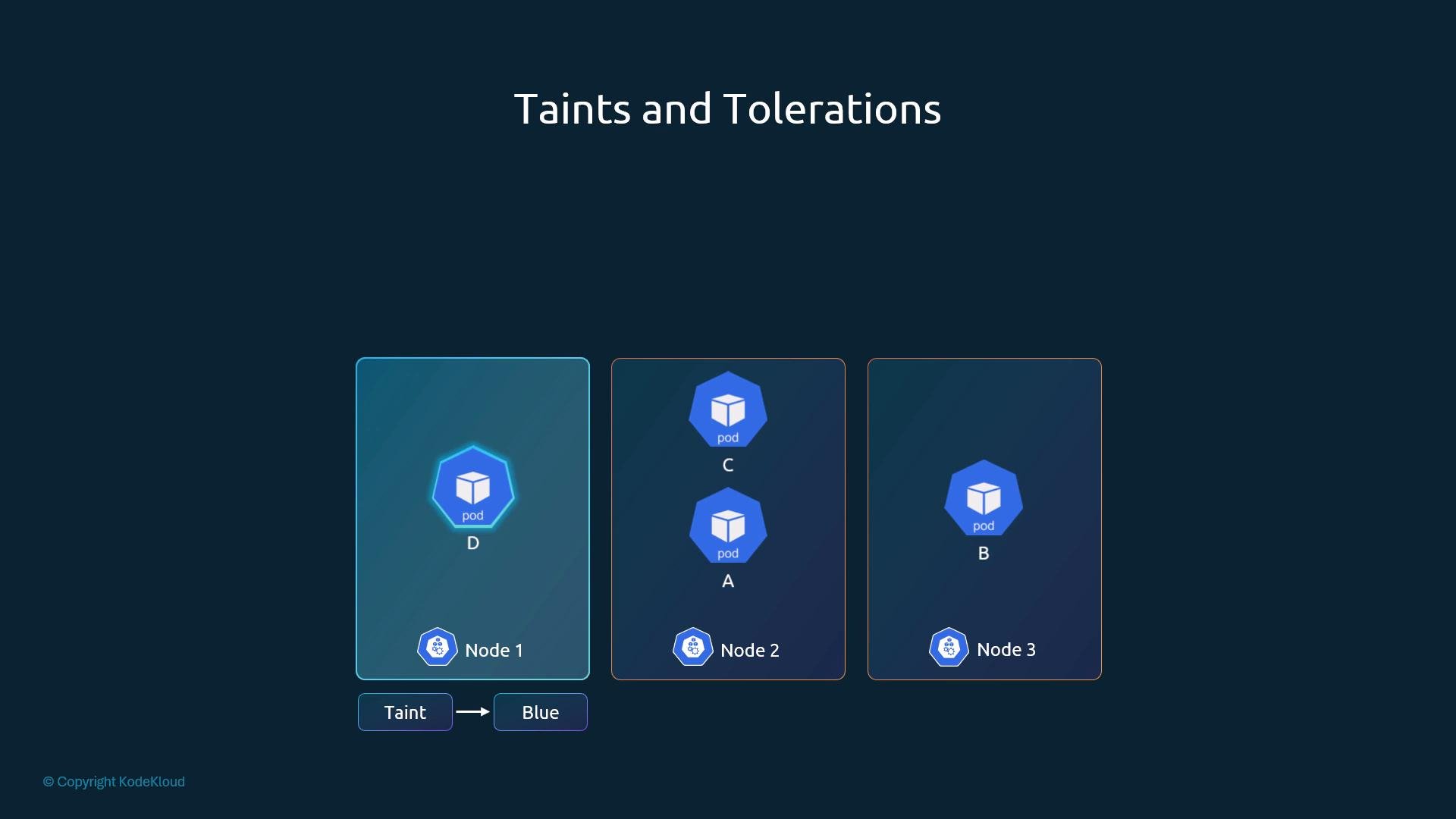
How taints and tolerations work
- Taints are applied to nodes; they mark nodes to repel pods that do not tolerate them.
- Tolerations are applied to pods; they allow pods to be scheduled onto nodes with matching taints.
- Taints/tolerations restrict acceptance of pods by a node but do not force the scheduler to place a pod on a particular node. Use node selectors or node affinity when you want to direct pods to specific nodes.
1) Add a taint to a node
Usekubectl taint nodes to add a taint:
<key>=<value>— the taint key and value<effect>— one of:NoSchedule,PreferNoSchedule,NoExecute
node1 so it won’t accept pods that don’t tolerate app=blue:
- to the effect:
kubectl describe:
Effects explained
2) Add a toleration to a pod
Tolerations go in the pod spec underspec.tolerations. They must match the taint’s key, value (if used), and effect to allow scheduling onto the tainted node.
Example pod manifest that tolerates app=blue:NoSchedule:
- Values are strings; quote them in YAML to avoid parsing issues.
operatorcan beEqual(key and value must match) orExists(only the key is required).- If you use
Exists, omitvalue.
NoExecute in more depth
NoExecute affects both new and existing pods:
- New pods without a matching toleration are prevented from scheduling.
- Existing pods without a matching toleration are evicted when the taint is applied.
tolerationSeconds to the toleration:
NoExecute taint for 300 seconds before being evicted.
Important distinctions
- Taints are node properties; tolerations are pod properties.
- Taints/tolerations control node acceptance of pods—they do not force placement onto a node.
- For forcing or preferring particular nodes, use:
nodeSelectornodeAffinity/podAffinity/podAntiAffinity
Taints/tolerations control whether a node will accept a pod. To direct pods toward specific nodes, use
nodeSelector or nodeAffinity instead.Master (control-plane) node taint — a caution
Most clusters apply a taint to control-plane (master) nodes to prevent general workloads from being scheduled there (it keeps control-plane components isolated). You can remove or change this taint, but doing so may expose control-plane resources to user workloads.Control-plane nodes are typically tainted (for example,
node-role.kubernetes.io/master:NoSchedule). Avoid scheduling application workloads on control-plane nodes unless you understand the operational impact.node-role.kubernetes.io/control-plane:NoSchedule or another key.
Summary
- Use
kubectl taint nodesto mark nodes so they repel pods without matching tolerations. - Add
tolerationsto pod specs to allow pods to land on tainted nodes. - Choose the appropriate effect (
NoSchedule,PreferNoSchedule,NoExecute) depending on whether you want to block scheduling, prefer avoidance, or evict existing pods. - For directing pods to particular nodes, prefer
nodeSelectorornodeAffinityrather than relying solely on taints/tolerations.