

/var/lib/docker. The exact subfolders depend on the storage driver in use. Typical folders you’ll encounter include aufs, overlay2, containers, image, and volumes.
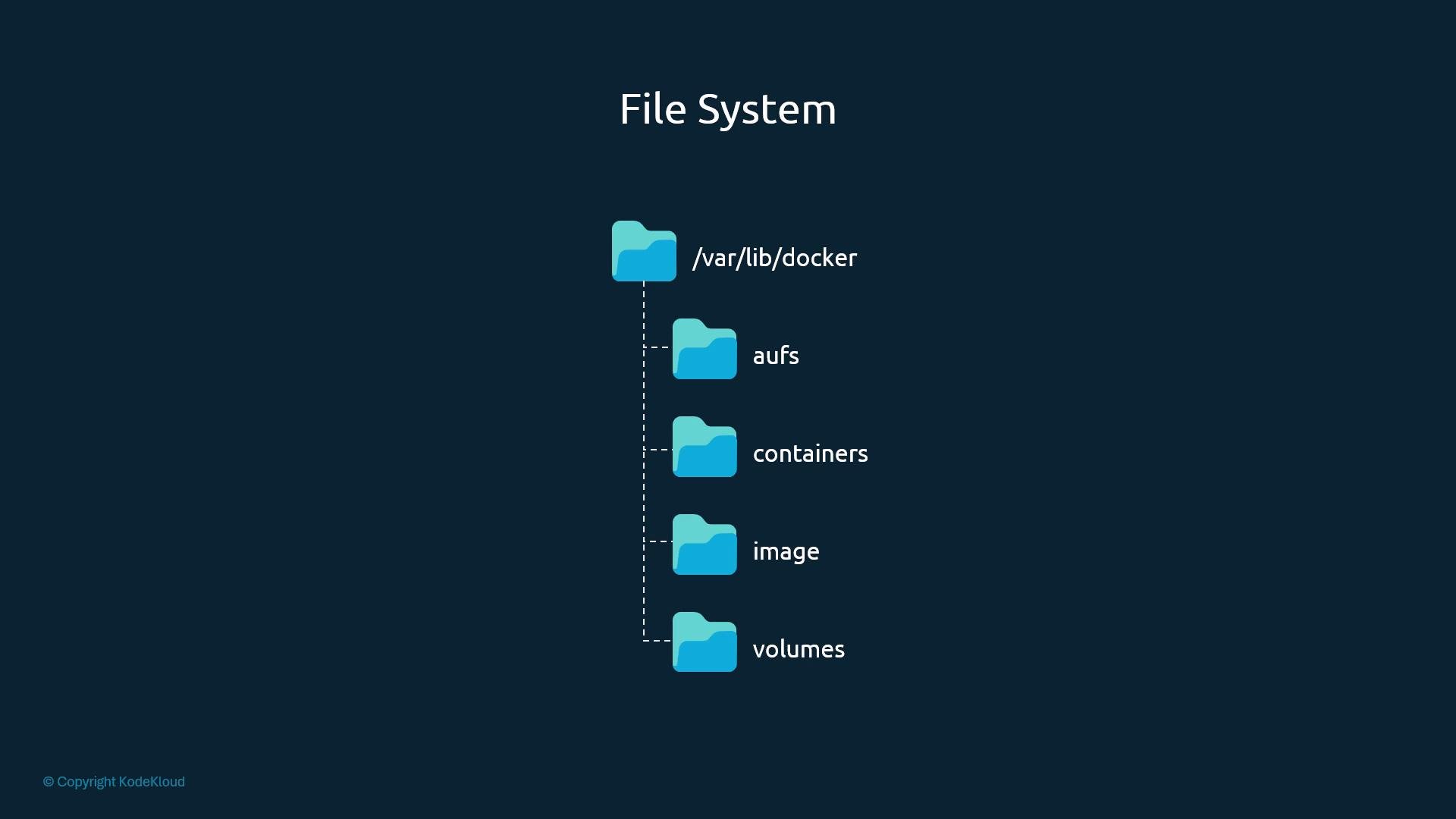
/var/lib/docker and what they contain.
Note: when using the default
local volume driver, a named volume data_volume maps to a host directory such as /var/lib/docker/volumes/data_volume/_data.
Docker image layers (recap)
Docker images are constructed from immutable, read-only layers. Each instruction in aDockerfile typically produces a new image layer that stores only the differences introduced by that instruction. Common examples of layers include:
- Base OS layer (e.g., Ubuntu).
- OS package installation layer.
- Language or dependency layers (e.g., Python packages).
- Application source code layer.
- Entrypoint and configuration layers.
Image layers are immutable; containers add a writable layer
All image layers are read-only. When you run a container (for exampledocker run mmumshad/my-custom-app), Docker creates a thin writable layer on top of the image layers. The container stores runtime changes—logs, temporary files, files created or modified by processes—inside that writable layer.
- The writable layer is ephemeral: when you remove the container, that layer (and its changes) are removed.
- The underlying image remains unchanged and reusable by other containers.
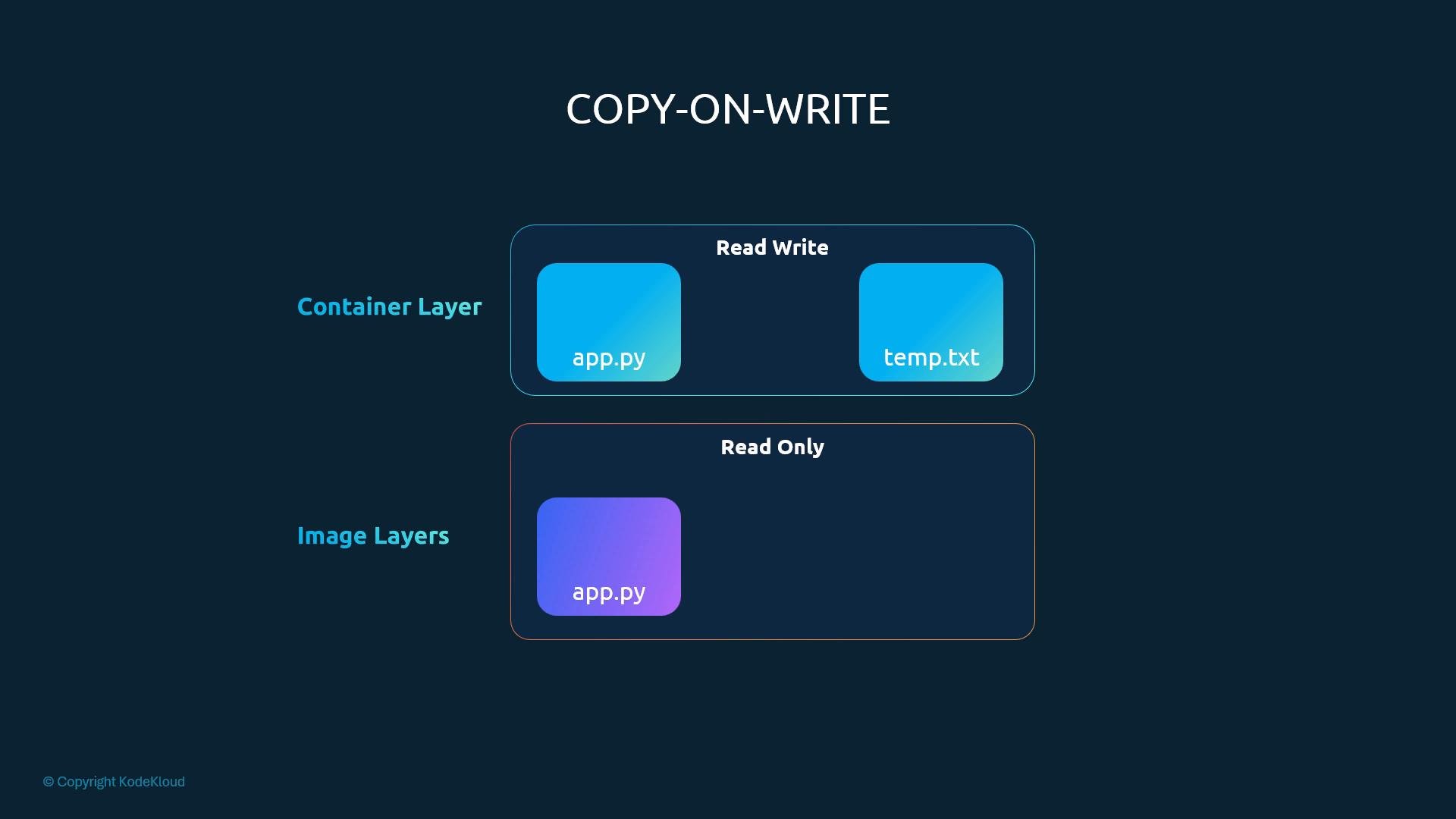
Do not rely on a container’s writable layer for persistent data. Removing the container deletes that writable layer and any data it contains.
Volumes and bind mounts
To persist container data beyond a container’s lifecycle, use Docker volumes or bind mounts:- Volume: Managed by Docker and stored under
/var/lib/docker/volumesfor thelocaldriver. They are preferred for portability and decoupling from host paths. - Bind mount: Mounts a specific host directory (for example
/data/mysql) into the container. Use bind mounts when you need direct access to specific host locations.
--mount (clearer for complex or production usage):
Prefer
--mount for complex or production commands because it is more explicit and less error-prone than the legacy -v syntax.Storage drivers — who implements the layered filesystem?
The storage driver implements the layered filesystem, manages how image layers are stored on disk, and provides the container writable layer with copy-on-write semantics. Common drivers include:
Docker chooses a default driver based on kernel features and distribution. Different drivers offer different performance and stability characteristics—test and choose the one that matches your workload and host OS.
For in-depth details, see Docker’s storage driver documentation: https://docs.docker.com/storage/storagedriver/
Summary and links
- Docker stores images, containers, and volumes under
/var/lib/dockeron Linux. - Images are composed of immutable layers; containers add a thin writable layer on top.
- Copy-on-write preserves image layers while allowing container changes.
- Use named volumes or bind mounts to persist data beyond a container’s lifetime.
- The storage driver (overlay2, aufs, devicemapper, etc.) implements these behaviors and influences performance.
- Docker storage drivers: https://docs.docker.com/storage/storagedriver/
- Docker volumes: https://docs.docker.com/storage/volumes/