Welcome to this lesson on authentication in a Kubernetes cluster. A Kubernetes cluster comprises multiple nodes (physical or virtual) and a set of control plane and node components that work together to run workloads. Different actors interact with the cluster and require authenticated access:
  • Administrators who perform cluster management tasks
  • Developers who test or deploy applications
  • End users who access cluster-hosted applications
  • Third‑party services or automation (bots) that integrate with the cluster
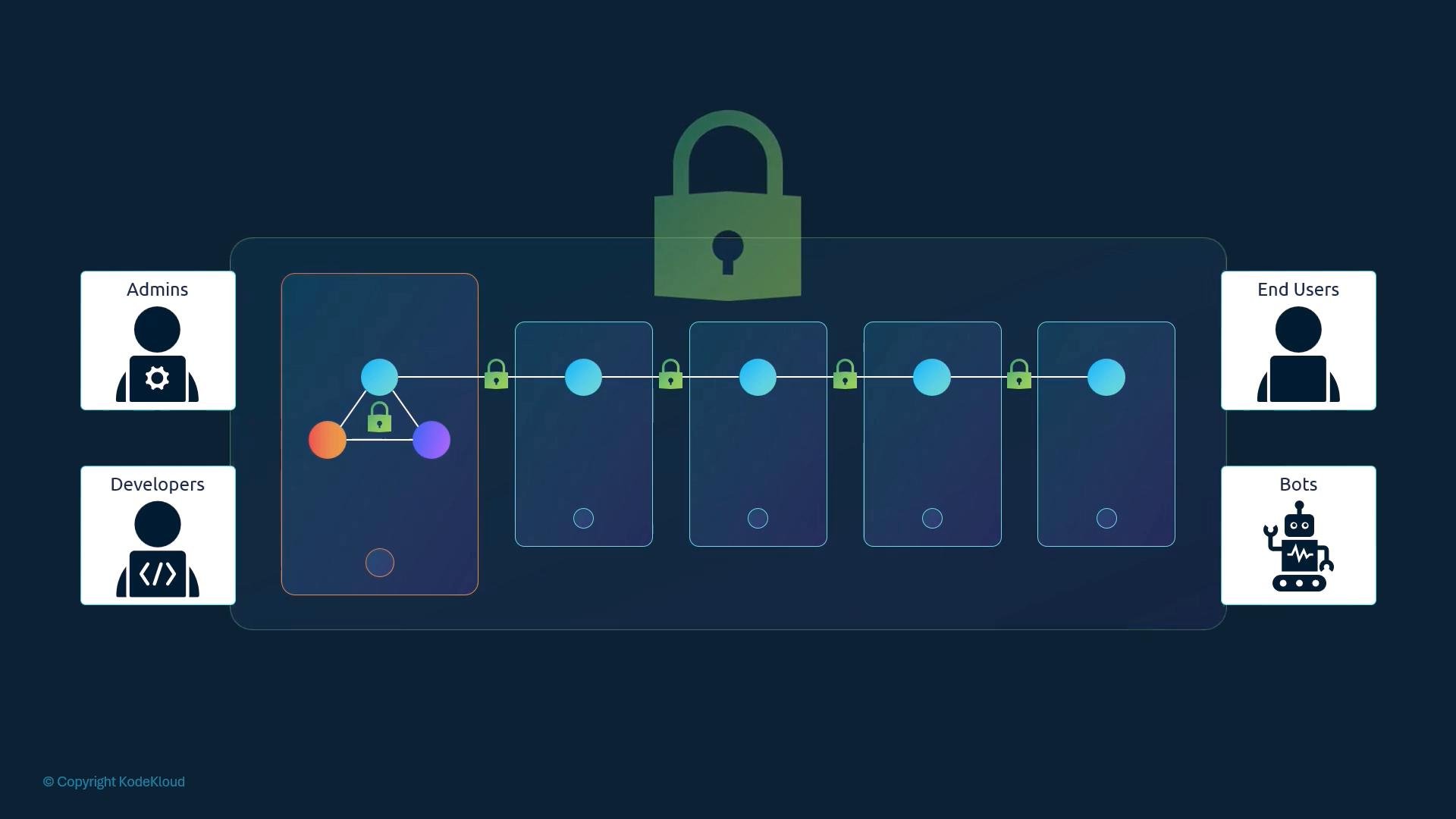
This article focuses on securing management access to the cluster — specifically, how users and processes authenticate to the Kubernetes control plane (the kube-apiserver). It does not cover application-level authentication implemented inside individual applications.
A stylized diagram of a secure multi-stage pipeline with connected nodes and padlock icons across stages. User role icons labeled Admins, Developers, End Users, and Bots appear along the sides.
Kubernetes distinguishes two principal types of identities that need access to the cluster:
  • Human users (administrators and developers)
  • Robot/service accounts (processes, controllers, CI/CD pipelines, integrations)
Important: Kubernetes does not maintain persistent human user accounts inside the cluster like an operating system would. You cannot create long-lived user accounts in the API server itself or enumerate cluster users from Kubernetes. Instead, the kube-apiserver delegates authentication to external identity sources — for example, static files, X.509 client certificates, or external identity providers (OIDC, LDAP, Kerberos, etc.). Service accounts are an exception: they are Kubernetes API objects that the cluster can create and manage and are typically used by workloads running inside the cluster. Service accounts are covered elsewhere in this curriculum. All inbound requests (from kubectl, SDKs, curl, or other clients) go through the kube-apiserver. The API server is responsible for authenticating each request before any authorization or admission control is applied. Example client requests:
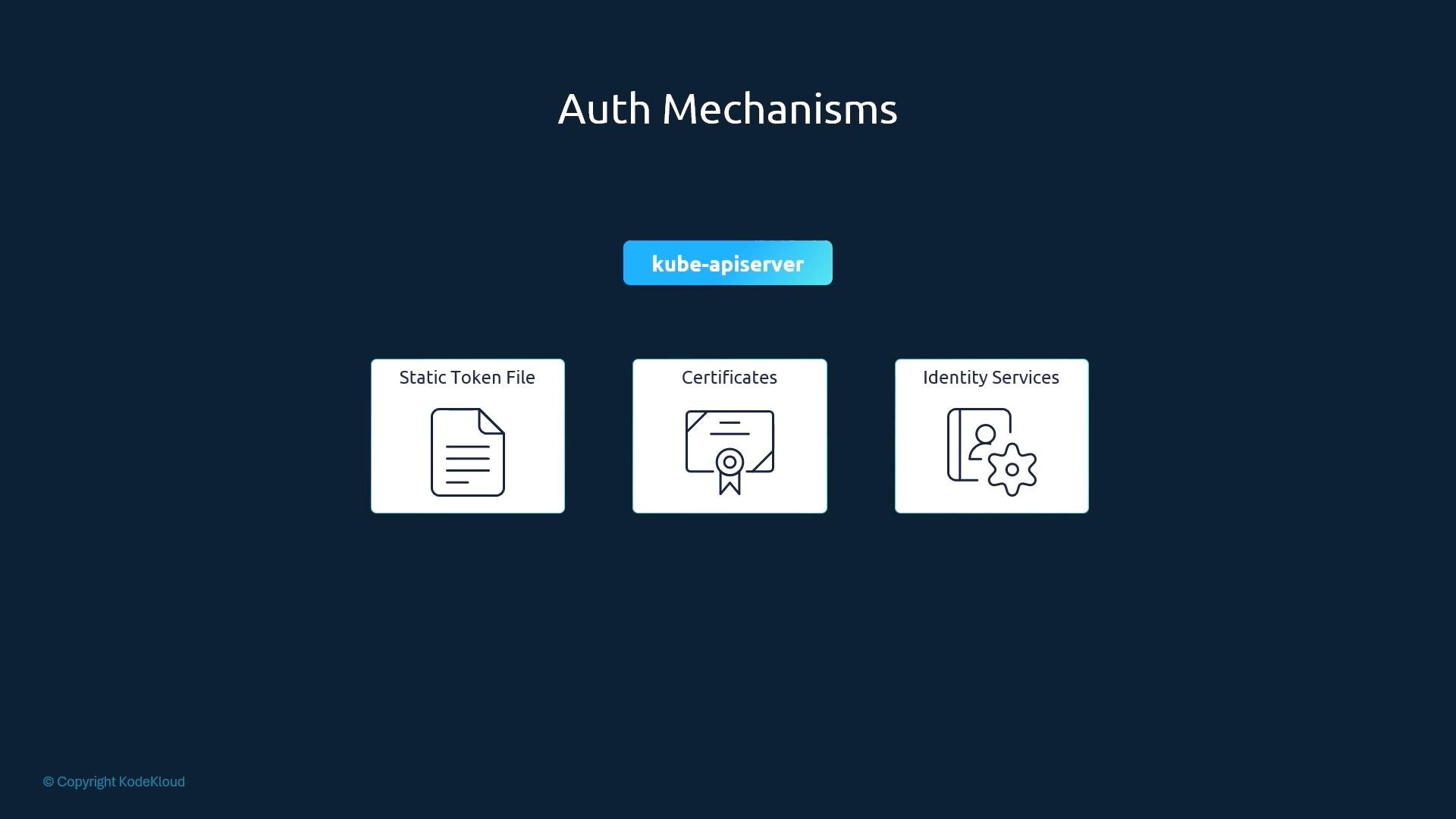
How does the kube-apiserver authenticate clients? It supports multiple, pluggable mechanisms. Common options include static files, certificate-based authentication, and integration with corporate identity systems.
A dark-themed slide titled "Auth Mechanisms" shows a central "kube-apiserver" box above three authentication options: Static Token File, Certificates, and Identity Services, each represented by an icon. The layout illustrates different auth methods for the Kubernetes API server.
Authentication mechanisms — quick overview Next we’ll look at the simplest mechanism to understand conceptually: static token files (and basic auth files). Static token and basic-auth files
  • Static token files map bearer tokens to user identities (username, uid, and optional group membership).
  • Basic-auth files map usernames to plaintext passwords and associated identities.
Example static token CSV format:
To enable a static token file in the kube-apiserver, pass the file path when starting the API server:
You can test API access by including the token in an Authorization header:
Static token files and basic auth files store credentials in clear text and are insecure. They are strongly discouraged for production use and are deprecated in many Kubernetes distributions. Use them only for experiments or in tightly controlled lab environments.
Practical notes and operational tips
  • If your distribution runs the kube-apiserver as a static pod or systemd-managed process (for example, when using kubeadm), ensure the token/basic-auth file is available inside the environment where the kube-apiserver runs. You may need to mount the file into the static pod, place it on the host filesystem, or follow your distribution’s documented method for supplying additional files to the API server.
  • Authentication always runs before authorization. The kube-apiserver authenticates the identity in the request; separate authorization controls (RBAC, ABAC, or webhook authorizers) determine what that identity is allowed to do.
  • For production clusters, prefer certificate-based authentication for machine identities and OIDC or LDAP for human users. These mechanisms provide better security, auditability, and integration with corporate identity systems.
Where to go next
  • Certificate-based authentication (client TLS certificates) — the most common and secure method for operators and automation. Learn how to issue, sign, and manage client certificates for kube-apiserver authentication.
  • OpenID Connect (OIDC), LDAP, or Kerberos — recommended approaches for integrating Kubernetes with corporate identity providers and single sign-on.
  • Service accounts and projected tokens — for workloads running inside the cluster that require API access.
Links and references That concludes this lesson on the basics of authentication in Kubernetes and how the kube-apiserver validates client identities.

Watch Video