

- Vertical scaling (scale up/down): increase or decrease the CPU, memory, or other resources of a single machine.
- Horizontal scaling (scale out/in): add or remove additional machines or instances to distribute load.
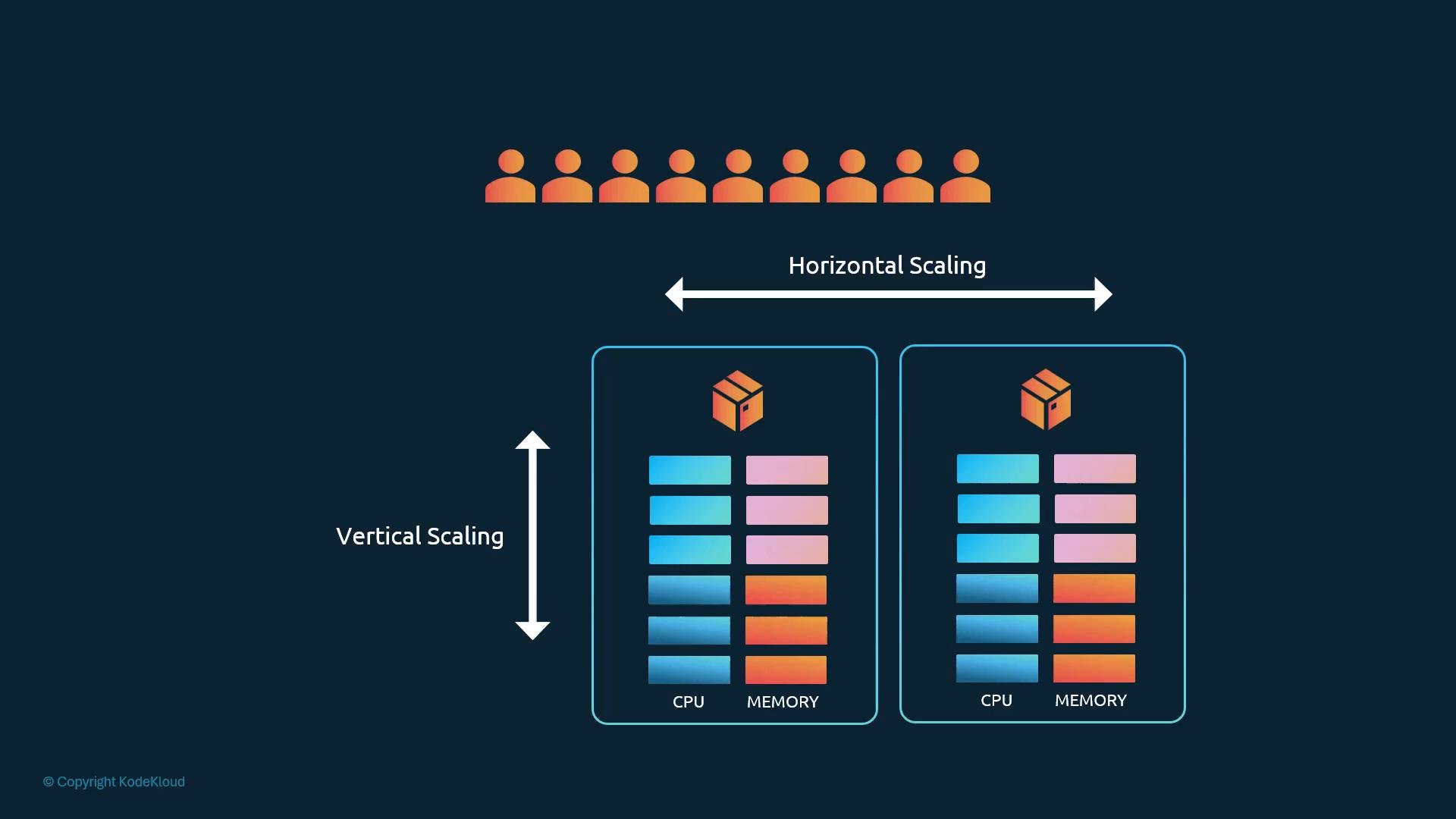
- Vertical scaling: change resources of an existing machine (CPU/memory).
- Horizontal scaling: add or remove machines/instances to share load.
- Workloads — the application units (pods) you run.
- Cluster infrastructure — the nodes that make up the cluster.
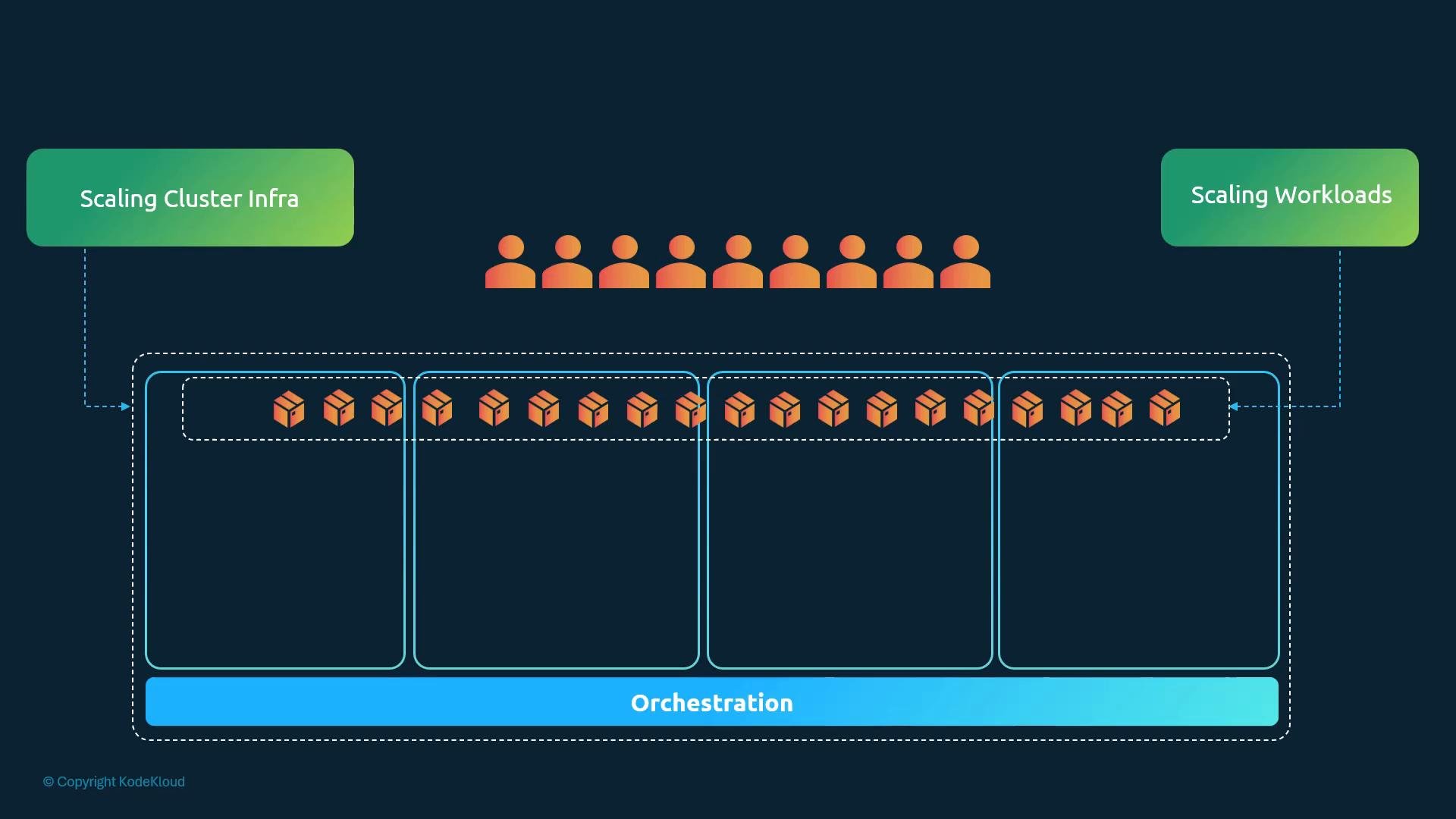
- Cluster infrastructure
- Horizontal: add or remove nodes.
- Vertical: resize existing nodes (increase CPU/memory).
- Workloads
- Horizontal: increase/decrease number of pods (replicas).
- Vertical: change pod
requests/limits(CPU/memory) for existing pods.
- Cluster (horizontal): provision nodes and join them to the cluster (e.g.,
kubeadm joinor cloud provider tooling). - Cluster (vertical): replace or resize node VMs and drain/migrate workloads — often disruptive.
- Workload (horizontal): scale a Deployment/ReplicaSet/StatefulSet with
kubectl scale. - Workload (vertical): update pod
resourcesin manifests orkubectl editthe Deployment (pods will restart to pick up changes).
- Cluster (horizontal): Cluster Autoscaler — automatically adds or removes nodes based on pending pods and node utilization (typically integrates with cloud provider APIs).
- Workload (horizontal): Horizontal Pod Autoscaler (HPA) — adjusts pod replicas using metrics such as CPU, memory, or custom/external metrics.
- Workload (vertical): Vertical Pod Autoscaler (VPA) — recommends or applies updated resource
requestsand may evict pods to apply new values.
For CKA-level understanding: prioritize how HPA adjusts the number of pods using metrics and how the Cluster Autoscaler adds/removes nodes. Know VPA conceptually (it changes pod resource requests and may evict pods), but deep VPA configuration is typically out of scope for basic exam requirements.
- Vertical = change resource size; Horizontal = change instance count.
- Kubernetes supports scaling both workloads (pods) and cluster infrastructure (nodes).
- Manual scaling is simple but operationally heavy; automated controllers (Cluster Autoscaler, HPA, VPA) provide dynamic scaling based on metrics and scheduling needs.
- For exam prep: focus on HPA behavior and Cluster Autoscaler integration with cloud providers; understand VPA conceptually.
- Kubernetes Horizontal Pod Autoscaler documentation
- Cluster Autoscaler on GitHub
- Vertical Pod Autoscaler on GitHub
- Certified Kubernetes Administrator (CKA) course — KodeKloud