

What are static pods?
A static pod is a regular Pod manifest file placed on a node in a directory that the kubelet watches. The kubelet periodically reads that directory, creates the pods described by the manifests with the local container runtime, and ensures they remain running even when the Kubernetes control plane is absent. Key behaviors:- Adding a manifest file results in the kubelet creating the Pod on the node.
- Modifying the manifest causes the kubelet to recreate the Pod so the changes take effect.
- Removing the manifest makes the kubelet delete the corresponding Pod.
How the kubelet works without a control plane
Normally the kubelet communicates with the kube-apiserver to learn which pods to run (those scheduled by the control plane). However, the kubelet can manage pods independently if provided with local manifest files. This is why static pods are useful for bootstrapping or running essential components when the control plane is not available.Manifest lifecycle (at a glance)
Configure where kubelet reads static pod manifests
You can configure the static pod manifest path either via a kubelet CLI flag or in the kubelet configuration file.
Clusters created with kubeadm typically use the configuration-file approach. To inspect how kubelet is configured on an existing node, check the systemd unit (for example
systemctl cat kubelet or cat /etc/systemd/system/kubelet.service.d/10-kubeadm.conf). If the unit references --config, open that file and look for the staticPodPath setting.
Inspecting static pods locally
Static pods are created by the kubelet through the container runtime, so you can inspect their containers with the runtime tooling. Example output using Docker:If the node uses
containerd (or another CRI runtime), use CRI tools such as crictl ps or ctr -n k8s.io containers ls to list containers created for static pods.Static pods in a clustered node: mirror pods
When a kubelet running in a cluster creates a static pod, it also registers a read-only “mirror” Pod object in the kube-apiserver. This mirror allows cluster-wide visibility viakubectl but is not editable via the API — any changes must be made to the manifest file on the node.
Example:
static-web-node01).
Using static pods for control-plane components
Static pods are commonly used to run the control-plane components (API server, controller-manager, scheduler, etcd) on control-plane nodes because they do not depend on the API server being available. Tools like kubeadm deploy control-plane manifests into the kubelet static pod directory so kubelet will start and manage them directly. Typical manifests found on a control-plane node:Static pods vs DaemonSets
Static pods and DaemonSets can both result in pods running on nodes, but they differ significantly in management, scope, and intended use.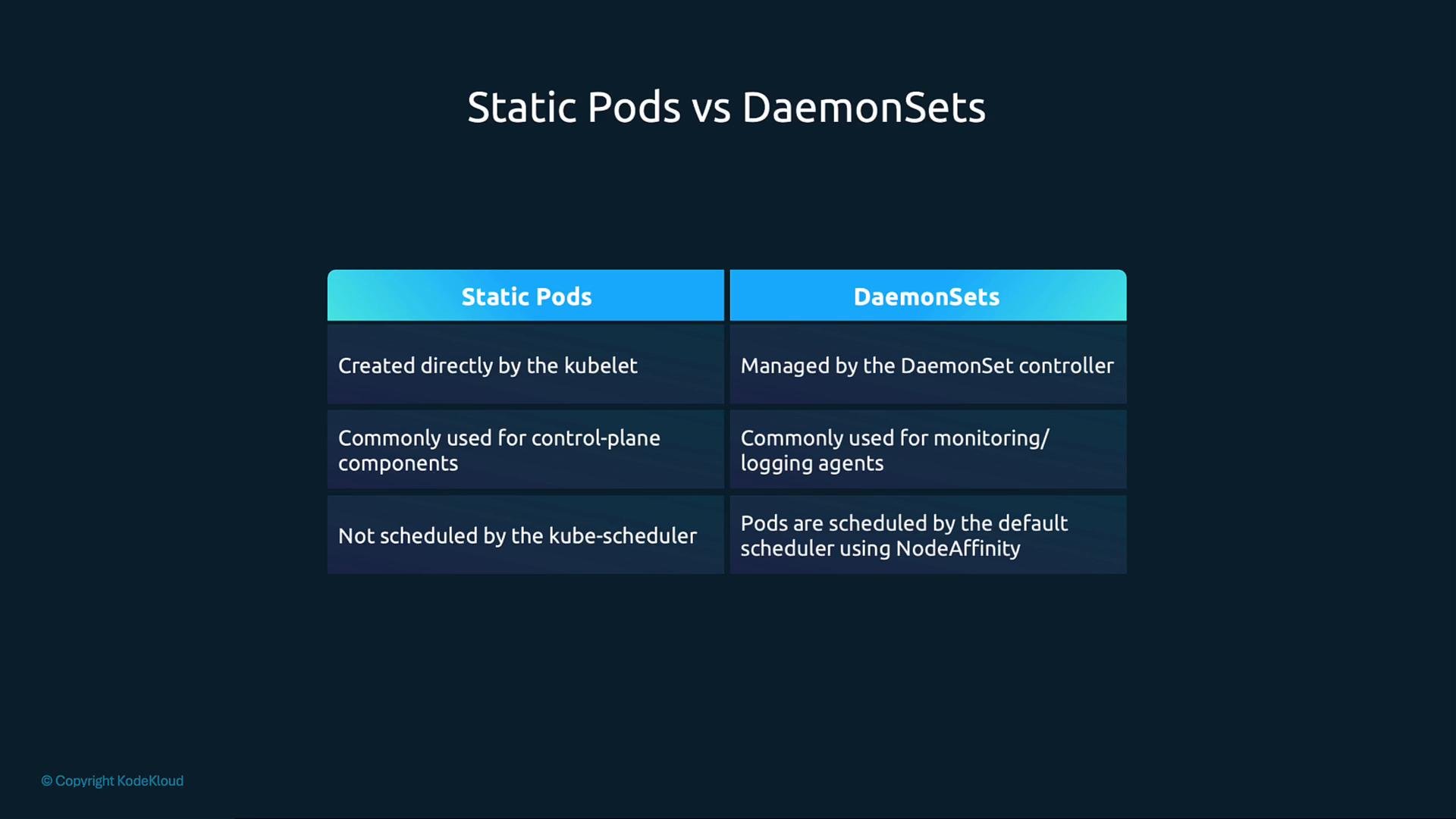
- Static Pods: Created directly by kubelet; typically used for bootstrapping and running control-plane components. Managed by editing the manifest files on the node.
- DaemonSets: Managed by the DaemonSet controller and kube-apiserver; used for running replicas of an agent across nodes and managed declaratively.
Links and references
- kubeadm — Kubernetes setup tool
- Kubelet configuration reference
- Kubernetes Pods — conceptual overview