

- Deployment: Runs Pods for services like MySQL or web servers.
- Persistent Volume (PV) and Persistent Volume Claim (PVC): Provides storage for databases.
- Service: Exposes the web server to the Internet.
- Secret: Stores sensitive data like admin passwords.
- Job: Handles periodic tasks like backups.
kubectl apply commands. For instance, a simplified collection of YAML definitions may look like this:
With Helm, you can treat your application as a single package rather than a collection of disparate Kubernetes objects.
The Cumbersome Approach: Multiple YAML Files
Imagine updating your application configuration over time. For example, you might modify several YAML files and then apply them individually:-
Update the Secret:
-
Update the Deployment:
-
Update the Service:
-
Update the PersistentVolumeClaim:
-
Update the PersistentVolume:
Introducing Helm
Helm transforms the management of Kubernetes applications by packaging all the necessary objects—Persistent Volumes, Deployments, Secrets, Services, and more—into a single, cohesive unit. This means you no longer have to manage individual YAML files for each component.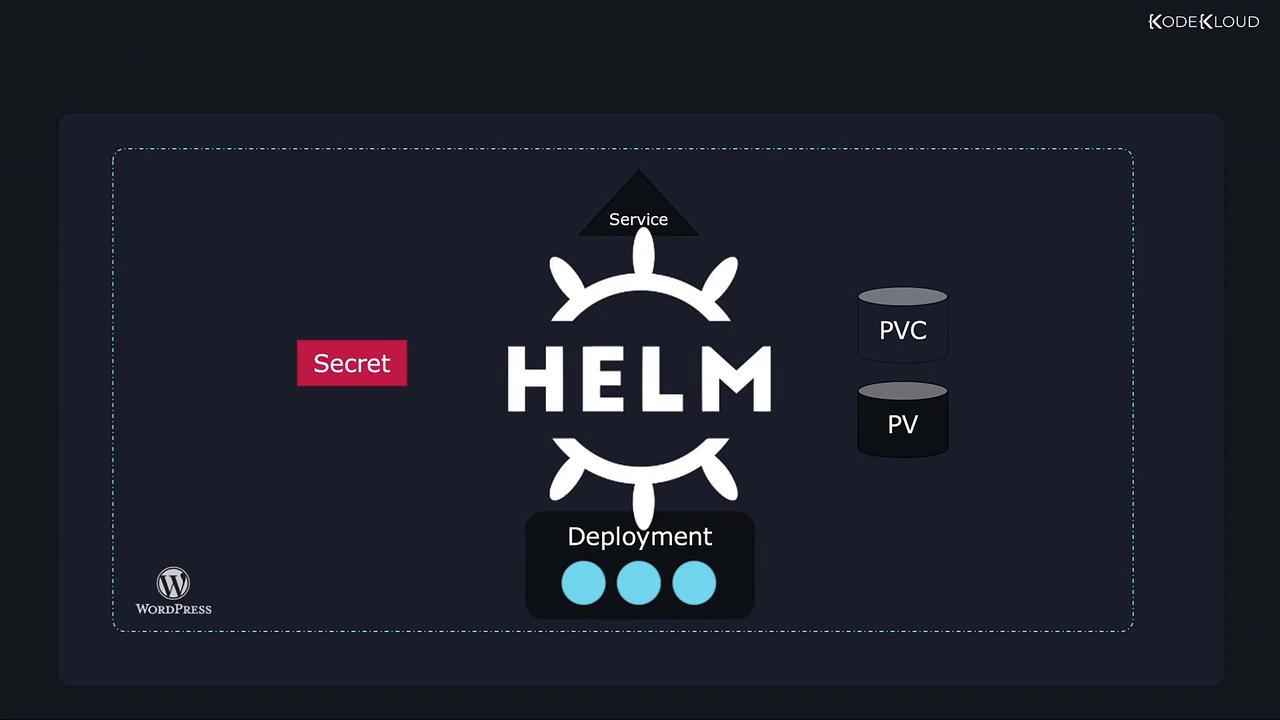
Key Benefits of Helm
-
Centralized Configuration: Customize your application using a single
values.yamlfile. This file can store essential settings such as:An examplevalues.yamlfile might look like this: -
Streamlined Upgrades and Rollbacks: Helm allows you to:
-
Upgrade your application effortlessly with:
-
Roll back to a previous release quickly using:
-
Upgrade your application effortlessly with:
-
Simplified Uninstallation: Remove all associated resources with a single command:
Helm abstracts away the complexity of managing individual Kubernetes objects, enabling you to handle your application deployments as cohesive units. This can drastically reduce manual effort and minimize potential errors during upgrades or deletions.