

Inspecting Cluster Roles and Cluster Role Bindings
Begin by counting the defined cluster roles. Since these objects are cluster-wide (not namespaced), run the command:cluster-admin role will appear in the list, both cluster roles and their bindings apply across the entire cluster.
Examining the Cluster Admin Role Binding
To view the user groups associated with thecluster-admin role, filter the cluster role bindings with:
cluster-admin binding in detail:
cluster-admin role is bound to the system:masters group.
To understand the full range of permissions granted, describe the cluster role itself:
cluster-admin role can perform any action on any resource within the cluster.
Granting Node Access to Michelle
Suppose Michelle, a new team member, requires access to view nodes. Even though thecluster-admin role grants full privileges, creating a custom role for node-specific operations can enforce a principle of least privilege.
Create a cluster role named michelle-role with the permissions get, list, and watch on nodes:
Creating targeted roles ensures that team members have only the permissions needed for their current responsibilities.
Extending Michelle’s Permissions to Storage
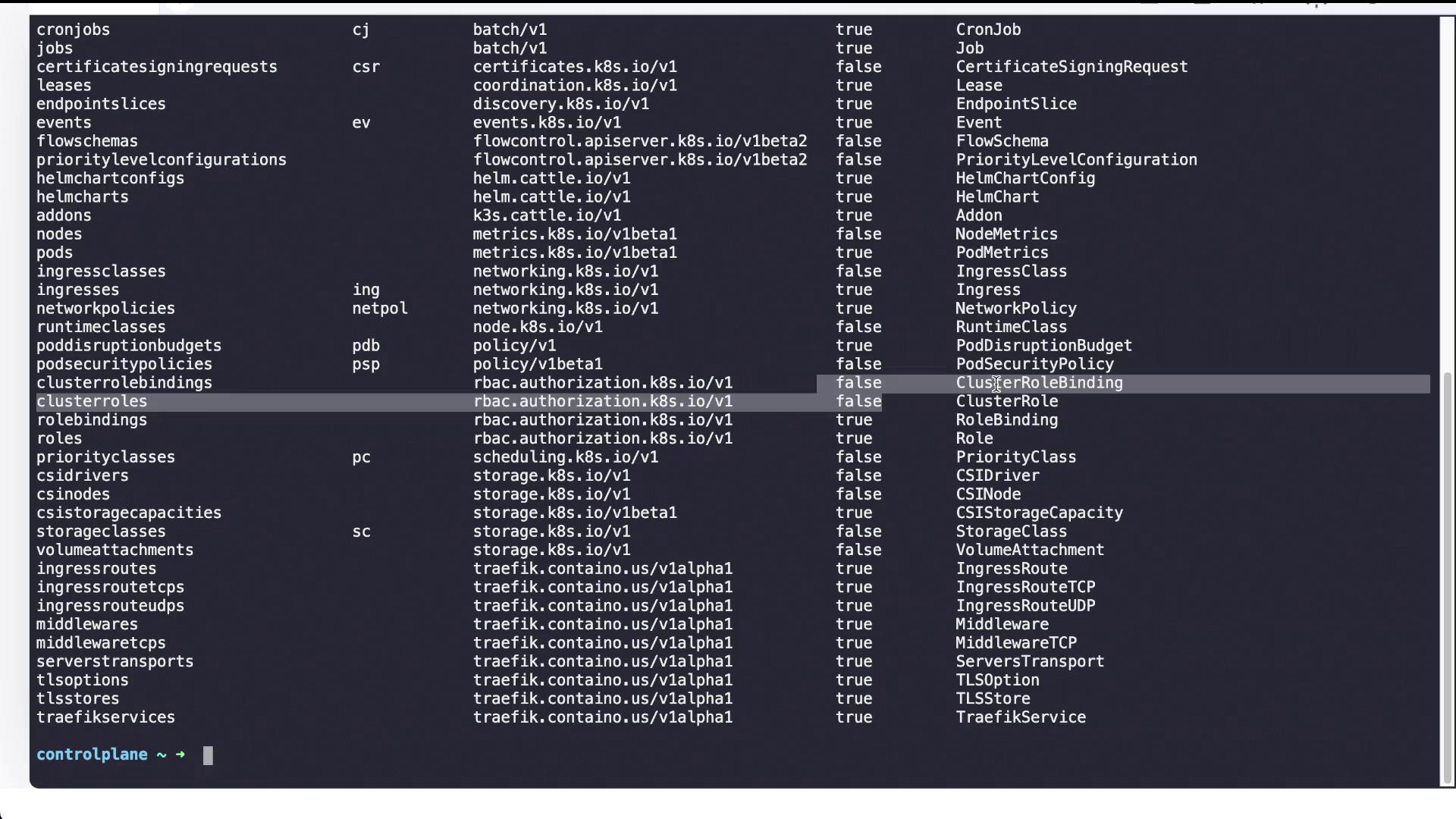
As Michelle’s responsibilities expand, she now requires access to storage resources, such as persistent volumes and storage classes. First, review available API resources to verify the exact resource names and versions:storage-admin with permissions to list, create, get, and watch on persistent volumes and storage classes:
Kubernetes API Resources Overview
For a complete overview of Kubernetes resources, including their short names and API versions, use the following command:- nodes (no) with API version v1
- persistentvolumeclaims (pvc) with API version v1
- pods (po) with API version v1
- … and many more resources
Conclusion
In summary, this article guided you through inspecting cluster roles and cluster role bindings in Kubernetes. You examined thecluster-admin role and its binding to the system:masters group, then created a tailored role and binding for Michelle to access nodes. Finally, you extended her permissions to cover storage resources by setting up a storage-admin role and the corresponding binding. These steps illustrate how Kubernetes RBAC can be efficiently adapted to meet evolving team responsibilities.
Leveraging custom roles and bindings not only enhances security by enforcing the principle of least privilege but also simplifies management as responsibilities within the team evolve.