

Traffic Flow Example
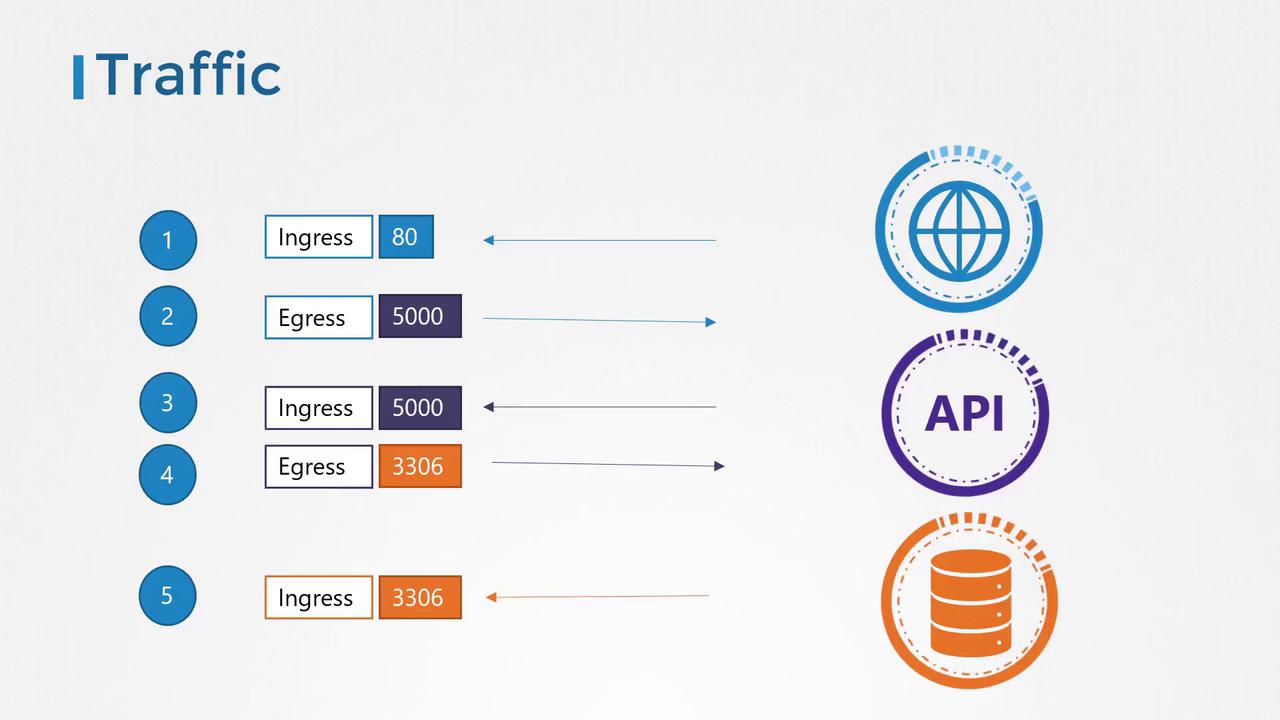
Consider a simple application configuration consisting of a web server, an API server, and a database server. The traffic flow is as follows:- A user sends a request to the web server on port 80.
- The web server forwards this request to the API server on port 5000.
- The API server retrieves data from the database server on port 3306, then sends the response back to the user.
- Ingress traffic: Incoming traffic. For example, user requests arriving at the web server on port 80.
- Egress traffic: Outgoing traffic. For example, requests sent from the web server to the API server.
- The API server receives ingress traffic from the web server (port 5000) and sends out egress traffic to the database server (port 3306).
- The database server receives ingress traffic on port 3306 from the API server.
- An ingress rule for the web server to allow HTTP traffic on port 80.
- An egress rule for the web server to permit traffic to port 5000 on the API server.
- An ingress rule for the API server to accept traffic on port 5000.
- An egress rule for the API server to allow traffic to port 3306 on the database server.
- An ingress rule for the database server to allow traffic on port 3306.
Network Security in Kubernetes
In a Kubernetes cluster, nodes host pods and services, each assigned a unique IP address. A crucial capability of Kubernetes is that pods can communicate with one another without extra configuration—such as setting up custom routes. Typically, all pods reside in a virtual private network (VPN) that spans the entire cluster, allowing them to interact using pod IPs, pod names, or configured services. By default, Kubernetes employs an “all-allow” rule permitting any pod to communicate with every other pod or service within the cluster.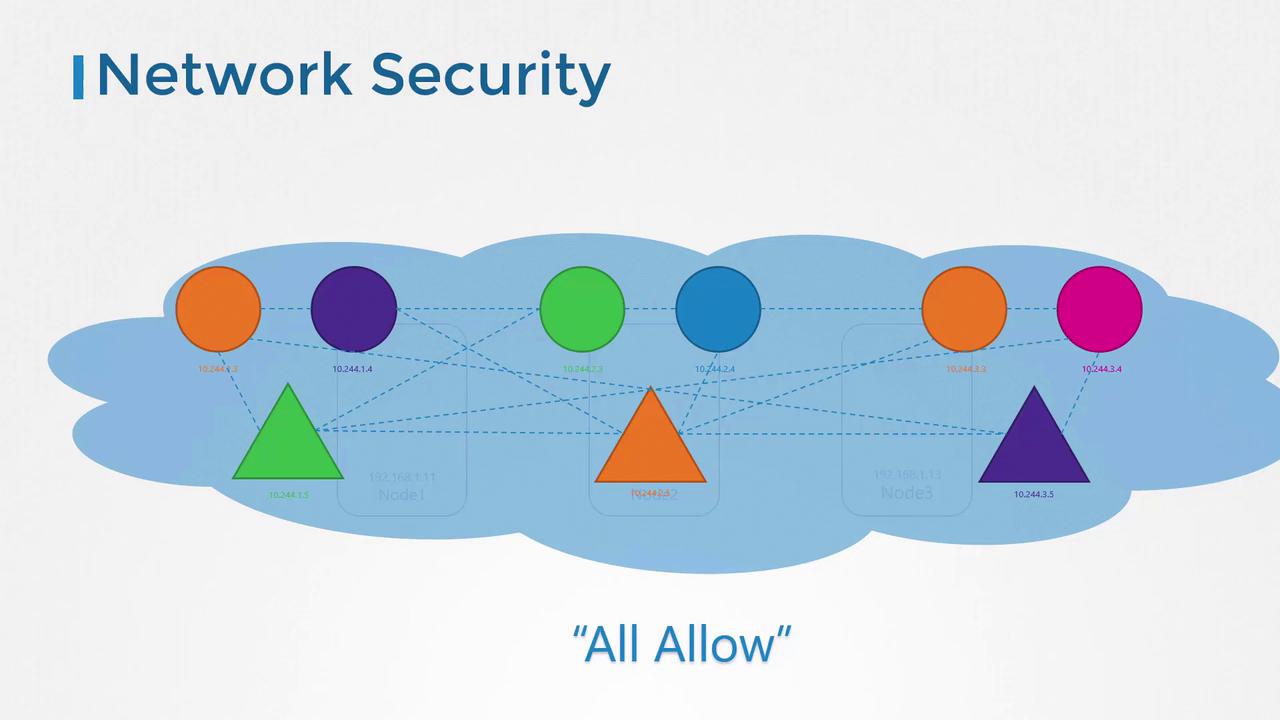
Restricting Communication with Network Policies
If your security requirements dictate that the front-end web server should not communicate directly with the database server, you can enforce this by implementing a network policy. For example, you might create a policy that only permits the API server to interact with the database server. A network policy in Kubernetes is defined as an object, which you attach to one or more pods using labels and selectors. In this scenario, the policy would only allow ingress traffic from the API pod on port 3306 while blocking all other sources from accessing the database pod.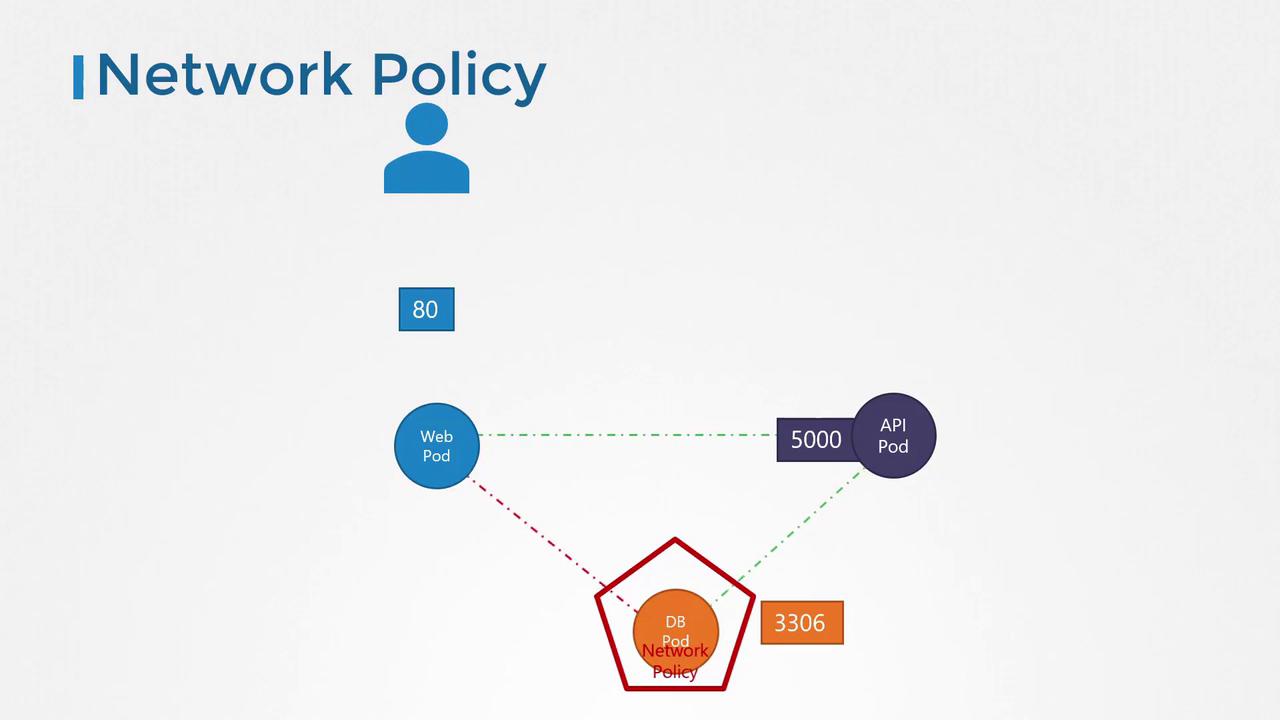
Implementing a Network Policy
To apply a network policy, you assign labels to pods and define matching selectors in the network policy object. For example, consider this snippet used to select the database pod:role: db. Next, you define policy rules to allow only ingress traffic from the API pod on port 3306.
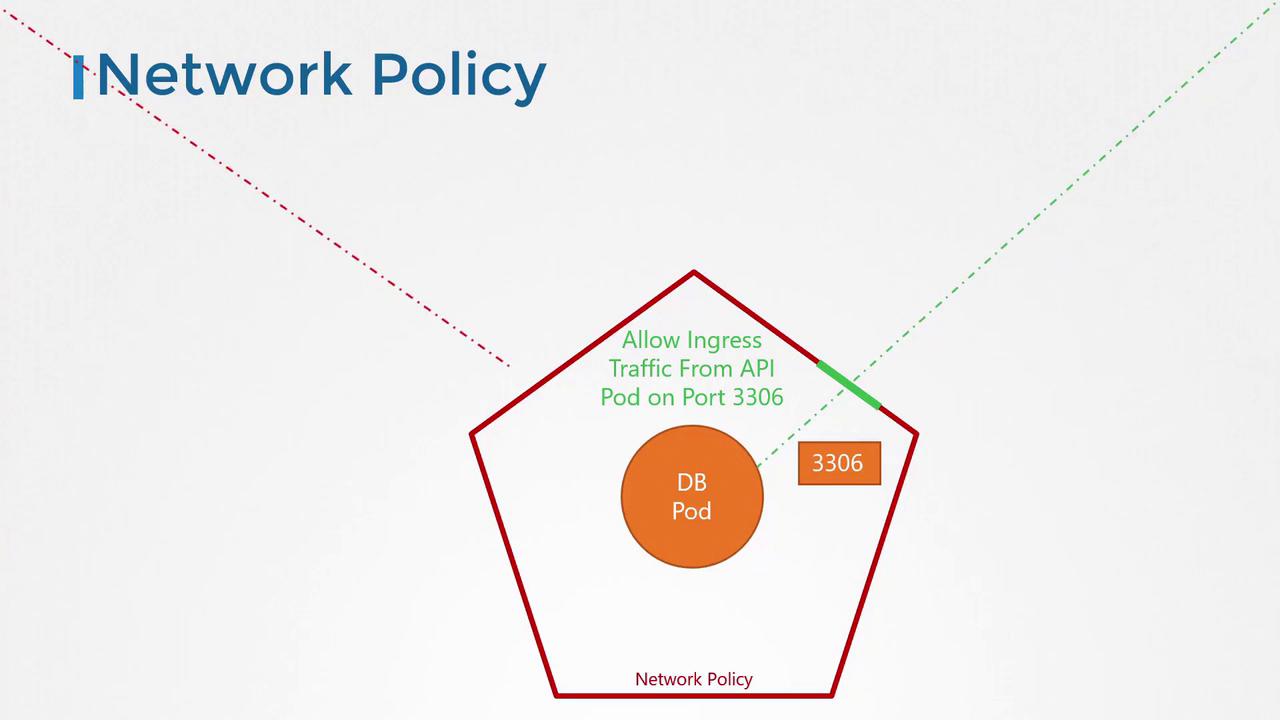
In this configuration:
- The
podSelectortargets the database pod through its label. - The
policyTypesfield specifies that only ingress traffic is affected. - The ingress rule allows traffic specifically from pods with the label
name: api-podon TCP port 3306.
policyTypes. Unspecified traffic is automatically allowed by default.
Enabling Network Policies in Kubernetes
To enforce the network policy, execute the following command:Network policies are enforced by the cluster’s networking solution. While solutions like Kube-router, Calico, Romana, and Weave Net support network policies, Flannel does not enforce them. Creating policies with Flannel will not produce an error, but they won’t be applied. Always consult your network solution’s documentation to verify its support for network policies.