- What is the primary purpose of the cluster?
Is it meant for learning, development, testing, or hosting production-grade applications? - How mature is your organization’s cloud adoption?
Do you lean towards a cloud-managed platform or prefer a self-hosted solution? - What types of workloads will it support?
Will you be running a handful of applications or many?
Are these applications web-based, big data, analytics-oriented, or something else? - What network traffic patterns do you anticipate?
Will the applications see continuous heavy traffic or sporadic bursts?
Cluster Design Considerations
Learning Environments
For clusters intended for learning purposes, a simple setup is usually sufficient. You might opt for tools like Minikube or a single-node cluster deployed with kubeadm on local VMs or via cloud services such as GCP or AWS. This setup was demonstrated in our Kubernetes for the Absolute Beginners - Hands-on Tutorial.Development & Testing
For development and testing environments, a multi-node cluster with one master and several worker nodes is ideal. Tools like kubeadm perform well in this configuration. Alternatively, managed cloud environments like Google Container Engine (GKE), AWS, or Azure Kubernetes Service (AKS) allow you to quickly provision a multi-node cluster.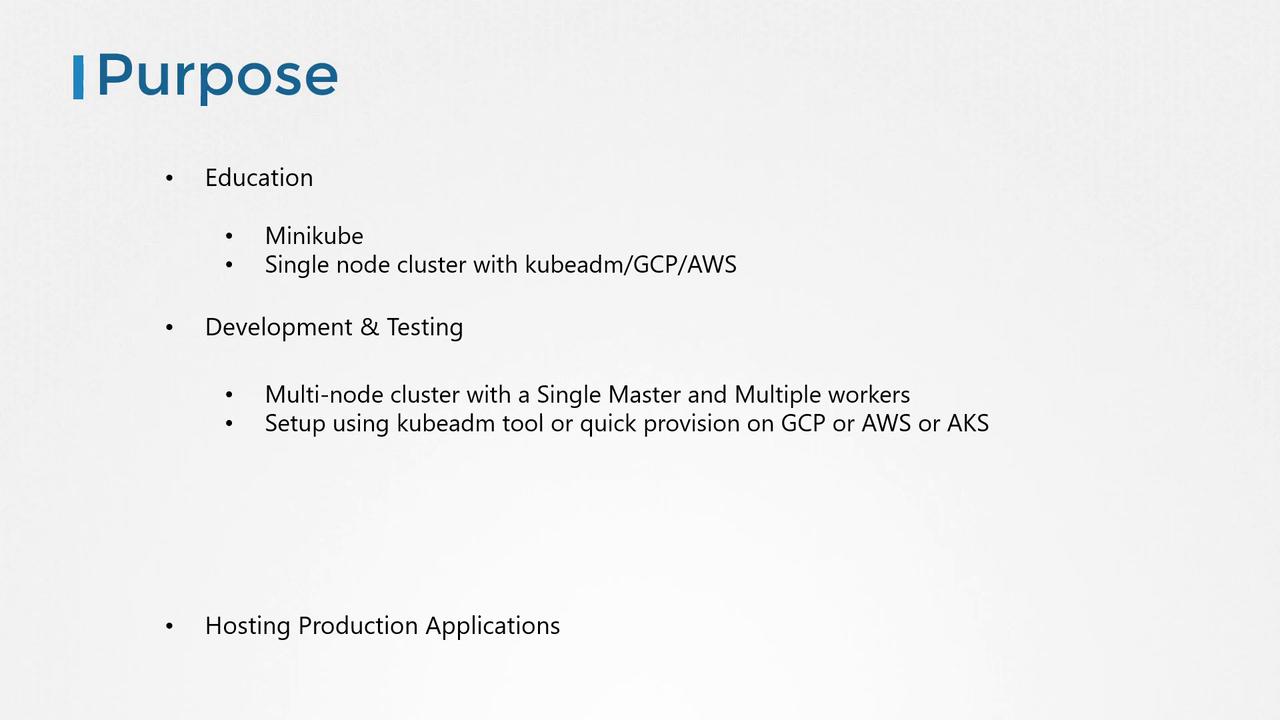
Production-Grade Clusters
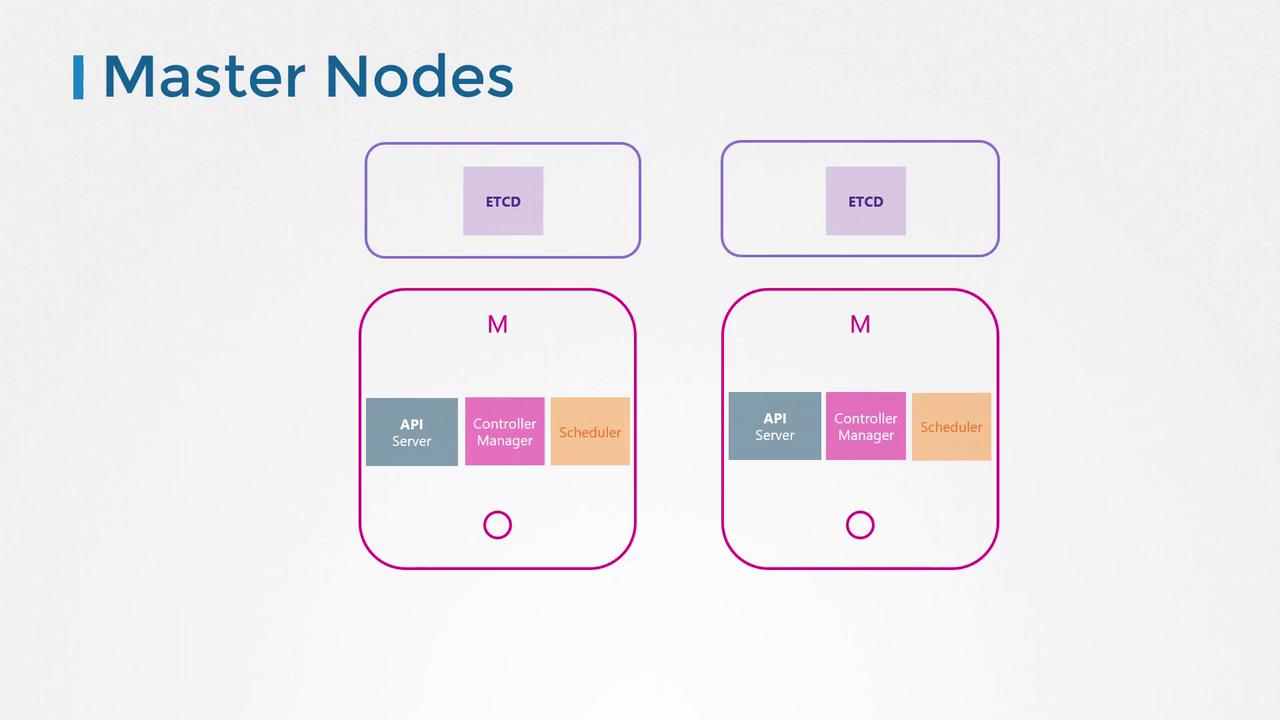
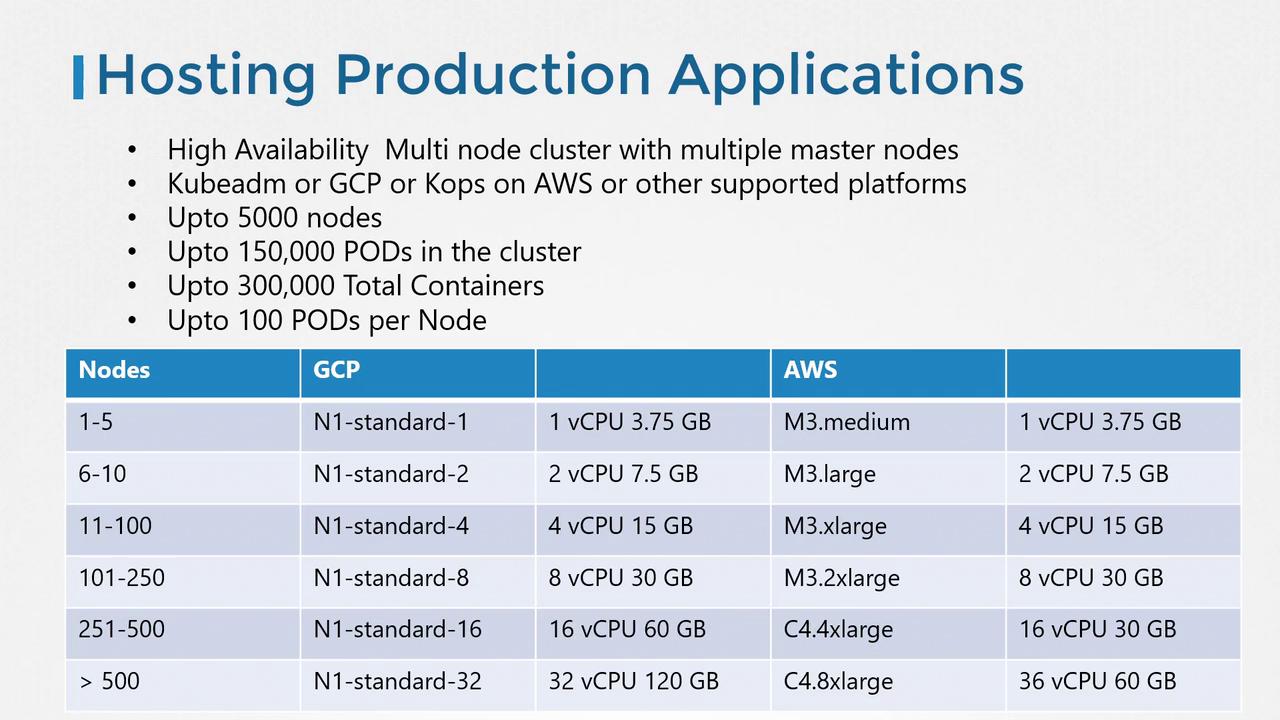
For production environments, high availability is critical. Deploy a multi-node cluster with multiple master nodes and dedicate them solely to control plane components like the API server, controller manager, scheduler, and ETCD. With kubeadm or managed solutions on GCP, AWS (with COPS), and other platforms, a production cluster can scale impressively—up to 5,000 nodes, 150,000 pods, 300,000 containers, and supporting up to 100 pods per node.High availability is paramount for production-grade clusters. Ensure that multiple master nodes and strict resource configurations are implemented to handle large-scale deployments.
Storage Options
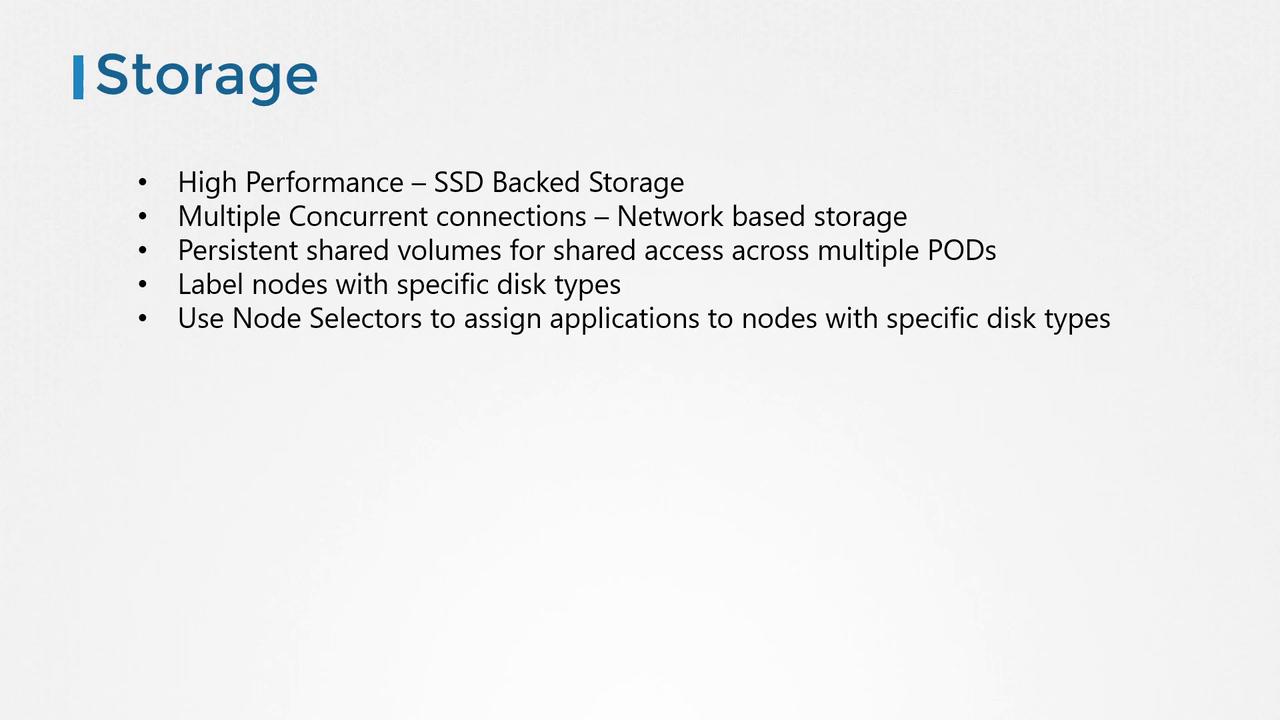
When selecting storage solutions, align node and disk configurations with workload demands:- Use SSD-backed storage for high-performance applications.
- Consider network-based storage options for scenarios requiring multiple concurrent accesses.
- Opt for persistent storage volumes when sharing data across multiple pods is necessary.
Node and Control Plane Considerations
Nodes in a Kubernetes cluster can be physical or virtual. In this lesson, we focus on a VirtualBox setup with three nodes: one master and two worker nodes. The master node hosts critical control plane components (such as the Kube API Server and ETCD), while the worker nodes run application workloads. Although Kubernetes masters can in some cases run workloads, it is best practice in production environments to reserve them solely for managing the cluster. Tools like kubeadm automatically taint master nodes to prevent workload scheduling. Ensure that all nodes run on 64-bit Linux operating systems. In larger clusters, ETCD can be deployed on dedicated nodes for enhanced high availability.