This article introduces the Gateway API, a flexible approach to managing network routing in Kubernetes, addressing limitations of Ingress.
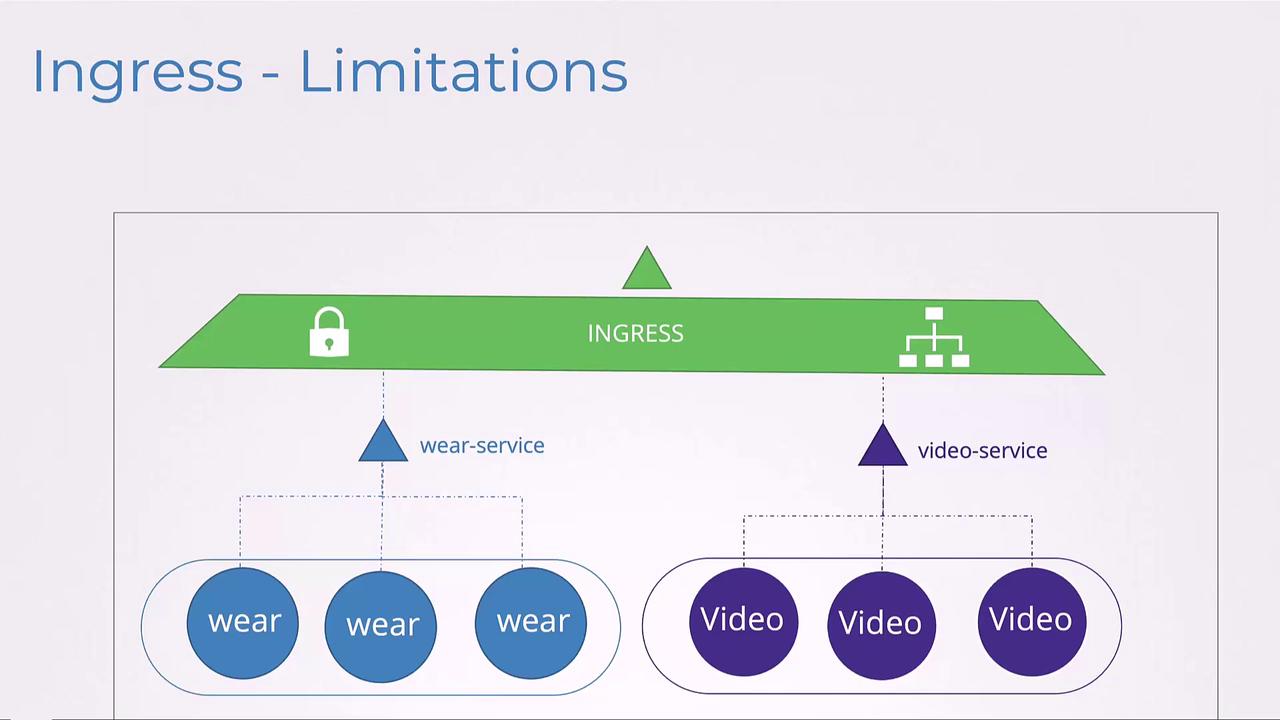
In this lesson, we introduce the Gateway API, a modern, more flexible approach to managing network routing in Kubernetes. In previous discussions on Ingress, we saw a scenario where two services shared the same Ingress resource:
Imagine a scenario where independent teams or even separate organizations manage different services. For example, one team could be responsible for the web service while another oversees the video service. In such multi-tenant environments, a single Ingress resource — which can be controlled by only one team at a time — may lead to coordination challenges and potential conflicts. In addition, Ingress has limited support for multi-tenancy and parameterized rules.
For basic routing, consider this simple Ingress configuration:
Another limitation of Ingress is its narrow rule configuration. Ingress only supports HTTP-based requests by matching hosts or paths. It does not natively support protocols such as TCP or UDP, nor does it offer advanced features like traffic splitting, header manipulation, authentication, or rate limiting. These behaviors are usually implemented using controller-specific annotations. For example:
The use of annotations, however, creates challenges. Different Ingress implementations (such as NGINX and Traefik) require their own annotation syntax. For instance, configuring CORS might look like this:
Kubernetes passes these annotations to the controllers without validating them, meaning that similar configurations will only work with the controllers that recognize the given annotations.This is where Gateway API steps in. Gateway API is an official Kubernetes project designed to improve both layer 4 and layer 7 routing. It represents the next evolution in Kubernetes Ingress, load balancing, and service mesh APIs.
One of the key limitations with Ingress is multi-tenancy. Gateway API addresses this by splitting the responsibilities among three objects, each managed by a different persona:
Infrastructure Providers: They define the GatewayClass, which specifies the underlying network infrastructure (e.g., NGINX, Traefik, or another load balancer).
Cluster Operators: They create Gateway objects as instances of a GatewayClass.
Application Developers: They configure HTTPRoutes (or other routes like TCPRoute or gRPCRoute) that attach to the Gateway.
Unlike Ingress, which only supports HTTP routing, Gateway API broadens support to include multiple protocols. Let’s look at how the components are defined.
Application developers then create an HTTPRoute to define routing rules. In the following example, requests for “www.example.com” with a path prefix of “/login” are directed to the “example-svc” backend on port 8080:
This declarative configuration explicitly defines both matching rules and backend mapping, eliminating the reliance on ambiguous annotations. Additionally, it paves the way for supporting protocols beyond HTTP, such as TCP or gRPC.
Another advantage of Gateway API is its clear and structured approach to TLS configuration. With Ingress, configuring HTTPS typically involves both native TLS settings and controller-specific annotations:
Here, TLS termination is explicitly defined with certificate references and allowed routes for the listener, eliminating the need for external annotations.
This configuration works consistently across Gateway API implementations regardless of the underlying controller, ensuring that advanced settings like CORS remain centralized and transparent.
Today, many controllers have already implemented (or are in the process of implementing) Gateway API. Notable examples include Amazon EKS, Azure Application Gateway for Containers, Contour, Envoy, Google Kubernetes Engine, HAProxy, Istio, Kong, Kuma, NGINX, and others.That concludes this lesson on the Gateway API. You can now practice working with Gateway API controllers in the accompanying labs. Enjoy the enhanced flexibility and clarity that Gateway API brings to your Kubernetes networking configurations!