

Overview
Consider a two-tier application consisting of a web server and a database server. The database pod hosts a database application and serves data to the web servers via a database service. Meanwhile, the web server, running on a separate pod, delivers content to the users through a web service.Before you begin troubleshooting, document your application’s configuration by creating a system map or listing all components and their connections. This documentation can be a valuable reference when determining where to start your investigation.
Troubleshooting the Web Application
When users report issues accessing your application, start by testing the application’s front end. For example, if your application is web-based, verify the accessibility of the web server using a tool like curl on the service’s IP address and node port:Validate Service Endpoints
Ensure that the web service has correctly discovered endpoints for the web pod. A common issue is a mismatch between the selectors defined on the service and those on the pod. View the service details with:Verify Pod Configuration
Review the web application’s pod definition to ensure it is correctly configured and running:Review Application Logs
Examine the application logs with:Troubleshooting the Database Service
Apply a similar approach to verify the status of the database (DB) service. Examine the following:- Inspect the DB service details.
- Confirm that endpoints are configured correctly.
- Check the DB pod’s status.
- Review the database logs for errors that might signal issues within the database.
Ensure that both the web and DB services have matching selectors for their respective pods. Mismatches in labels can lead to missing endpoints and connectivity issues.
Visualizing the Dependency Chain
The diagram below illustrates the troubleshooting flow for dependent applications. It outlines the sequence from the database (DB) to the web service (WEB-Service), including both the DB-Service and WEB components: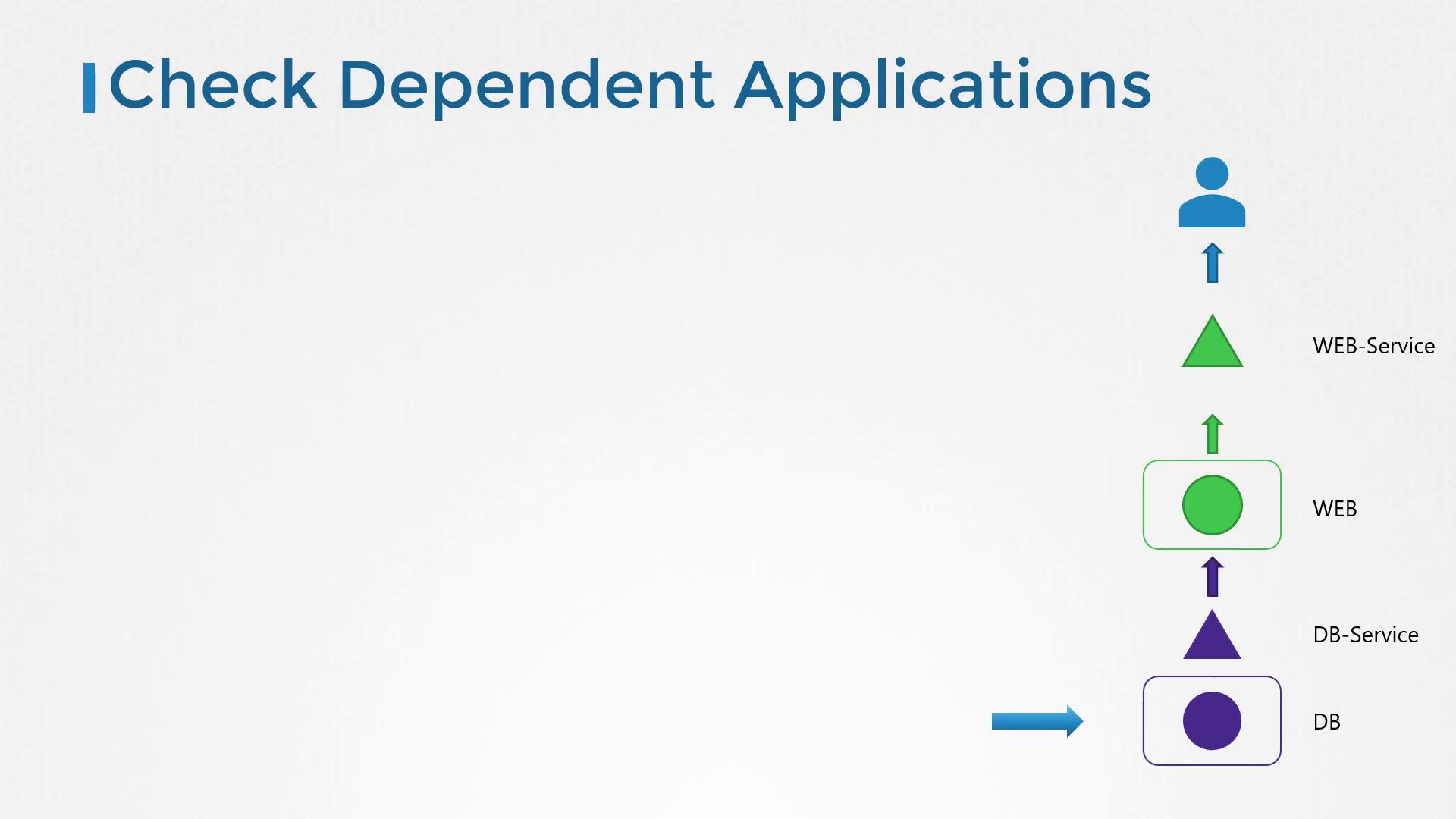
Additional Resources
For further troubleshooting guidance and best practices, refer to the following resources:Final Tip
Use the command below to obtain detailed information about any pod. Replace $ with the actual pod name.