Problem with Hardcoding Sensitive Data
Consider a simple Python web application connecting to a MySQL database. When the connection succeeds, the application displays a success message. However, the code includes hardcoded values for hostname, username, and password, which poses a serious security risk. Previously, configuration data like these values might have been stored in a ConfigMap. For example:Secrets encode data using Base64. Although it provides obfuscation, it is not a substitute for encryption.
Understanding Kubernetes Secrets
Working with Secrets in Kubernetes involves two main steps:- Create the Secret.
- Inject it into a Pod.
Encoded Values
Decoded Values
- Imperative Creation: Using the command line to create Secrets on the fly.
- Declarative Creation: Defining Secrets in YAML files.
Imperative Creation of a Secret
With the imperative method, you can supply key-value pairs directly via the command line. For example, to create a Secret named “app-secret” with the key-value pairDB_Host=mysql:
--from-literal option repeatedly:
--from-file option:
Declarative Creation of a Secret
For a more manageable approach, define a Secret in a YAML file. This file should include the API version, kind, metadata, and encoded data. Below is a sample YAML definition for a Secret:Converting Plaintext to Base64
On Linux hosts, you can convert plaintext values to Base64-encoded strings using theecho -n command piped to base64. For example:
Viewing and Decoding Secrets
After creating a Secret, you can list and inspect it with the following commands:-
List Secrets:
Expected output:
-
Describe a Secret (without showing sensitive data):
-
View the encoded data in YAML format:
base64 --decode command:
Injecting Secrets into a Pod
Once the Secret is created, you can inject it into a Pod using environment variables or by mounting them as files in a volume.Injecting as Environment Variables
Below is an example Pod definition that injects the Secret as environment variables:Mounting Secrets as Files
Alternatively, mount the Secret as files within a volume. Each key in the Secret becomes a separate file:Important Considerations When Using Secrets
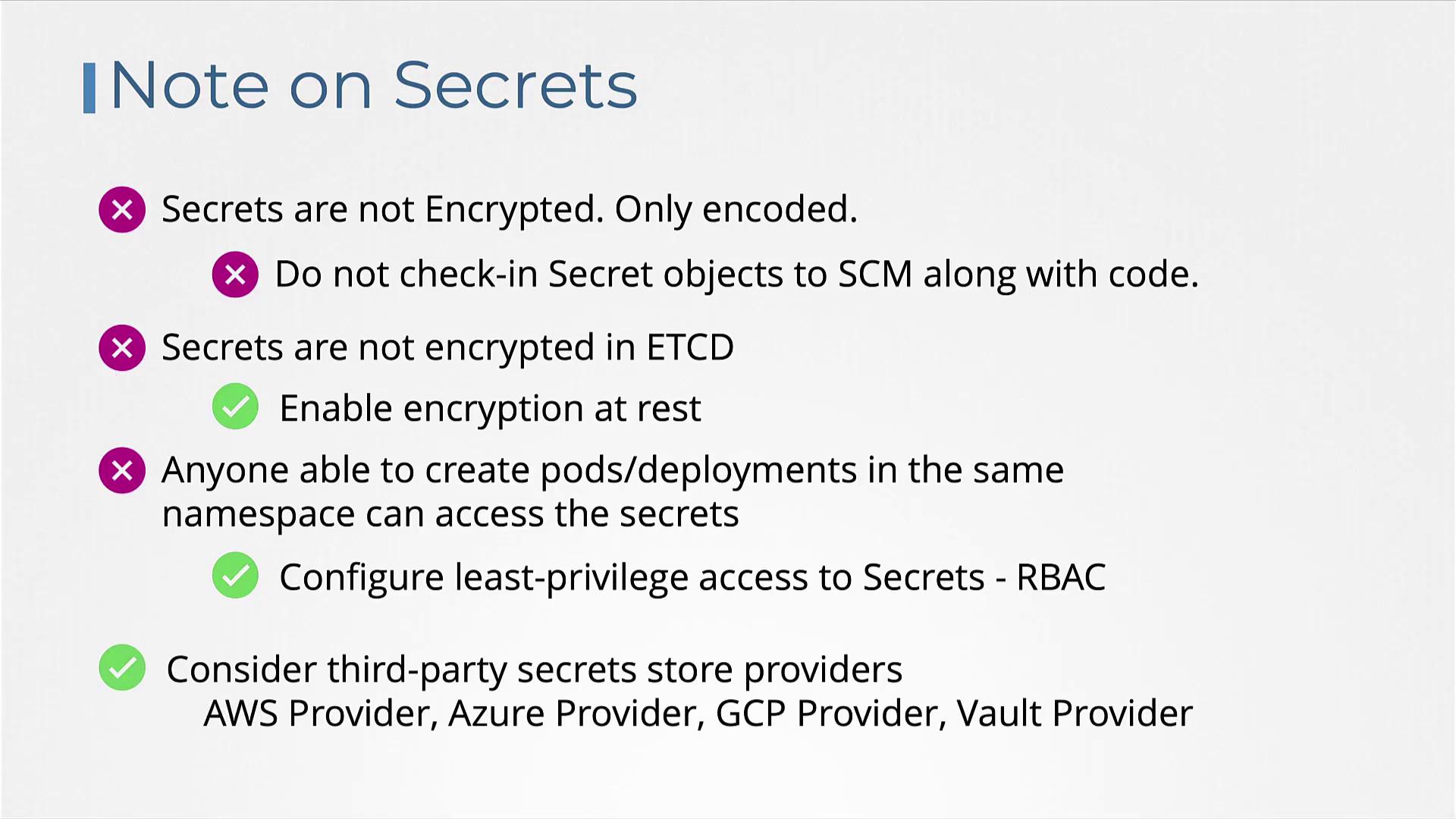
Remember that Kubernetes Secrets are only encoded in Base64, not encrypted by default. Anyone with sufficient access can decode the data. Always handle secret definition files with care and avoid storing them in public repositories.
- Secrets offer only Base64 encoding. For enhanced security, consider enabling encryption at rest for etcd.
- Limit access to Secrets using Role-Based Access Control (RBAC). Restrict permissions to only those who require it.
- Avoid storing sensitive secret definition files in source control systems that are publicly accessible.
- For even greater security, explore third-party secret management solutions such as AWS Secrets Manager, Azure Key Vault, GCP Secret Manager, or Vault.
External Secret Providers
External secret providers decouple secret management from etcd and offer advanced encryption, granular access control, and comprehensive auditing capabilities. For further details and best practices, consider exploring courses like the Certified Kubernetes Security Specialist (CKS).