

Why You Need a Disaster-Recovery Plan for DTR
By default, a single-replica DTR using local filesystem storage provides no redundancy—if that node crashes, the registry goes offline. To avoid downtime and data loss, implement:- Multiple DTR replicas
- A private overlay network (e.g.,
DTR-OL) connecting them - Quorum-based consensus (minimum three replicas)
- An external object store (Amazon S3, Google Cloud Storage, or Azure Blob Storage) for image layers
Local filesystem storage on individual replicas is not fault-tolerant. Always use an external object store for image data at scale.
DTR High Availability Architecture
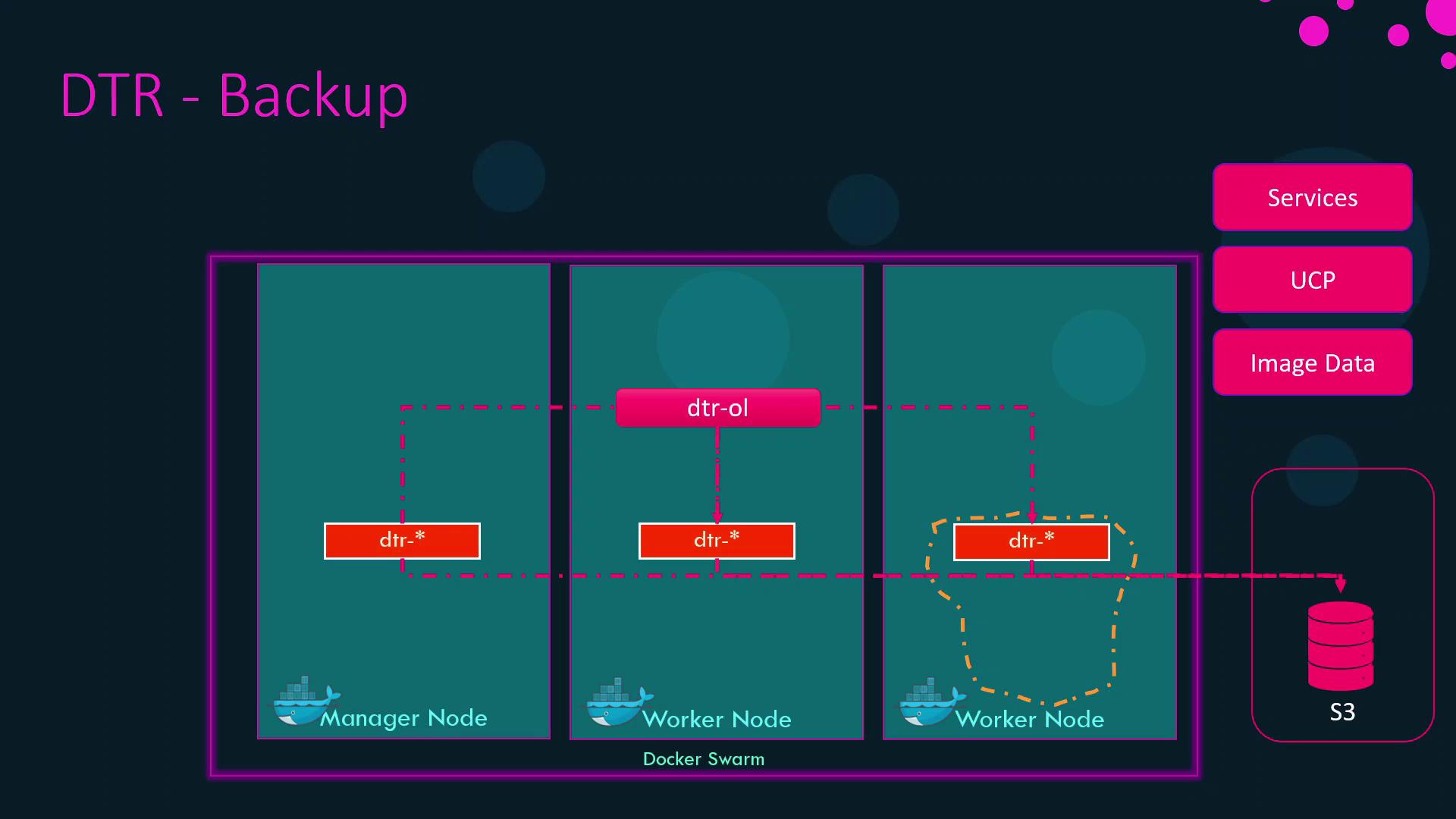
What to Back Up in DTR
Even with image layers safely stored in S3 (or equivalent), you must preserve DTR’s metadata: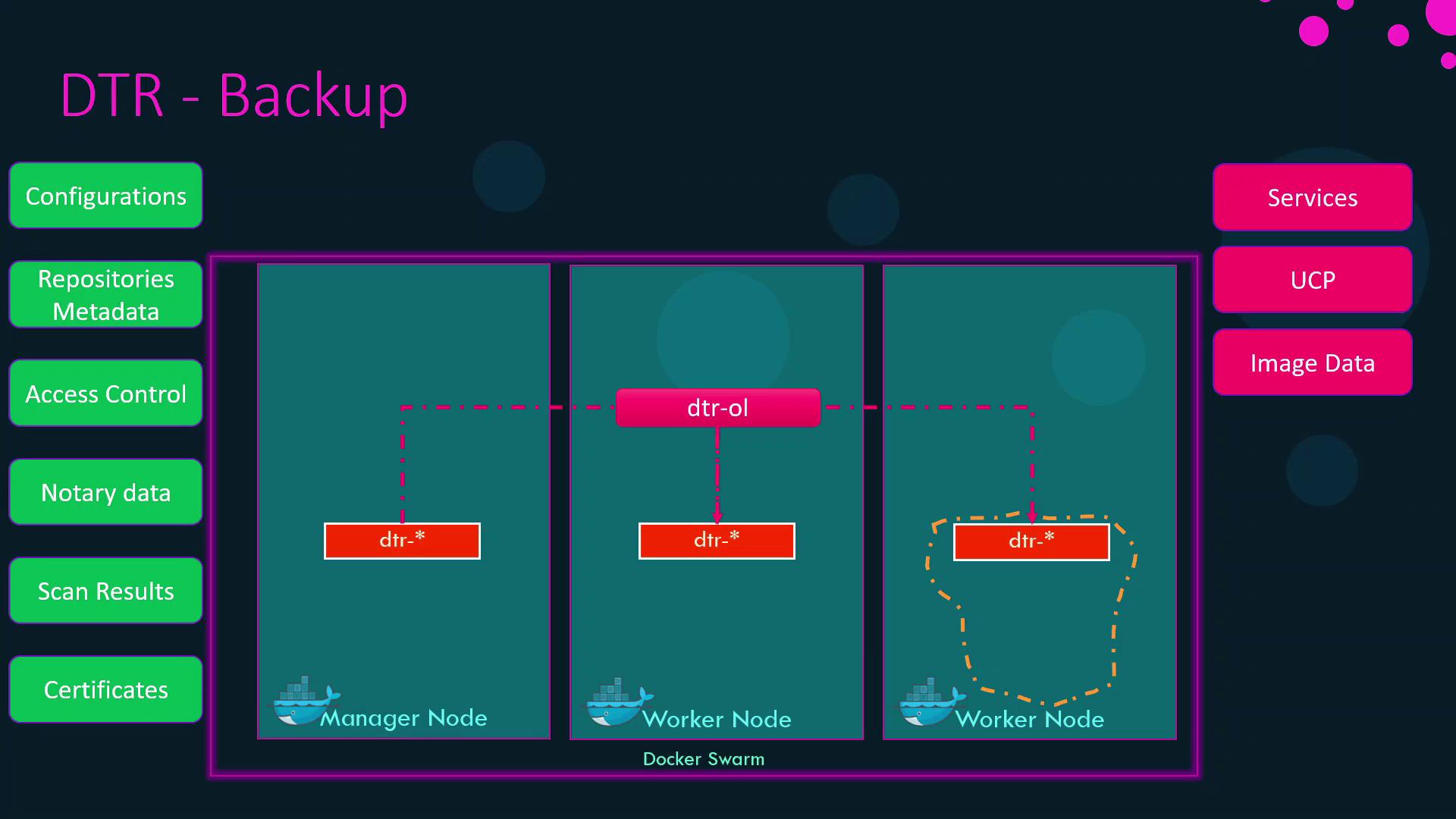
Backing Up DTR Metadata
Run the DTR backup container against any existing replica to generate a tar archive of all metadata:For a full list of backup flags and how to obtain credentials, see the DTR disaster recovery documentation.
Restoring DTR Metadata
Follow these steps to restore your registry metadata after a failure:- Destroy existing DTR containers to clean up state:
- (If needed) Rehydrate image layers in your object store (e.g., re-upload to S3).
- Import the metadata backup:
- Re-deploy additional replicas and confirm quorum membership.
Summary Table
Disaster recovery for Docker Enterprise encompasses three layers. Below is a high-level overview:
With these backups in place, you can restore your entire Docker Enterprise environment—Swarm, UCP, and DTR—to full operation after an outage.