Prerequisites
- Visit Docker Documentation.
- Navigate to Product Manual → Docker Enterprise.
- Select Universal Control Plane → Administration.
- In the left menu, click Install and review System Requirements.
Ensure all required network ports are open before proceeding. See Network Ports.
System Requirements
Software
Hardware (Minimum)
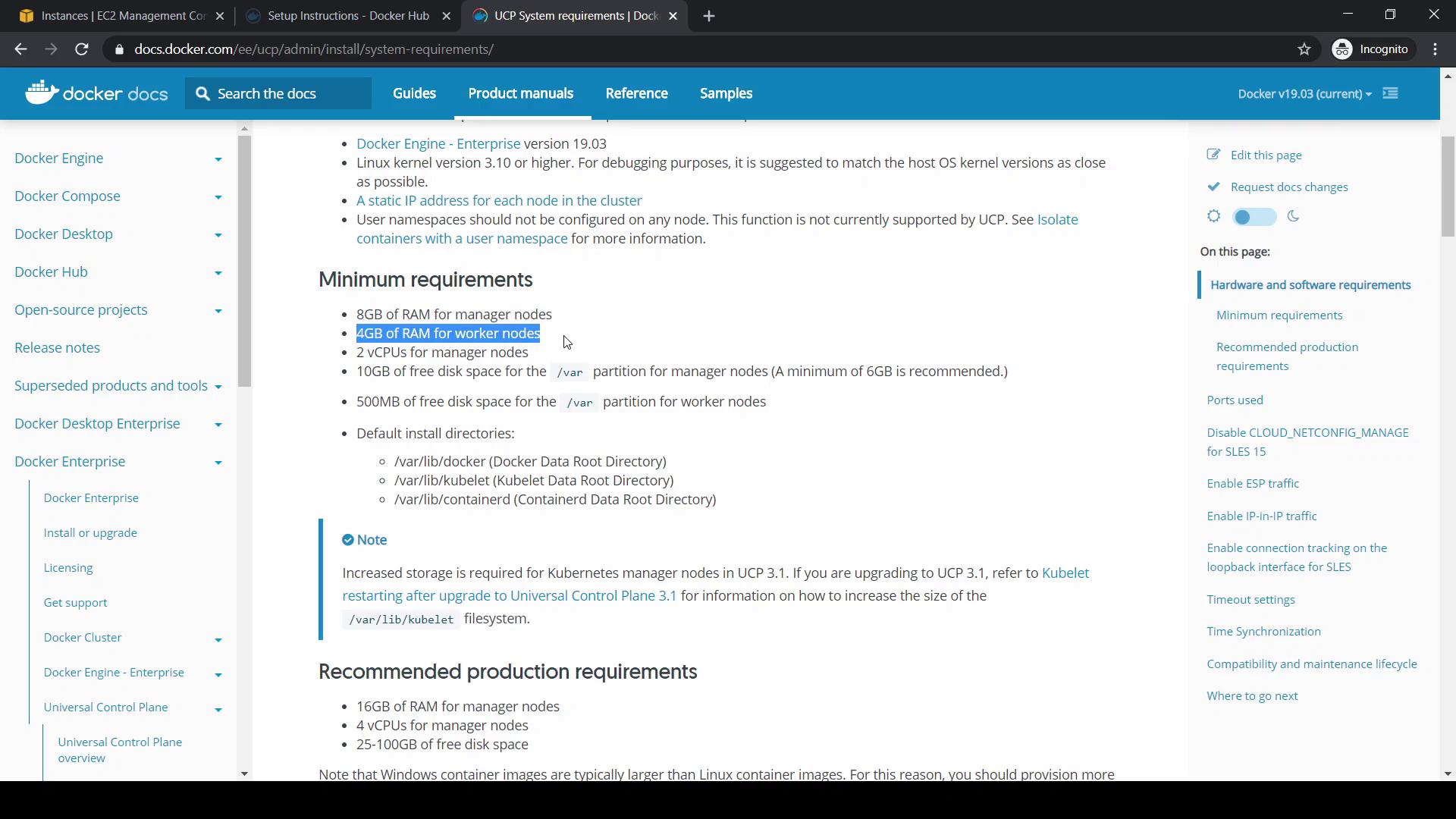
Hardware (Recommended for Production)
Docker Engine is already installed and the host meets these specs, so we’ll skip custom volume configuration (step 3 in the guide).
Installation Steps
- Pull the UCP image (e.g., version 3.2.6):
- Run the installer container (replace
<node-ip-address>with your manager’s private IP): - When prompted:
- Enter Admin Username (e.g.,
yogeshraheja) - Set and confirm Admin Password
- Press Enter if no additional aliases (SANs) are needed
- Enter Admin Username (e.g.,
Example Installation Output
Accessing the UCP Console
- Open
https://<public-ip>in your browser. - Sign in using your admin credentials.
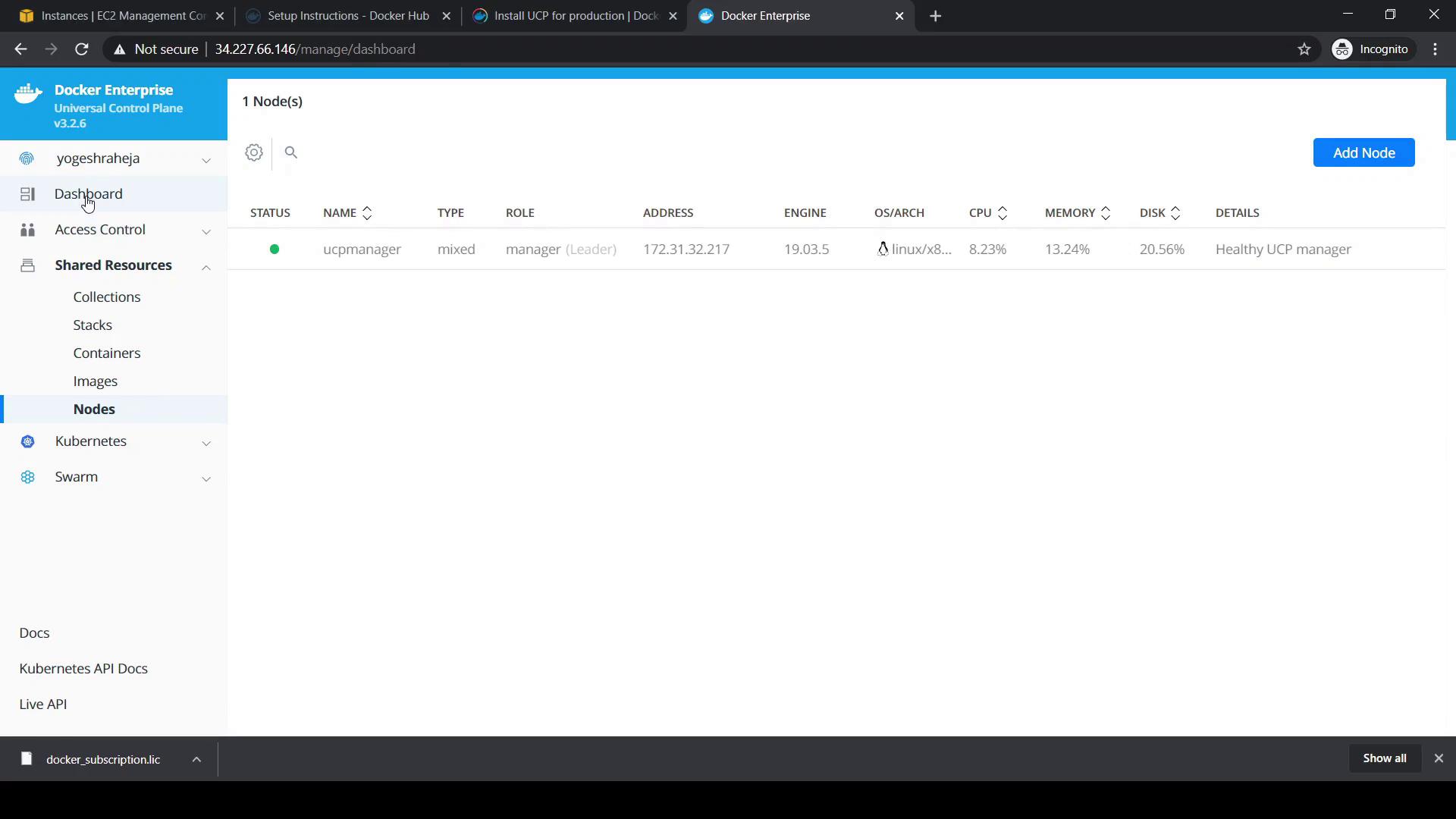
- Upload your Docker Enterprise license (downloadable from your Docker Hub account).
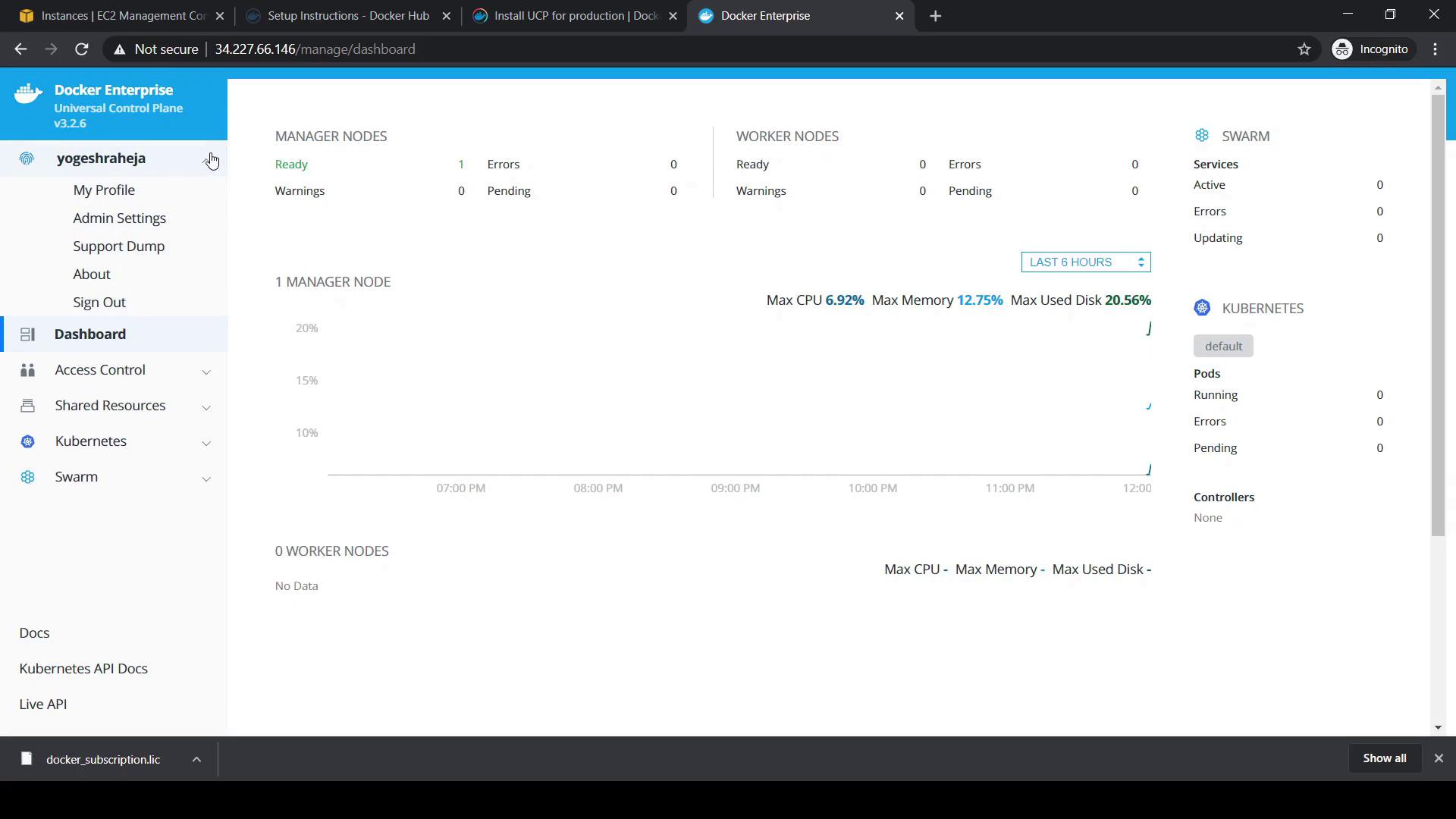
Navigate to Shared Resources → Nodes to view cluster membership. Initially, only the manager node appears.