Docker Compose simplifies the management and deployment of multi-container applications using a single YAML configuration file.
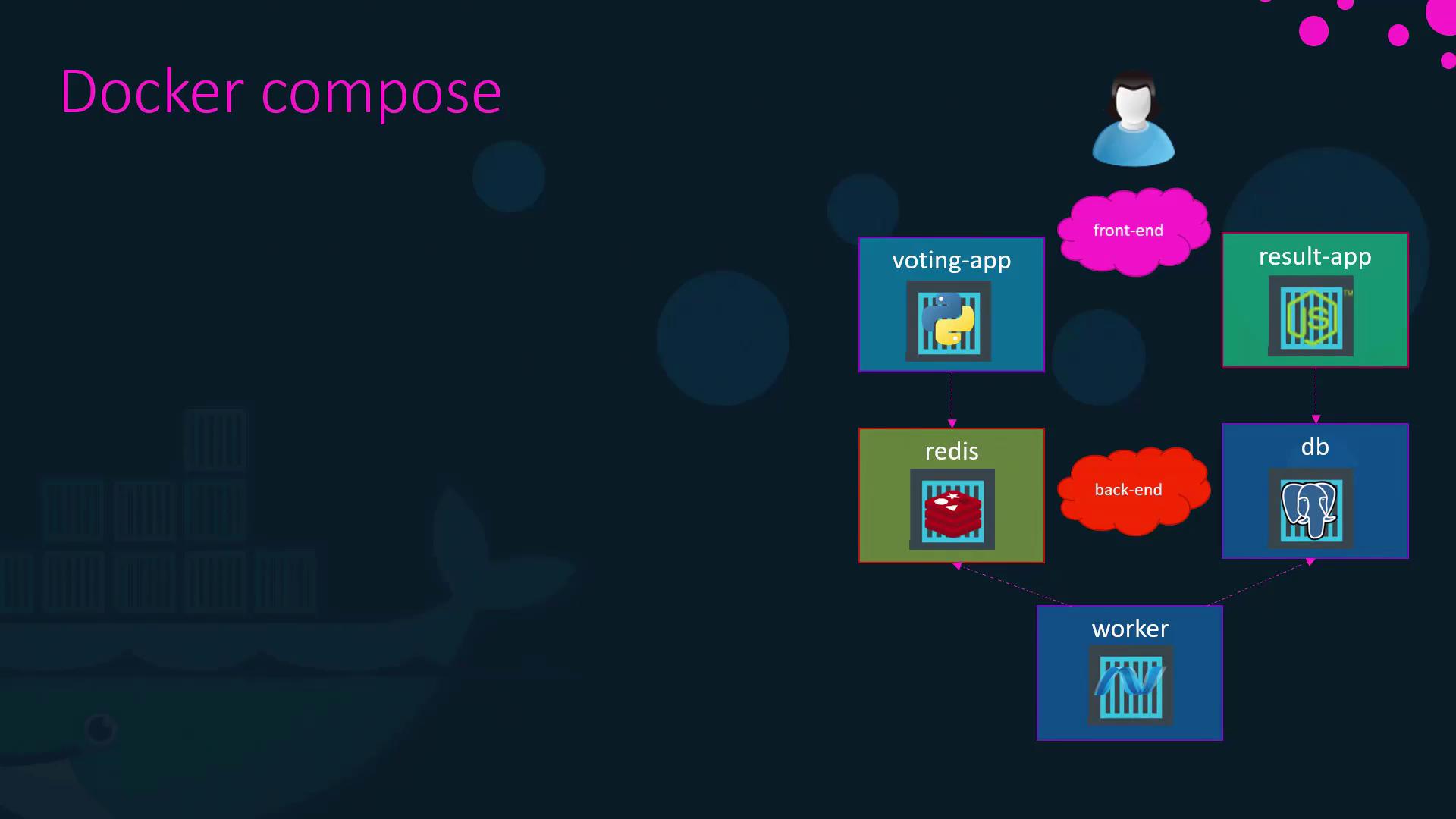
Docker Compose lets you define and run multi‐container applications from a single YAML file. Instead of managing each docker run command manually, you declare services, networks, and volumes in docker-compose.yaml and launch the entire stack with one command:
1. Recap: Running Multiple Containers with docker run
To illustrate the complexity of manual container orchestration, imagine starting four services individually:
docker run -d --name web mmumshad/simple-webappdocker run -d --name database mongodocker run -d --name messaging redis:alpinedocker run -d --name orchestration ansible
Each container runs, but wiring them together (networking, links, ports) quickly becomes tedious.
If images already exist on Docker Hub, you might start containers like this:
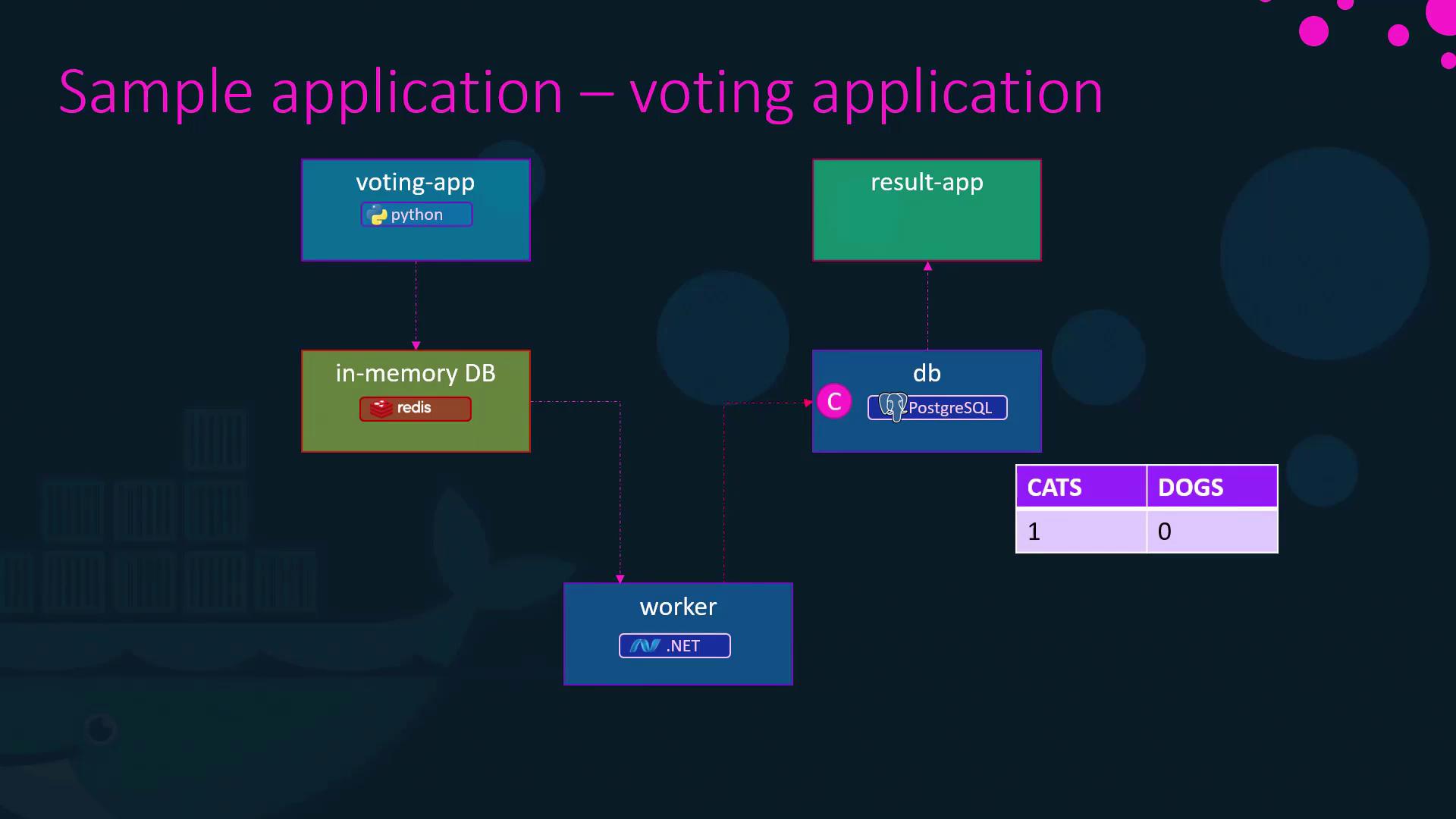
# Data layerdocker run -d --name redis redisdocker run -d --name db postgres# Servicesdocker run -d --name vote -p 5000:80 voting-appdocker run -d --name result -p 5001:80 result-appdocker run -d --name worker worker
However, without networking configuration, containers cannot communicate.
Convert your verified docker run commands into a Compose file:
# Working commands for referencedocker run -d --name redis redisdocker run -d --name db postgres:9.4docker run -d --name vote -p 5000:80 --link redis:redis voting-appdocker run -d --name result -p 5001:80 --link db:db result-appdocker run -d --name worker --link db:db --link redis:redis worker
Now that you’ve mastered service definitions, version schemas, and custom networks, try creating and running your own docker-compose.yaml configurations in the exercises below.