In this tutorial, you will learn how to manage rolling updates and rollbacks for Kubernetes Deployments. We’ll cover:
  1. Creating a Deployment
  2. Downgrading an image using kubectl edit
  3. Updating the image with kubectl set image
  4. Rolling back to a previous revision
  5. Simulating and recovering from a failed rollout

1. Create the Deployment

First, ensure there are no existing Pods in the default namespace:
kubectl get pods
# No resources found in default namespace.
Define your Deployment in deployment.yaml:
apiVersion: apps/v1
kind: Deployment
metadata:
  name: myapp-deployment
  labels:
    tier: frontend
spec:
  replicas: 6
  selector:
    matchLabels:
      app: myapp
  template:
    metadata:
      labels:
        app: myapp
    spec:
      containers:
        - name: nginx
          image: nginx
Create the Deployment and track its rollout:
kubectl create -f deployment.yaml --record
kubectl rollout status deployment/myapp-deployment
# deployment "myapp-deployment" successfully rolled out
View the rollout history:
kubectl rollout history deployment/myapp-deployment
# REVISION  CHANGE-CAUSE
# 1         kubectl create -f deployment.yaml --record
CommandPurpose
kubectl create -f deployment.yaml --recordCreate Deployment and annotate the change-cause
kubectl rollout status deployment/myapp-deploymentWatch the rolling update until completion
kubectl rollout history deployment/myapp-deploymentList Deployment revisions and their change-cause

2. Downgrade NGINX via kubectl edit

Inspect the current spec:
kubectl describe deployment myapp-deployment
All Pods run nginx:latest by default. To downgrade to nginx:1.18:
kubectl edit deployment myapp-deployment --record
Locate the container definition and update the image tag:
       containers:
       - name: nginx
-        image: nginx
+        image: nginx:1.18
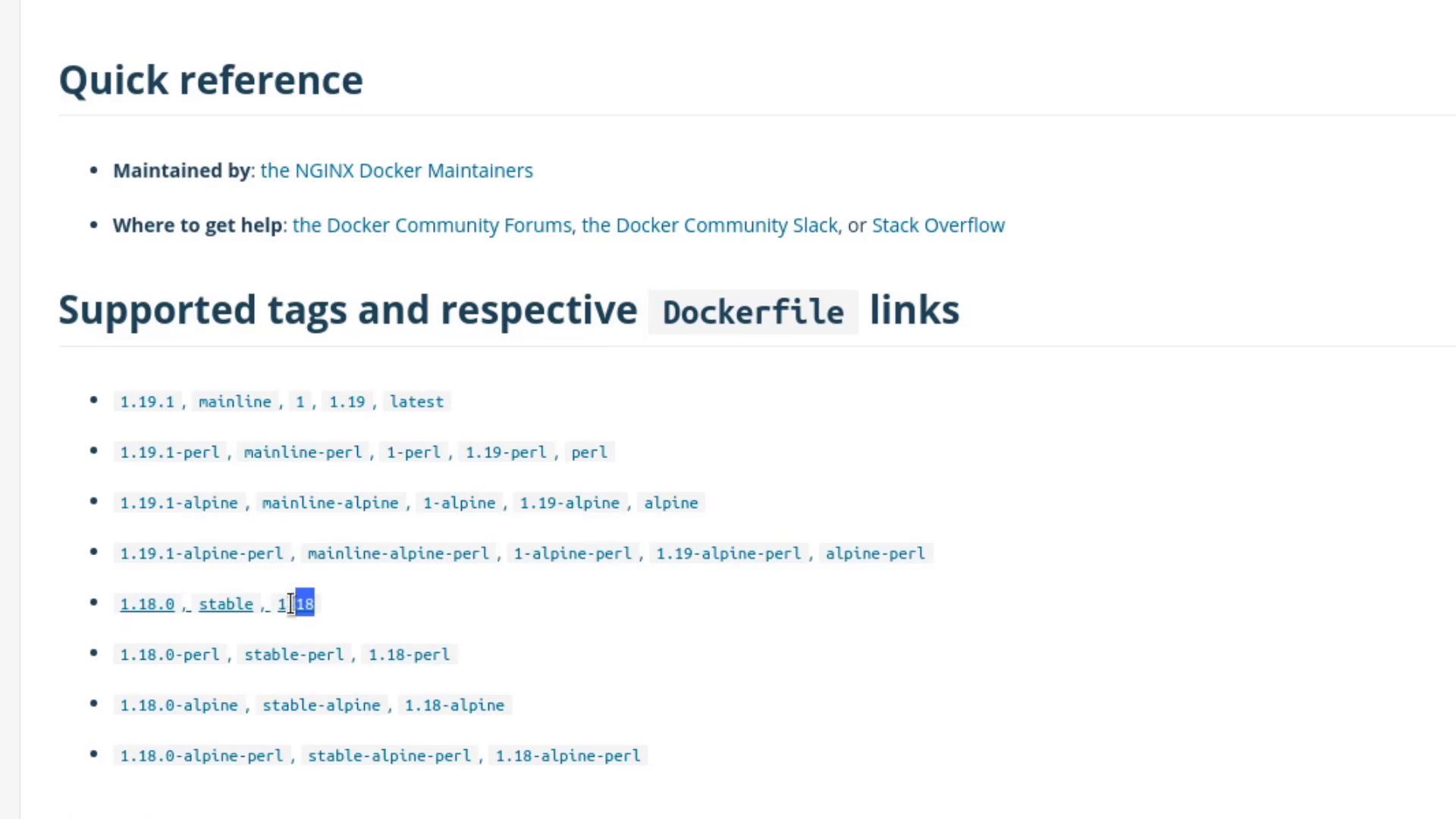
Browse all available NGINX tags on Docker Hub to pick a stable version:
https://hub.docker.com/_/nginx
The image shows a quick reference guide for NGINX Docker maintainers, listing supported tags and respective Dockerfile links.
Save and close the editor, then monitor the rollout:
kubectl rollout status deployment/myapp-deployment
# deployment "myapp-deployment" successfully rolled out
Verify the annotation:
kubectl describe deployment myapp-deployment
Look under Annotations for:
kubernetes.io/change-cause=kubectl edit deployment myapp-deployment --record

3. Update Using kubectl set image

Alternatively, patch the image without editing YAML:
kubectl set image deployment/myapp-deployment \
  nginx=nginx:1.18-perl --record
kubectl rollout status deployment/myapp-deployment
kubectl rollout history deployment/myapp-deployment
# REVISION  CHANGE-CAUSE
# 1         kubectl create -f deployment.yaml --record
# 2         kubectl edit deployment myapp-deployment --record
# 3         kubectl set image deployment/myapp-deployment nginx=nginx:1.18-perl --record
Confirm all Pods have the updated image:
kubectl get pods

4. Roll Back to a Previous Revision

If nginx:1.18-perl proves unstable, revert to revision 2 (the plain 1.18):
kubectl rollout undo deployment/myapp-deployment --to-revision=2
kubectl rollout status deployment/myapp-deployment
kubectl describe deployment myapp-deployment
# Container Image: nginx:1.18

5. Simulate a Failed Rollout

Intentionally introduce a bad image to see rollback behavior:
kubectl edit deployment myapp-deployment --record
Change the image to an invalid tag:
       containers:
       - name: nginx
-        image: nginx:1.18
+        image: nginx:1.18-does-not-exist
Using a non-existent image will trigger ImagePullBackOff errors and stall the rollout.
Ensure you revert quickly to avoid service disruption.
Save and watch the rollout status:
kubectl rollout status deployment/myapp-deployment
# Waiting for deployment "myapp-deployment" rollout to finish: 3 out of 6 new replicas have been updated...
Inspect Pods:
kubectl get pods
# Some Pods display ImagePullBackOff while old replicas still serve traffic.
Rollback the faulty revision:
kubectl rollout undo deployment/myapp-deployment
kubectl rollout status deployment/myapp-deployment
kubectl get pods
All Pods should now run nginx:1.18 again.