In this tutorial you’ll deploy the multi-tier voting application to a Minikube cluster. The app consists of five components: voting frontend, result frontend, redis, postgres, and a worker. We’ll create one Pod manifest per component and Services to expose them. The project directory is named voting-app. Prerequisites:
  • Minikube or a Kubernetes cluster
  • kubectl configured to target your cluster
  • Files saved under the voting-app directory
Quick reference:

Pod manifests

Create the following Pod YAML files inside the voting-app directory. Voting app Pod (voting-app-pod.yaml)
apiVersion: v1
kind: Pod
metadata:
  name: voting-app-pod
  labels:
    name: voting-app-pod
    app: demo-voting-app
spec:
  containers:
  - name: voting-app
    image: kodekloud/examplevotingapp_vote:v1
    ports:
    - containerPort: 80
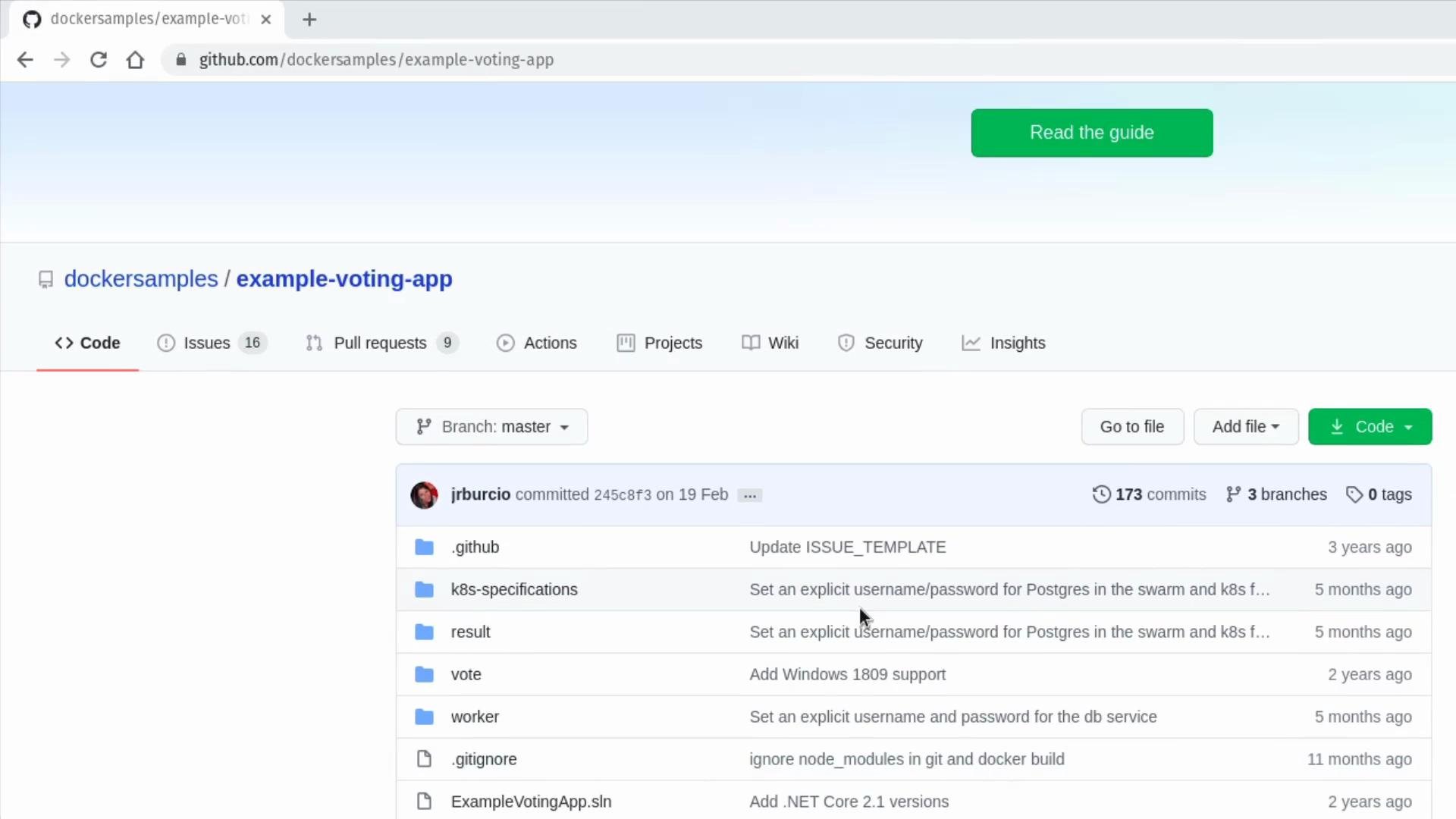
The voting app image referenced above comes from a sample repository similar to the one below: dockersamples/example-voting-app
A screenshot of a GitHub repository page for "dockersamples/example-voting-app," showing the Code tab with a file list, branch selector, commit info, and action buttons like "Go to file," "Add file," and "Code."
Result app Pod (result-app-pod.yaml)
apiVersion: v1
kind: Pod
metadata:
  name: result-app-pod
  labels:
    name: result-app-pod
    app: demo-voting-app
spec:
  containers:
  - name: result-app
    image: kodekloud/examplevotingapp_result:v1
    ports:
    - containerPort: 80
Redis Pod (redis-pod.yaml)
apiVersion: v1
kind: Pod
metadata:
  name: redis-pod
  labels:
    name: redis-pod
    app: demo-voting-app
spec:
  containers:
  - name: redis
    image: redis
    ports:
    - containerPort: 6379
Postgres Pod (postgres-pod.yaml) The worker and result components require a PostgreSQL database. For this demo we inject credentials via plain environment variables in the Pod manifest. In production, store credentials securely using Kubernetes Secrets or an external vault.
apiVersion: v1
kind: Pod
metadata:
  name: postgres-pod
  labels:
    name: postgres-pod
    app: demo-voting-app
spec:
  containers:
  - name: postgres
    image: postgres
    ports:
    - containerPort: 5432
    env:
    - name: POSTGRES_USER
      value: "postgres"
    - name: POSTGRES_PASSWORD
      value: "postgres"
Using plain text environment variables for database credentials is convenient for demos, but in production you should store credentials in Kubernetes Secrets or a vault solution.
Worker Pod (worker-app-pod.yaml) The worker is an internal background process and does not expose network ports, so we omit the ports section.
apiVersion: v1
kind: Pod
metadata:
  name: worker-app-pod
  labels:
    name: worker-app-pod
    app: demo-voting-app
spec:
  containers:
  - name: worker-app
    image: kodekloud/examplevotingapp_worker:v1

Service manifests

Create Services to expose the Pods. Redis and Postgres use internal ClusterIP Services. The frontends are exposed via NodePort so they are accessible from your host/Minikube. Redis Service (redis-service.yaml)
apiVersion: v1
kind: Service
metadata:
  name: redis
  labels:
    name: redis-service
    app: demo-voting-app
spec:
  ports:
  - port: 6379
    targetPort: 6379
  selector:
    name: redis-pod
    app: demo-voting-app
Postgres Service (postgres-service.yaml / named db)
apiVersion: v1
kind: Service
metadata:
  name: db
  labels:
    name: postgres-service
    app: demo-voting-app
spec:
  ports:
  - port: 5432
    targetPort: 5432
  selector:
    name: postgres-pod
    app: demo-voting-app
Voting Service (voting-app-service.yaml) — NodePort on 30004
apiVersion: v1
kind: Service
metadata:
  name: voting-service
  labels:
    name: voting-service
    app: demo-voting-app
spec:
  type: NodePort
  ports:
  - port: 80
    targetPort: 80
    nodePort: 30004
  selector:
    name: voting-app-pod
    app: demo-voting-app
Result Service (result-app-service.yaml) — NodePort on 30005
apiVersion: v1
kind: Service
metadata:
  name: result-service
  labels:
    name: result-service
    app: demo-voting-app
spec:
  type: NodePort
  ports:
  - port: 80
    targetPort: 80
    nodePort: 30005
  selector:
    name: result-app-pod
    app: demo-voting-app

Resources summary

ResourcePurposeService Type / Port
voting-app-pod (voting-app)Frontend to submit votesNodePort — 80 -> 30004
result-app-pod (result-app)Shows aggregated resultsNodePort — 80 -> 30005
redis-pod (redis)Queue/storage for votesClusterIP — 6379
postgres-pod (postgres)Persistent storage for aggregated resultsClusterIP — 5432 (service name: db)
worker-app-pod (worker)Background worker to move data from Redis -> PostgresInternal, no service

Apply manifests and verify

From the voting-app directory (where all YAML files are saved), apply the manifests in the following recommended order (frontend first, then datastore services, then worker, then result frontend): Example file listing
admin@ubuntu-server voting-app# ls
postgres-pod.yaml    postgres-service.yaml    redis-pod.yaml
redis-service.yaml   result-app-pod.yaml      result-app-service.yaml
voting-app-pod.yaml  voting-app-service.yaml  worker-app-pod.yaml
Create resources
# Create voting frontend
kubectl create -f voting-app-pod.yaml
kubectl create -f voting-app-service.yaml

# Create Redis and its Service
kubectl create -f redis-pod.yaml
kubectl create -f redis-service.yaml

# Create Postgres and its Service
kubectl create -f postgres-pod.yaml
kubectl create -f postgres-service.yaml

# Create worker (no service)
kubectl create -f worker-app-pod.yaml

# Create result frontend and its Service
kubectl create -f result-app-pod.yaml
kubectl create -f result-app-service.yaml
Check status of Pods and Services
kubectl get pods,svc
Sample expected output (condensed)
NAME                       READY   STATUS    RESTARTS   AGE
pod/postgres-pod           1/1     Running   0          2m20s
pod/redis-pod              1/1     Running   0          2m52s
pod/result-app-pod         1/1     Running   0          32s
pod/voting-app-pod         1/1     Running   0          6m44s
pod/worker-app-pod         1/1     Running   0          60s

NAME                       TYPE        CLUSTER-IP      EXTERNAL-IP   PORT(S)          AGE
service/db                 ClusterIP   10.105.81.36    <none>        5432/TCP         2m12s
service/kubernetes         ClusterIP   10.96.0.1       <none>        443/TCP          2d4h
service/redis              ClusterIP   10.110.47.42    <none>        6379/TCP         2m48s
service/result-service     NodePort    10.101.220.79   <none>        80:30005/TCP     25s
service/voting-service     NodePort    10.109.194.132  <none>        80:30004/TCP     4m31s

Access the frontends (Minikube)

If using Minikube, get accessible URLs:
minikube service voting-service --url
minikube service result-service --url
Example:
http://192.168.99.101:30004
http://192.168.99.101:30005
Open the voting service URL in a browser and cast votes. Flow summary:
  • Voting frontend records votes in Redis.
  • Worker reads votes from Redis and writes aggregates into Postgres.
  • Result frontend reads aggregated totals from Postgres and displays them.
If vote counts do not update:
  • Verify Postgres env variables (POSTGRES_USER, POSTGRES_PASSWORD) match what worker/result expect.
  • Ensure Service selectors match Pod labels exactly.

Conclusion

You have successfully deployed the multi-tier voting application to Kubernetes:
  • Created Pods for voting, result, redis, postgres, and worker.
  • Provided ClusterIP services for internal components (redis, db).
  • Exposed frontends via NodePort services (voting and result).
  • Verified end-to-end behavior by casting votes and viewing results.
Further reading and references:

Watch Video