

What Is Universal Control Plane?
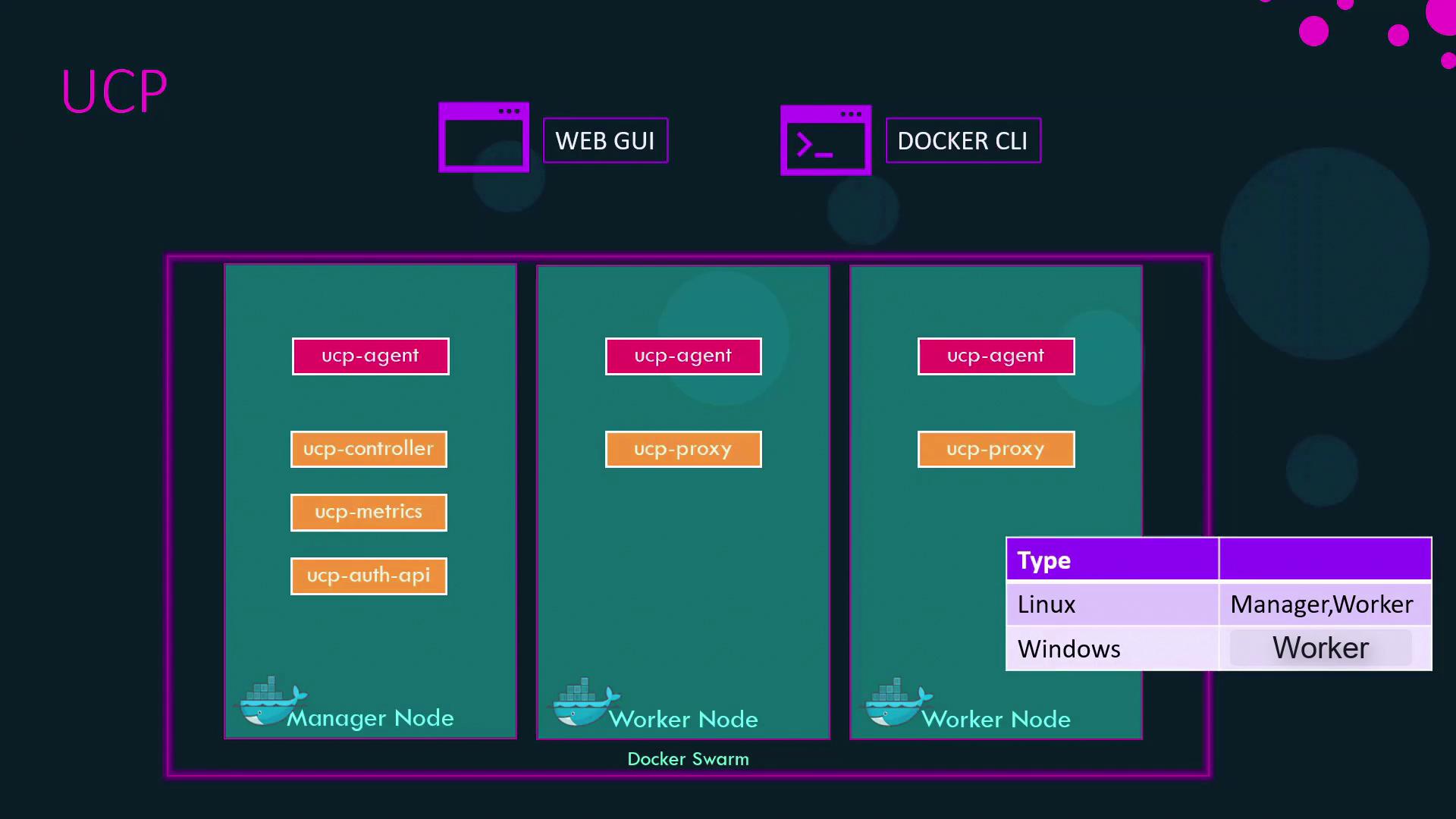
The Universal Control Plane (UCP) provides a unified management portal—via a web UI or Docker CLI—to monitor and control your Docker Swarm clusters. UCP is designed for production environments, offering:UCP runs on Docker Swarm under the hood, extending it with enterprise security, monitoring, and governance features.
UCP Architecture Overview
UCP deploys a global service called the UCP agent on every node—manager or worker. This agent orchestrates the following core components as containers:- Web UI: Central dashboard for cluster health and resource usage
- Authentication API: Handles login, LDAP/AD integration, and token issuance
- Metrics Server: Collects and displays performance data
- Proxy: Routes API requests and enforces security policies
- Data Stores: Persist configuration, state, and audit logs
kube-controller-manager and kubelet—to enable optional Kubernetes orchestration alongside Docker Swarm. For a complete breakdown, see the UCP architecture documentation.
Installing Universal Control Plane
Follow these steps to deploy UCP on your Docker Enterprise Engine:- Verify Prerequisites
- Docker Enterprise Engine installed and running
- Network connectivity between nodes
- Pull the UCP Installer
- Run the Installer Container
- Access the UCP Web UI
Navigate tohttps://<MANAGER-IP>:8443in your browser. - Upload Docker License
When prompted, upload your Docker Enterprise license file to activate UCP. - Join Additional Nodes
Use the “Add Node” option in the UCP console to onboard more managers or workers.
Keep your
admin-password secure and rotate it periodically. Avoid using weak or reused passwords.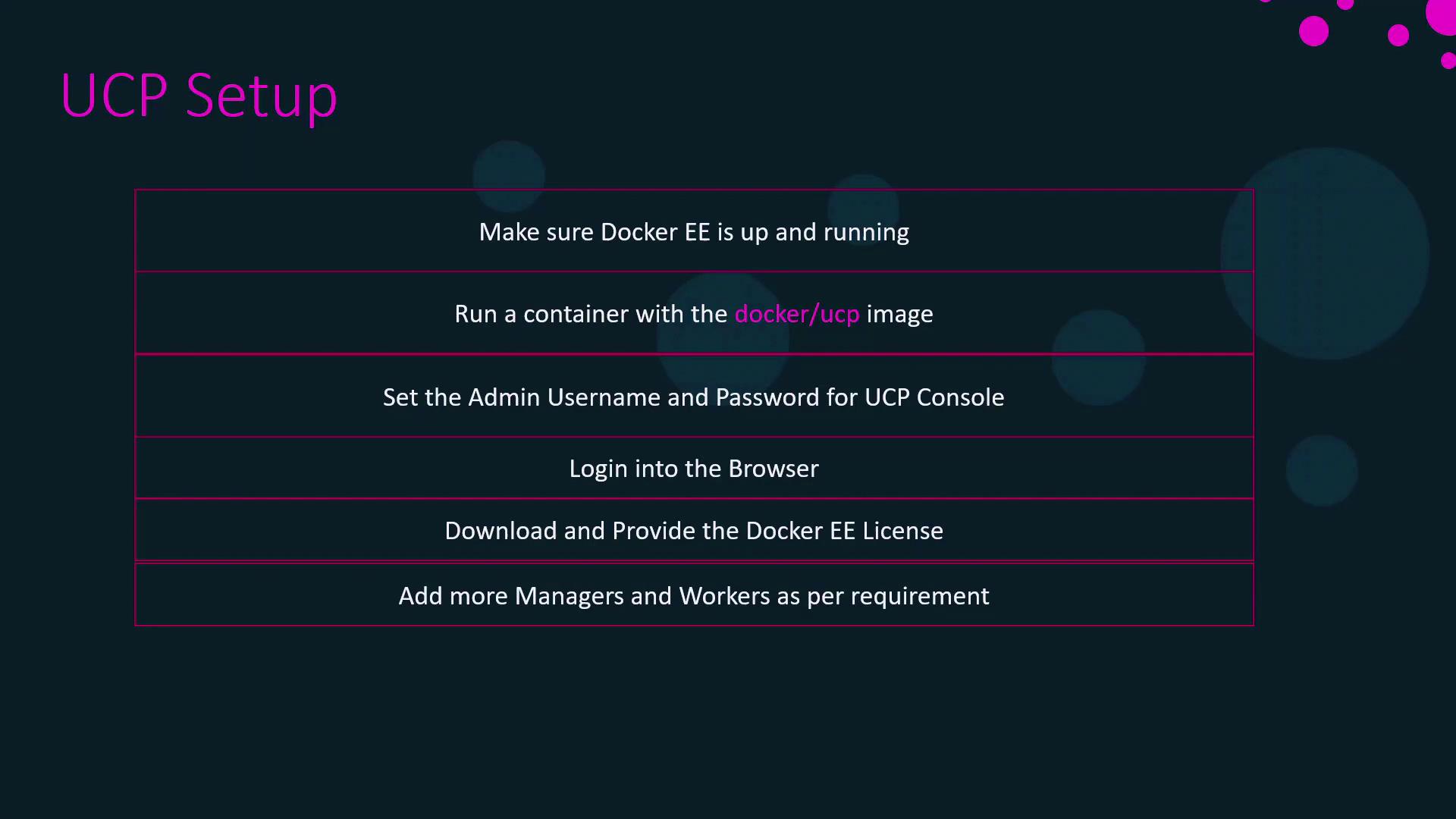
A hands-on demonstration will follow, illustrating these installation steps and best practices for scaling your UCP-managed cluster.