

Single-Node Cluster Networking
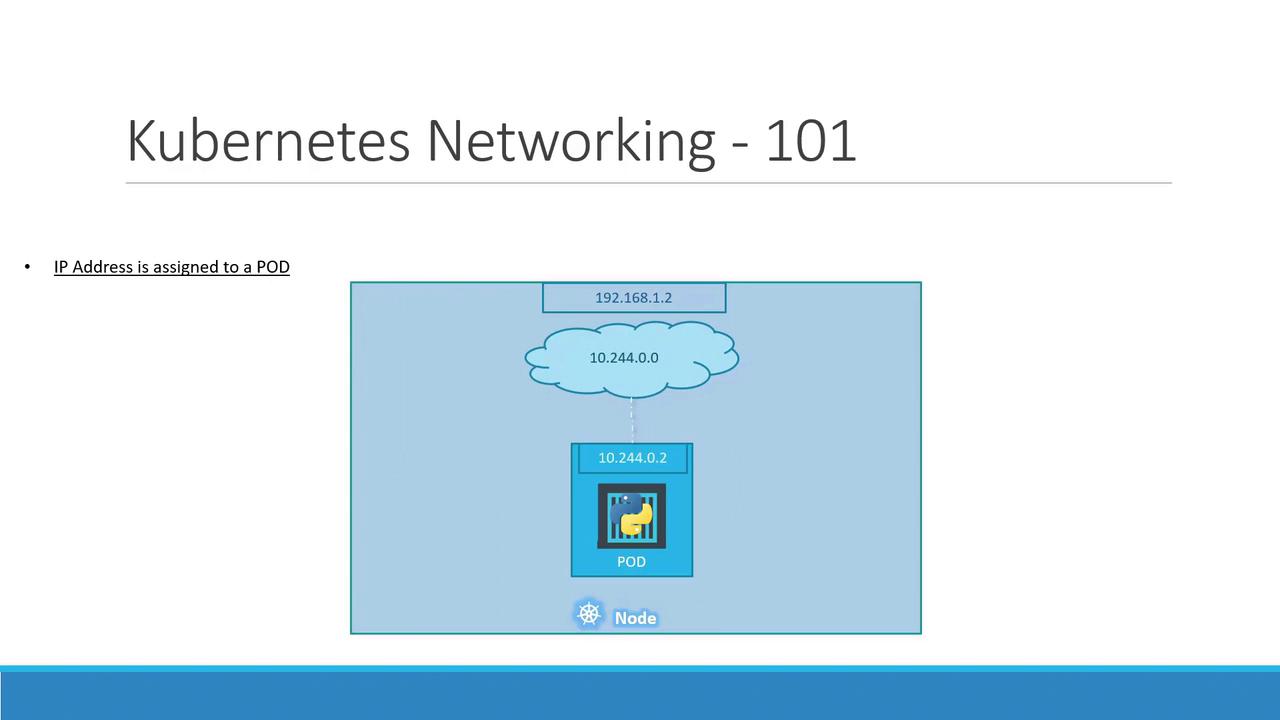
On a single-node cluster, the Kubernetes node itself has an IP address (e.g.,192.168.1.2). You use this address to SSH into the host or connect to the API server. However, each Pod you create is allocated its own IP from a private Pod network—by default, something like 10.244.0.0/16.
10.244.0.2, which all containers in that Pod share.
10.244.0.0/16 range. They can communicate directly using these IPs:
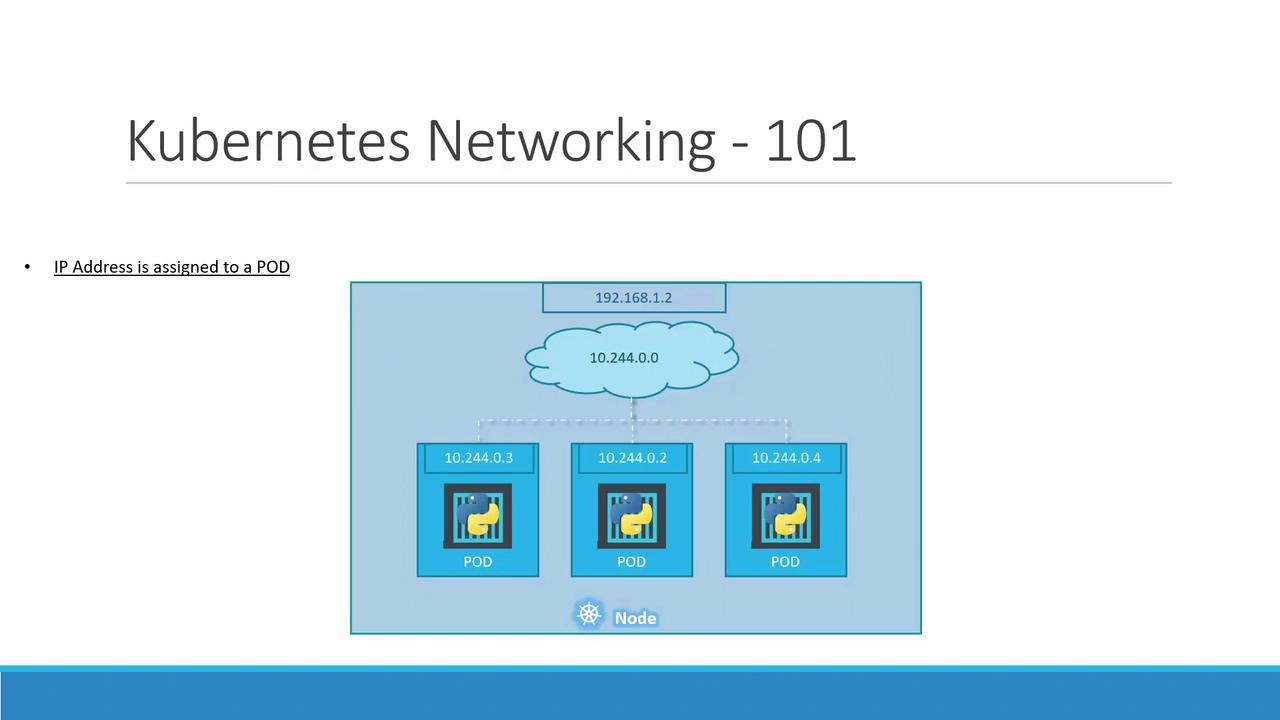
Pod IP addresses are ephemeral. When a Pod is deleted and recreated, it may receive a different IP.
Multi-Node Cluster Networking
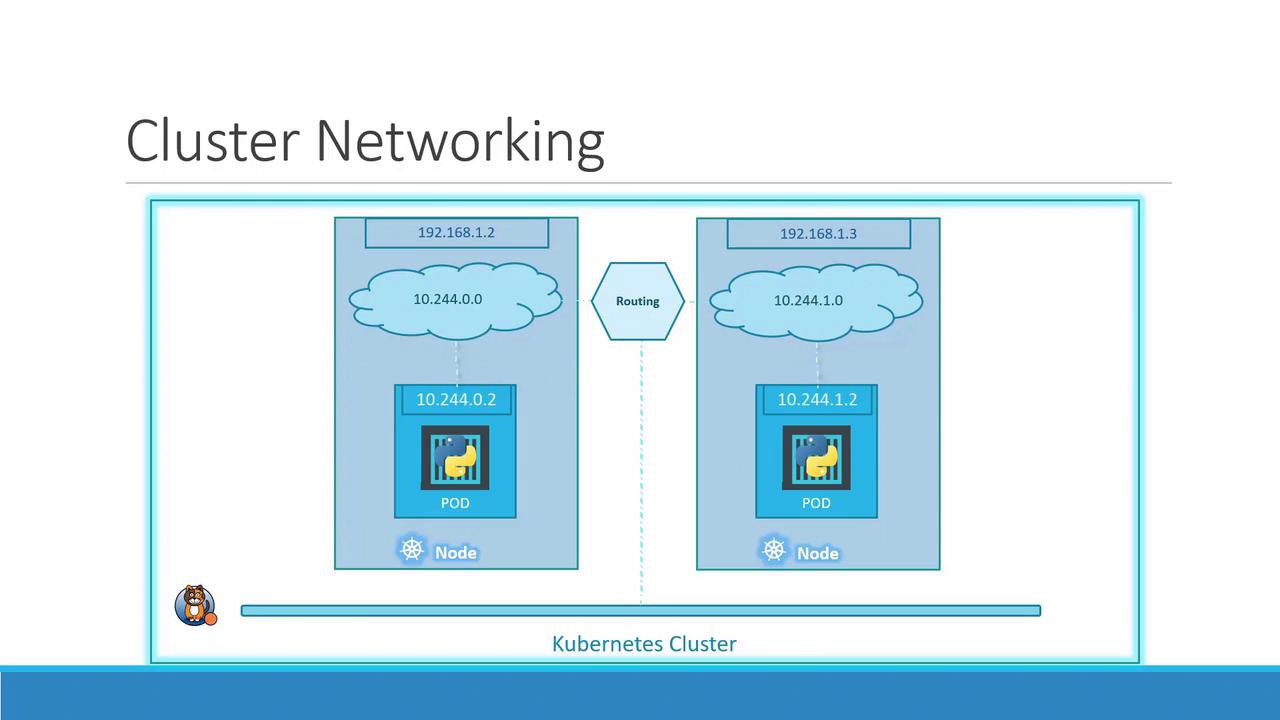
As your cluster scales to multiple nodes, each host must carve out a non-overlapping slice of the Pod network to avoid IP conflicts. Consider two nodes:- Host IP:
192.168.1.2→ Pod subnet10.244.0.0/24 - Host IP:
192.168.1.3→ Pod subnet10.244.1.0/24
If you skip installing a proper CNI, Pods on different nodes may end up with overlapping IPs, causing connectivity failures.
Popular CNI Plugins
Once your CNI is in place, each node’s CNI daemon (e.g.,
flanneld or calico-node) allocates a unique /24 Pod subnet and programs the host routes. The result is a seamless overlay network:
Links and References
- Kubernetes Networking Concepts
- Container Network Interface (CNI)
- Flannel GitHub Repository
- Calico Documentation