

scratch image, the true base for all builds.
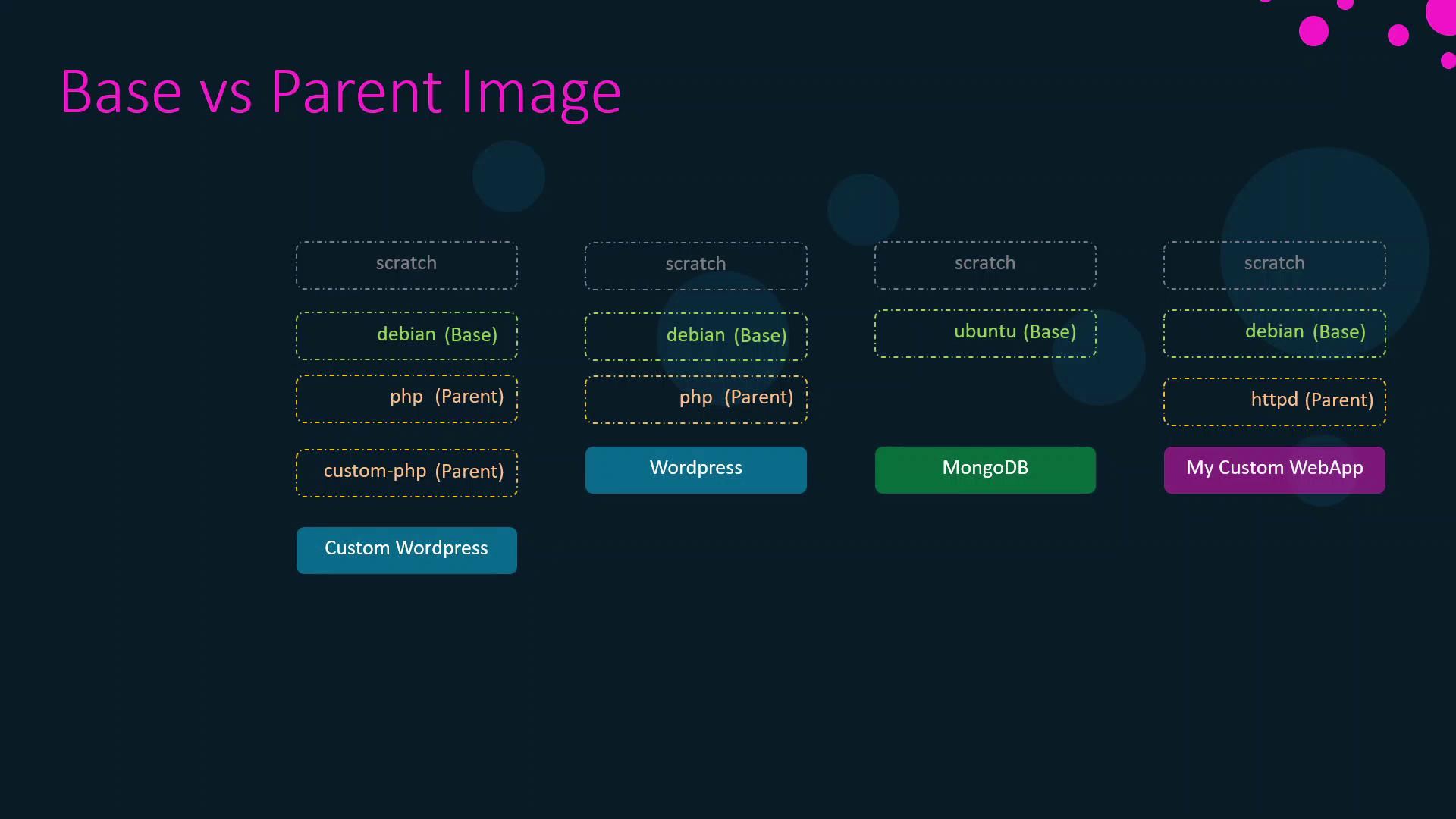
A base image is the origin of an image chain (often
scratch), while a parent image is the one directly referenced by your FROM instruction.1. Custom Web Application Image
Create a minimal Apache-based web server by extending the official HTTPD image:- Parent image:
httpd - Your
COPYcommand layers application files on top of the Apache HTTPD server.
2. Inside the HTTPD Official Image
The official HTTPD image itself builds on Debian:- Parent image:
debian:buster-slim - Installs Apache HTTPD on a minimal Debian base.
3. Exploring the Debian Base Image
The Debian “slim” image originates fromscratch:
- Base image:
scratch - Unpacks a minimal Debian filesystem from a tarball.
You cannot push or pull the
scratch image—it’s only referenced in FROM scratch directives.Table: Image Lineage at a Glance
4. Additional Official Image Chains
Ubuntu → MongoDB
- Ubuntu minimal from scratch:
- MongoDB on Ubuntu:
WordPress → PHP → Debian
The official WordPress image builds on the official PHP image, which in turn uses Debian—demonstrating anotherscratch → Debian → PHP → WordPress chain.
5. The scratch Image: Docker’s True Base
scratchis Docker’s reserved, empty image.- It marks the very beginning of any build.
- By adding a minimal OS filesystem on top of
scratch, maintainers create base images (Debian, Alpine, Ubuntu), which then serve as parents for application and service images.
Links and References
- Docker Base Image Documentation
- HTTPD Official Image
- Debian Official Image
- Ubuntu Official Image
- MongoDB Official Image
- WordPress Official Image
- PHP Official Image