

Revisiting Docker’s Built-In Networks
Below is a quick reference for Docker’s default network drivers:bridge
Docker’s default network driver. It creates a private bridge (usually172.17.x.x) on the host and connects containers to it:
host
Containers share the host’s network namespace—ports inside the container map directly to the host without-p:
none
Disables all networking for full isolation. Use this when you don’t need external access:Why Overlay Networks?
Each Docker host has its own bridge, so containers on different machines can’t talk by default. Overlay networks use VXLAN to create a virtual layer 2 network across hosts, making them essential for:- Multi-host container communication
- Docker Swarm service discovery
- Secure, encrypted traffic between containers
Ingress Network in Docker Swarm
When you rundocker swarm init, Swarm creates an ingress overlay network with a built-in load balancer and routing mesh:
Single Node Service Publishing
Without Swarm, you’d expose a container port like this:--publish:
Multi-Node Routing Mesh
In a multi-node Swarm, every node advertises the published port (80). Incoming requests on any node are automatically forwarded to an active replica, regardless of where it’s running.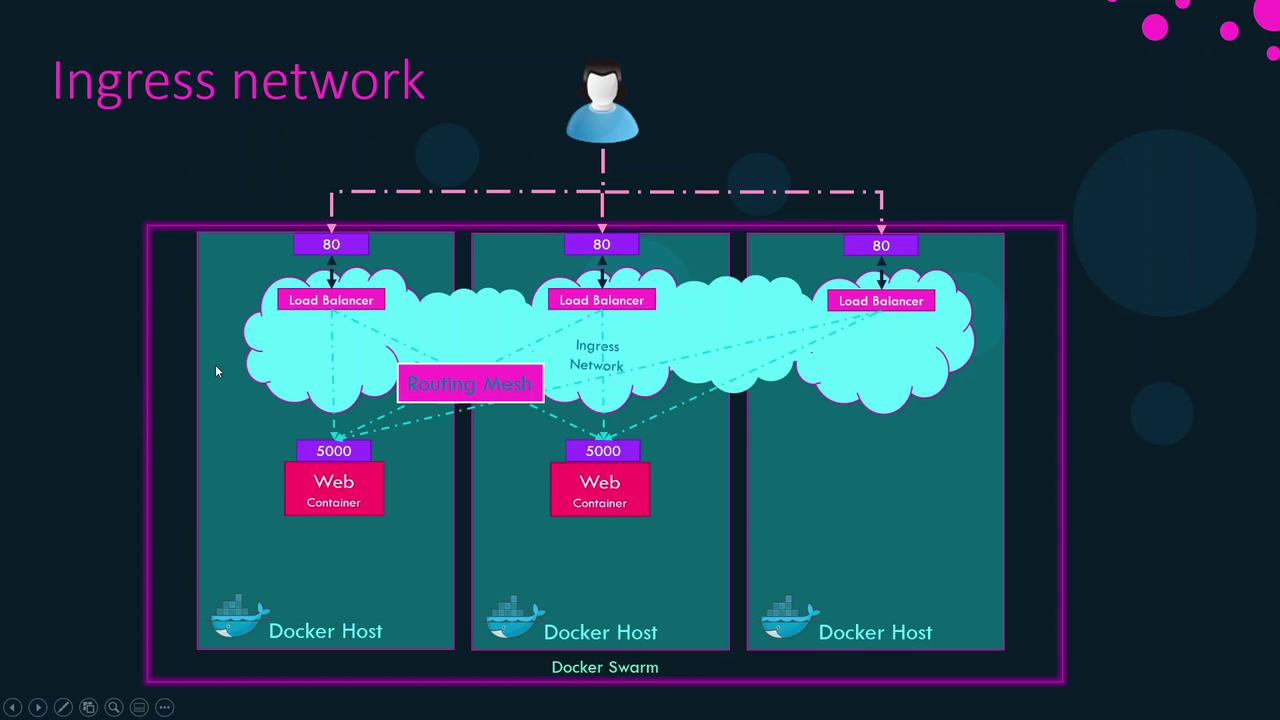
Default Swarm Networks
Swarm init creates two essential networks: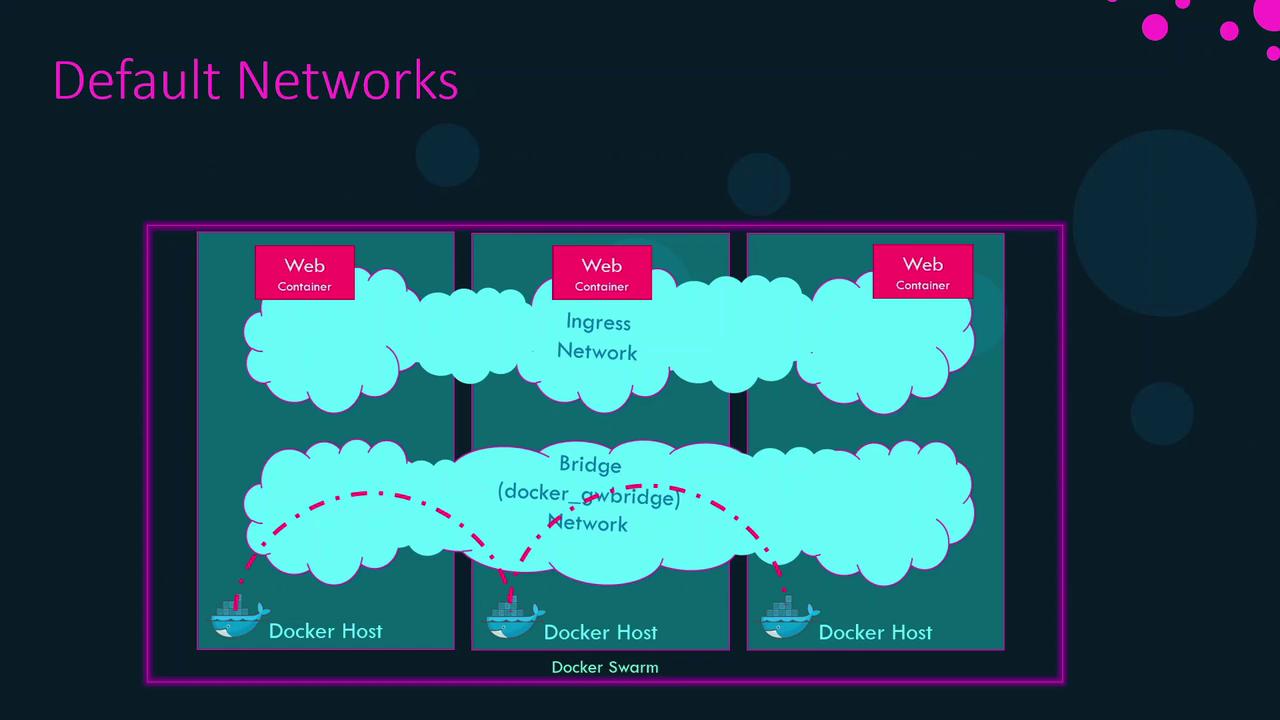
Creating Custom Overlay Networks
Create your own overlay network for services or standalone containers:--attachable: Allows standalone containers to join the overlay.--opt encrypted: Enables AES-encrypted VXLAN for secure application traffic.
Ensure all Swarm nodes can communicate on the required ports (2377, 7946, 4789) to avoid network disruptions.
Required Swarm Ports
