

Why Use Replication Controllers?
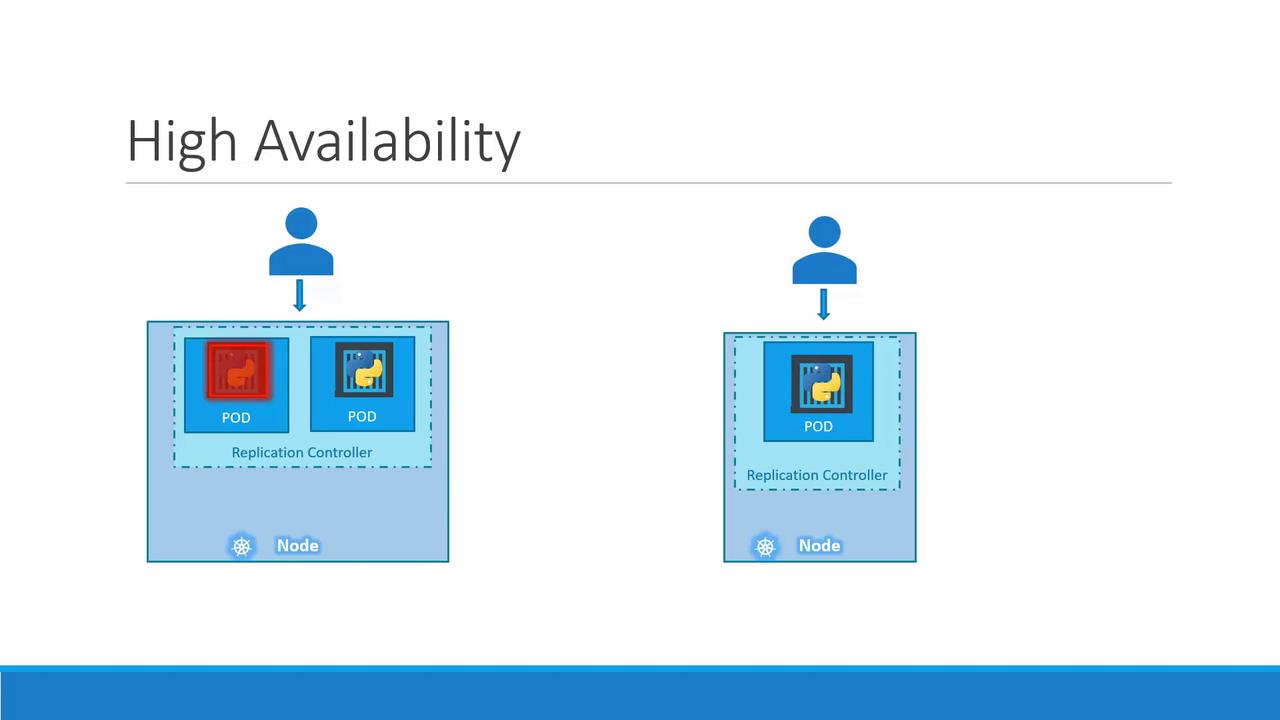
Running a single Pod is risky—if it crashes, your application goes offline. A ReplicationController (RC) maintains a specified number of identical Pods, ensuring high availability and load distribution.- High availability: If one Pod fails, others continue serving traffic.
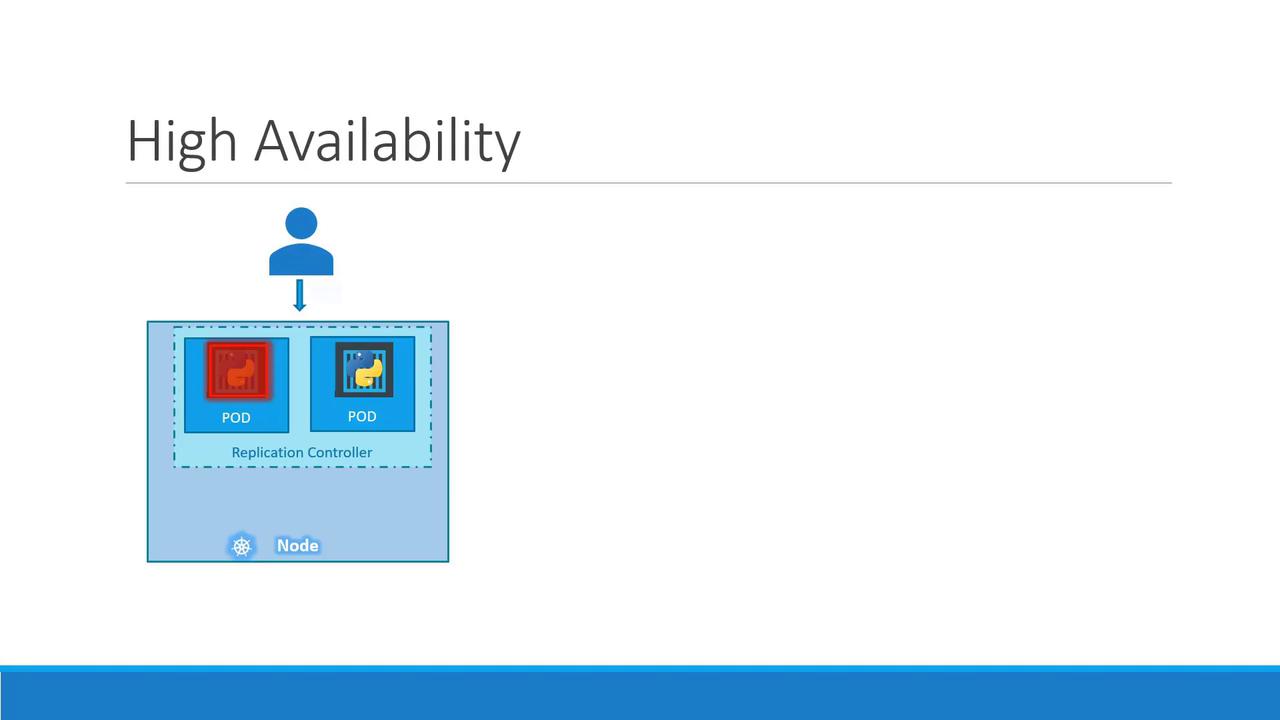
- Redundancy and load balancing across nodes:
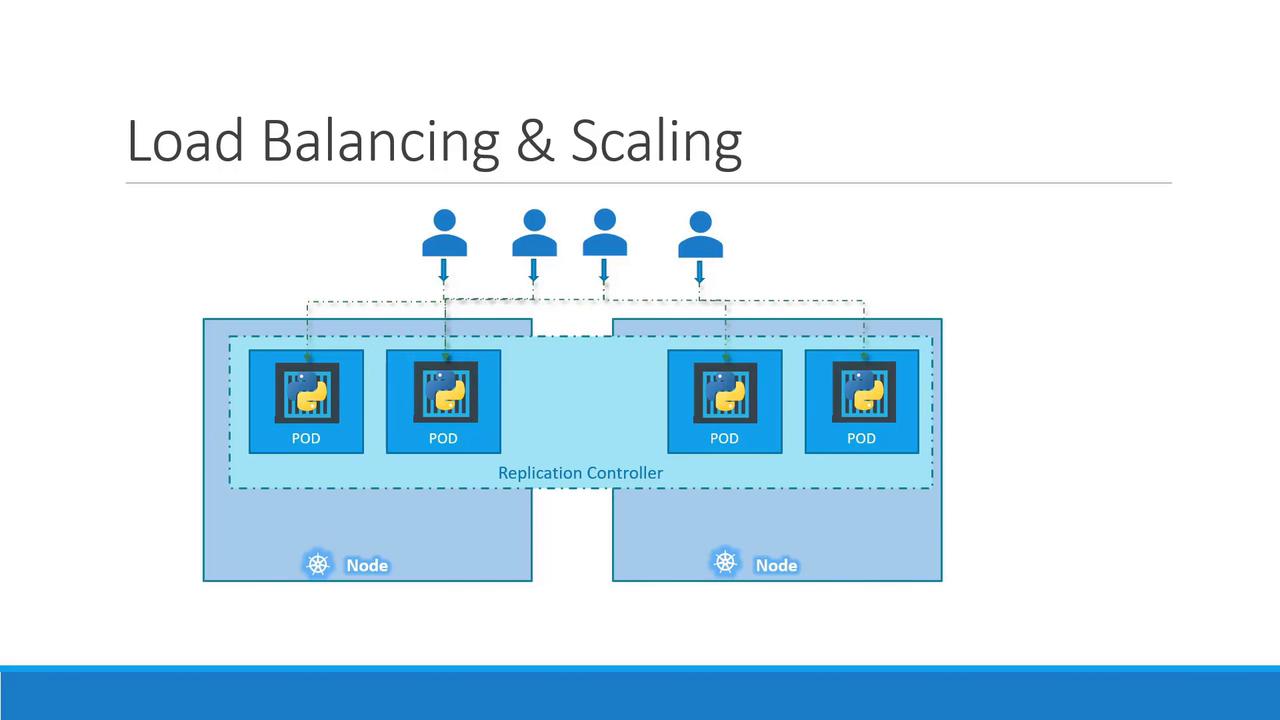
- Scaling across nodes to meet growing demand:
ReplicationController vs. ReplicaSet
While both controllers maintain a set of Pod replicas, ReplicaSet (RS) is the modern API (apps/v1) and supports set-based label selectors. ReplicationController (v1) is older and has fewer selector capabilities. We recommend using ReplicaSets for new deployments.
Creating a ReplicationController
-
Define
rc-definition.yaml: -
Apply the manifest and verify:
Example output:
-
List Pods managed by the RC:
Introducing ReplicaSets
A ReplicaSet manifest closely mirrors an RC, with two key differences:- apiVersion:
apps/v1 - selector: Required to match Pods
Labels and Selectors
Labels are key/value pairs attached to objects. A ReplicaSet’sspec.selector.matchLabels determines which Pods it manages—even pre-existing ones.
Example Pod with labels:
Scaling a ReplicaSet
You can adjust replica counts by editing the YAML or usingkubectl scale:
Option 1: Update replicas in replicaset-definition.yaml and apply:
Using
For automatic scaling based on metrics, see the Horizontal Pod Autoscaler.
kubectl scale updates in-memory replica counts but does not modify your source YAML file.For automatic scaling based on metrics, see the Horizontal Pod Autoscaler.