

Swarm Cluster Components
A Swarm cluster groups physical or virtual machines—on-premises or in the cloud—into a unified environment. Every node runs Docker Engine and joins the cluster either as a manager or a worker.By default, manager nodes can handle workloads in addition to management tasks. To dedicate a manager solely to orchestration, use
docker node update --availability drain <node>.Declarative Service Definitions
Docker Swarm uses declarative YAML files—similar to Docker Compose—to define multi-service applications. Store these files in version control to track changes and facilitate CI/CD workflows:Declarative definitions allow you to scale, update, and rollback services with a single command:
docker stack deploy -c service-definition.yml my_stack.Key Features of Docker Swarm
1. Simplified Setup and Maintenance
Swarm is built directly into Docker Engine, so there’s no extra software to install. With the Docker CLI you can:- Initialize a new cluster:
docker swarm init - Join nodes to the cluster:
docker swarm join --token <token> <manager-ip>:2377 - Promote or demote managers:
docker node promote <node>
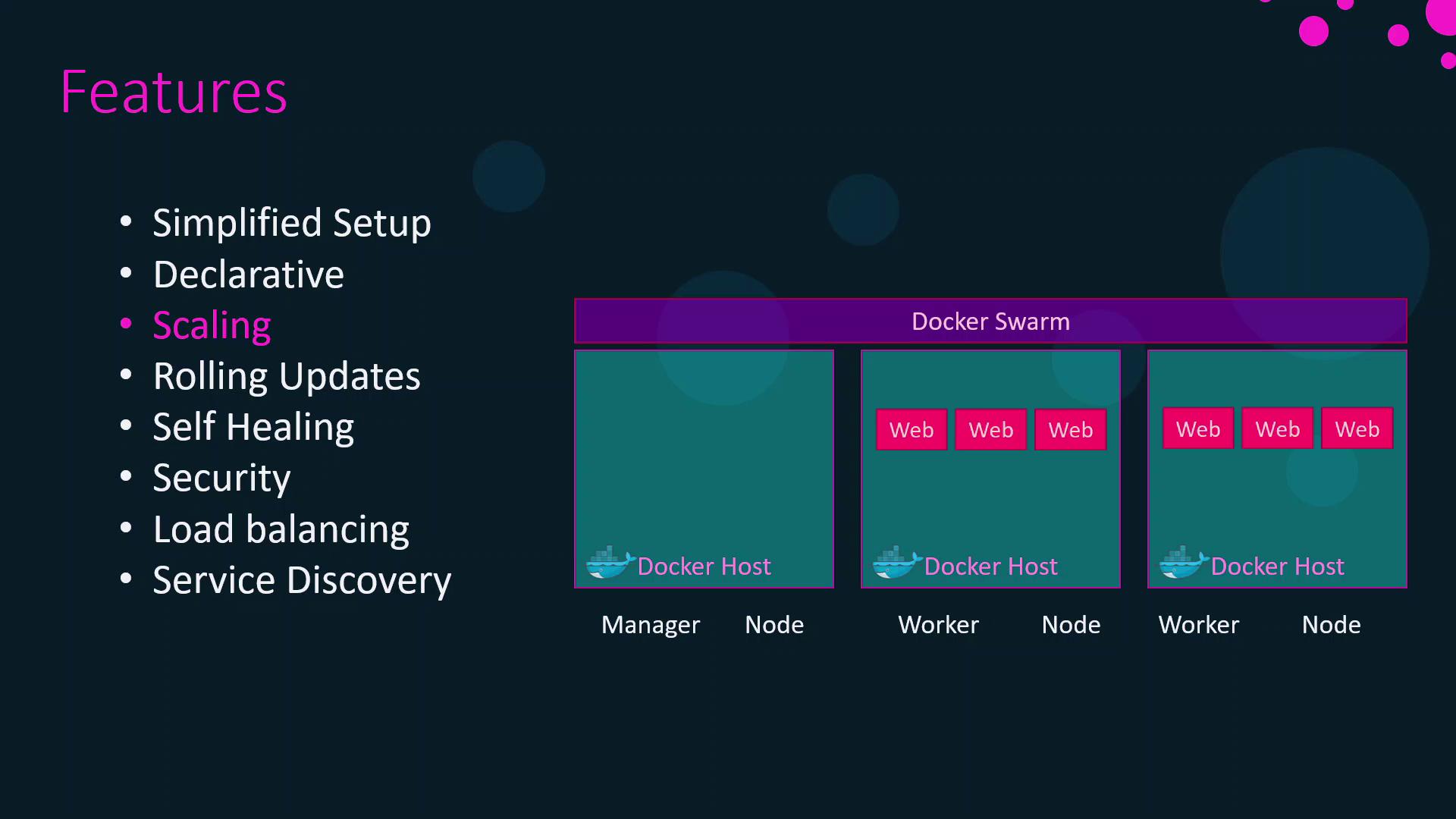
2. Scalability and Load Balancing
You can scale services on demand using: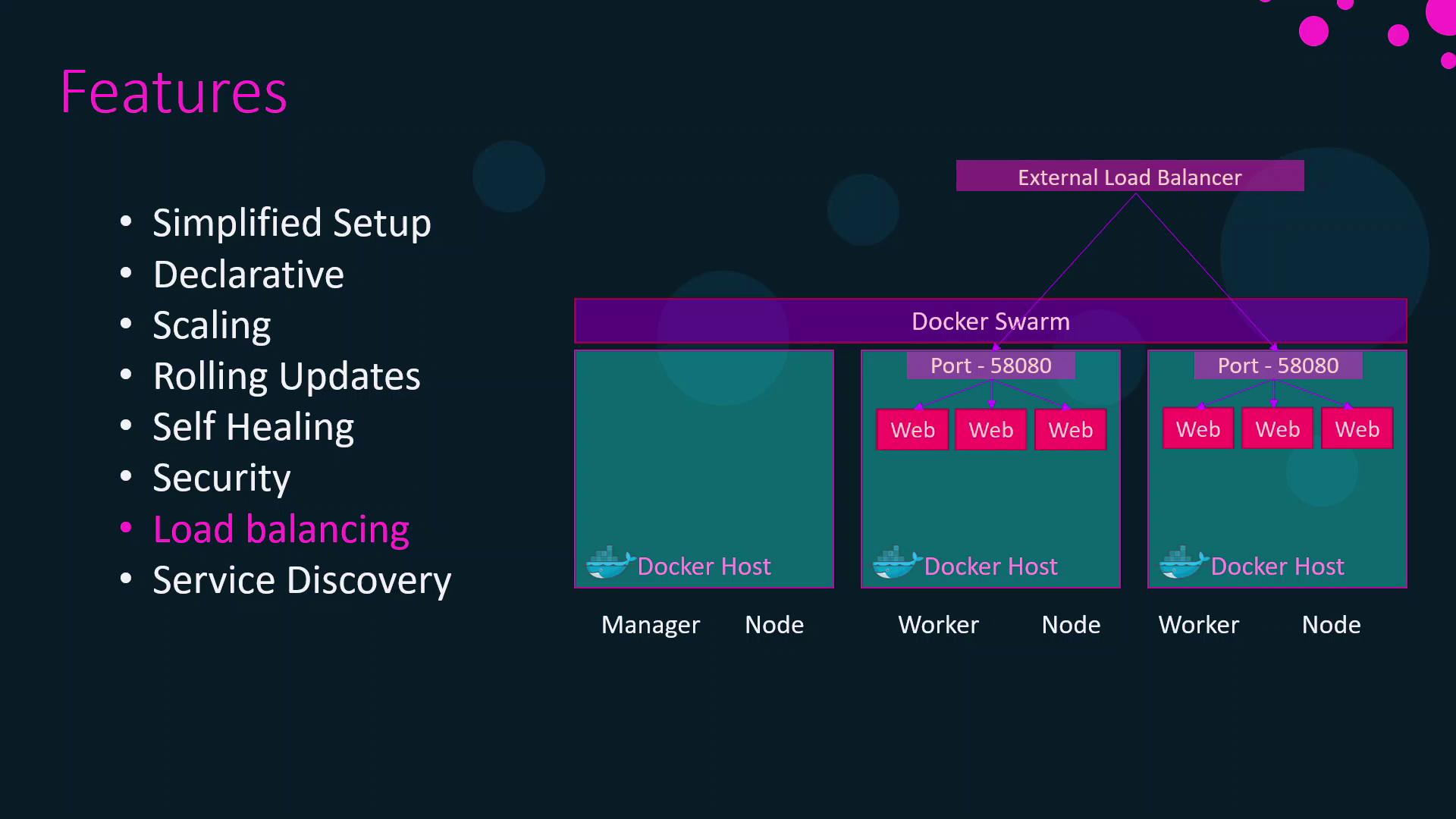
3. Rolling Updates and Self-Healing
Swarm performs rolling updates by default, updating one container at a time:Always test updates in a staging environment before applying to production. Use
--rollback to revert quickly if an update misbehaves.4. Secure Networking and Service Discovery
Node-to-node communication is secured with mutual TLS. Overlay networks let containers on different hosts communicate as if they were on the same LAN. Built-in DNS routing ensures each service name resolves to the correct VIP or container IP.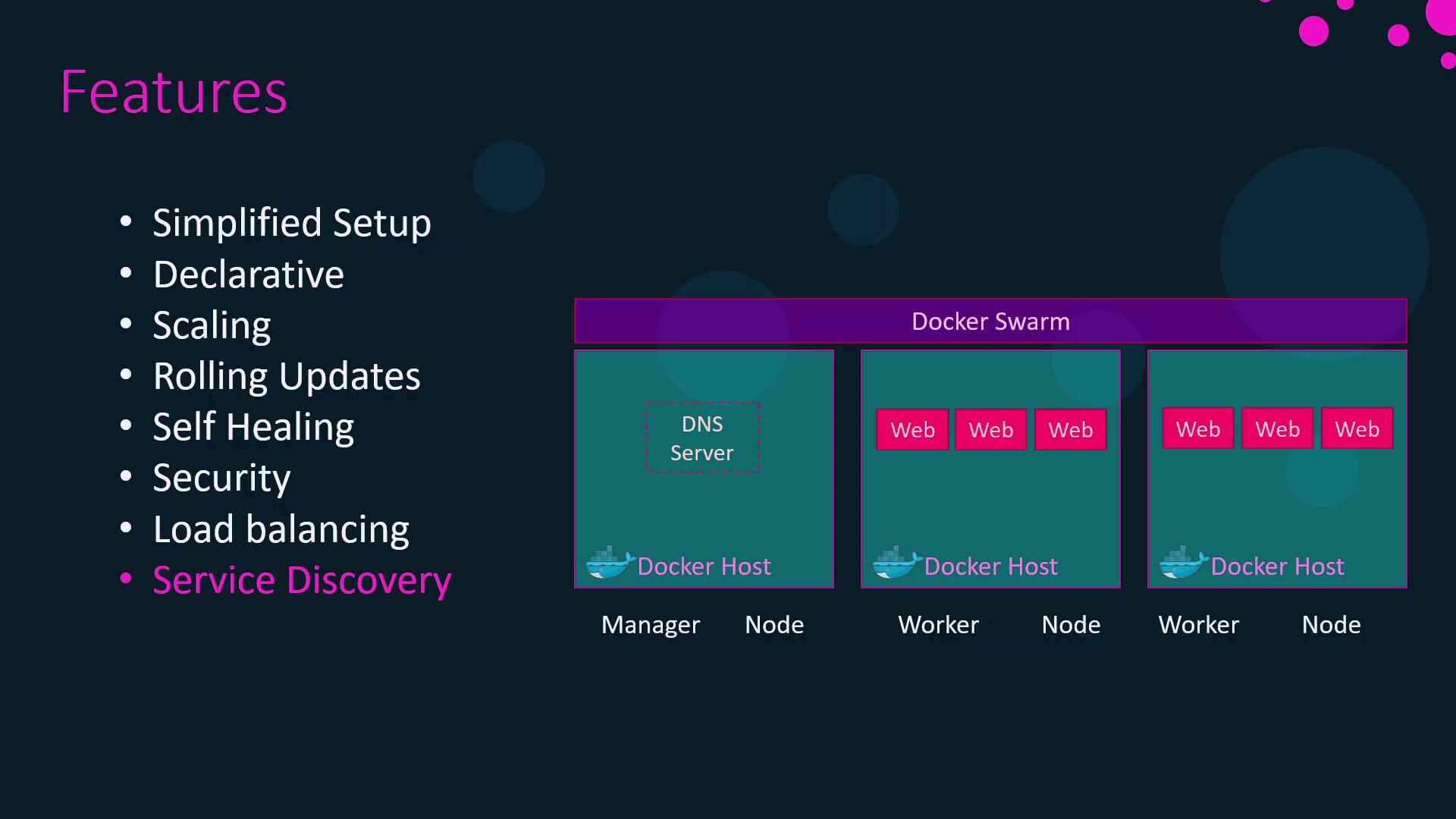
Summary and Next Steps
In this article, we covered the core architecture and features that make Docker Swarm a powerful container orchestration solution. You learned about:- Cluster components and node roles
- Declarative service definitions
- Key features: setup, scaling, updates, and networking
- Setting up a multi-node Swarm cluster
- Deploying production-grade services
- Advanced networking patterns