Managing individual Pods poses challenges such as manual scaling and downtime during updates. Kubernetes Deployments resolve these by automating ReplicaSet management, rolling updates, and rollbacks.
Deployments provide declarative updates, automatic rollbacks, and easy scaling.
Learn more: Kubernetes Deployments.

Voting App Architecture
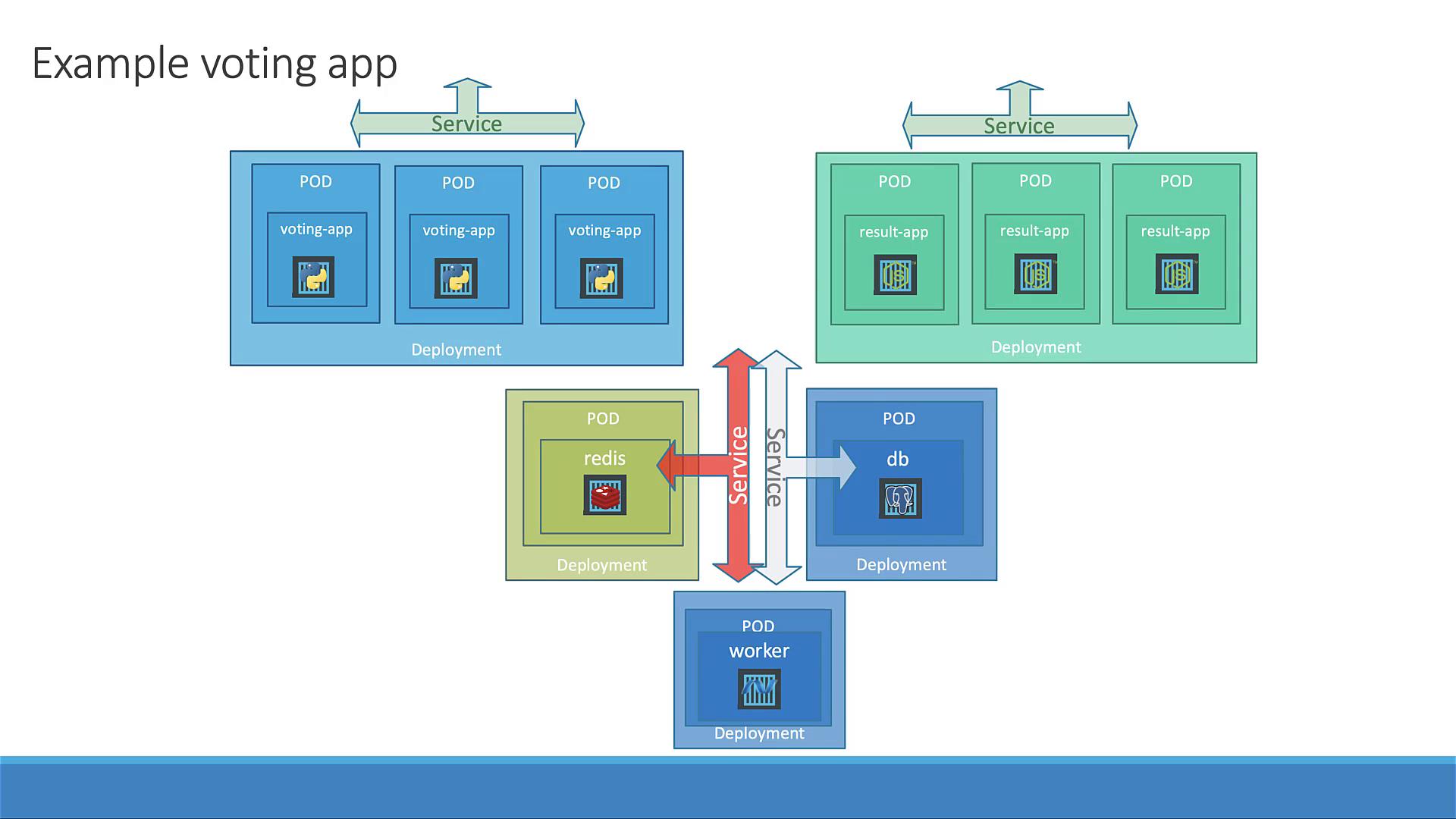
The image is a diagram of an example voting app architecture using Kubernetes, showing multiple pods for voting and result apps, along with Redis and database services. It illustrates the deployment and service connections between these components.

1. Define Deployment Manifests

Below is a summary of all Deployment YAML files:

voting-app-deploy.yaml

redis-deploy.yaml

postgres-deploy.yaml

worker-app-deploy.yaml

result-app-deploy.yaml

2. Apply Deployments and Services

First, ensure no leftover Pods or Services:
Create each Deployment and its Service:

3. Verify Deployments and Services

Check Deployments and Pods:
Confirm Services:

4. Access Front-end Services

Retrieve and open URLs:
Visit the voting app, cast a vote, then check the result app to verify it’s recorded.

5. Scale the Front-end

Scaling with Deployments is straightforward. Increase replicas for the voting app:
Verify three Pods are Running:
Refresh the voting URL to observe traffic served by multiple replicas—no downtime required!

Watch Video