

kubectl CLI on an Alpine runner and deploys Kubernetes manifest files to your cluster.
1. Define Pipeline Stages
First, extend your.gitlab-ci.yml to include the new deploy stage alongside test and containerization:
Make sure the
DOCKER_USERNAME and IMAGE_VERSION variables align with your project settings.2. Create the k8s_dev_deploy Job
Add a job in the dev-deploy stage that uses Alpine 3.7, installs kubectl, and avoids pulling artifacts from earlier stages:
3. Visualize the Pipeline
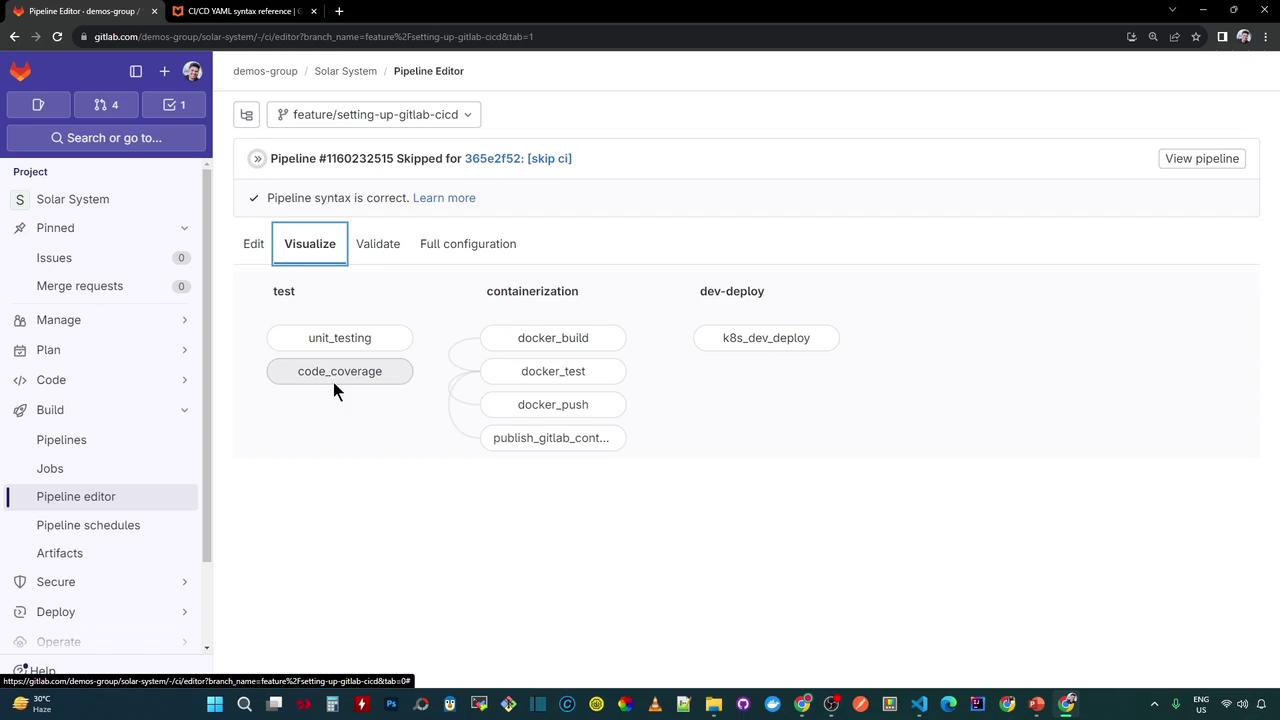
Once committed, your pipeline will include three stages—test, containerization, and dev-deploy. The diagram below shows how the new dev-deploy stage sits at the end of the workflow:
Speed Up Iterations
Since this deployment job doesn’t depend on artifacts from earlier stages, you can temporarily comment out other jobs (e.g., using Ctrl+/). This lets you focus solely on dev-deploy during development.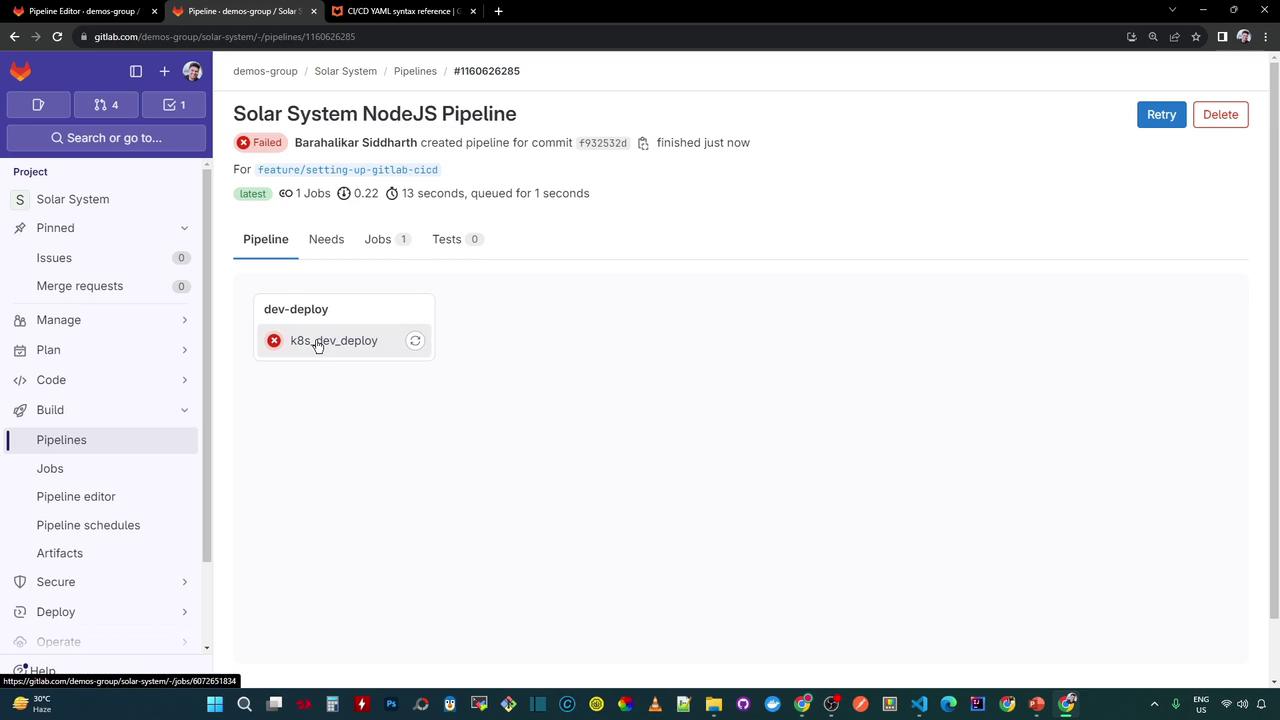
4. Troubleshoot the kubectl version Error
In the job logs, you’ll see the kubectl binary download successfully, but the version command fails to retrieve the server version:
This error indicates that
kubectl cannot connect to a Kubernetes API server without a valid kubeconfig file. You must configure the kubeconfig before running any cluster operations.5. Next Steps
- Add your cluster credentials to a GitLab CI/CD variable (e.g.,
KUBE_CONFIG). - Write the kubeconfig file in a
before_scriptstep. - Re-run the pipeline to confirm that
kubectl versionreturns both client and server information.