

extends keyword. This guide covers three primary strategies:
You can combine
include with extends to pull in templates from external files and inherit from them in one step.1. Anchors & Aliases
Use YAML anchors to define reusable snippets:2. Using extends
Define hidden jobs (prefixed with a dot) as templates, then inherit from them:
Deep inheritance trees can become hard to maintain. Aim for 2–3 levels only.
Multi-template Inheritance
You can merge multiple hidden jobs:3. Refactoring NodeJS Test Jobs
Imagine a pipeline where the test stage contains two nearly identical NodeJS jobs:unit_testing and code_coverage. To speed up feedback, other stages are commented out.
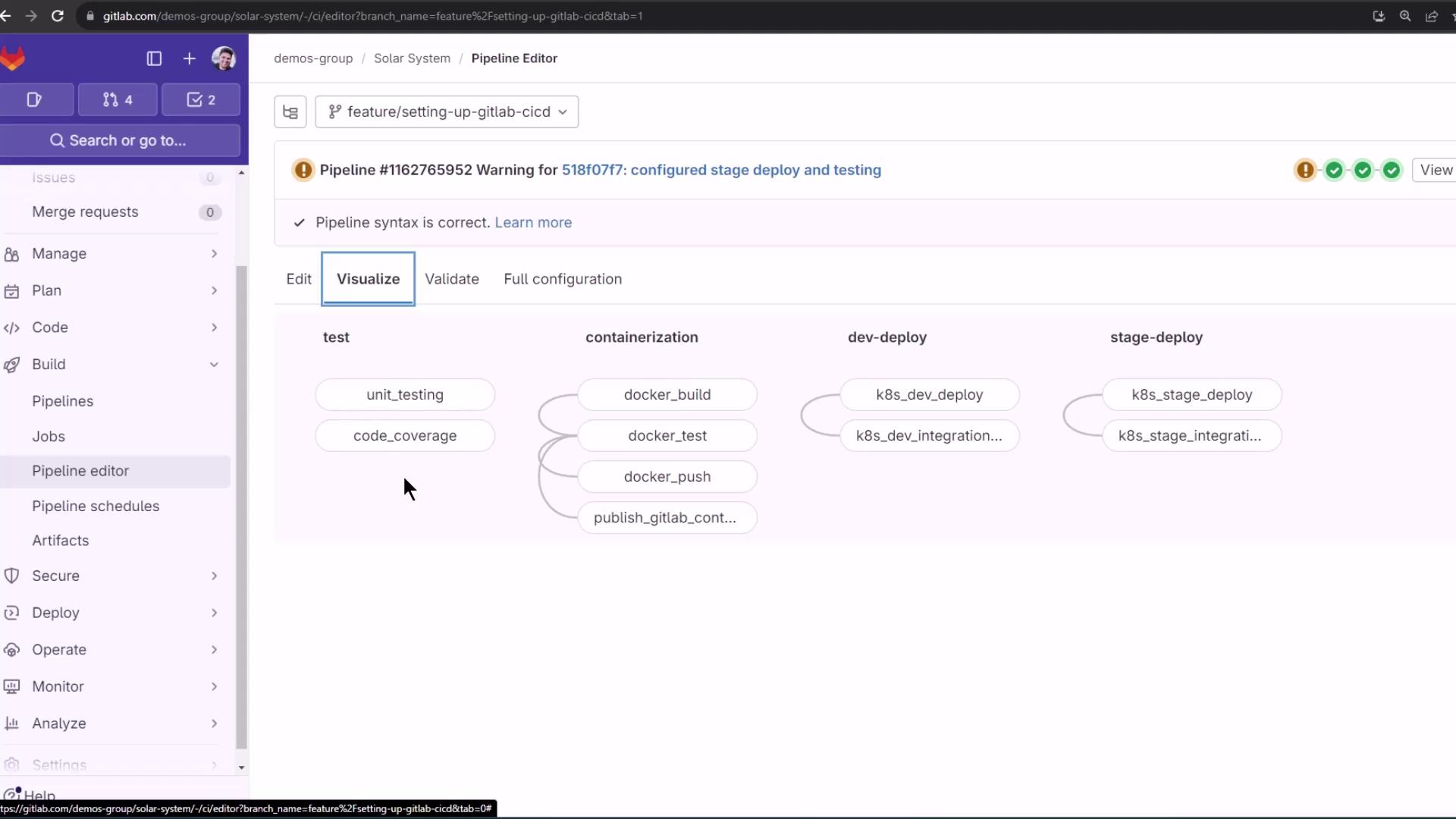
3.1 Create a Hidden Template
Extract the shared configuration into a single hidden job:3.2 Refactor Job Definitions
Have both jobs inherit from the.prepare_nodejs_environment template:
4. Inspecting the Merged Configuration
GitLab’s CI Lint or Full configuration view will show the merged result forunit_testing:
5. Pipeline Execution
When you commit these changes, bothunit_testing and code_coverage run in parallel with the shared setup:
.prepare_nodejs_environment applies to all linked jobs.
For more on merging hidden jobs or combining
include with extends, see the GitLab CI/CD documentation on extends.