

.gitlab-ci.yml DRY, and make it easier to maintain shared settings like container images, before_script commands, caches, and dependencies.
Quick anchor primer
&name— define an anchor*name— reference an anchor<<:— YAML merge key to merge an anchored mapping into another mapping
<<:). Hidden jobs (names that start with a dot) are commonly used in GitLab CI as templates:
services or before_script. Example with a job template anchor and service-list anchors:
Use YAML anchors (
&/* and <<:) to merge YAML fragments at parse time. Use extends when you want GitLab-specific job inheritance that can combine rules, needs, or variables in GitLab-specific ways. You can use anchors and extends together where appropriate.Apply anchors to a GitLab pipeline — a real example
In this project we already have a hidden job.prepare_nodejs_environment used by unit_testing and code_coverage. We want to reuse the same image, dependencies, and a before_script (that installs kubectl and envsubst) across both the dev and stage Kubernetes deployment jobs.
Example slice of the pipeline (abbreviated):
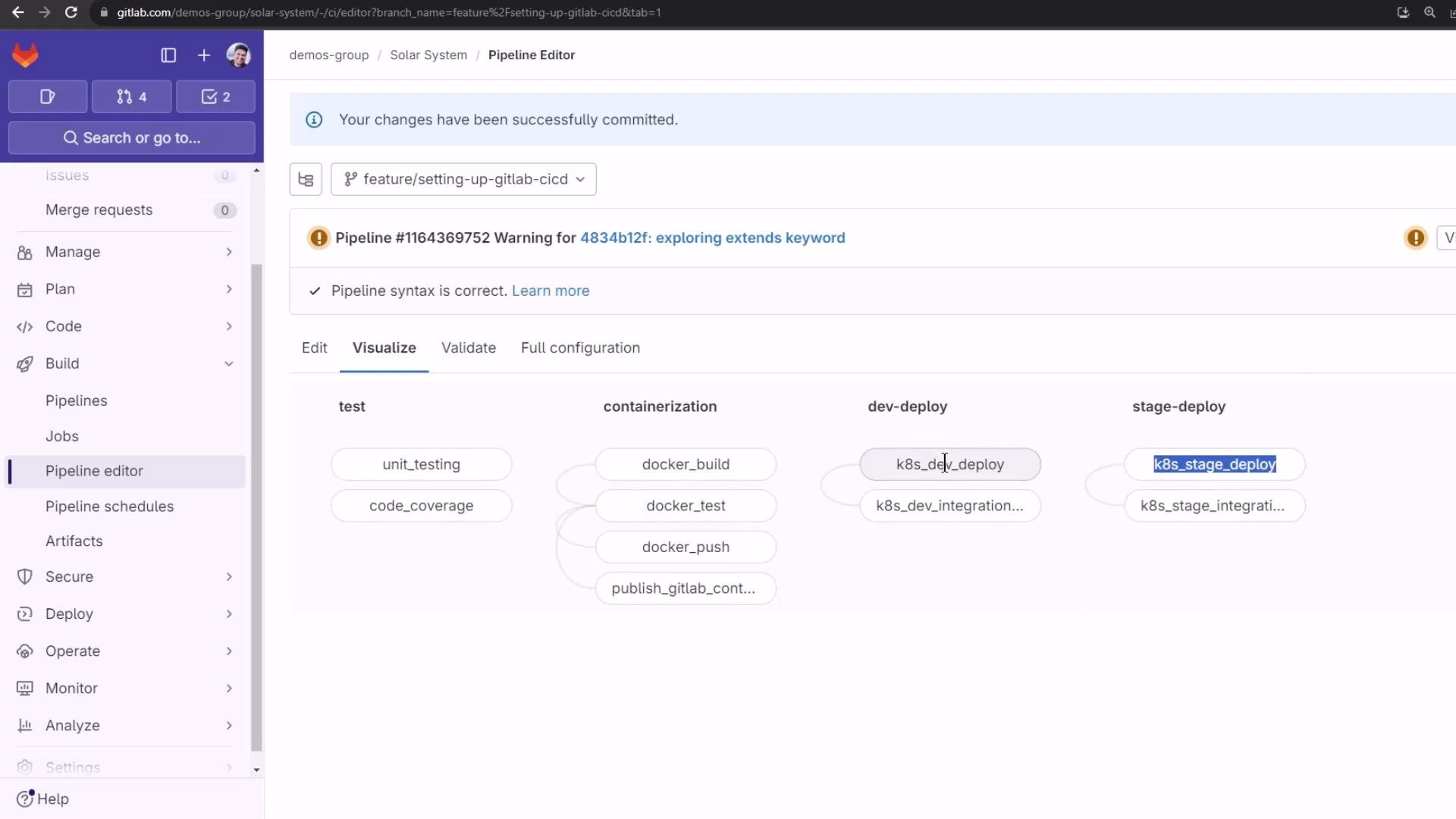
Example: a simple dev deploy job using needs
This k8s_dev_deploy job is intended to start as soon as docker_push completes. Using needs makes that explicit:
Create a reusable hidden anchor for the deploy environment
Define a hidden job near the top of the file to hold the shared deploy configuration. Use a clear anchor name and reference it from your deploy jobs:<<:) with the alias *kubernetes_deploy_job. Add job-specific fields (like stage, needs, when, and the script) after the merge so they can override or extend the merged values.
k8s_dev_deploy (merge + job-specific script and needs):
Notes on correctness and common pitfalls
Confirm the environments and agent
After committing the changes to your branch a pipeline will be triggered. Validate environments and agent connectivity in GitLab to ensure deployments succeed:
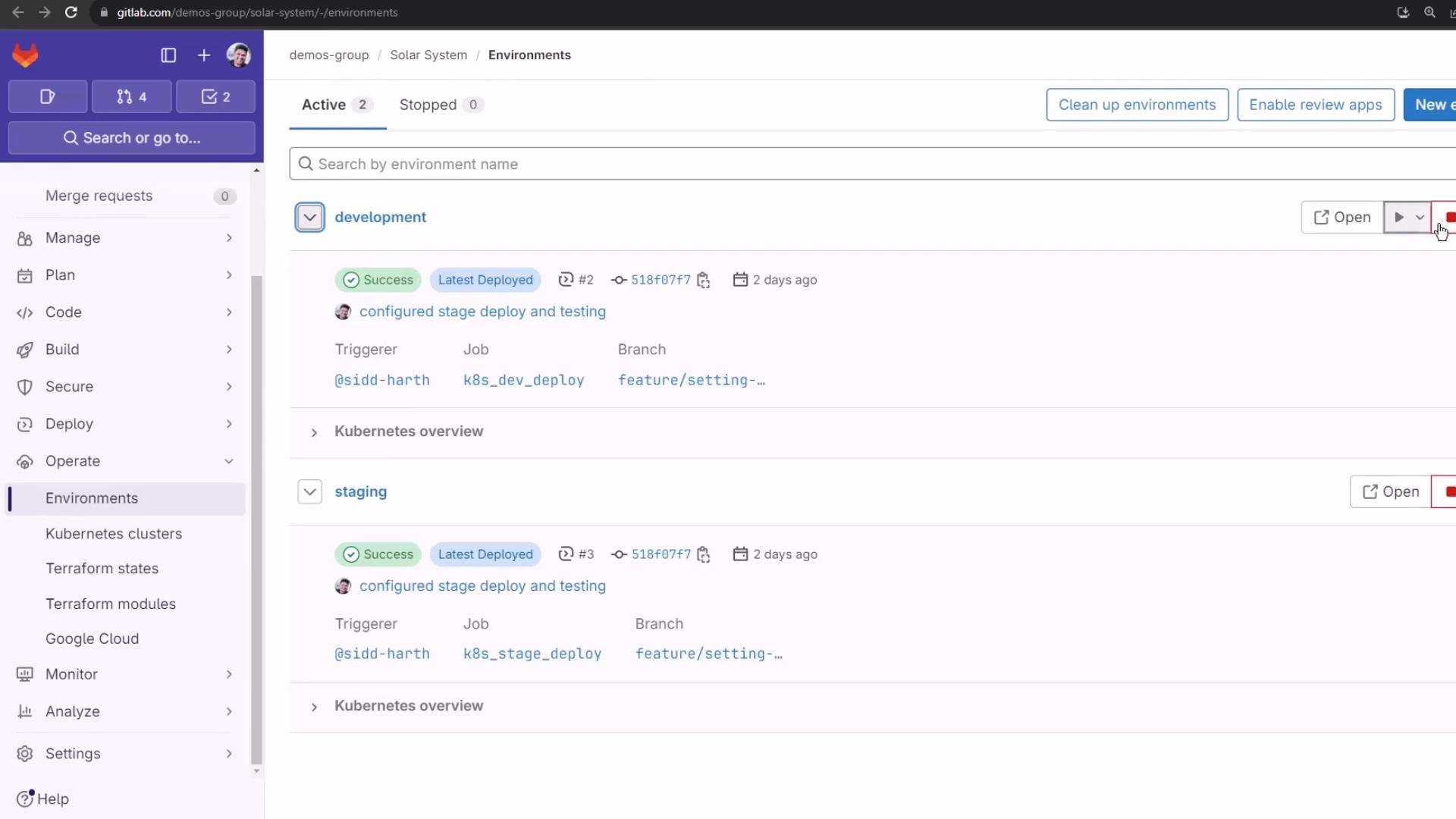
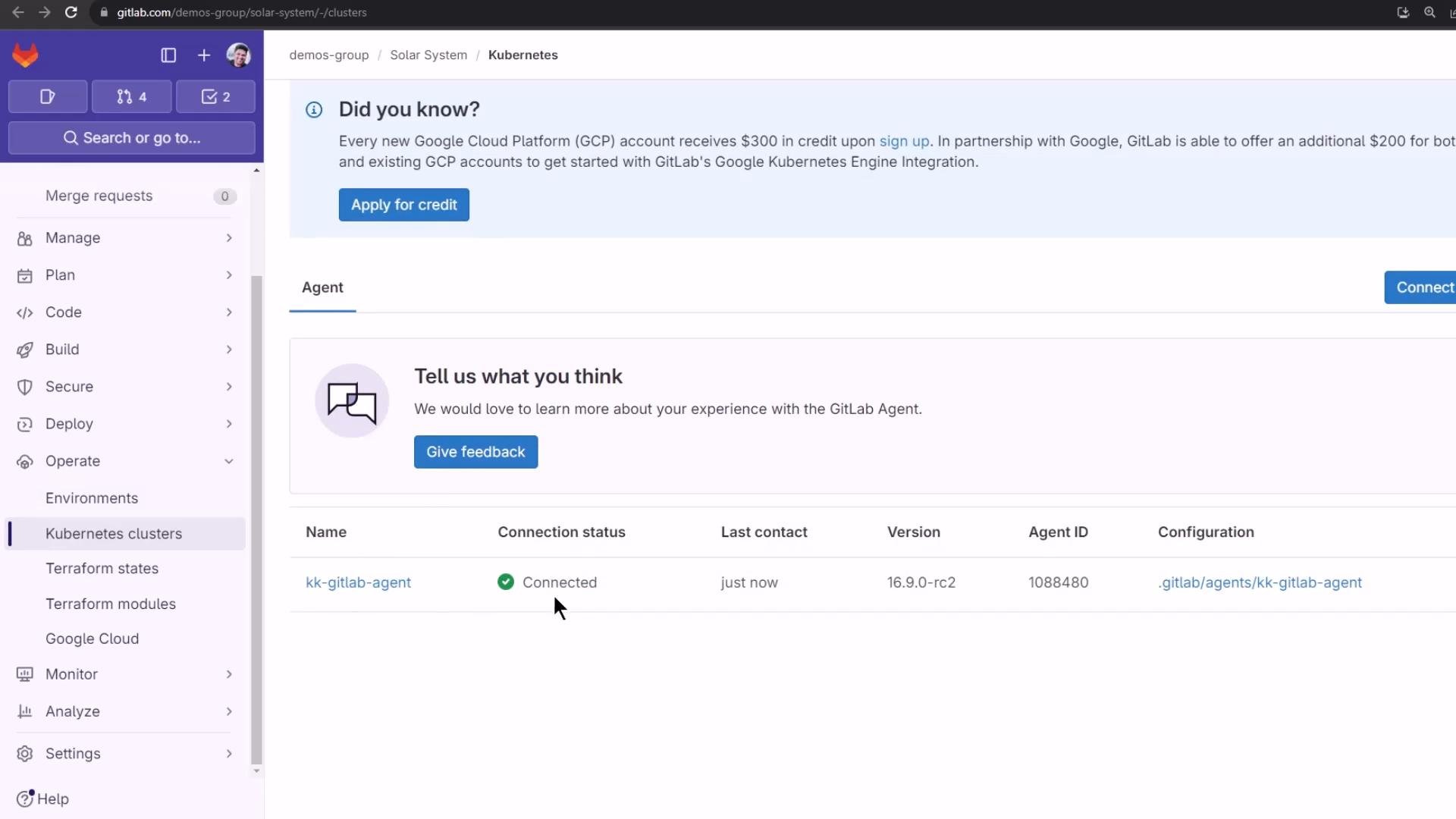
Pipeline run and job logs
When the pipeline runs, bothk8s_dev_deploy and k8s_stage_deploy will use the alpine:3.7 image and the shared before_script from the anchor. An abbreviated example of the job log showing before_script actions:
needs dependency (the dev deploy starts when docker_push completes) and both deployment jobs will report their statuses:
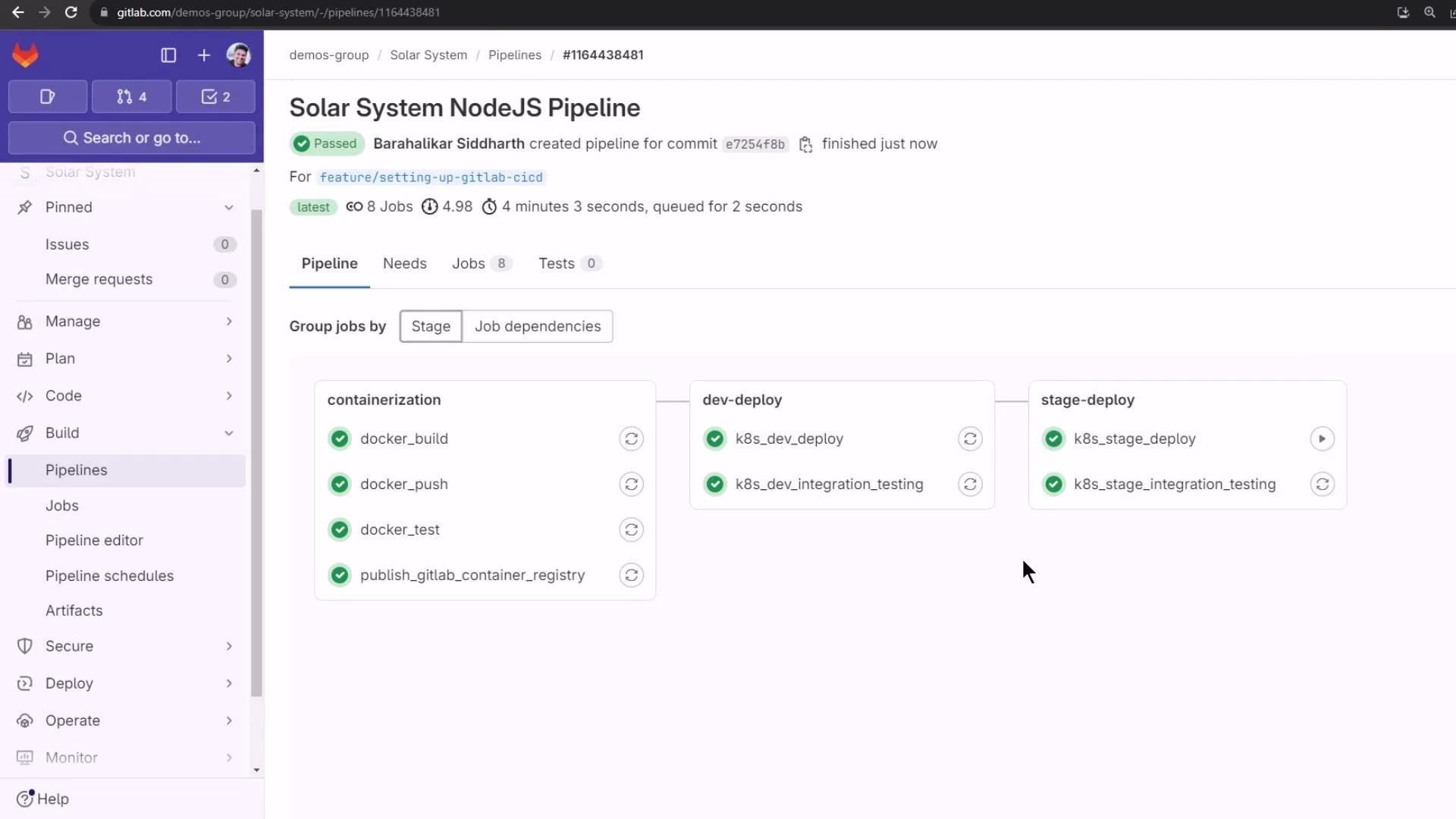
!reference tag, which behaves differently from anchors and extends and can be useful for more advanced reuse patterns.
Links and references
- GitLab CI/CD documentation — YAML anchors and references
- Kubernetes — kubectl overview
- GNU gettext — envsubst manual