

Understanding GitLab CI Services
GitLab CI services let your job containers connect to supporting containers on the same network. Common use cases include databases (PostgreSQL, MongoDB), message queues (RabbitMQ), or custom APIs.What Services Are—and What They Aren’t
You can use any Docker image—public or private—as a service. However, services are not a way to install CLI tools for your job container. For example:image:, not under services:.
Use services for networked dependencies only. Put build tools and language runtimes in the
image: section of your job.Defining & Connecting to Services
A minimal service definition looks like this:- Replace
/with__(double underscore):tutum__wordpress - Replace
/with-(single dash):tutum-wordpress
:) are dropped. Because underscores aren’t valid under RFC 1123, it’s best to assign a custom alias:
Service Configuration Options
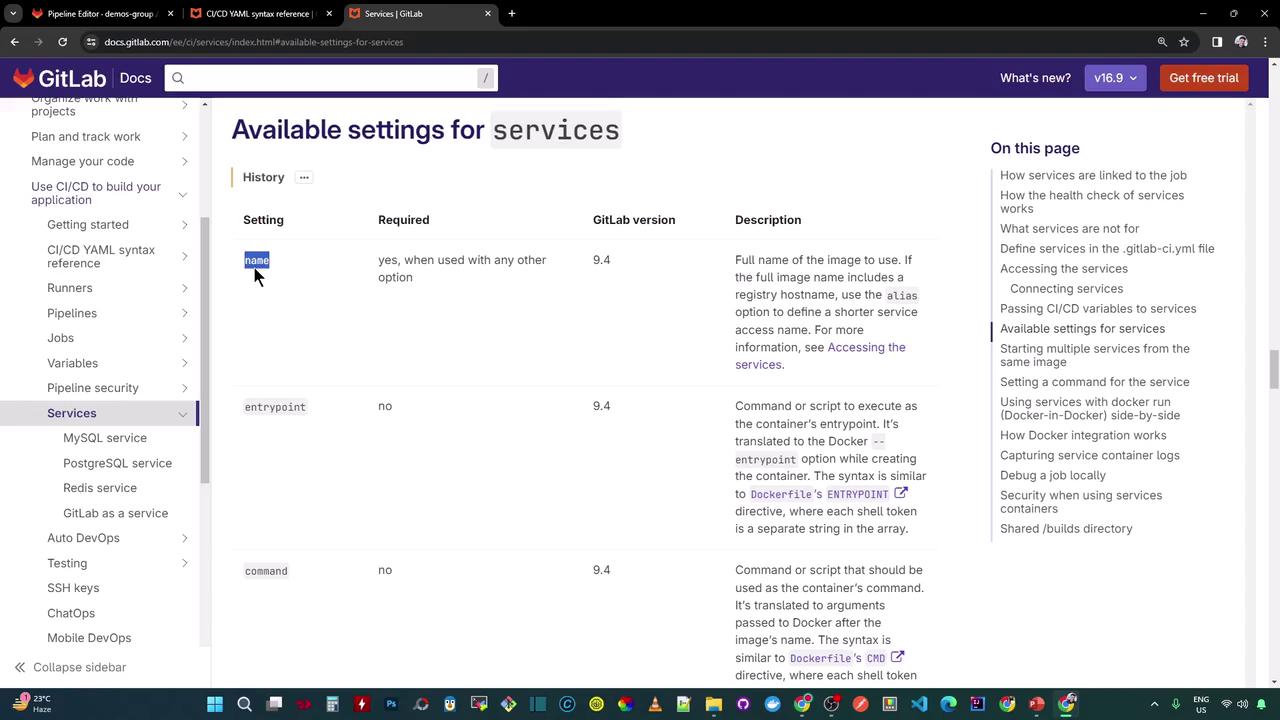
Example: Entrypoint, Command & Variables
Setting Pull Policies
Control when the Runner pulls service images:CI/CD Jobs: Unit Testing & Code Coverage with MongoDB Service
The example below shows two jobs—unit_testing and code_coverage—both using a MongoDB service from siddharth67/mongo-db:non-prod. We set an alias mongo and always pull the image on self-managed runners.
How It Works
- Service Startup
The GitLab Runner pulls and starts the MongoDB container (siddharth67/mongo-db:non-prod), then waits for it to become healthy. - Job Container Launch
The Runner pulls the Node.js image and initializes the job container. - Networking
Both containers share a Docker network. The job container connects to MongoDB viamongo:27017. - Caching & Artifacts
Node modules and test reports are cached/restored and archived, speeding up subsequent pipelines.