In this guide, you’ll learn how to build Docker images inside a GitLab CI/CD pipeline using Docker-in-Docker (DinD). We’ll extend an existing CI configuration to include a containerization stage that compiles and inspects your Docker image.Documentation Index
Fetch the complete documentation index at: https://notes.kodekloud.com/llms.txt
Use this file to discover all available pages before exploring further.
Prerequisites
- A GitLab Runner with Docker-in-Docker support enabled
- CI/CD variables set for
DOCKER_USERNAME,M_DB_PASSWORD, and any other secrets - A Docker Hub account configured to push images
CI/CD Pipeline Configuration
Add acontainerization stage to your existing .gitlab-ci.yml. The new docker_build job will build and list your Docker image:
Variable Definitions
| Variable | Description | Example |
|---|---|---|
| DOCKER_USERNAME | Docker Hub username used to tag and push the image | siddharth67 |
| IMAGE_VERSION | Unique image tag based on the GitLab pipeline ID | $CI_PIPELINE_ID |
| MONGO_URI | MongoDB connection string (optional in this job) | mongodb+srv://.../superData |
| MONGO_USERNAME | MongoDB username | superuser |
| MONGO_PASSWORD | MongoDB password stored as a CI/CD masked variable | $M_DB_PASSWORD |
Make sure sensitive values like
MONGO_PASSWORD are stored as masked CI/CD variables to avoid exposure in job logs.Sample Dockerfile
Place thisDockerfile at the root of your repository to containerize a Node.js application:
Pipeline Execution Flow
When you push tomain or open a feature merge request, GitLab:
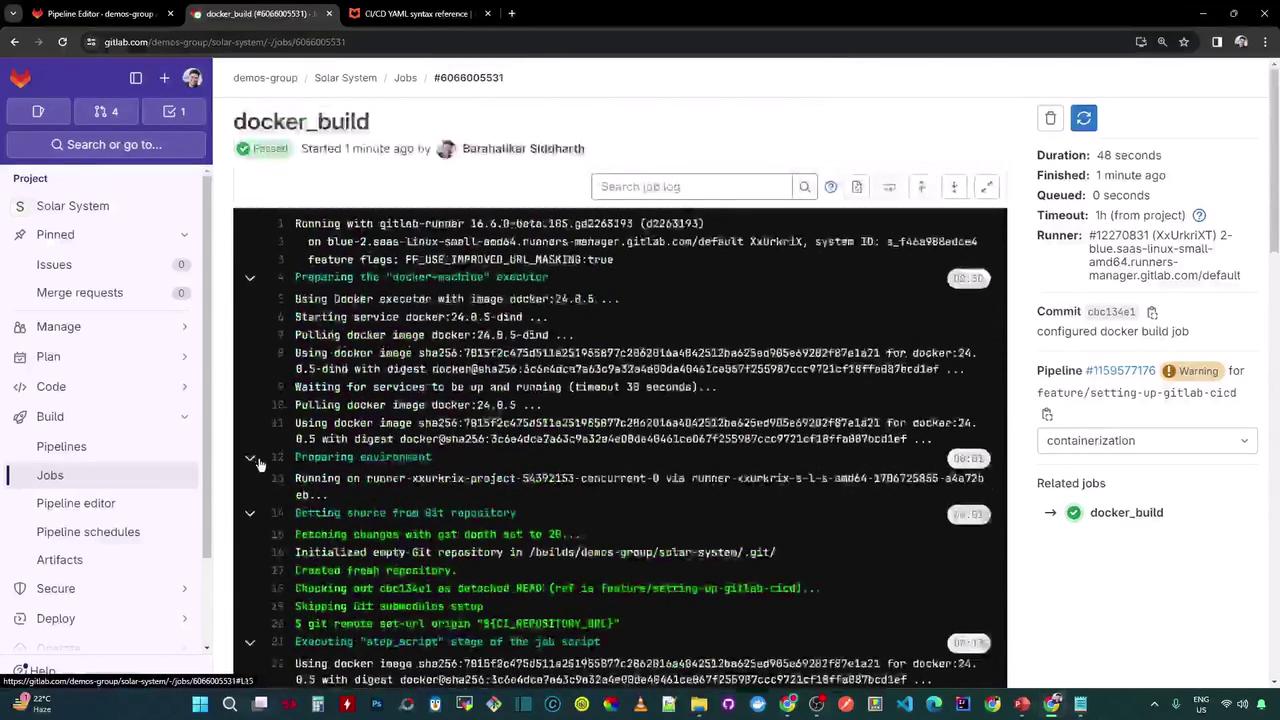
- Launches the docker:24.0.5 image for the job.
- Starts the Docker-in-Docker service (
docker:24.0.5-dind). - Runs the
scriptsection to build and list the image: