

docker_test job that consumes the image built by docker_build, verifies the /live endpoint, and ensures your container is production-ready.
CI/CD Pipeline Overview
Define your basic stages and shared variables in.gitlab-ci.yml:
Building and Archiving Docker Images
Thedocker_build job builds your Node.js app into a Docker image, then saves it as a tarball artifact for downstream jobs.
Artifacts are retained for 3 days by default. Adjust
expire_in to suit your retention policy.Make sure sensitive environment variables (like
MONGO_PASSWORD) are stored in GitLab CI/CD variables, not hard-coded.Testing the Docker Image Before Push
Thedocker_test job retrieves the saved image artifact, runs the container, and probes the /live endpoint using an Alpine container with wget.
docker_test:
- docker load: Imports the tarball into Docker.
- docker run: Starts the container on port 3000 in detached mode.
- docker inspect: Extracts the container’s IP address.
- wget: From an Alpine image, requests
http://$IP:3000/liveand checks for"live"in the response.
Node.js Health Check Endpoints
Below is the simplifiedapp.js. The /live endpoint returns { status: "live" } for liveness probes.
Pipeline Visualization
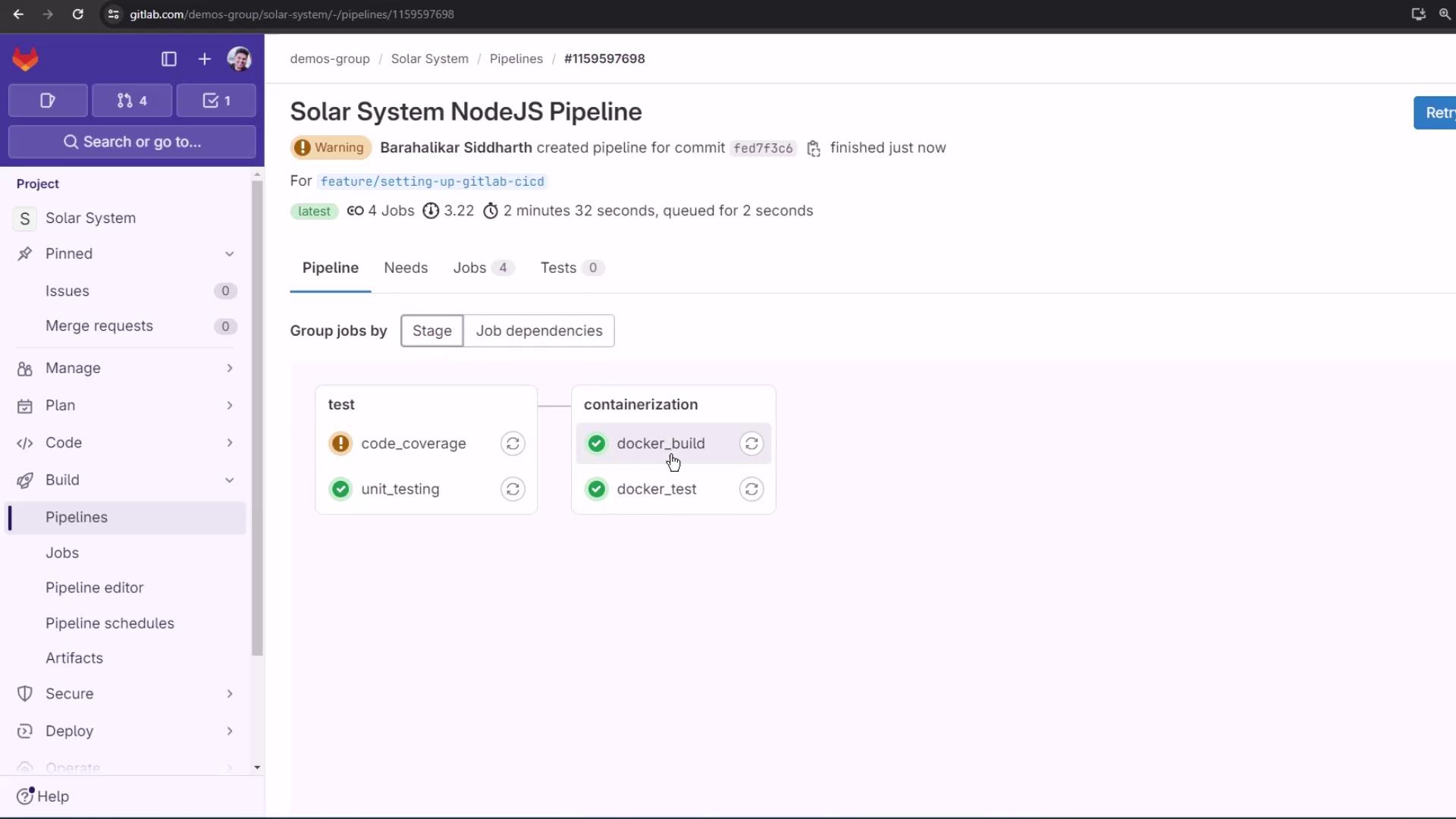
docker_test will only run once docker_build successfully produces and archives the image. A successful liveness check means the container is ready to be pushed.