In this guide, we’ll walk through creating a Kubernetes Secret and deploying application manifests to the development namespace using GitLab CI/CD. You’ll learn how to integrate secret creation into your pipeline and verify a successful deploy.
1. Verify the Development Namespace
First, confirm the development namespace is clean:
kubectl -n development get all
No resources found in development namespace.
Always ensure you’re targeting the correct namespace before deploying to avoid unintended changes.
2. Initial CI Job Definition
Here’s a basic k8s_dev_deploy job from .gitlab-ci.yml:
k8s_dev_deploy :
stage : dev-deploy
image : alpine:3.7
dependencies : []
before_script :
- wget https://storage.googleapis.com/kubernetes-release/release/$(wget -q -O - https://storage.googleapis.com/kubernetes-release/release/stable.txt)/bin/linux/amd64/kubectl
- chmod +x ./kubectl && mv ./kubectl /usr/bin/kubectl
- apk add --no-cache gettext
- envsubst -V
script :
- export KUBECONFIG=$DEV_KUBE_CONFIG
- kubectl version -o yaml
- kubectl config get-contexts
- kubectl get nodes
- export INGRESS_IP=$(kubectl -n ingress-nginx get service ingress-nginx-controller -o jsonpath="{.status.loadBalancer.ingress[0].ip}")
- for manifest in kubernetes/manifest/*.yaml; do
envsubst < $manifest | kubectl apply -f -
done
At this stage, deployment will fail because the application requires a mongo-db-creds secret that doesn’t exist yet.
3. Required Manifests
Define the Kubernetes resources for your application. Below are two essential manifest examples:
Ingress
apiVersion : networking.k8s.io/v1
kind : Ingress
metadata :
name : solar-system
namespace : ${NAMESPACE}
annotations :
kubernetes.io/ingress.class : nginx
kubernetes.io/tls-acme : "true"
spec :
rules :
- host : solar-system-${NAMESPACE}.${INGRESS_IP}.nip.io
http :
paths :
- path : /
pathType : Prefix
backend :
service :
name : solar-system
port :
number : 3000
tls :
- hosts :
- solar-system-${NAMESPACE}.${INGRESS_IP}.nip.io
secretName : ingress-local-tls
Deployment
apiVersion : apps/v1
kind : Deployment
metadata :
name : solar-system
namespace : ${NAMESPACE}
spec :
replicas : ${REPLICAS}
selector :
matchLabels :
app : solar-system
template :
metadata :
labels :
app : solar-system
spec :
containers :
- name : solar-system
image : ${K8S_IMAGE}
imagePullPolicy : Always
ports :
- name : http
containerPort : 3000
envFrom :
- secretRef :
name : mongo-db-creds
Resource Purpose Ingress Route HTTP/TLS traffic to the service Deployment Manage pods, replicas, and rolling updates
The mongo-db-creds secret must include:
MONGO_URI
MONGO_USERNAME
MONGO_PASSWORD
4. Create Secret and Update CI Job
Incorporate secret creation into your pipeline before applying manifests:
k8s_dev_deploy :
stage : dev-deploy
image : alpine:3.7
dependencies : []
before_script :
- wget https://storage.googleapis.com/kubernetes-release/release/$(wget -q -O - https://storage.googleapis.com/kubernetes-release/release/stable.txt)/bin/linux/amd64/kubectl
- chmod +x ./kubectl && mv ./kubectl /usr/bin/kubectl
- apk add --no-cache gettext
- envsubst -V
script :
- export KUBECONFIG=$DEV_KUBE_CONFIG
- INGRESS_IP=$(kubectl -n ingress-nginx get service ingress-nginx-controller -o jsonpath="{.status.loadBalancer.ingress[0].ip}")
- echo "Ingress IP : $INGRESS_IP"
- kubectl -n $NAMESPACE create secret generic mongo-db-creds \
--from-literal=MONGO_URI="$MONGO_URI" \
--from-literal=MONGO_USERNAME="$MONGO_USERNAME" \
--from-literal=MONGO_PASSWORD="$MONGO_PASSWORD" \
--dry-run=client -o yaml | kubectl apply -f -
- for manifest in kubernetes/manifest/*.yaml; do
envsubst < $manifest | kubectl apply -f -
done
- kubectl -n $NAMESPACE get all,secret,ingress
Using --dry-run=client -o yaml ensures idempotent secret creation.
5. Pipeline Configuration
Define the overall GitLab pipeline, stages, and variables:
workflow :
name : Solar System NodeJS Pipeline
stages :
- test
- containerization
- dev-deploy
variables :
DOCKER_USERNAME : siddharth67
IMAGE_VERSION : $CI_PIPELINE_ID
K8S_IMAGE : $DOCKER_USERNAME/solar-system:$IMAGE_VERSION
MONGO_URI : 'mongodb+srv://supercluster.d83ji.mongodb.net/superData'
MONGO_USERNAME : superuser
MONGO_PASSWORD : $M_DB_PASSWORD
Variable Description DOCKER_USERNAMEDocker Hub username IMAGE_VERSIONImage tag (CI pipeline ID) K8S_IMAGEFull image name for Kubernetes pull MONGO_*MongoDB connection credentials
Include a containerization job if needed:
docker_build :
stage : containerization
image : docker:24.0.5
services :
- docker:24.0.5-dind
script :
- docker load -i image/solar-system-image:$IMAGE_VERSION.tar
- docker login --username=$DOCKER_USERNAME --password=$DOCKER_PASSWORD
- docker push $K8S_IMAGE
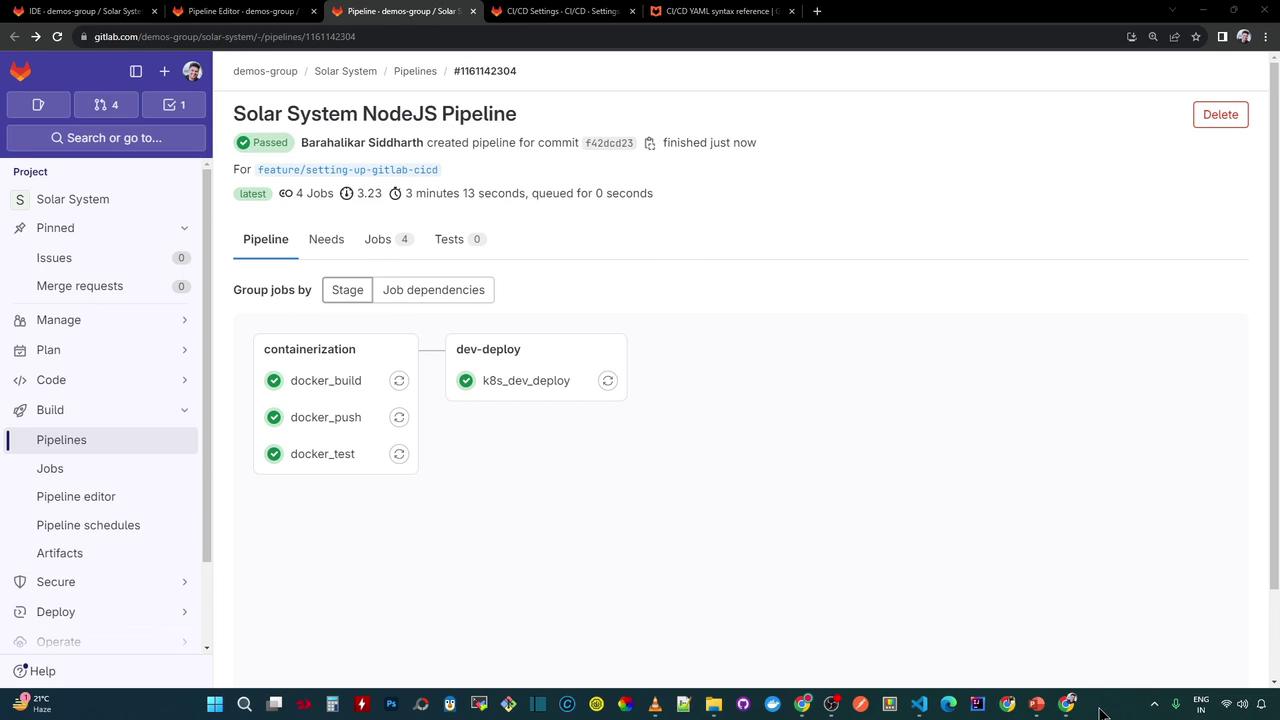
Once pushed, GitLab will visualize the pipeline:
6. Inspect the Dev-Deploy Logs
Your dev-deploy job logs should look like this:
$ envsubst -V
envsubst (GNU gettext-runtime ) 0.19.8.1
$ export KUBECONFIG= $DEV_KUBE_CONFIG
$ kubectl version -o yaml
# ClientVersion and ServerVersion details
$ kubectl get nodes
# Lists nodes
$ export INGRESS_IP= 139.48.208.48
$ kubectl -n $NAMESPACE create secret generic mongo-db-creds \
--from-literal=MONGO_URI= $MONGO_URI \
--from-literal=MONGO_USERNAME= $MONGO_USERNAME \
--from-literal=MONGO_PASSWORD= $MONGO_PASSWORD \
--dry-run=client -o yaml | kubectl apply -f -
secret/mongo-db-creds created
$ for manifest in kubernetes/manifest/ * .yaml ; do
envsubst < $manifest | kubectl apply -f -
done
deployment.apps/solar-system created
ingress.networking.k8s.io/solar-system created
service/solar-system created
$ kubectl -n $NAMESPACE get all,secret,ingress
# Pods, services, deployment, secret, and ingress listed
7. Verify Deployment Locally
Check all resources in development:
kubectl -n development get all
NAME READY STATUS RESTARTS AGE
pod/solar-system-86fc65474-5klmr 1/1 Running 0 3m10s
pod/solar-system-86fc65474-fcfpq 1/1 Running 0 3m10s
NAME TYPE CLUSTER-IP PORT(S) AGE
service/solar-system NodePort 10.102.111.40 3000:30654/TCP 3m5s
NAME READY UP-TO-DATE AVAILABLE AGE
deployment.apps/solar-system 2/2 2 2 3m10s
NAME DESIRED CURRENT READY AGE
replicaset.apps/solar-system-86f65474 2 2 2 3m10s
Retrieve the Ingress host:
kubectl -n development get ingress
NAME HOSTS ADDRESS PORTS AGE
solar-system solar-system-development.139.84.208.48.nip.io 139.84.208.48 80,443 3m33s
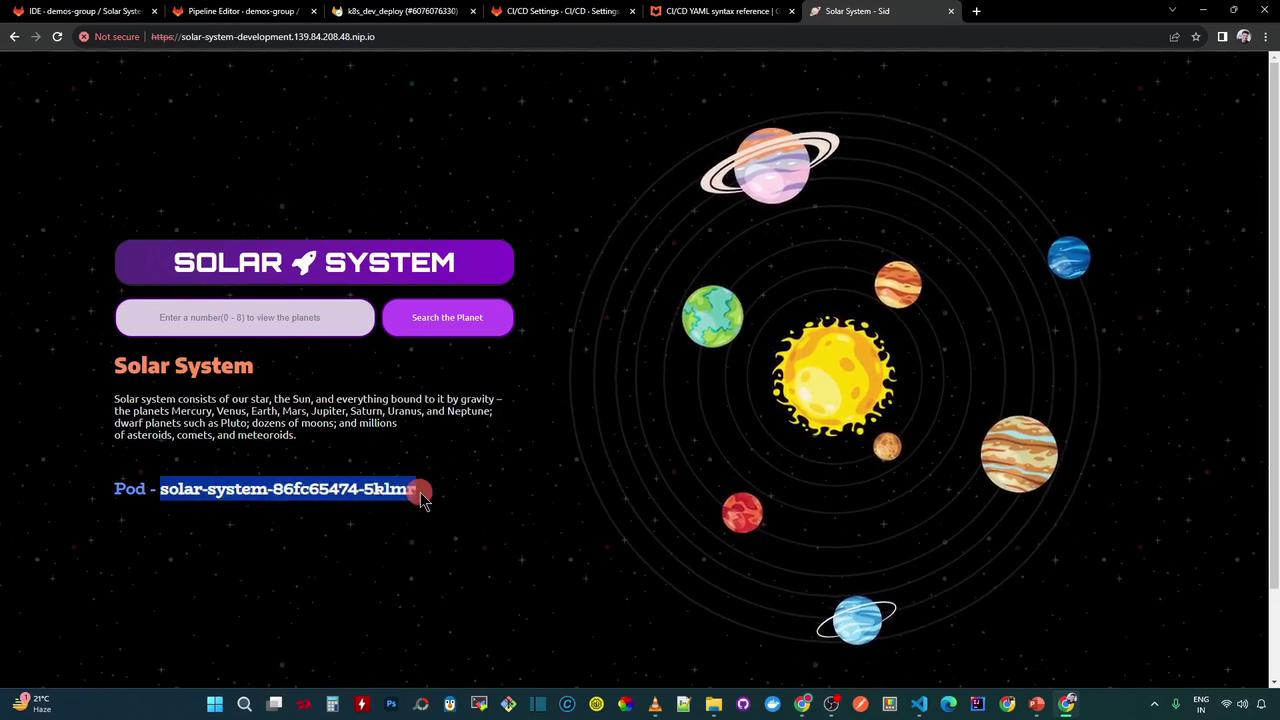
Open the application in your browser (accept the self-signed certificate):
http://solar-system-development.139.84.208.48.nip.io
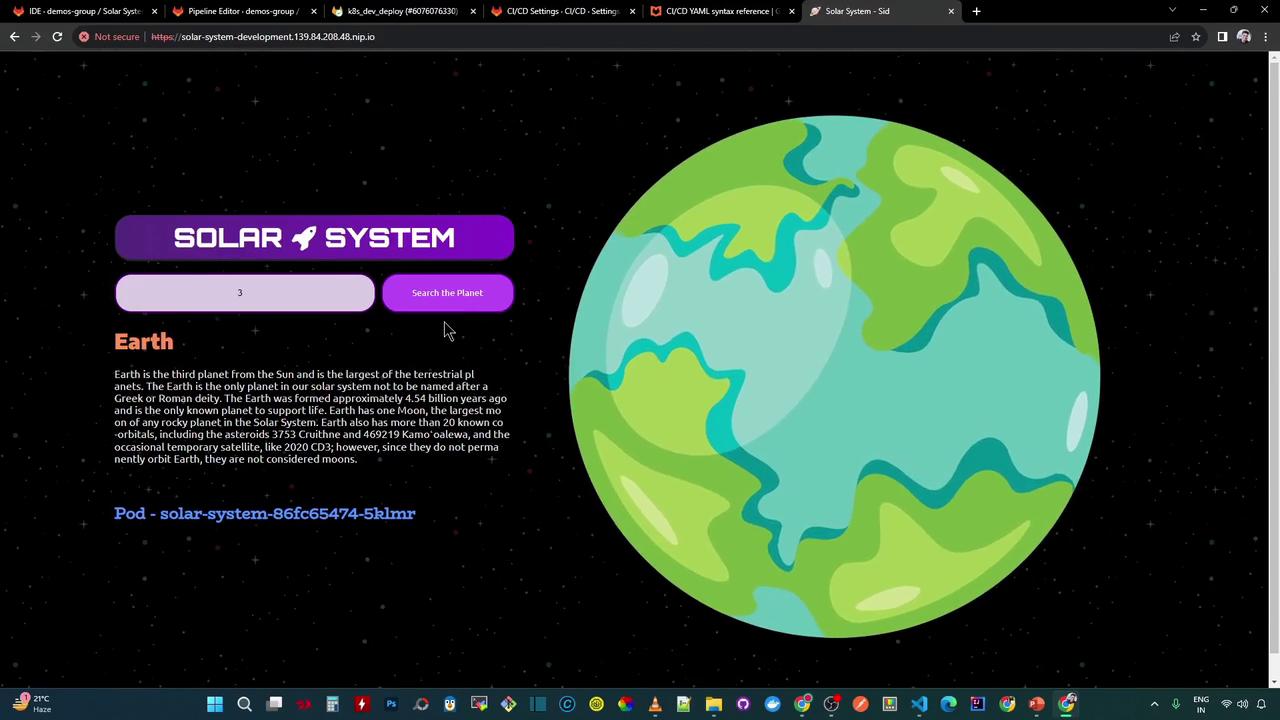
Search for a planet by number (e.g., 3 for Earth):
8. Next Steps
To improve reliability, integrate health checks into your pipeline:
GET /live → {"status":"live"}
GET /ready → {"status":"ready"}, HTTP 200
These endpoints can be tested with tools like k6 or Postman CLI .
Links and References