

Base Unit Testing Job
Thisunit_testing job runs in the test stage, installs dependencies, executes tests, and collects JUnit reports:
Adding a Parallel Code Coverage Job
Create acode_coverage job that reuses the Node.js image and installs dependencies. The npm run coverage command (powered by NYC) generates a Cobertura XML report.
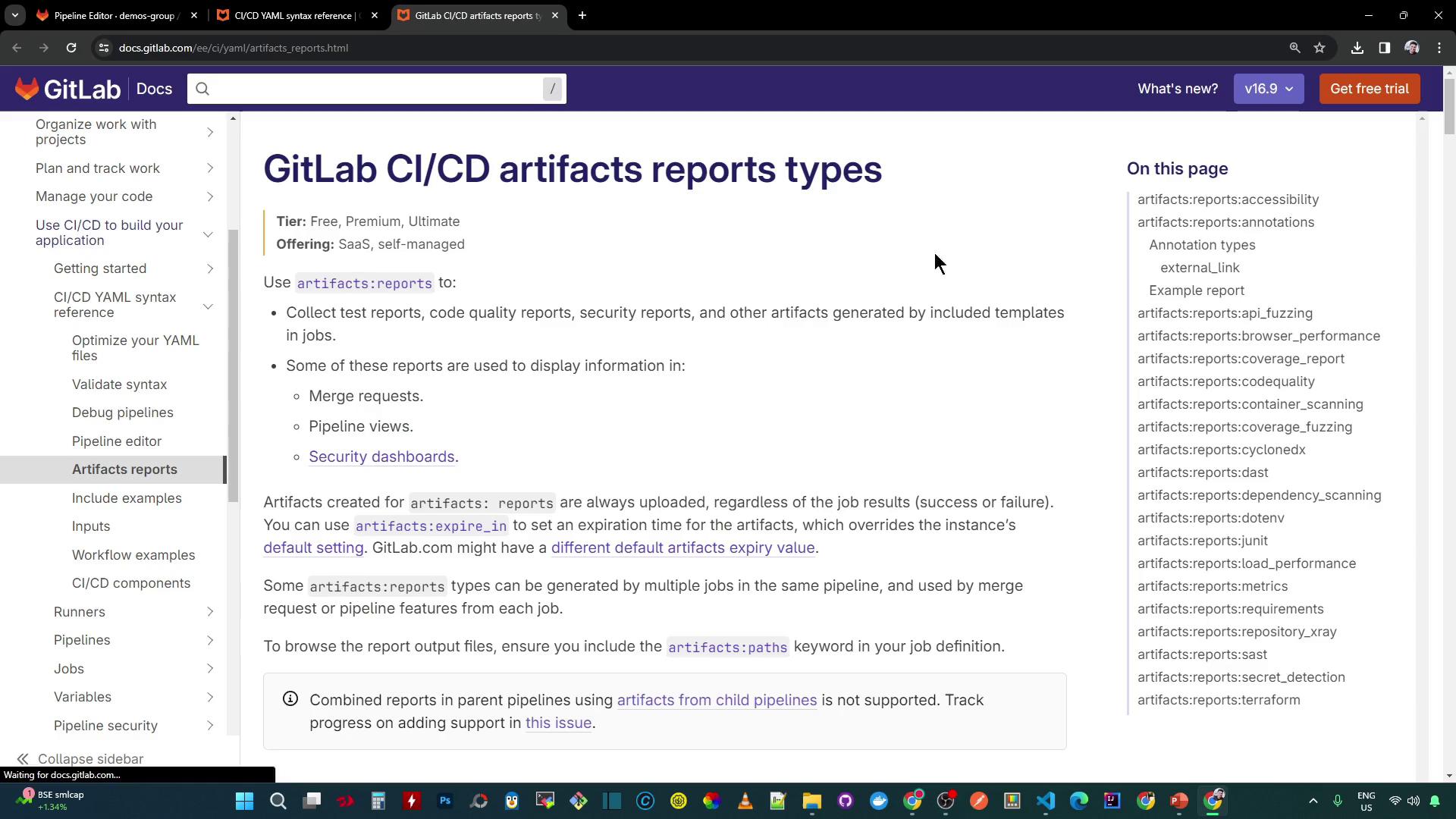
Supported Artifact Report Types
GitLab CI/CD supports multiple report formats underartifacts:reports. Use the table below to choose the appropriate type:
Coverage Report Configuration
To enable GitLab’s built-in coverage display, specify the Cobertura format and the XML path inartifacts:reports:
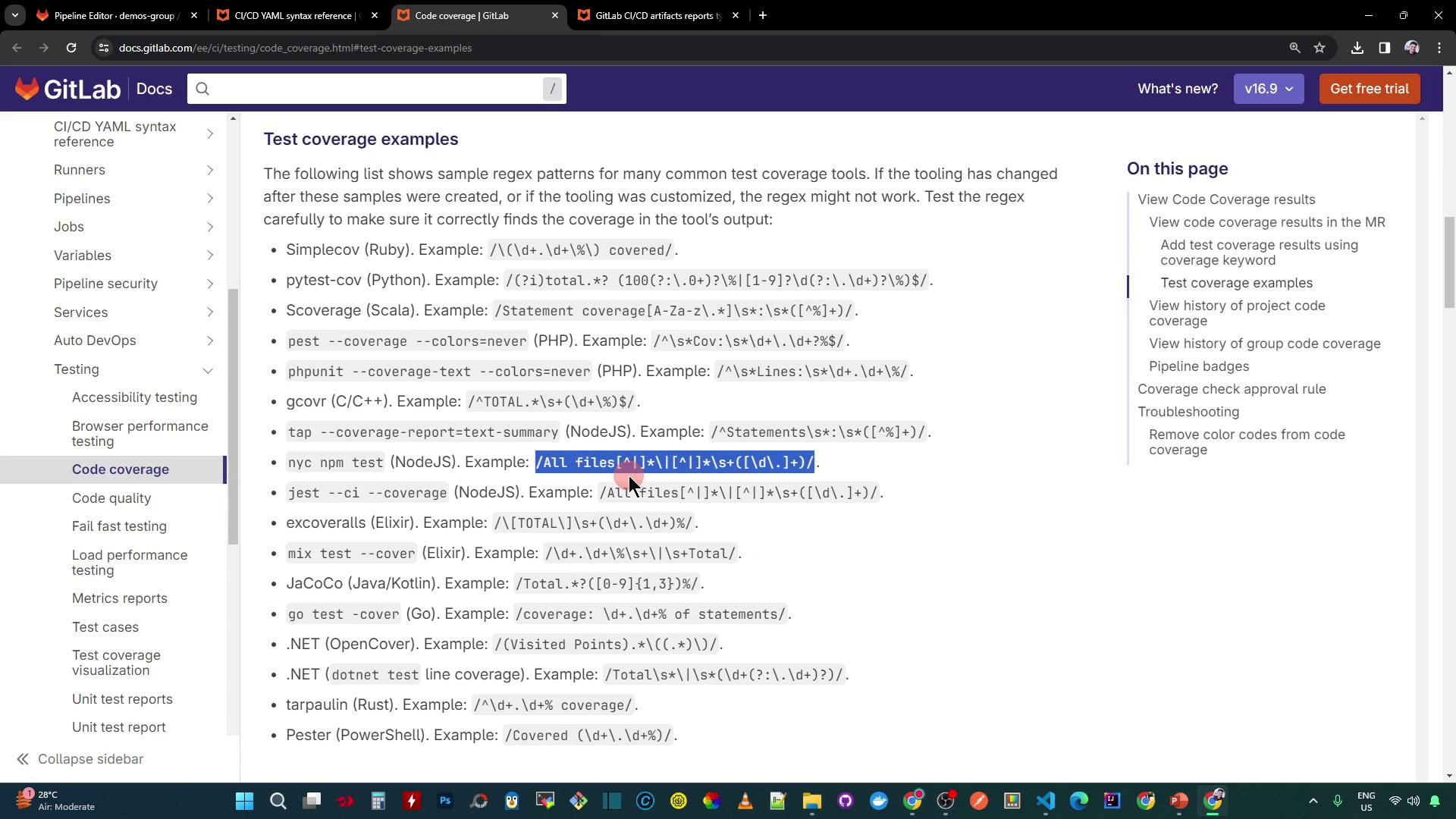
Extracting Coverage Percentage
GitLab can parse test logs and extract a coverage percentage using a regular expression. For NYC’s “All files” summary line, use:Make sure your coverage tool prints a summary line matching this pattern. Adjust the regex if your output differs.
Full CI Configuration with a Dependent Sample Job
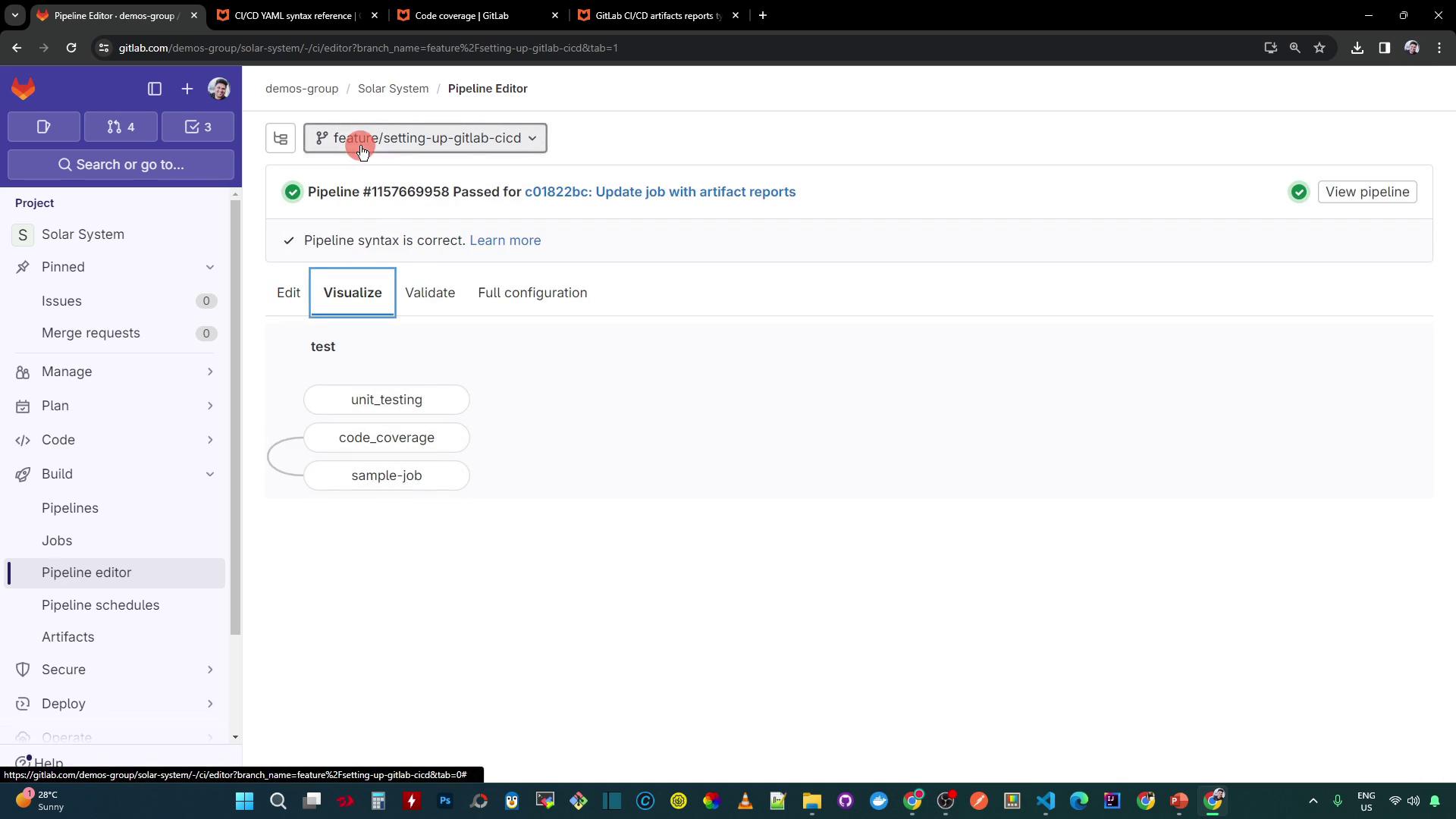
Combine both jobs and add asample-job that depends on code_coverage. This ensures downstream work only runs if coverage passes (or you enable allow_failure).
.gitlab-ci.yml, the GitLab pipeline graph clearly shows unit_testing, code_coverage, and sample-job in parallel:
Pipeline Execution and Coverage Failure
If the coverage threshold defined in yourpackage.json isn’t met, the code_coverage job fails and downstream jobs are skipped by default.
A failed coverage check will block any jobs that depend on it. To continue the pipeline regardless of coverage, you can set
allow_failure: true on the coverage job.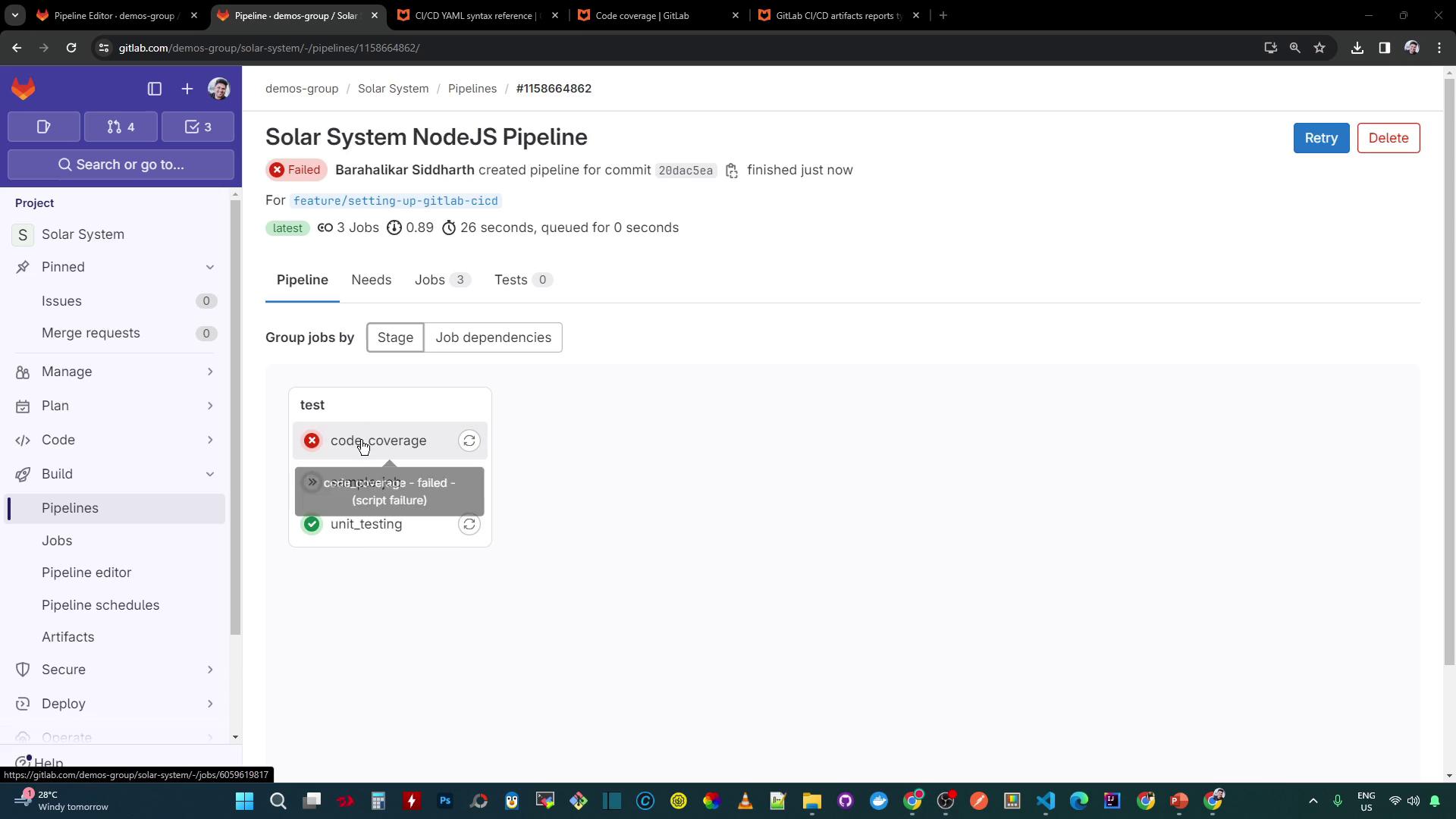
package.json might include:
Coverage Percentage in the GitLab UI
With thecoverage regex in place, GitLab extracts the percentage (e.g., 88.88%) and displays it in the pipeline view:
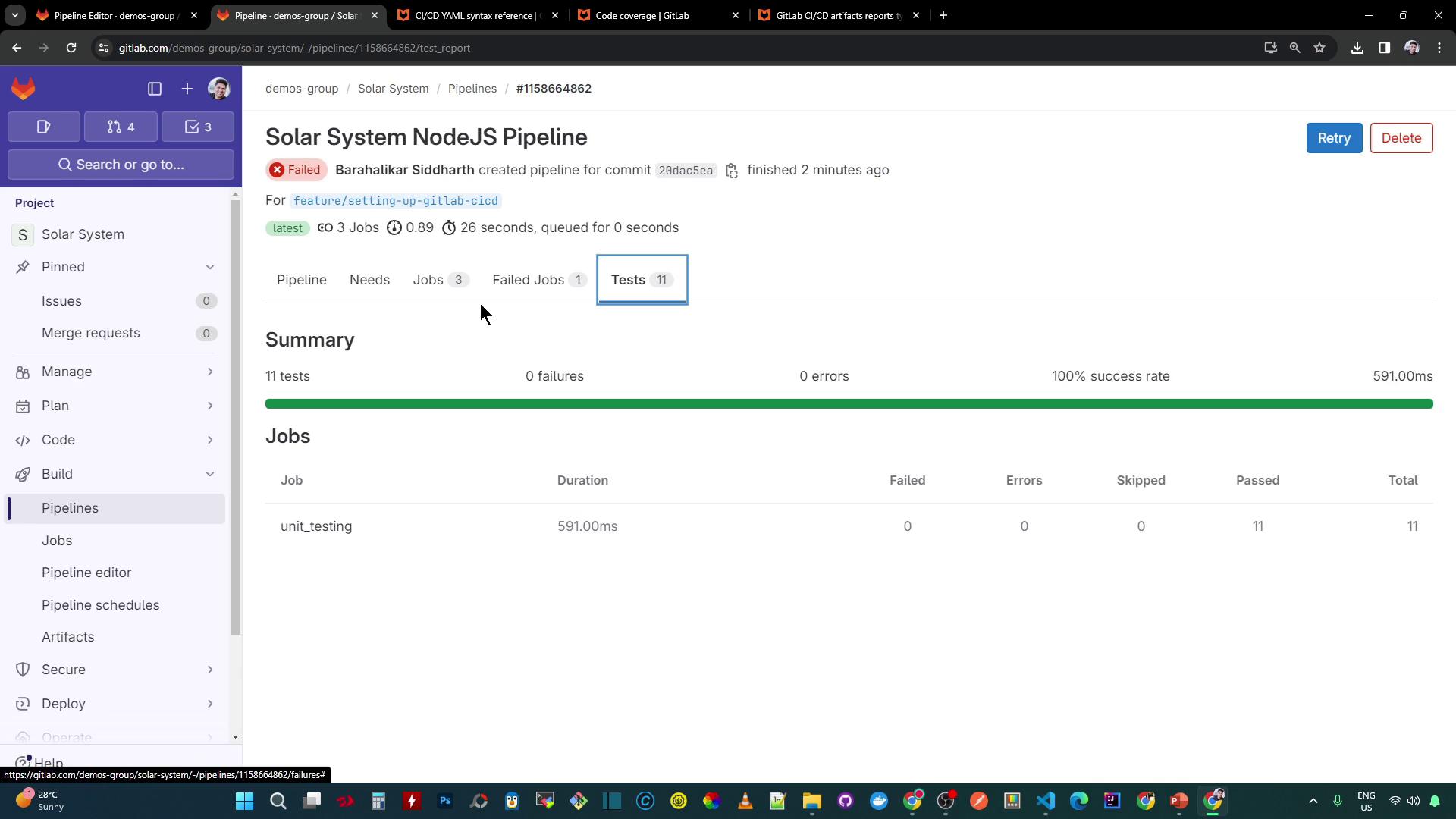
code_coverage to fail and skipping sample-job:
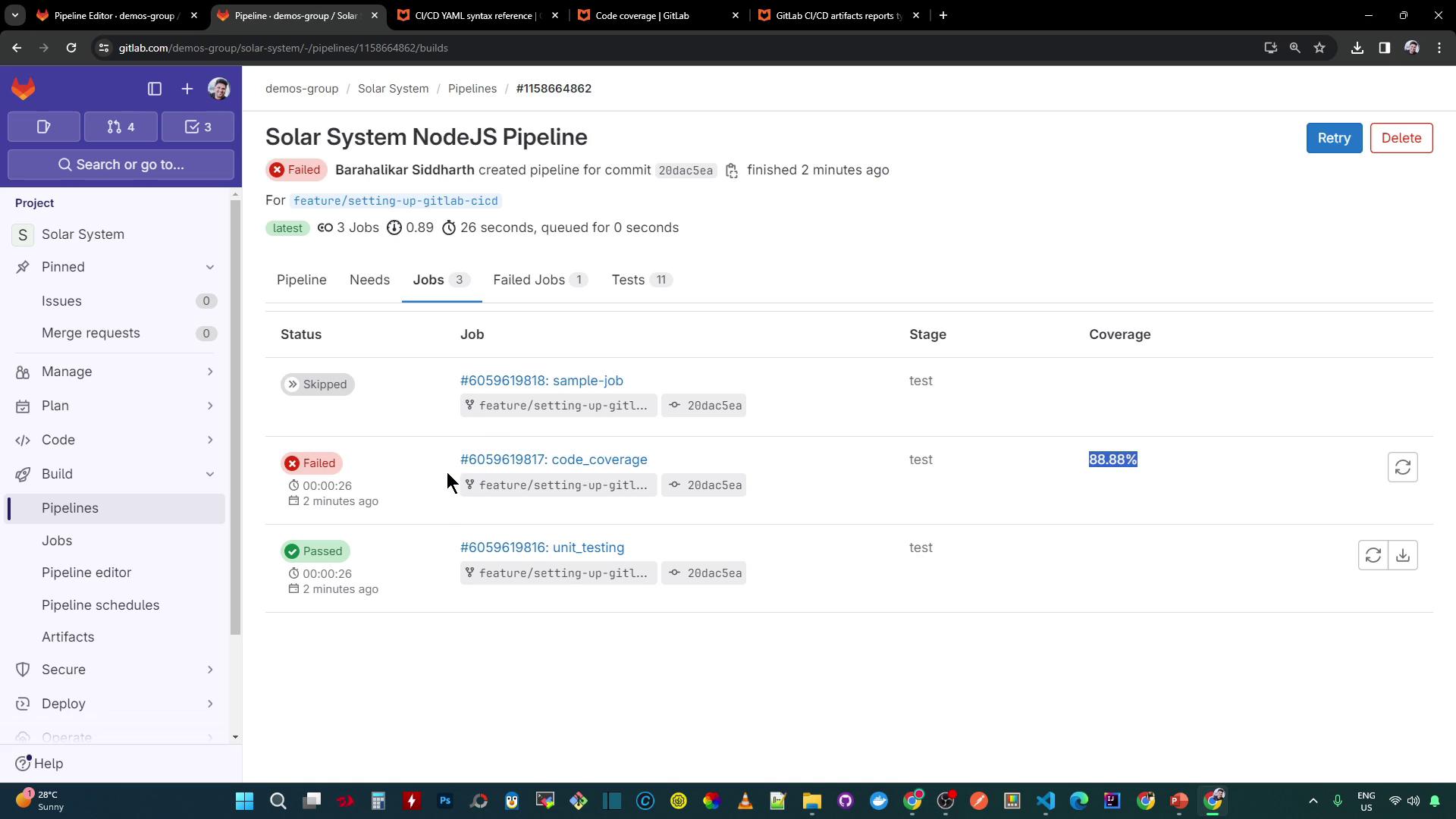
Next, we’ll look at strategies to allow selective failures and continue pipeline execution even when coverage checks fail.