

kube-prometheus-stack Helm chart to provision Prometheus, Alertmanager, and related Kubernetes monitoring components. You’ll learn how to install Helm, add the Prometheus Community chart repository, inspect and customize chart values, and install/uninstall the chart.
Prerequisites
- A Kubernetes cluster with kubectl configured to talk to it.
- Sufficient RBAC permissions to create the monitoring components (or use a cluster-admin account for initial testing).
Install Helm
Follow the official Helm installation instructions: https://helm.sh/docs/. A quick cross-platform installer script is available for Linux/macOS:Quick reference: Installation methods
If you manage machines with configuration management or CI, install Helm using your package manager or extract the tarball and add the
helm binary to your PATH for consistent, auditable installs.Add the Prometheus Helm repository
Add the Prometheus Community charts repository and update the local index:Inspect chart values (customization)
Charts expose configurable values to tailor deployments. To view the default values forkube-prometheus-stack:
values.yaml to customize namespaces, service types, ports, resource requests, and more. Example excerpts from the defaults:
If you plan to customize the chart, edit
values.yaml and pass it when installing or upgrading the release with -f values.yaml.Install the kube-prometheus-stack chart
Install using the chart defaults:prometheusis the Helm release name; choose any valid release name (for examplemonitoringorprom-stack).- To apply your custom values:
Example install session
Chart documentation and files
To understand how the chart templates resources (Deployments, StatefulSets, Services, CRDs, and ConfigMaps) and how the Operator configures Prometheus and Alertmanager, inspect the chart files (templates, crds, Chart.yaml, values.yaml, README).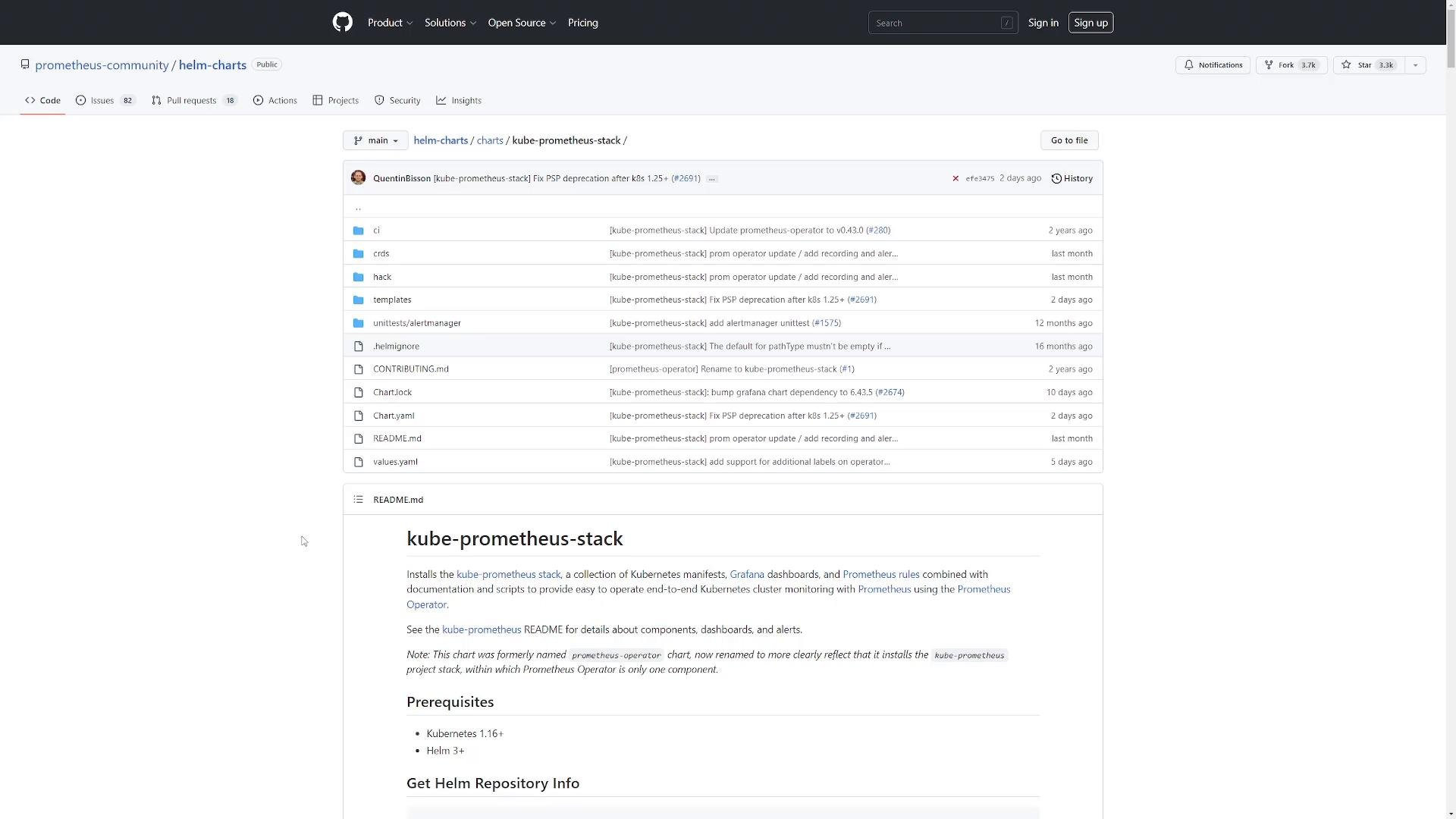
Next steps
- Examine the Kubernetes resources created by the chart: Deployments, StatefulSets, Services, CRDs, ConfigMaps, ServiceMonitors, and PodMonitors.
- Review the
values.yamlyou generated and iterate on resource sizing, persistence, and alerting rules. - Configure ingress or port-forwarding to access Grafana and Prometheus UI, and secure access with RBAC and secrets.
Links and references
- Helm documentation: https://helm.sh/docs/
- Prometheus Community Helm charts: https://prometheus-community.github.io/helm-charts
- kube-prometheus repository: https://github.com/prometheus-operator/kube-prometheus