

- Arithmetic operators — basic math (addition, subtraction, multiplication, division, modulo, power)
- Comparison operators —
==,!=,>,<,>=,<= - The
boolmodifier — returns numeric boolean results (1/0) - Logical operators —
or,and, andunless - Operator precedence and associativity — how PromQL orders evaluation
Arithmetic operators
Arithmetic operators perform element-wise math on instant vectors (the values returned by a query).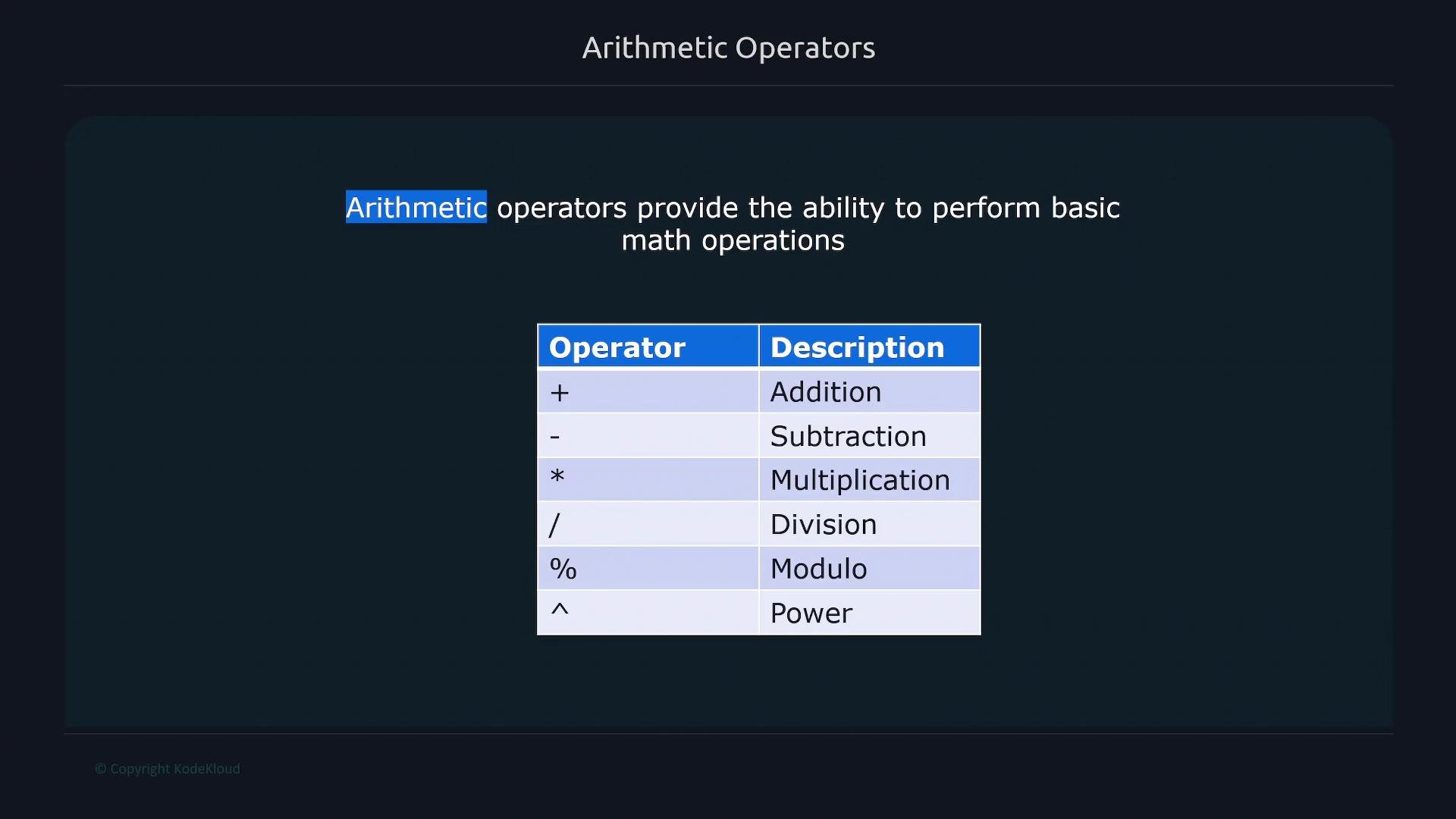
- Add/subtract constants to values.
- Convert units (e.g., bytes to KB/MB).
- Combine metrics with arithmetic expressions.
When you perform arithmetic on a metric, the resulting expression does not retain the original metric name. The expression returns a vector of values (with labels) — not a new series with the original metric name. Keep this in mind when composing further expressions or alert rules.
Comparison operators and the bool modifier
Comparison operators filter or compare time series by value:
Example dataset:
bool modifier changes comparison semantics: instead of dropping series that don’t match, it returns numeric 1 (true) or 0 (false) for each input element. This is especially useful for alerting rules where you want a numeric indicator of a condition.
Use
bool when you need a per-series numeric true/false (1/0) result — for example, to feed into alerting conditions or further numeric expressions.1/0:
1 indicate true (condition met); 0 indicates false.
Operator precedence and associativity
When an expression contains multiple operators, PromQL evaluates them according to operator precedence. Operators with higher precedence are evaluated first. Operators at the same precedence are left-associative (evaluated left to right), except exponentiation (^), which is right-associative.
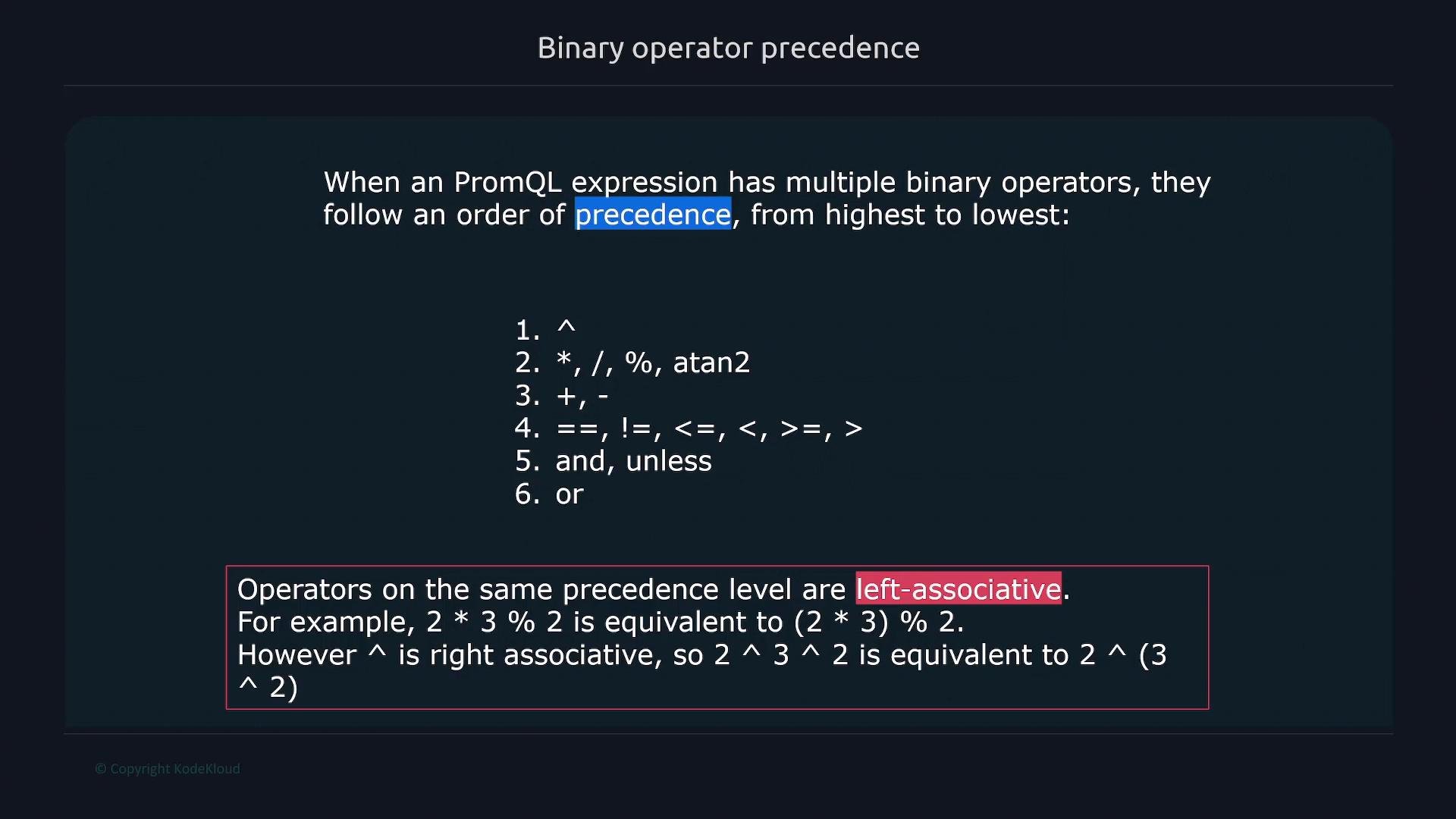
2 * 3 % 2is evaluated as(2 * 3) % 2because*and%share precedence and are left-associative.2 ^ 3 ^ 2is evaluated as2 ^ (3 ^ 2)because^is right-associative.
Logical operators: or, and, unless
PromQL provides three logical operators that operate on instant vectors and combine or filter series by label matching and value presence:and— returns elements present on both sides (intersection).or— returns elements present on either side (union).unless— returns elements from the left-hand side that do not have a matching element on the right-hand side (left-side subtraction).

and result:
or — return series less than 500 or greater than 70000:
unless — return series greater than 1000 unless they are greater than 30000 (exclude series that also match the right-hand side):
unless result:
/home and /opt are excluded because they match the right-hand side condition > 30000.)
Combined practical examples
Filter filesystems between 6,000,000 and 1,000,000,000 bytes:Tips and references
- Always remember arithmetic expressions produce a value vector without the original metric name — use explicit labels or relabeling if you need a specific metric name in follow-up processing.
- Use
boolfor numeric indicators in alert thresholds. - Review operator precedence when combining many operators; the precedence image above is a handy reference.
- Prometheus: PromQL documentation — https://prometheus.io/docs/prometheus/latest/querying/basics/
- Prometheus: Expression language overview — https://prometheus.io/docs/prometheus/latest/querying/examples/