

- Only authorized clients (Prometheus) can access the metrics endpoint.
- Scraped metrics are protected from eavesdropping while traversing the network.
- Without authentication, anyone who can reach the metrics endpoint (for example, a Node Exporter) can scrape metrics.
- Without encryption, captured network packets reveal metrics in plaintext—even if authentication is used.
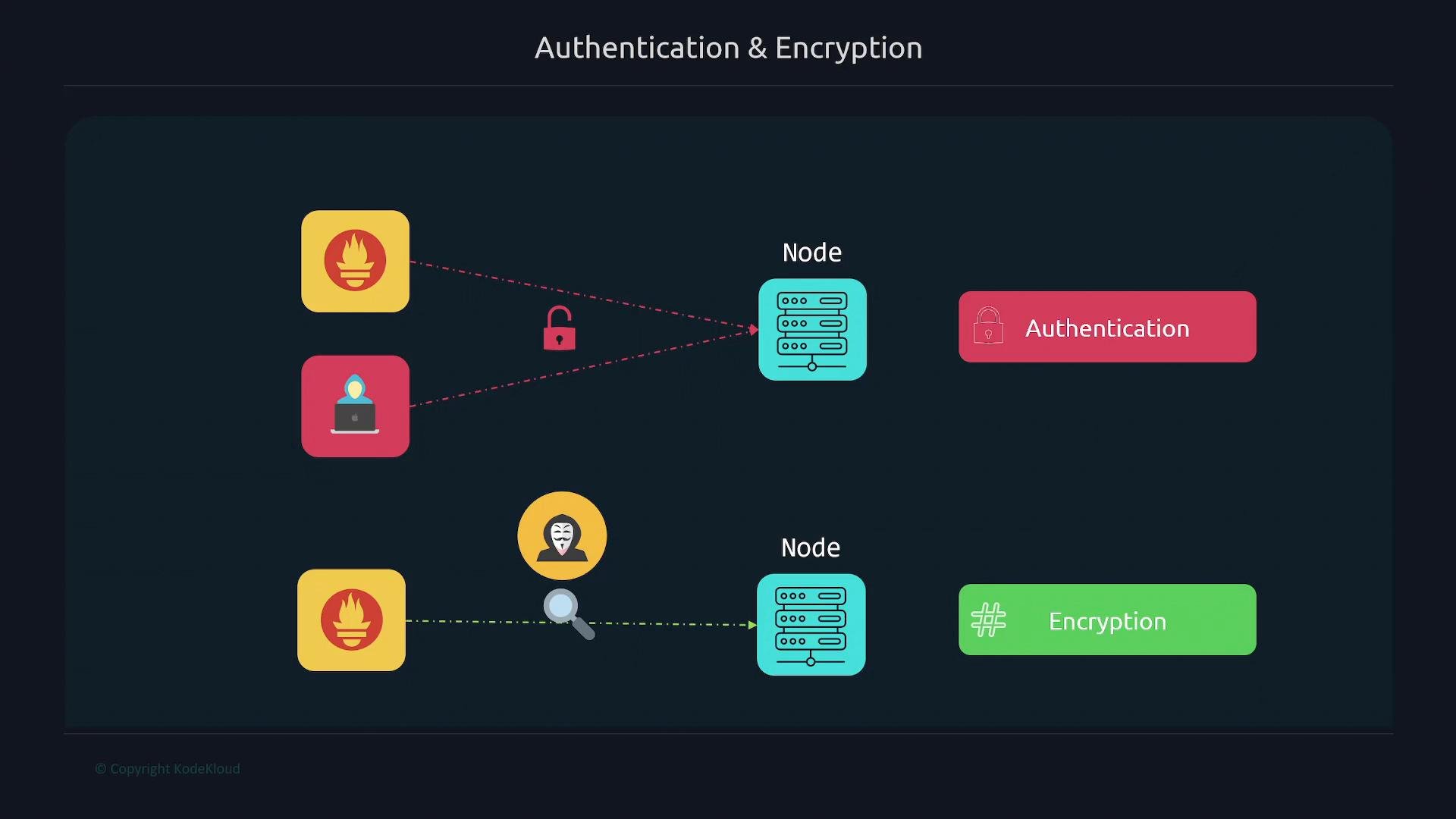
- Use TLS (HTTPS) on the metrics endpoint to prevent eavesdropping.
- Use HTTP Basic authentication to restrict access to trusted clients.
- Configure Prometheus to verify the server certificate and present credentials when scraping.
- Generate a certificate and private key for the Node Exporter host.
- Create a Node Exporter web config file (YAML) that enables TLS.
config.yml (place it next to the cert/key for this example):
- Start Node Exporter with the
--web.config.fileflag:
- Move configuration and certificates to a persistent location and secure them.
/etc/systemd/system/node_exporter.service) to include:
- Test the TLS endpoint with curl.
If you use a CA-signed certificate trusted by the Prometheus server, you will not need to skip verification (avoid
-k or insecure_skip_verify in that case).- Copy the Node Exporter certificate (or CA certificate) to the Prometheus server so Prometheus can verify the server certificate:
- Update the Prometheus scrape configuration (
/etc/prometheus/prometheus.yml) for the Node Exporter job:
ca_file, it can verify the server certificate without insecure_skip_verify.
- Restart Prometheus:
- Generate a bcrypt hashed password for the user (example username:
prometheus).
htpasswd (from apache2-utils) and create a bcrypt hash:
- Configure basic auth in Node Exporter’s web config (
/etc/node_exporter/config.yml):
- Restart Node Exporter:
- Configure Prometheus to present credentials for the scrape job.
/etc/prometheus/prometheus.yml and add basic_auth under the job (this uses the plaintext password corresponding to the bcrypt hash):
Storing plaintext credentials in config files is risky. Use a secrets manager or restrict file permissions to the Prometheus user. Ensure
/etc/prometheus/prometheus.yml is readable only by the Prometheus service account and, if possible, integrate with a secret backend.- Restart Prometheus:
basic_auth are configured correctly, the Prometheus Targets UI should show the Node Exporter endpoint as UP.
Quick reference: file locations & permissions
Best practices and final notes
- Use CA-signed certificates in production; avoid self-signed certs and
insecure_skip_verify: true. - Protect private keys: restrict ownership and file permissions to the service user.
- Avoid plaintext secrets in code/config when possible — consider integrating a secrets manager.
- Use strong, unique passwords and rotate credentials periodically.
- Monitor Prometheus logs and Targets UI for TLS/401 errors to diagnose misconfigurations.
- Prometheus documentation: https://prometheus.io/docs/
- Node Exporter: https://github.com/prometheus/node_exporter
- OpenSSL: https://www.openssl.org
- Let’s Encrypt: https://letsencrypt.org
- htpasswd (apache2-utils): https://httpd.apache.org/docs/2.4/programs/htpasswd.html