

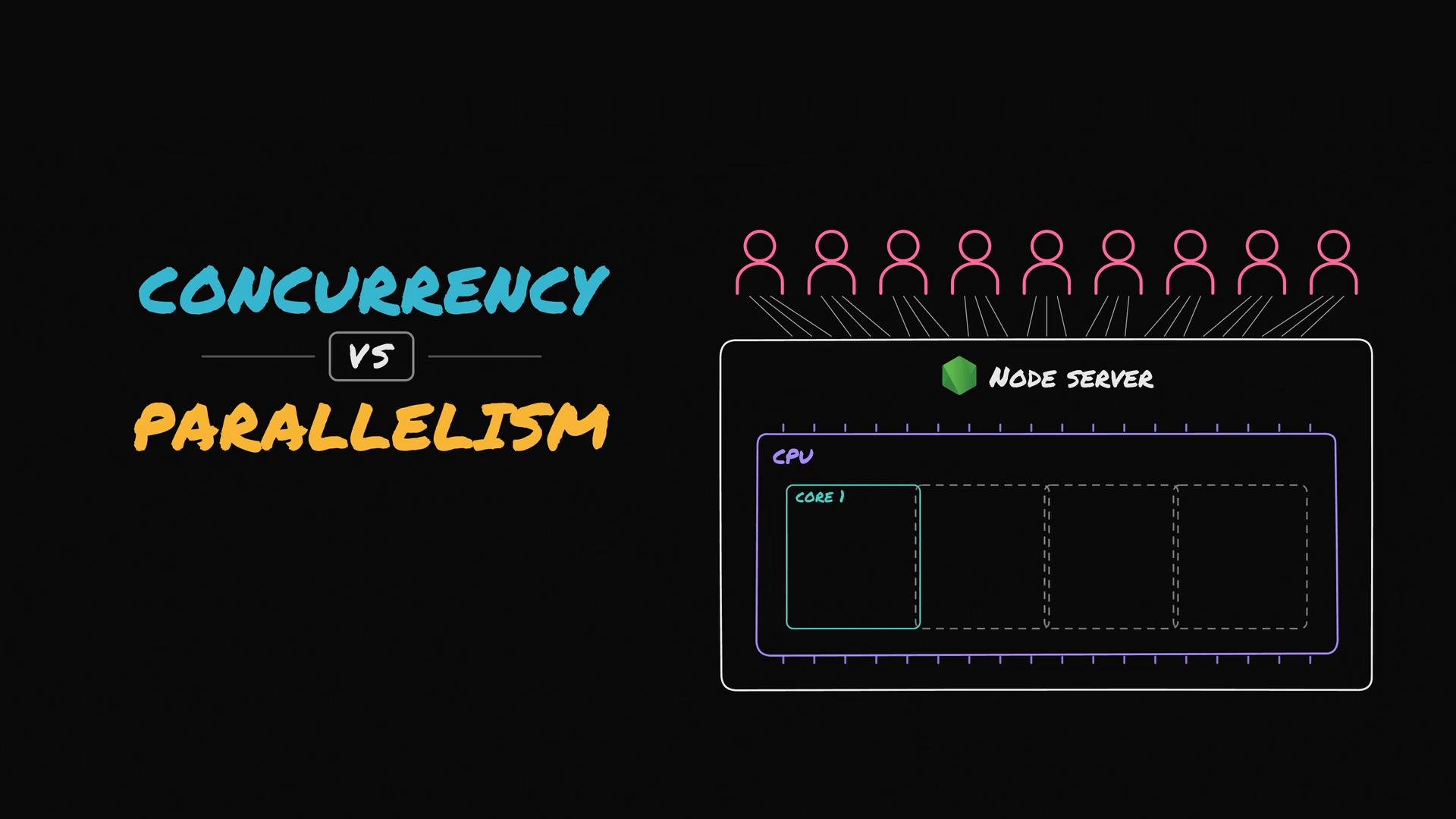
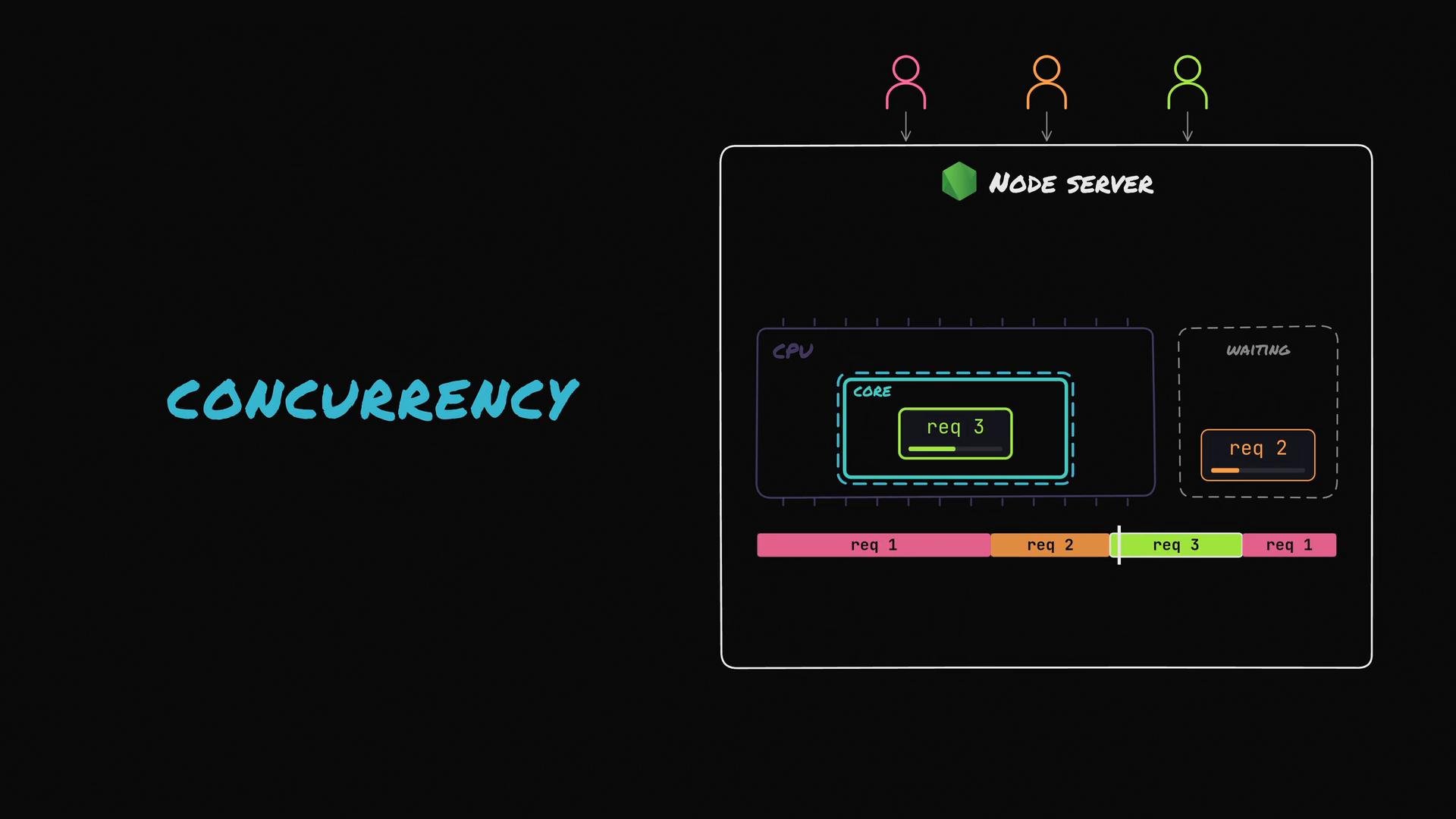
Single-core example — concurrency by interleaving tasks
Consider a single-core CPU and three requests arriving at roughly the same time:- The single core can execute only one instruction at a time. It chooses request 1 and begins processing.
- Request 1 performs a database fetch that takes some time (milliseconds).
- While request 1 is waiting for the database reply (I/O wait), the CPU switches to request 2 and runs code for that request.
- Request 2 does disk I/O and waits for the disk; while it waits, the CPU switches to request 3.
- When the database reply arrives for request 1, the CPU resumes request 1 and completes it.
Multi-core example — parallelism by simultaneous execution
Now give the server four CPU cores. With four cores, four requests can literally run at the exact same instant — one on each core. That is parallelism: multiple things happening at the same time.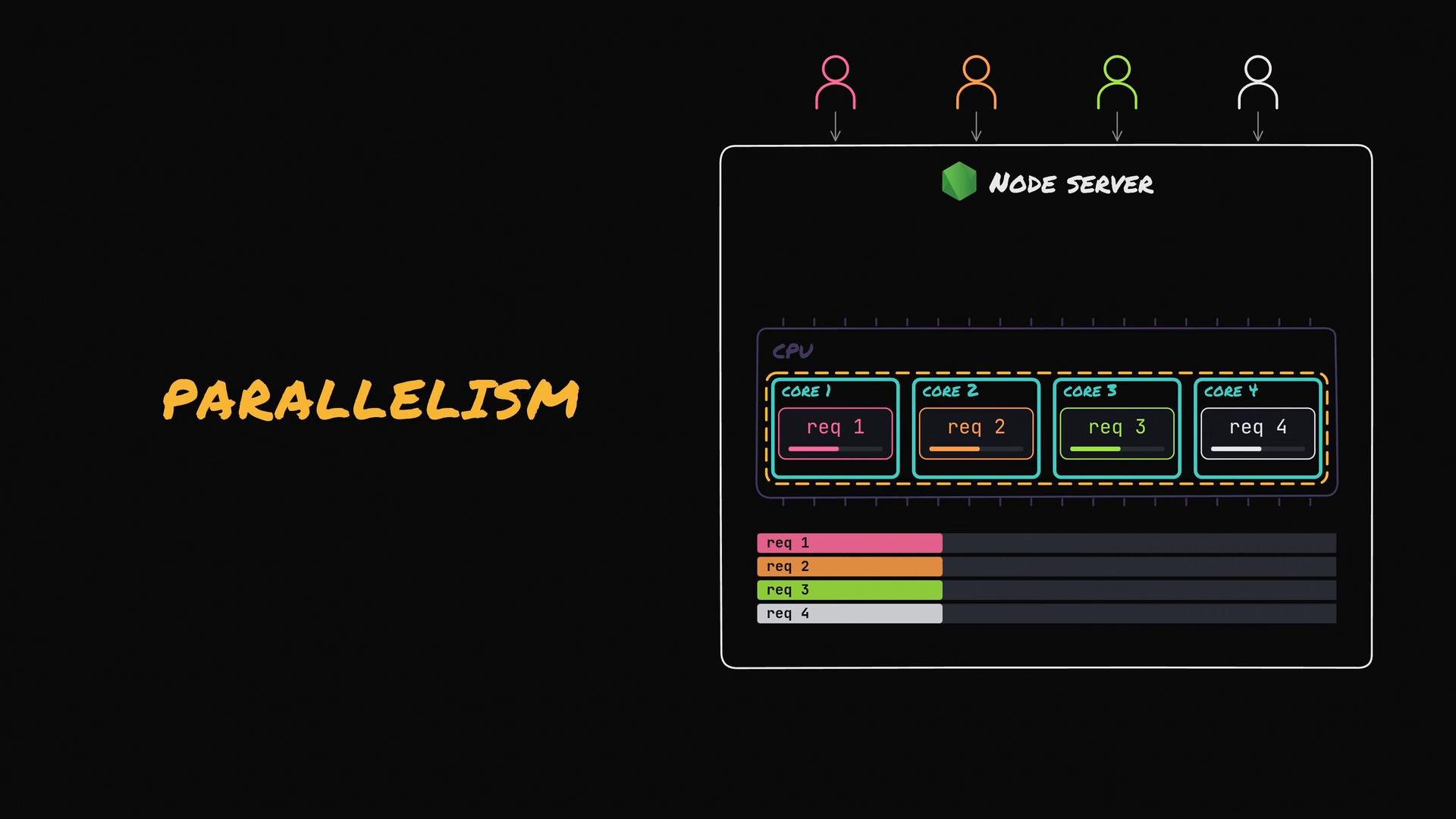
- I/O-bound workloads (database queries, network calls, disk reads): a single core with non-blocking I/O can handle many concurrent connections efficiently because while one task waits, the CPU schedules another. Adding cores may give diminishing returns unless the workload is parallelizable or throughput requirements increase.
- CPU-bound workloads (heavy computation like image processing, encryption, ML training): multiple cores help because work can be split and executed in parallel, reducing wall-clock time.
Quick comparison table
Node.js specifics
- Node.js runs JavaScript primarily on a single main thread: the main event loop executes JS on one core by default.
- Node’s non-blocking I/O is built on libuv and OS asynchronous I/O facilities. libuv also exposes a thread pool for some blocking operations (certain filesystem, crypto, DNS tasks), enabling high concurrency for I/O-heavy workloads on a single core.
- To use all CPU cores for JS execution you must run multiple instances of the process and distribute incoming traffic across them (for example: cluster module, worker_threads, or an external process manager / load balancer).
Use the cluster module to fork multiple worker processes
You can spawn multiple worker processes (one per core or a fixed number) so each process gets scheduled on a different core by the OS:Use worker_threads for CPU-heavy tasks
For compute-heavy tasks that would block the event loop, run them off the main thread with worker threads:Quick mental model: use concurrency for I/O-bound workloads (a single core can manage many waiting tasks). Use parallelism for CPU-bound workloads (multiple cores perform work simultaneously).
Summary — key takeaways
- Concurrency: multiple tasks make progress by interleaving on the same core. Great for I/O-heavy workloads.
- Parallelism: multiple tasks run at the exact same time on multiple cores. Required for CPU-bound workloads to reduce elapsed time.
- Node.js is single-threaded for JS execution; to leverage multiple cores you must use multiple processes or threads (cluster, worker_threads, or external orchestration).