

User journey and problem statement
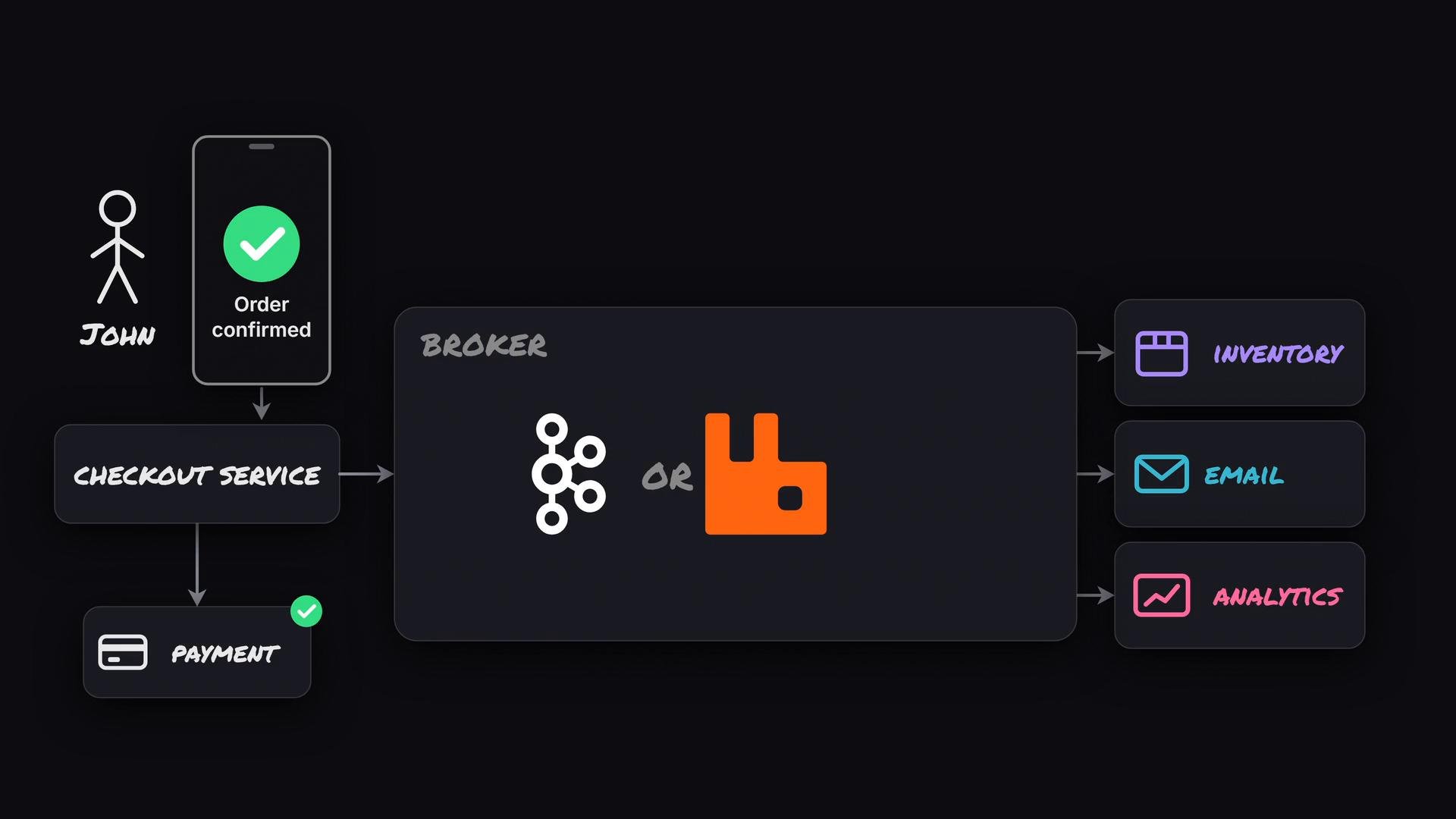
When a customer places an order, the checkout service must coordinate several actions:- Payment — must complete before confirming the order (synchronous).
- Inventory — reserve the item (can be async).
- Email — send order confirmation (async).
- Analytics — update sales dashboards (async).
How RabbitMQ behaves (task-queue / message broker)
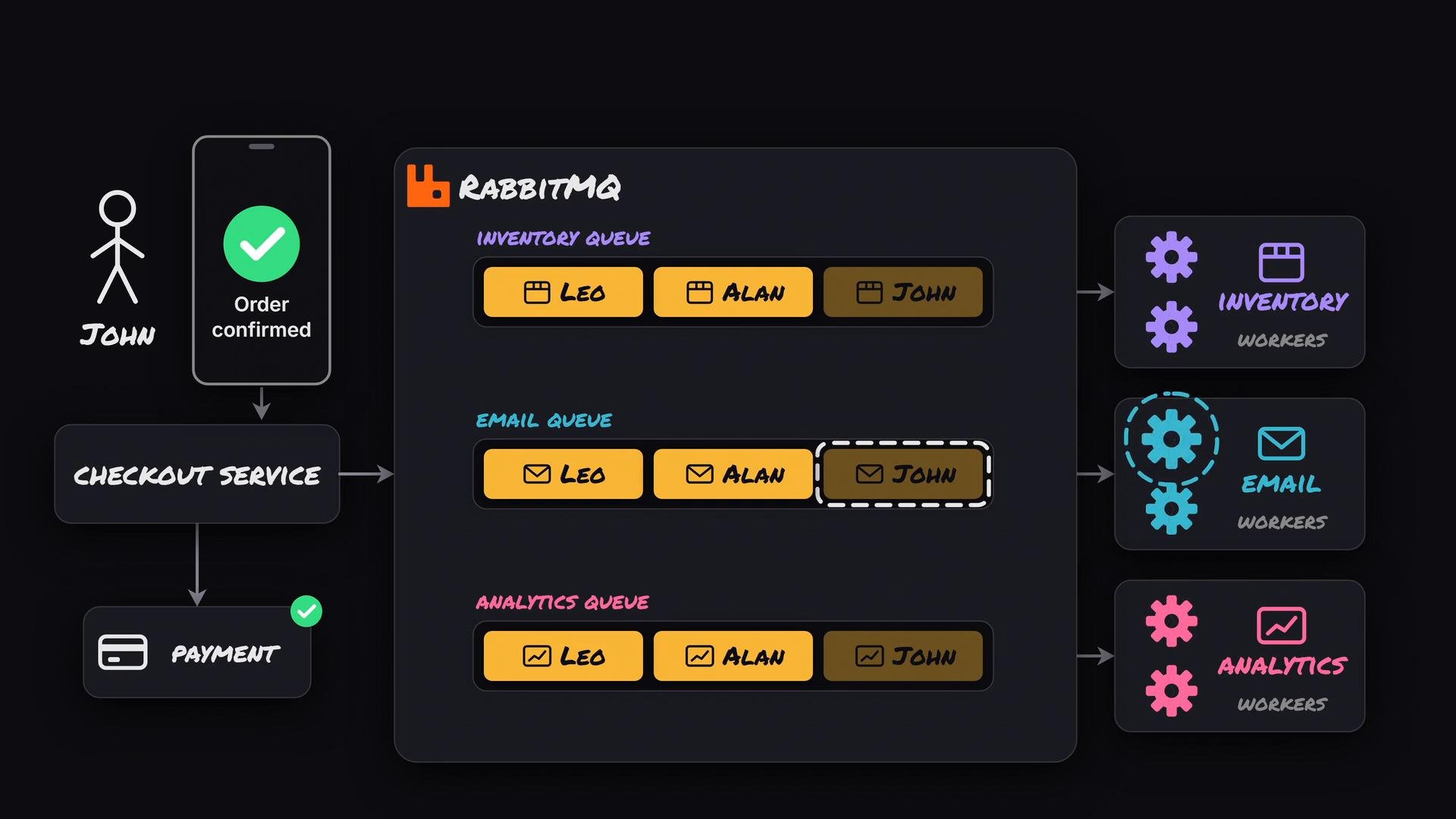
- Separate queues are typically created for each downstream service (e.g.,
inventory,email,analytics). - Producers publish to an exchange; messages are routed into one or more queues based on routing rules.
- Consumers pull messages from queues; after successful processing they send an acknowledgment (ACK). RabbitMQ deletes acknowledged messages from the queue.
- If a worker fails or disconnects before ACKing, the message can be requeued and redelivered to another worker.
- Repeated failures can route messages to a dead-letter queue (DLQ) for manual inspection or retry policies.
- This model is optimized for work-queue/task processing where each message represents a task that should be executed once (or retried until handled) and where long-lived, replayable event history is not required.
How Kafka behaves (distributed log / event streaming)
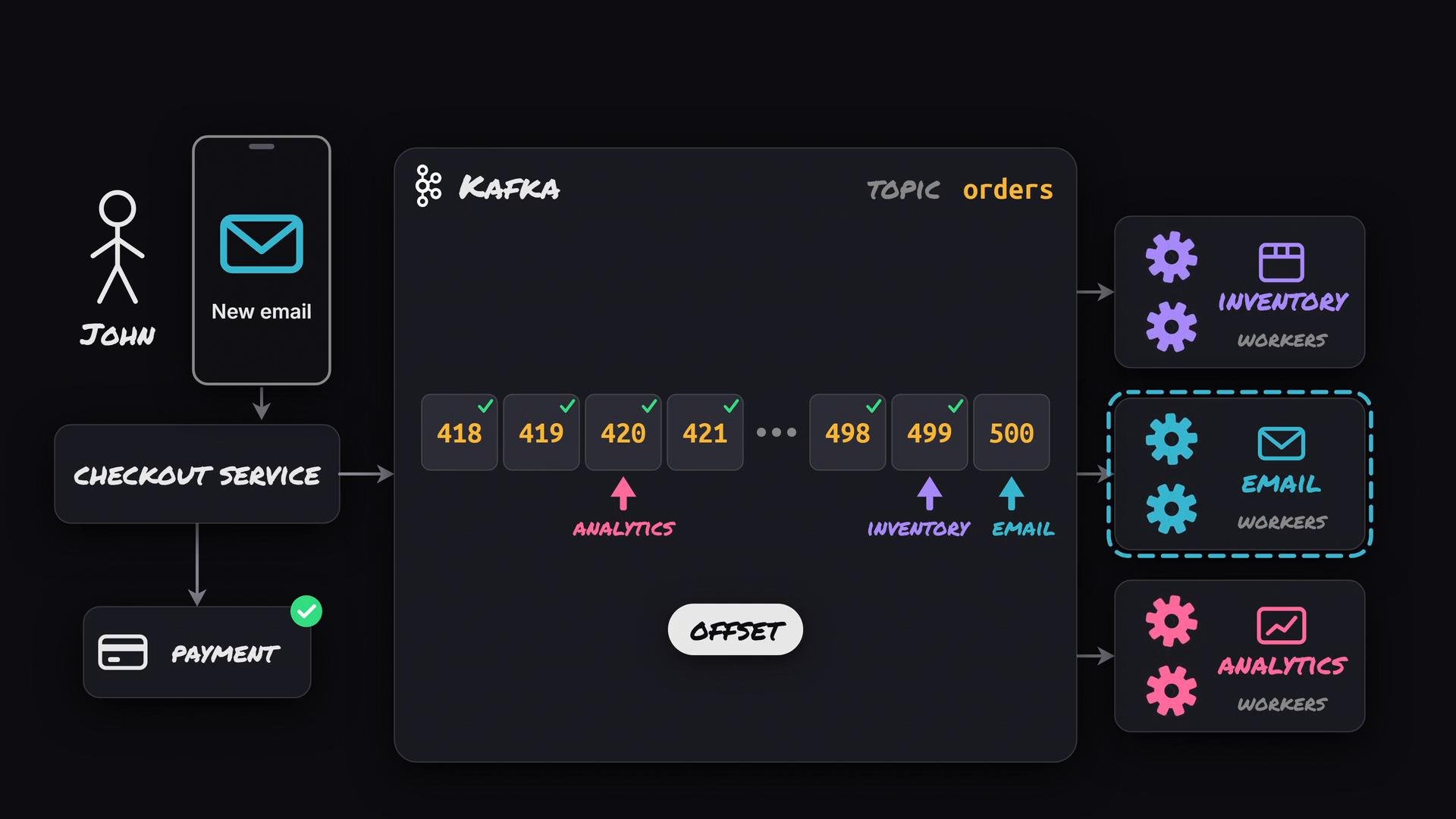
- Producers append events to topics (e.g., an
orderstopic); topics have partitions that preserve ordering within each partition. - Consumers (organized in consumer groups) read from topics and independently track offsets (their read positions). Each consumer group maintains its own offsets, so services can consume at different paces.
- Kafka retains messages for a configured retention period (e.g., days); retention is independent of whether consumers have read them. You can rewind offsets to reprocess older events.
- Kafka is designed for very high throughput and durability. Ordering is guaranteed per partition. Delivery is at-least-once by default; exactly-once semantics require idempotent producers and transactional configuration.
- This model is ideal when you need a durable event log, the ability to reprocess events (for analytics, bug fixes, or new consumers), or to build stream-processing pipelines.
Why these differences matter for order processing
- Both systems tolerate slow consumers: RabbitMQ queues back up and Kafka topics accumulate unread offsets.
- Recovery from a buggy consumer differs:
- RabbitMQ: once a message is ACKed and removed, there is no built-in immutable history to reprocess those messages. If the email service sent incorrect emails while buggy, you cannot replay from RabbitMQ unless you implemented external archiving.
- Kafka: because events are retained, you can move the email consumer group’s offset back to before the buggy period and reprocess events to send corrected emails.
- Rewindability and immutable logs make Kafka preferable when you need auditability, replay, or multiple independent consumers that may join later.
At-a-glance comparison
Use-case guidance
-
Use RabbitMQ when:
- Tasks are ephemeral (e.g., one-time OTPs that expire).
- You need simple work-queue semantics with retries and DLQs.
- You require per-task visibility and simple routing/exchange patterns. Examples: background job processing, simple microservice task queues.
-
Use Kafka when:
- You need durable, replayable event streams or an audit log.
- You must reprocess historical events (for analytics, bug fixes, or new consumers).
- You build stream-processing pipelines or need very high throughput. Examples: analytics pipelines, event sourcing, long-term telemetry/audit logs.
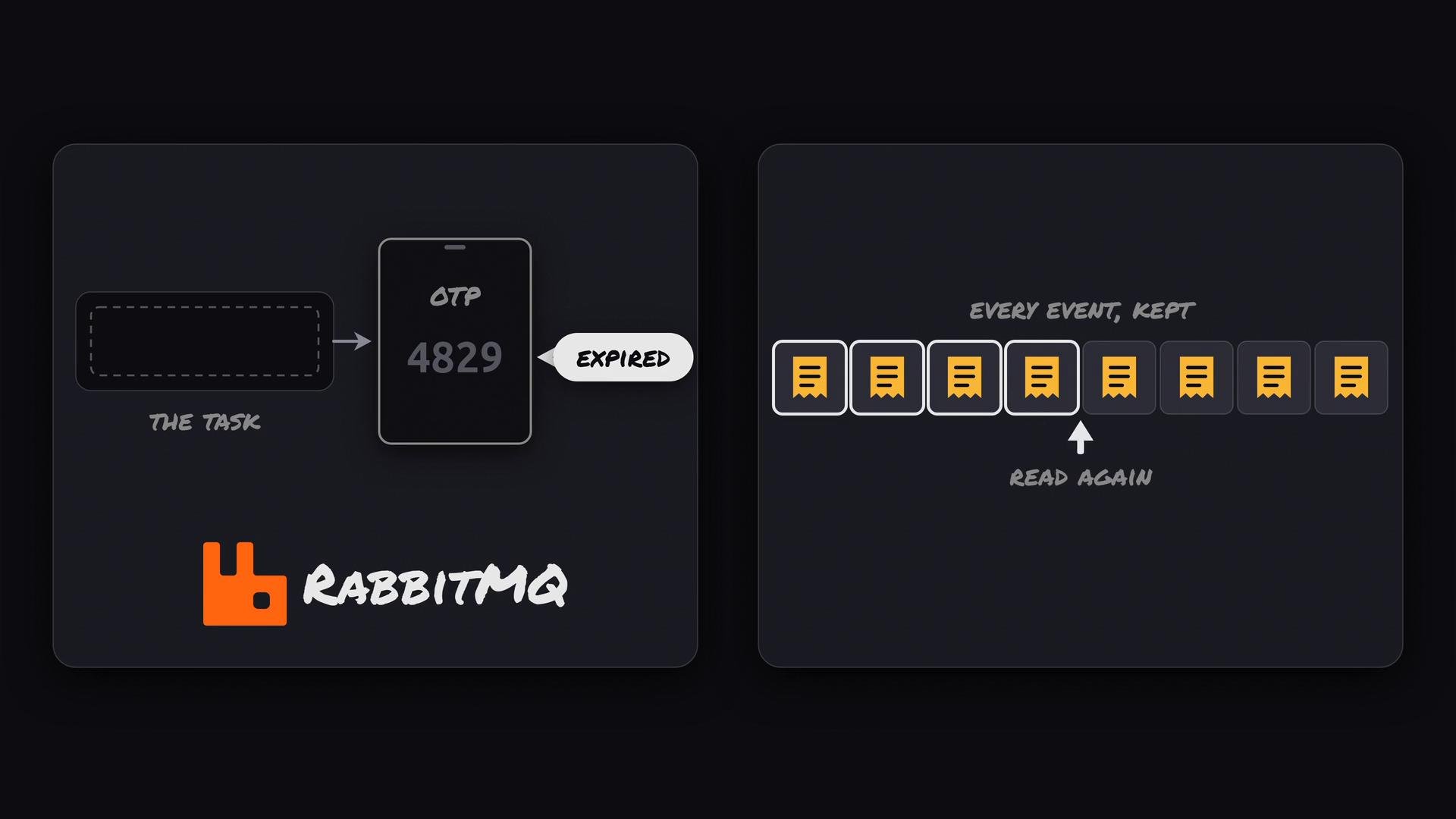
High-level recommendation: Use RabbitMQ for short-lived, one-off task queues where replayability isn’t required (e.g., expired OTPs, background jobs). Use Kafka when you need durable, replayable event streams and the ability to reprocess data (e.g., analytics, audit logs, and event sourcing). A common production architecture mixes both: use RabbitMQ (or another message broker) for command/task execution and Kafka for event distribution, long-term storage, and stream processing.Further reading:
- RabbitMQ docs: https://www.rabbitmq.com/
- Apache Kafka docs: https://kafka.apache.org/