

docker rm does not always release all disk space.
Scenario
- Your application stores data (for example, customer orders) in a PostgreSQL database.
- You run Postgres in one container and the application in another.
- Every time code changes, your CI pipeline:
- starts a fresh Postgres container and an application container on the build server,
- runs tests that insert data,
- stops both containers and deletes them with
docker rm.
docker ps -a shows no containers. Where did the disk space go? The answer is volumes. Here’s the step-by-step explanation.
What happens when Docker creates a container
- Docker pulls the Postgres image; image data is stored as immutable layers on disk and shared by all containers made from that image.
- When a container is created, Docker adds a thin writable layer on top of the image. Temporary files and non-declared-volume data end up in this writable layer.
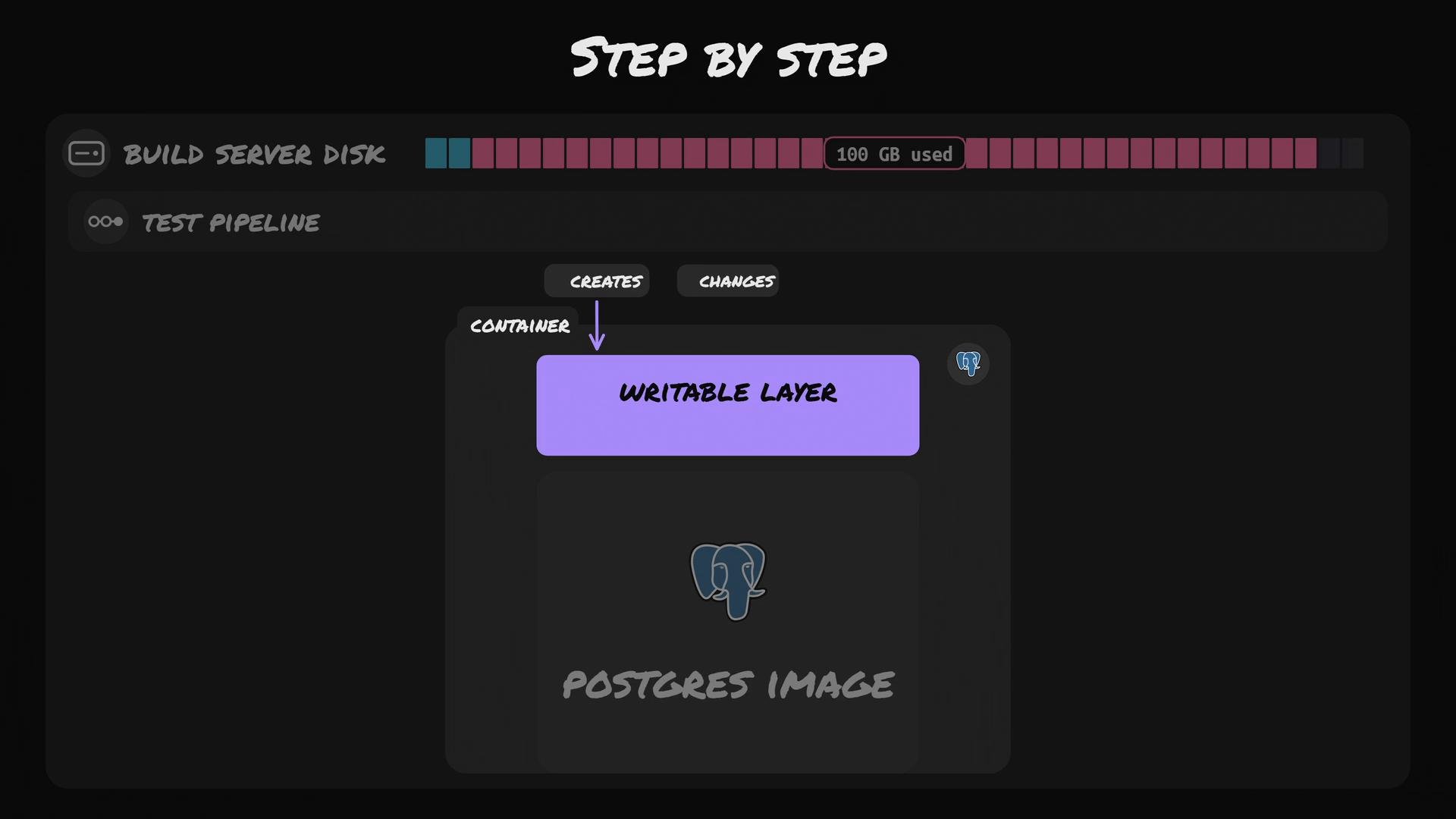
- Databases like Postgres keep data in files under their data directory (for example
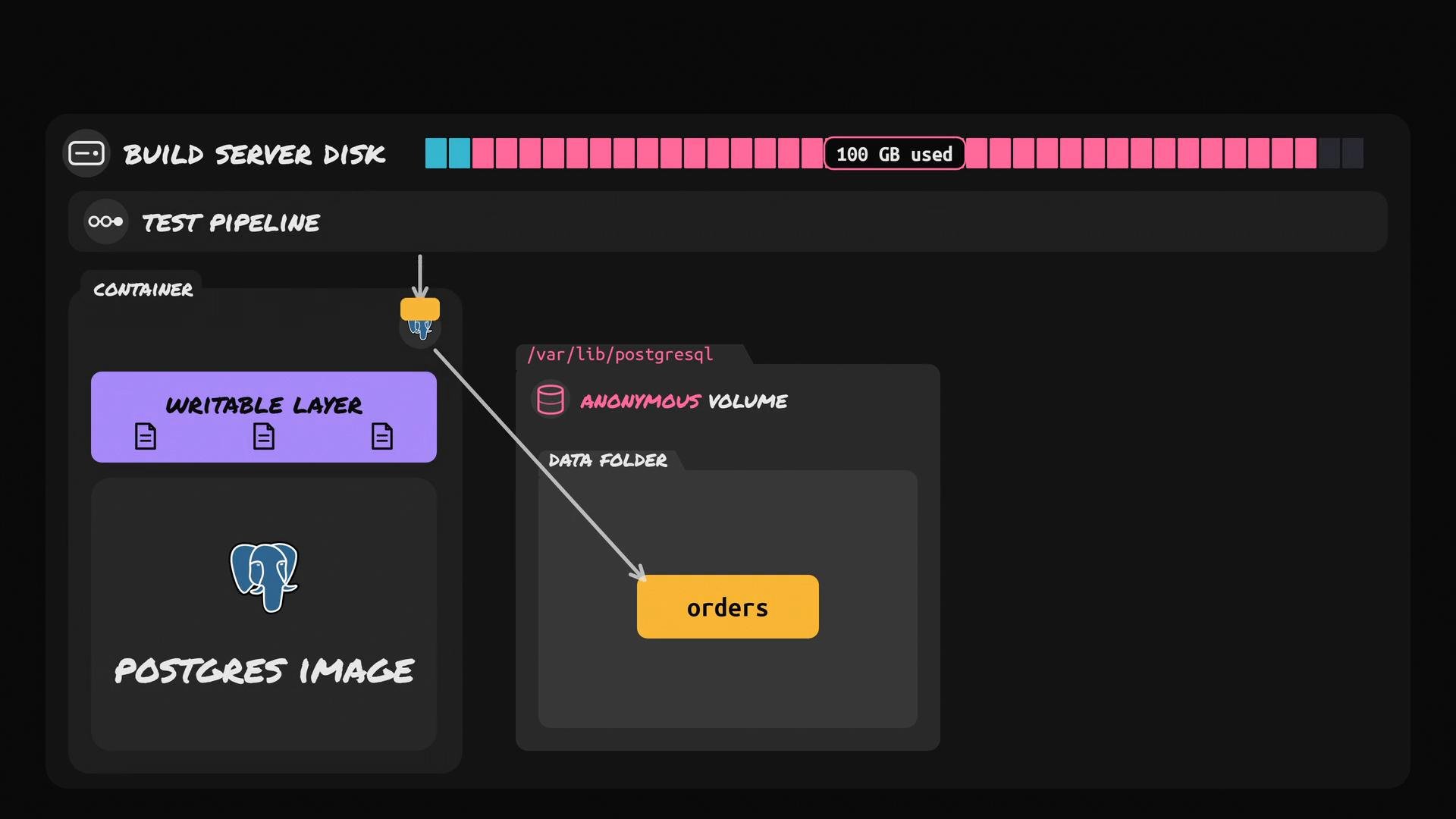
/var/lib/postgresql/data). - The official Postgres image’s Dockerfile declares a
VOLUMEfor the data directory (see DockerfileVOLUMEdocumentation). That tells Docker to mount that path as a volume so data persists outside the container’s writable layer. - If you run the image without specifying a host bind or named volume, Docker creates an anonymous volume (a volume with a generated name) for that declared mount point.
docker rm removes (and what it doesn’t)
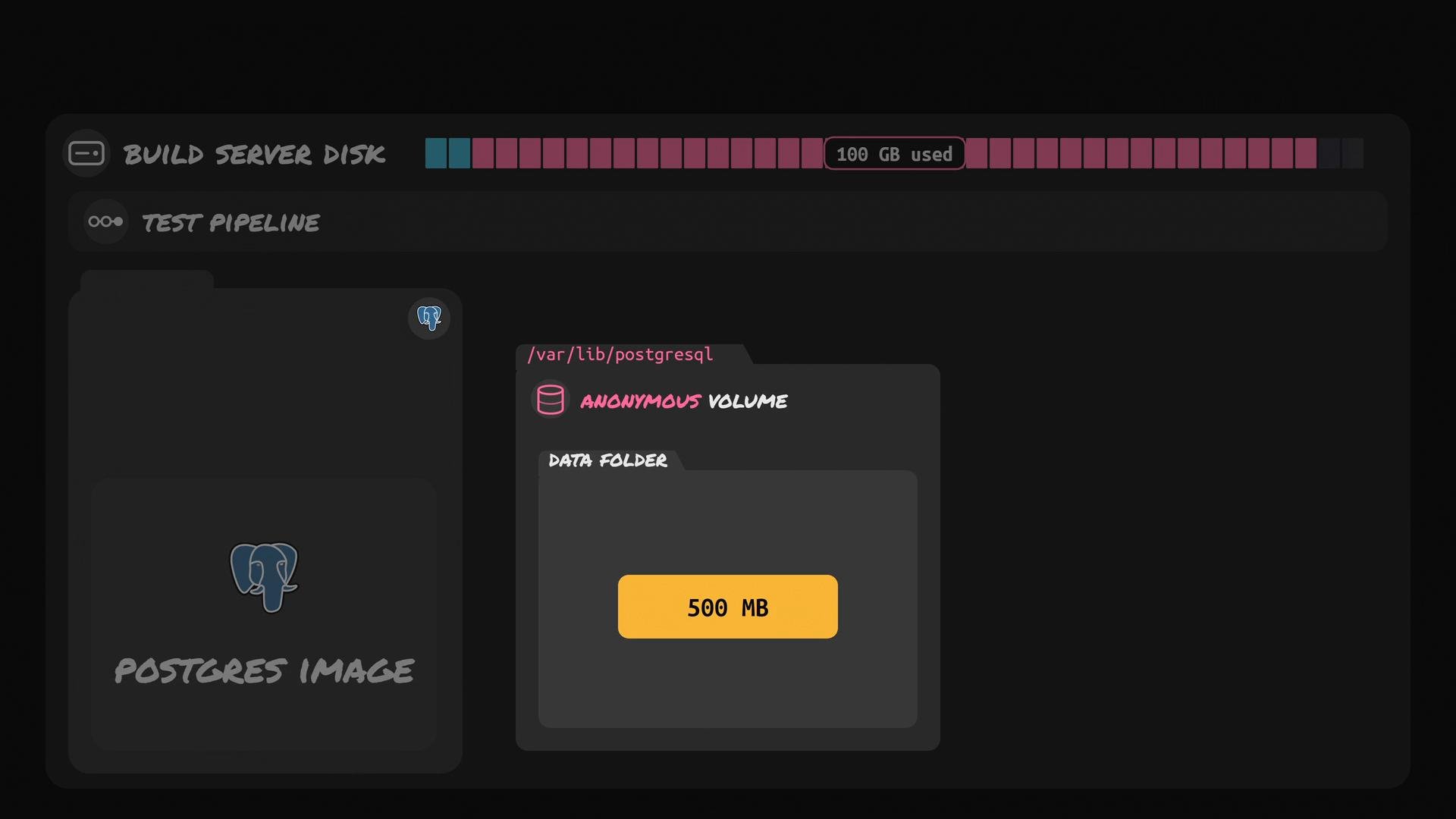
docker rmdeletes the container and its writable layer.- Docker intentionally leaves volumes on disk because volumes are designed to persist data beyond a container’s lifetime.
- If your CI created a new anonymous volume each run,
docker rmwill not delete those volumes — you will accumulate many unused anonymous volumes that consume disk space.
docker ps -a may show no containers, and docker system prune will not remove volumes unless explicitly told to.
- See where space is used
- List volumes (optional)
- Remove unused (dangling) volumes
- Make
system prunealso remove unused volumes
docker system prune without --volumes will skip volumes by default.
Quick reference table: common cleanup commands
Best practices to avoid disk bloat in CI
- Remove container-associated anonymous volumes when deleting containers:
- Run an explicit cleanup step at the end of CI jobs (safe for ephemeral agents):
- Avoid using images that declare
VOLUMEfor ephemeral CI databases, or explicitly mount a known named volume or host directory that your CI can remove. - Prefer targeted cleanup (specific volumes or named resources) in shared/production environments to avoid accidental data loss.
Be careful when pruning volumes or using
--volumes — you can permanently delete production data. Always ensure you prune only in the intended environment (for example, ephemeral CI agents) or back up important volumes first.docker run --rm removes the container automatically when it exits, but it does not remove named or anonymous volumes created for that container. To ensure volumes are removed, either remove the container with docker rm -v or run dedicated volume cleanup steps after your CI job.- Dockerfile
VOLUMEdocumentation: https://docs.docker.com/engine/reference/builder/#volume - Postgres Docker image: https://hub.docker.com/_/postgres
- Docker CLI cleanup docs: https://docs.docker.com/engine/reference/commandline/system_prune/