

google.com, and search for “Bitcoin.” Your browser sends the search over HTTPS:
- DNS lookups and some TLS metadata (like Server Name Indication, SNI) can reveal the hostname you’re contacting.
- Every packet still carries an external destination IP address so routers can forward it.
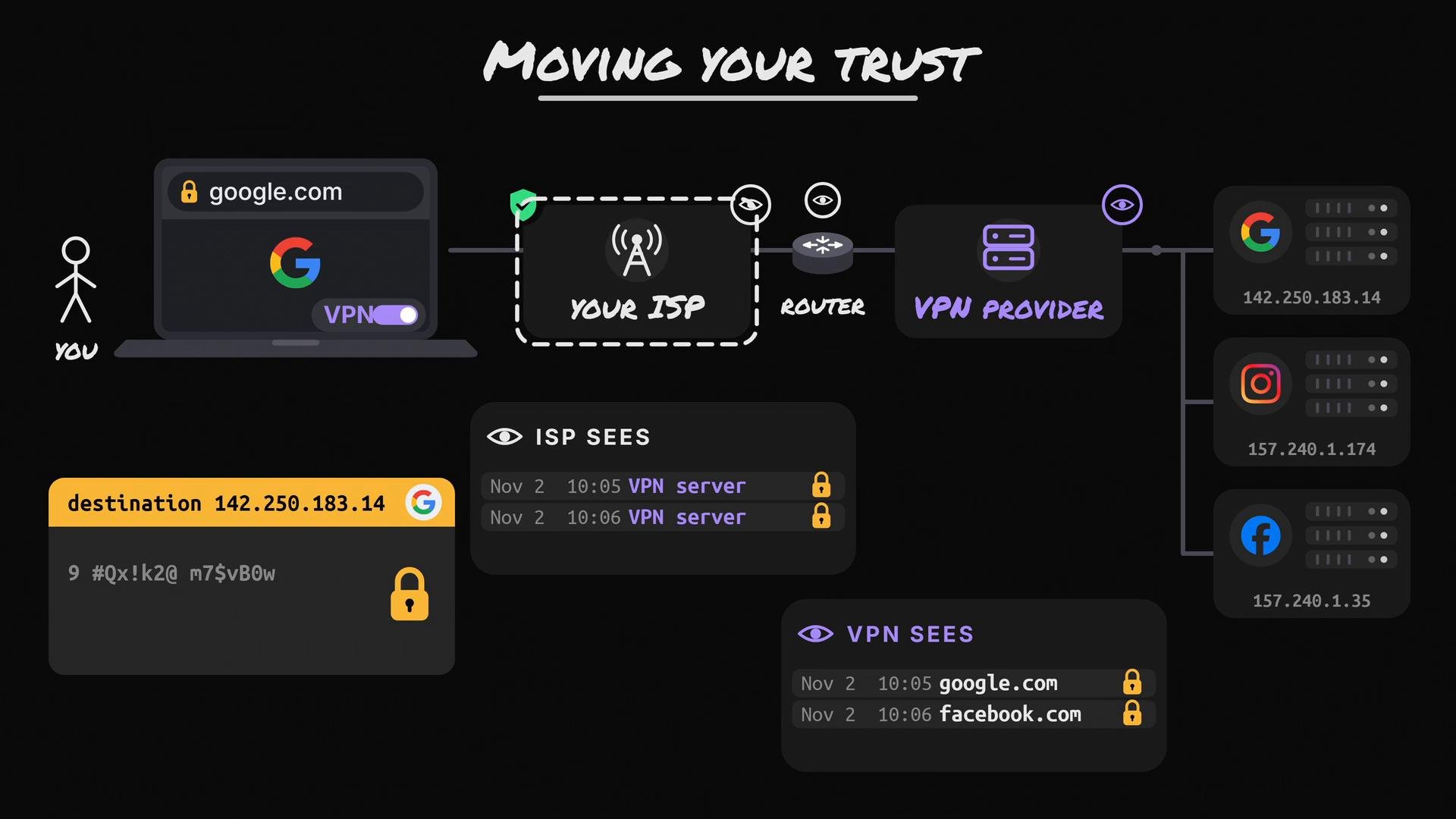
A VPN hides which sites you visit from your ISP by encrypting and forwarding your traffic through the VPN server. However, the VPN operator can see destination IPs and could log them—choose a trustworthy provider and check their logging/privacy policies.
- Your device creates the inner packet destined for Google. HTTPS already encrypts the request body.
- The VPN client on your device encrypts that entire inner packet and places it inside an outer packet addressed to the VPN server.
- Your ISP only sees an encrypted connection to the VPN server, not the ultimate destination.
- The VPN server removes the outer wrapper and forwards the original packet to Google. Google sees the request coming from the VPN server’s IP address.
- Response traffic takes the reverse path: Google → VPN server → (outer packet) → your device.
Best practices and recommendations
- Choose a reputable VPN provider with a clear, audited no-logs policy.
- Use DNS over HTTPS (DoH) or DNS over TLS (DoT) to reduce DNS leakage when not using a VPN for DNS.
- Enable TLS Encrypted Client Hello (ECH) where available to protect SNI leakage.
- Avoid split tunneling if your goal is to hide destinations from your ISP (split tunneling can leak some traffic locally).
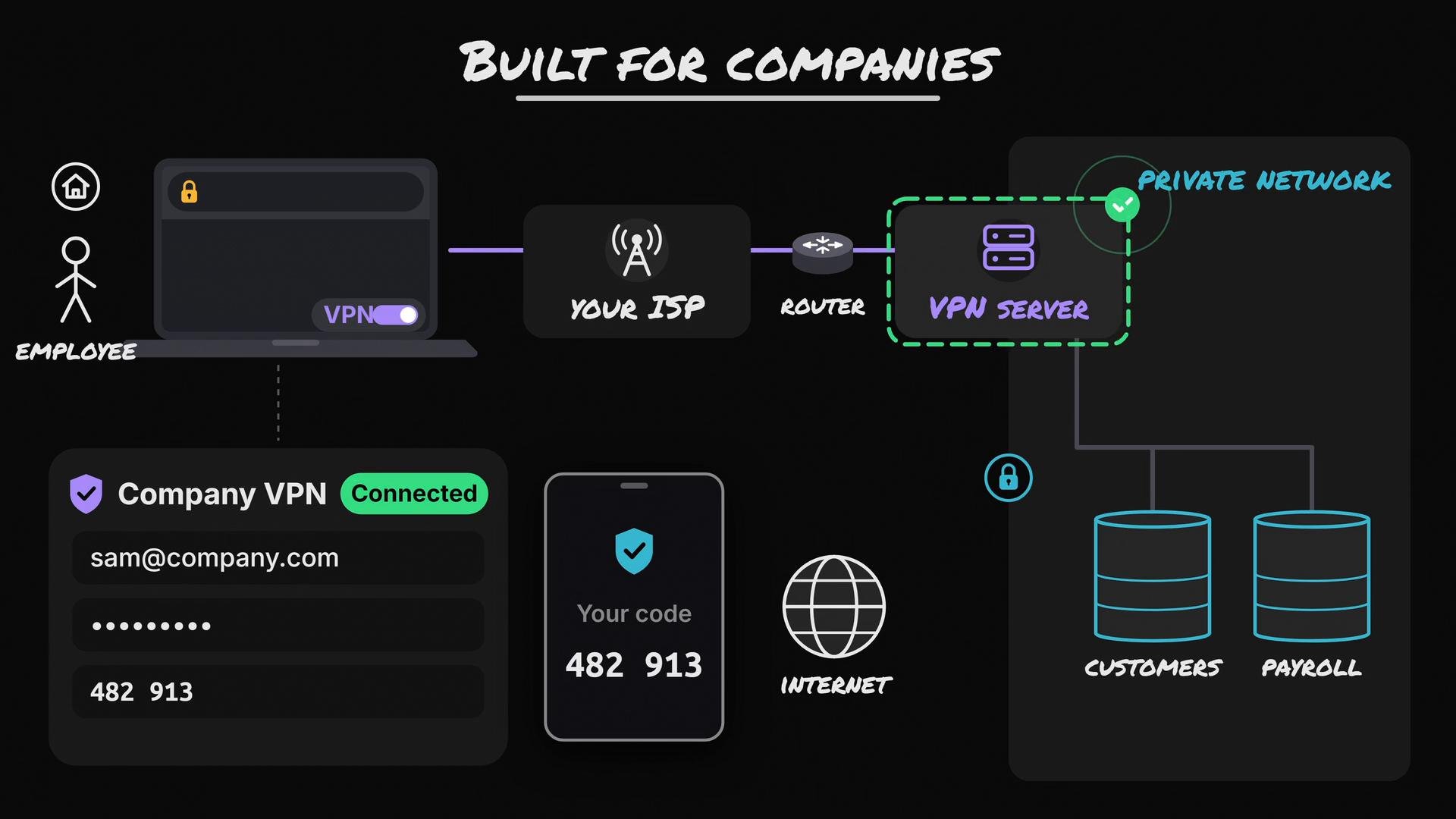
- For corporate access, prefer managed VPN solutions with strong authentication (MFA) and strict access controls.
A VPN reduces what your ISP can see, but it does not make you anonymous. The VPN provider can observe destination IPs and DNS queries and may be compelled to disclose logs. Always evaluate the provider’s jurisdiction, logging practices, and independent audits.
- Server Name Indication (SNI): https://en.wikipedia.org/wiki/Server_Name_Indication
- DNS over HTTPS (DoH): https://developers.cloudflare.com/1.1.1.1/dns-over-https/
- DNS over TLS (DoT): https://developers.cloudflare.com/1.1.1.1/dns-over-tls/
- TLS Encrypted Client Hello (ECH): https://blog.cloudflare.com/encrypted-client-hello/