

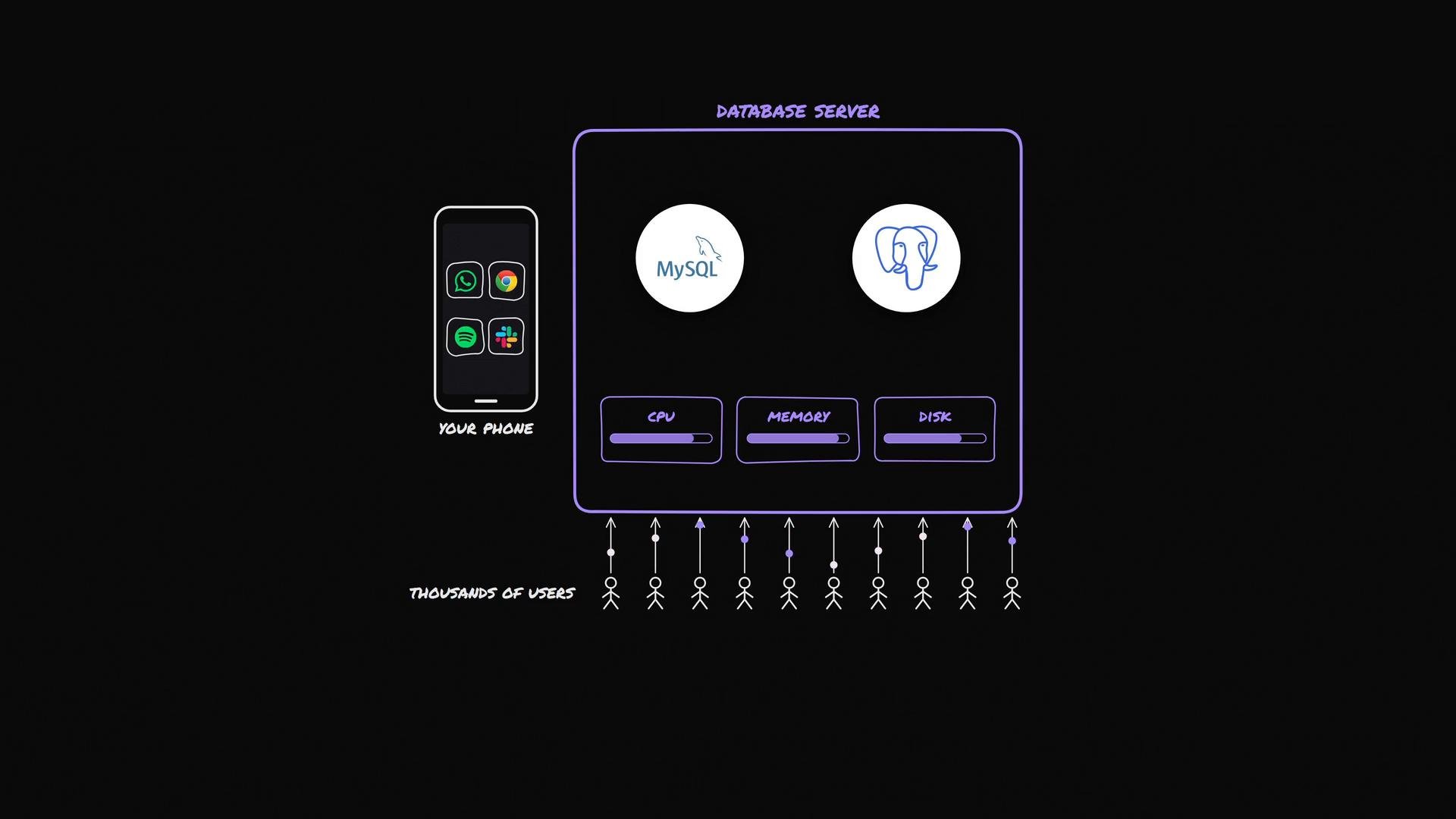
How SQLite is embedded
SQLite is a compact C library — small enough to be included inside an app (often well under one megabyte when compiled). It is linked into the application process, so using SQLite is just a normal function call from the app; there is no separate database server process. That design gives:- Zero-configuration deployment: no daemon to install or manage.
- Low memory and binary-size overhead.
- Direct, local file access semantics with POSIX file locking semantics on the underlying filesystem.
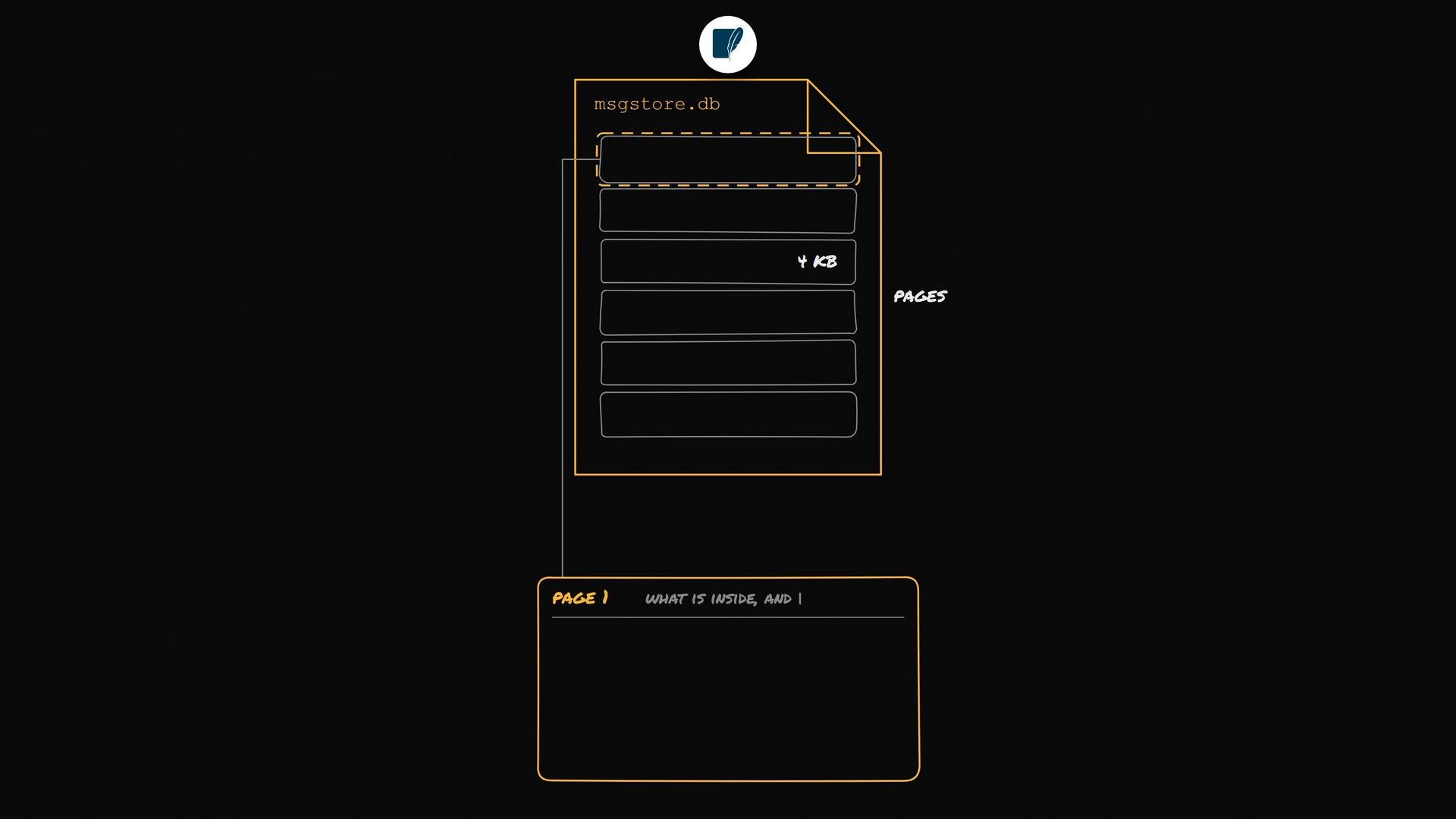
On-disk format: a single-file relational database
On disk, SQLite stores an entire database in a single file (for example,msgstore.db). Inside that file are all relational structures — tables, indexes, and schema metadata. The file is organized into fixed-size pages (commonly 4 KiB each, though the page size can vary), and the file header (located in the first page) describes the file format, page size, and how the database schema is laid out.
Internally, tables and indexes are typically stored as B-tree structures spread across pages. The first page contains the database header and metadata that tells SQLite which pages contain each table and index.
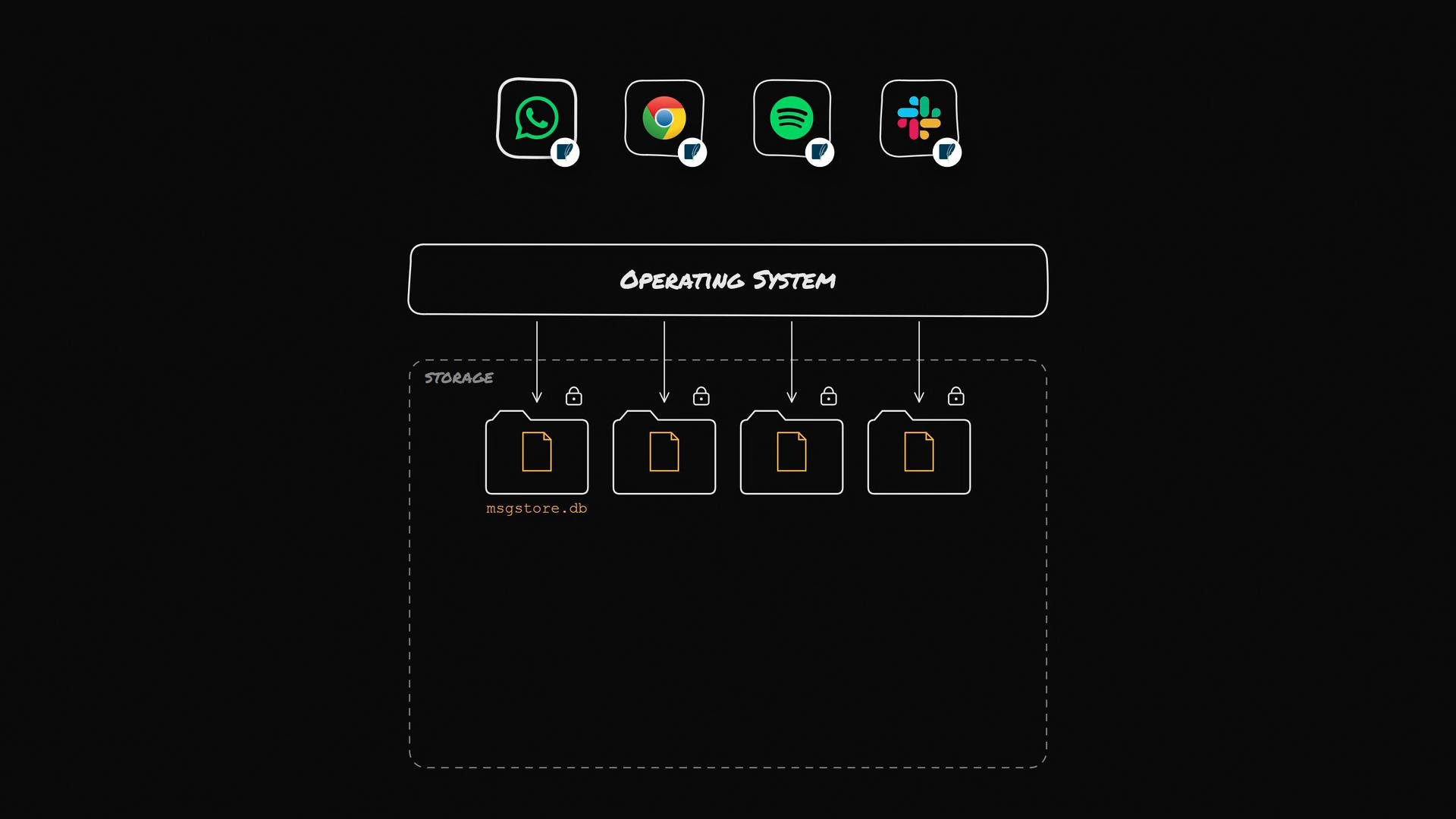
Where database files live
When an app needs persistent storage, the operating system gives the app its own private folder that other apps cannot read. The app creates (or is assigned) a path inside that folder, and SQLite creates the database file there (for example,msgstore.db). As a result, a device can contain hundreds or thousands of SQLite files — one or more per installed app.
Concurrency, networking, and security trade-offs
SQLite’s embedded design trades off some server-grade features for simplicity and portability. Key characteristics:- Single-writer concurrency: By default, only one write transaction can modify a given SQLite database file at a time. Multiple readers can operate concurrently, but writers acquire locks that serialize writes. Enabling Write-Ahead Logging (WAL) improves concurrency by allowing readers to run while a writer is active, but there still remains only one writer at a time.
- No built-in networking: SQLite is local to the device and the process that opens it. There’s no network protocol provided out of the box, so you cannot natively share an SQLite file across multiple remote servers the way you would with PostgreSQL or MySQL.
- No internal user accounts/permissions: SQLite does not implement database-level users or role-based permissions. Access control is provided by the operating system’s file permissions and the app’s own logic.
SQLite is designed for simplicity and portability: a small, fast, zero-configuration database engine embedded in your app. For multi-user, networked, or highly-concurrent server workloads, a client–server DBMS (PostgreSQL, MySQL, etc.) is still the appropriate choice.
Best practices and tips
- Use WAL for better read/write concurrency when many readers exist during writers.
- Keep transactions short to avoid blocking other writers.
- Use indices selectively to speed reads; indices increase file size and write cost.
- Regularly VACUUM or use the
PRAGMA auto_vacuumsetting to reclaim space if your workload deletes many rows. - Protect database files using the platform’s file permissions; encrypt sensitive data (or the file) where needed.
Links and references
- SQLite Home
- SQLite Write-Ahead Logging (WAL)
- B-tree (Wikipedia)
- Kotlin Android SQLiteOpenHelper documentation