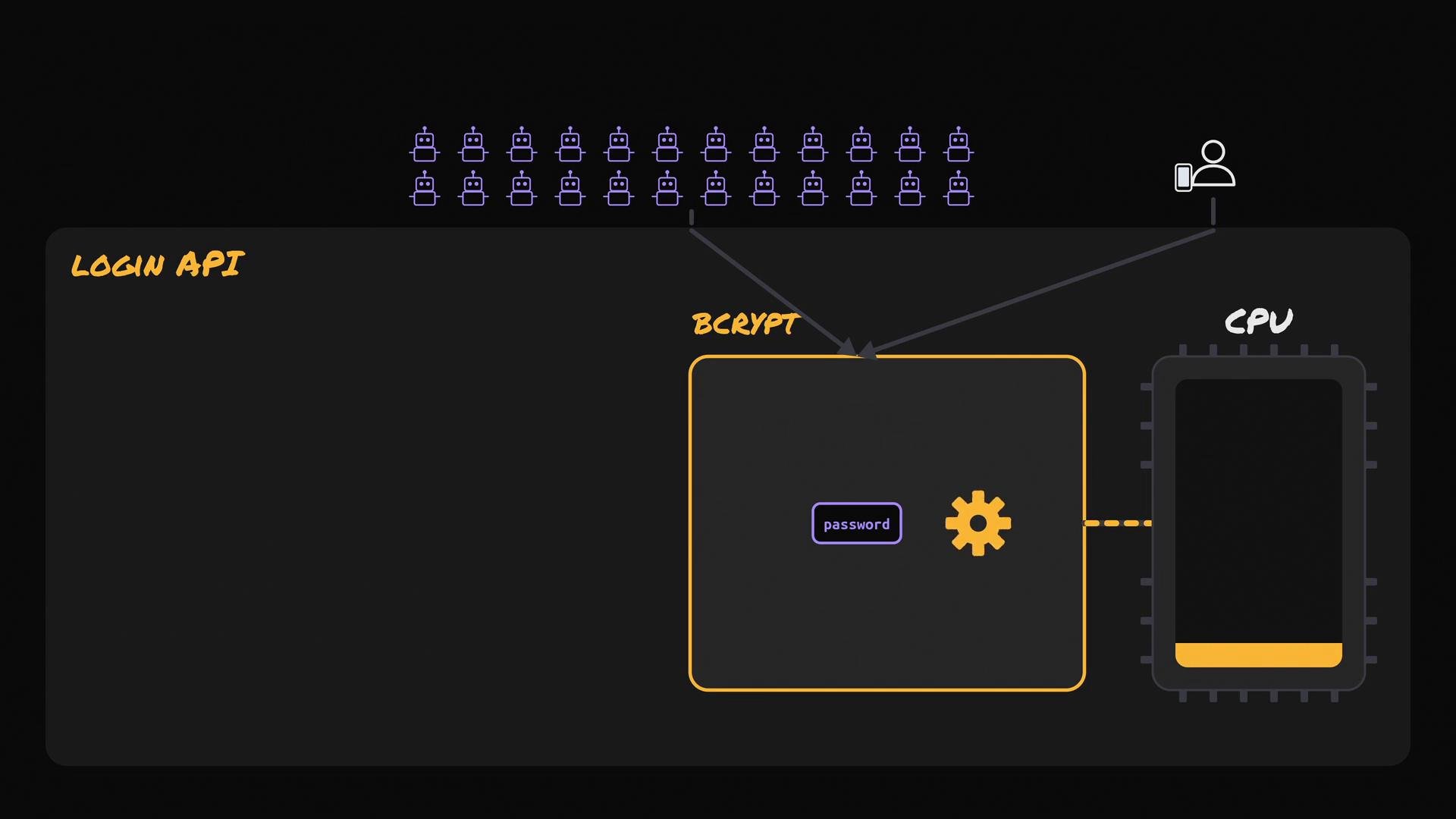
Your login endpoint is receiving roughly 50,000 login requests per minute, originating from about 30,000 IP addresses. Nearly every attempt fails because attackers are trying stolen credentials or random passwords. Legitimate customers report 10+ second login delays even when entering the correct password. Why does a flood of failed logins make the entire system slow? And why isn’t simple blocking enough? This guide explains the failure mode and practical mitigations you can implement to keep your login API responsive while blocking credential-stuffing attacks. POST /login Why bcrypt (intentionally) slows things down Your API verifies passwords using bcrypt. bcrypt is deliberately slow and configurable via a cost factor to increase the effort required for brute-force attacks. The drawback: every login attempt — even failed ones — must run the bcrypt check. Under a flood of failed attempts, bcrypt operations can saturate CPU, queue requests, and cause long latencies for legitimate users.
A schematic diagram of a Login API where many bot icons and a user send requests into a BCRYPT password-hashing component that feeds a CPU. Inside the BCRYPT box is a "password" token and a gear icon representing the hashing work.
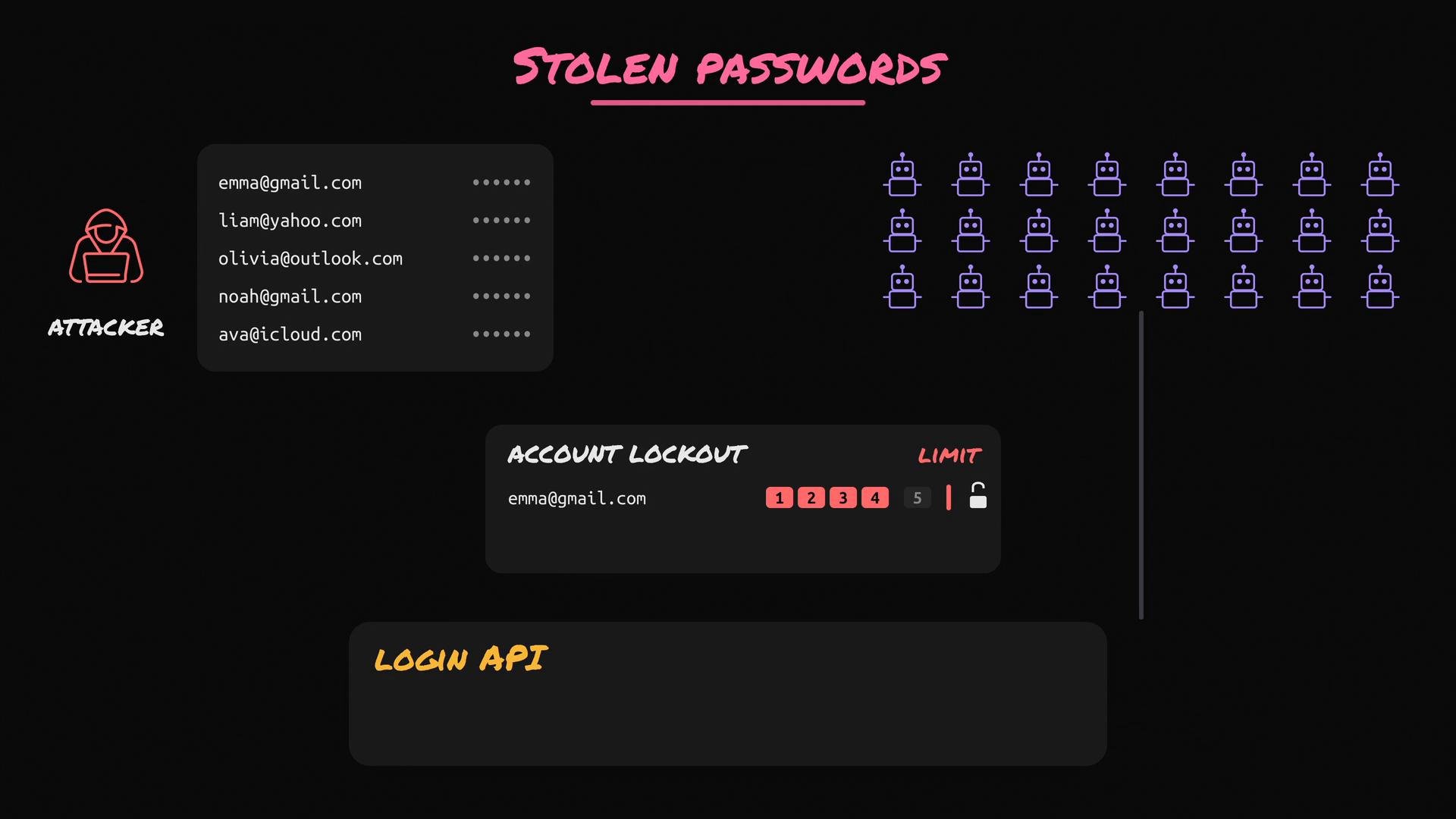
Why simple blocking and naive rate limiting fail This attack is credential stuffing: the attacker uses large volumes of email/password pairs stolen elsewhere. Because people reuse passwords, many of those pairs may work. The attacker distributes attempts across thousands of IPs so each IP makes only a few requests — bypassing IP-based rate limits. They also try each account only a small number of times (for example, 3–5 attempts) to stay under account lockout thresholds. These patterns let bots evade common defenses while still wasting your bcrypt CPU.
A dark infographic titled "Stolen Passwords" showing a hacker icon and a list of compromised email addresses on the left. On the right are rows of bot icons and there are panels below labeled "Account Lockout" and "Login API."
Detect suspicious requests cheaply — before you run bcrypt Instead of running bcrypt for every attempt, try to detect suspicious requests using low-cost signals that are far cheaper than CPU-bound password hashing. One effective early signal is the TLS handshake. During TLS setup the client sends a ClientHello with ordered lists of ciphers, key-exchange methods, extensions (like ALPN), and the order of those fields. Different client libraries and devices produce different handshake fingerprints. For example, an iPhone app, a headless browser, and a Python requests client will likely have distinct ClientHello patterns. Checking these fingerprints is very cheap compared to running bcrypt. Example TLS ClientHello excerpts:
Use TLS fingerprinting as one signal (projects like JA3 provide tooling to collect and compare TLS fingerprints: https://github.com/salesforce/ja3). Note that a determined attacker can mimic a legitimate TLS handshake, so treat this as a probabilistic signal, not a single rule that blocks traffic. Combine TLS fingerprints with other inexpensive signals Use multiple orthogonal signals to increase confidence before skipping bcrypt:
  • High failure rate associated with a particular TLS fingerprint, credential, or device increases suspicion.
  • Device tokens: when a device has previously authenticated successfully, issue a persistent device token. Future logins from that token are low risk.
  • Request heuristics: analyze header shapes, User-Agent consistency, request inter-arrival times, and geolocation anomalies.
  • IP reputation and known bot lists.
  • Behavioral signals: click/timing patterns, login sequence steps, and success/failure ratios.
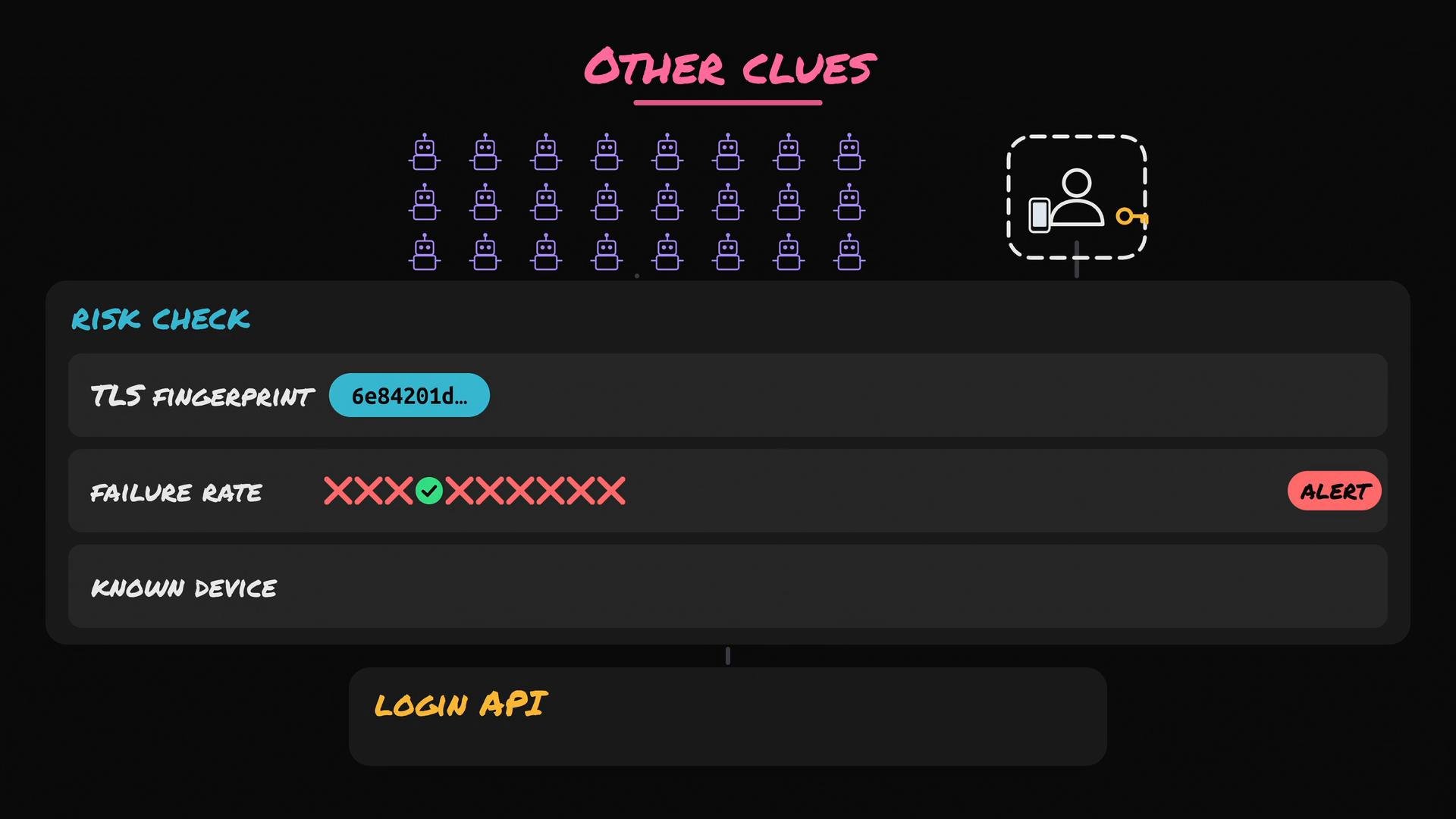
A dark-themed security dashboard titled "Other Clues" with rows of small robot icons and a user-with-key illustration. A "Risk Check" panel shows a TLS fingerprint, a high failure rate marked by many red Xs and an "ALERT" badge, plus fields for known device and Login API.
Signals and cost — quick reference Three treatment categories for login requests Classify each login request by risk and route it to one of three paths: Operationally, the goal is to avoid running bcrypt for high-risk requests while keeping legitimate users’ experience smooth.
Use a risk score aggregator that combines TLS fingerprint, credential failure rate, device token presence, IP reputation, and request behavior. Only run bcrypt for requests below your risk threshold; escalate higher-risk requests to challenge or reject paths.
Practical operational recommendations
  • Bcrypt concurrency control: run password hashing in a bounded worker pool or a dedicated service so hashing load cannot exhaust CPU resources used by other request handling.
  • Adaptive bcrypt cost: tune bcrypt cost for your CPU capacity and expected load. Consider Argon2 if you require a memory-hard function, but still control concurrency.
  • Per-credential throttling: limit attempts per account/email and per credential identifier to increase attacker cost without blocking legitimate users.
  • Per-fingerprint throttling: track failure rates by TLS fingerprint and slow down or require challenges for fingerprints that show abusive patterns.
  • Device-based trust: issue persistent device tokens for recognized devices and reduce friction for them.
  • Challenge paths: use CAPTCHA or 2FA for suspicious flows instead of immediately performing bcrypt.
  • Early filtering: place an authentication gateway or WAF in front of your app servers to reject or challenge suspicious traffic before it reaches bcrypt workers.
  • Monitoring and alerting: track bcrypt queue length, hashing worker utilization, login latency percentiles, and failure rates by fingerprint/account. Use these metrics to trigger autoscaling or mitigation playbooks.
Do not rely on a single signal (like IP blocking or account lockouts). Overly aggressive blocking can lock out legitimate users; under-blocking lets attackers waste CPU. Combine multiple signals and prefer challenge/slow-paths before permanent rejection.
Putting it all together
  • Detect suspicious requests early with cheap signals (TLS fingerprints, device tokens, failure rates).
  • Compute a risk score and route requests to normal, slow, or reject paths.
  • Protect CPU by bounding bcrypt concurrency and moving hashing to controlled worker pools.
  • Use adaptive friction (CAPTCHA, 2FA, delays) to let legitimate users prove they are human without performing expensive bcrypt for every attempt.
  • Monitor and iterate: use metrics to tune thresholds and detect new attack patterns.
These steps prevent bots from monopolizing bcrypt CPU, restore responsive logins for real customers, and maintain account security against credential stuffing attacks. Further reading and tooling

Watch Video