

How the kubelet checks health
- Each Kubernetes node runs the kubelet agent.
- The kubelet periodically asks each container a simple question: “Are you healthy?”
- A common mechanism is an HTTP GET to an application endpoint such as
/health. - If the kubelet does not get a successful response within the configured attempts, it assumes the container is unhealthy, kills it, and starts a new one.
A common problematic setup (and why it fails)
- Many teams implement
/healthto include dependency checks (for example, a quick query to the database). - Consider a backend service for a food-delivery app running in 6 identical pods, all sharing the same database.
- If the database becomes slow (temporarily overloaded for ~30 seconds), those
/healthchecks that run a DB query can time out. - The kubelet marks the pod unhealthy and restarts it.
- Restarting one pod shifts traffic to the remaining pods, increasing their load and causing their health checks to fail too — triggering more restarts in a “death spiral”.
The correct approach: separate liveness and readiness
Configure two probes within the same Pod and point them to different endpoints:-
Liveness probe ->
/health- Should be extremely cheap and deterministic.
- Only verify the process is alive and responsive (e.g., event loop, HTTP server up).
- Must not perform expensive or flaky dependency checks (like DB queries).
- If this probe fails, restarting the container is the right remediation.
-
Readiness probe ->
/ready- May perform dependency checks (database, caches, external services).
- If this probe fails, Kubernetes removes the Pod from Service endpoints but does not kill the container.
- When dependencies recover and
/readysucceeds again, the Pod resumes receiving traffic.
- Implement
/healthas a lightweight handler that only verifies the application process is responsive. - Implement
/readyto include dependency checks (for example, a quick DB query or connection-pool health). When/readyfails, Kubernetes will stop routing traffic to that Pod but will not restart it.
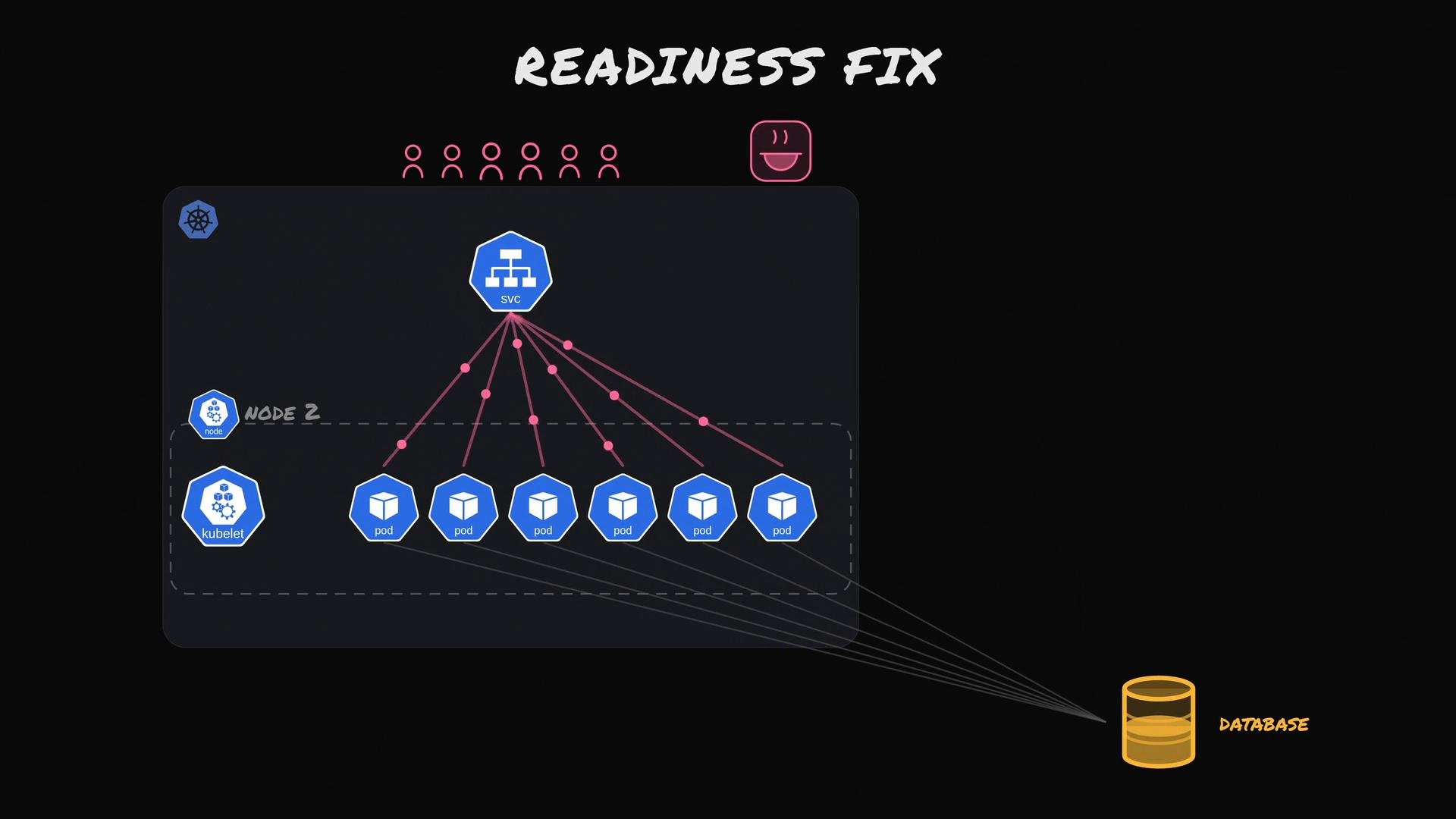
- All six pods can quietly fail the readiness probe during the 30-second database slowdown without being restarted.
- The Service stops routing traffic to pods that are not ready, preventing overload on the remaining healthy pods.
- When the database recovers, readiness checks succeed and the pods resume receiving traffic — no restarts required.
Quick comparison
Best practices
- Keep liveness checks minimal and deterministic.
- Put dependency and integration checks in readiness checks.
- Use sensible
initialDelaySeconds,periodSeconds,timeoutSeconds, andfailureThresholdvalues based on your app’s startup and dependency behavior. - Monitor probe failure metrics and logs to diagnose whether failures indicate application crashes vs. transient dependency issues.
Keep liveness checks minimal and deterministic — only check whether the process is alive and responsive. Put dependency checks (database, external services) into readiness handlers so Kubernetes can gracefully stop sending traffic without restarting containers.
Do not put expensive or flaky dependency checks inside the liveness probe. Doing so can cause cascading restarts (“death spiral”) across your deployment.
Links and references
- Kubernetes: Configure Liveness, Readiness and Startup Probes
- Kubernetes Services and Endpoints
- Additional reading: strategies for graceful startup and connection pooling for backend services