

- Time-based OTPs generated by authenticator apps (TOTP).
- Short-lived, server-generated OTPs sent by email or SMS and stored server-side (commonly in Redis).
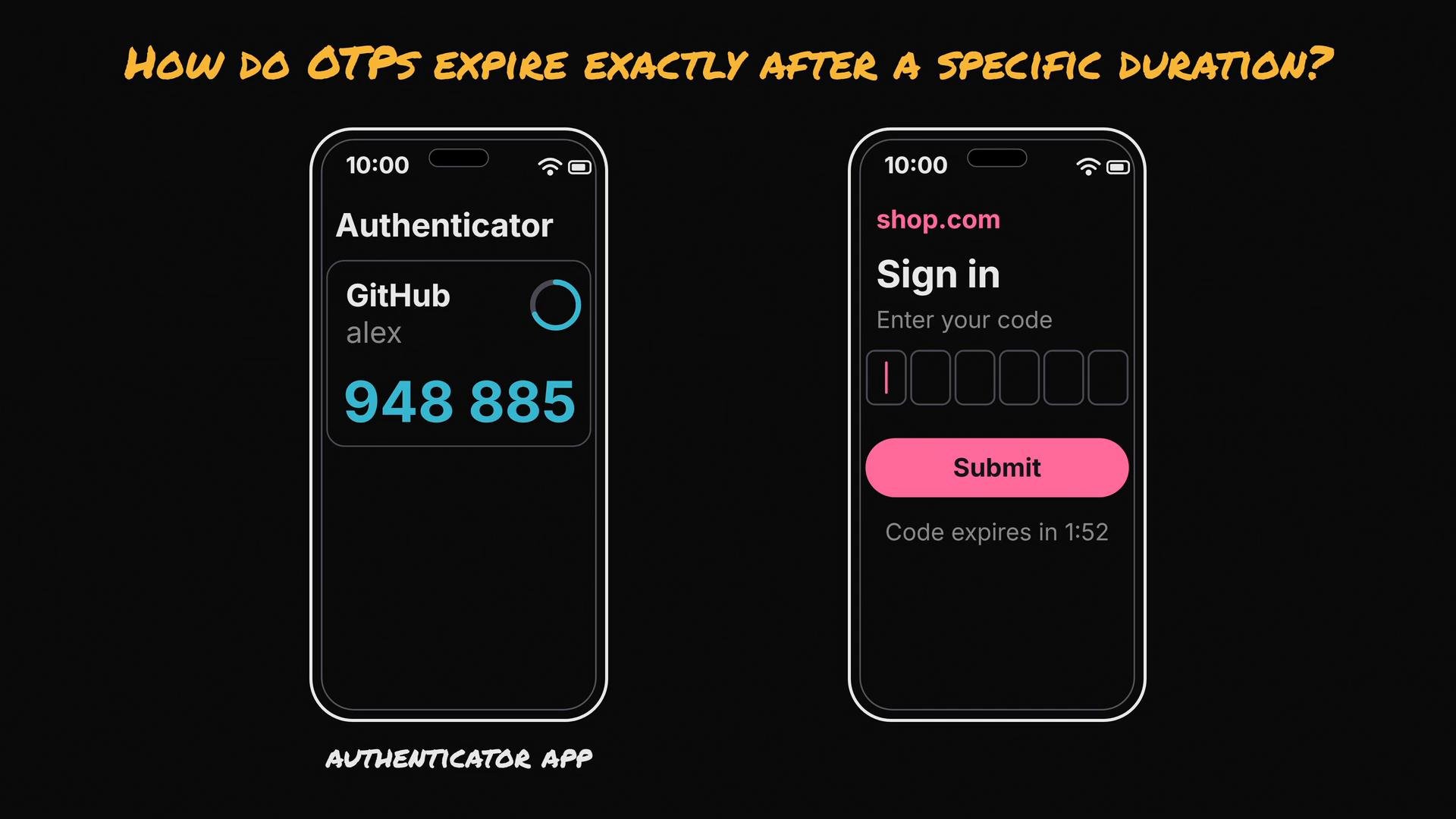
Overview — two OTP models
- TOTP: stateless (server derives valid codes from a shared secret + clock). Expiration is implicit because codes are tied to discrete time windows (e.g., 30s).
- SMS/Email OTP: stateful (server stores the generated code with an explicit TTL). Expiration is explicit: the server-side storage removes or ignores the code after its TTL.
TOTP (Time-Based One-Time Passwords)
Authenticator apps (Google Authenticator, Authy, etc.) produce a short numeric code every fixed interval (commonly 30 seconds). The device can generate codes offline because both the server and the device share a secret key and rely on the current time. How TOTP works (high level):- Both client (authenticator app) and server share a secret key (seed).
- Time is split into fixed steps (usually 30-second windows).
- Compute a time counter:
counter = floor(current_unix_time / step). - Use HMAC (commonly HMAC-SHA1) with the secret and counter.
- Apply dynamic truncation and extract the last N digits (usually 6) to produce the numeric code.
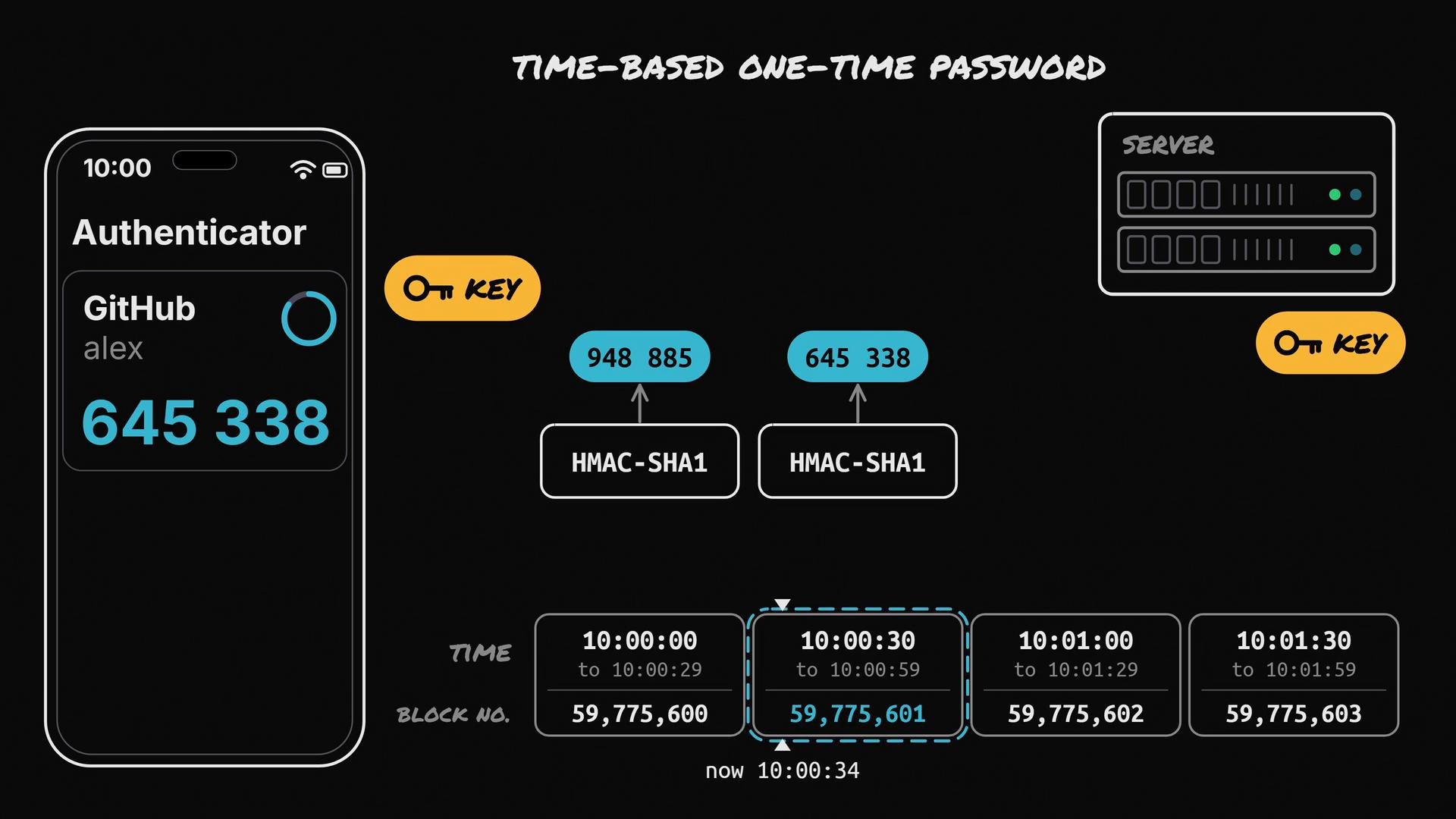
- The server computes the expected TOTP for the current time window and usually one or two adjacent windows to tolerate clock skew and small delays.
- A TOTP is valid only for its time window (e.g., the 30-second period). When the window ends, previously valid codes are no longer accepted (unless the server explicitly accepts the previous window).
- To prevent replay, servers should track the last accepted time counter per account and reject any code with a counter that was already used.
- Accept codes from the current and previous (and sometimes next) time windows to account for clock drift and network latency.
- Store the last accepted counter per user to prevent reuse of previously validated codes.
- If a code arrives right at a window boundary, accepting the previous window reduces false negatives.
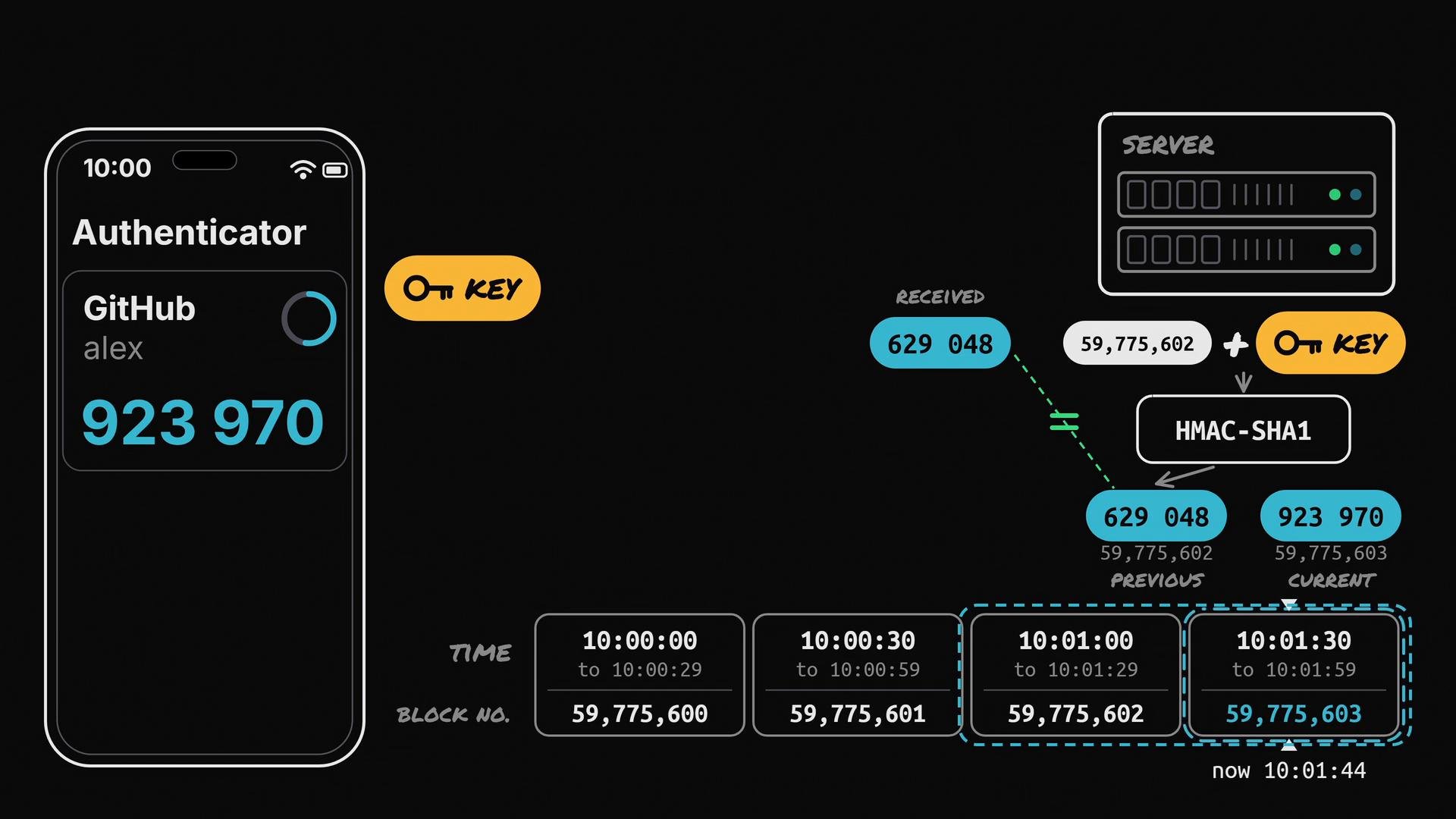
Servers commonly allow a ±1 time-step tolerance to account for clock drift and network delay. They should still track and reject already-used counters to prevent replay.
SMS / Email OTPs (server-generated, stored in Redis)
OTP codes delivered via SMS or email are generated and stored on the server with an explicit expiration time (TTL). These codes are stateful: once the server-side storage expires or is deleted, the code is no longer valid. Typical flow:- Server generates a cryptographically secure random numeric code (e.g., 6 digits).
- Server stores the code in a fast key-value store (Redis) with a TTL, for example 120 seconds (2 minutes).
- Server sends the code to the user’s phone or email.
- When the user submits the code:
- The server looks up the stored value.
- If the key is missing (expired or never set), reject with “OTP expired.”
- If it matches, delete the key and accept (prevents reuse).
- Otherwise, reject as invalid.
- Redis enforces TTL: once the TTL elapses, reads return nothing (the key behaves as absent). Even if physical deletion is lazy internally, the logical result is that the code is unavailable after expiry.
- Deleting the key after successful validation prevents replay attacks.
Comparison: TOTP vs SMS/Email OTP
Security considerations and best practices
- Prefer TOTP or hardware-backed keys (U2F/WebAuthn) for high-security scenarios; SMS is susceptible to interception and SIM swap.
- Always enforce rate limits and brute-force protection (limit attempts per key or per user).
- Use cryptographically secure RNG for server-side codes.
- Delete OTPs on successful use to prevent replay attacks.
- Track last-used TOTP counter per account to avoid accepting reused codes.
- Monitor OTP endpoints for suspicious activity (failed attempts, repeated requests).
SMS-based OTPs can be intercepted or abused (SIM swap). Prefer authenticator apps or hardware keys for high-security requirements, and always implement rate-limiting and monitoring for OTP endpoints.
Links and references
- RFC 6238 — TOTP: https://datatracker.ietf.org/doc/html/rfc6238
- RFC 4226 — HOTP: https://datatracker.ietf.org/doc/html/rfc4226
- Redis: https://redis.io/