

Replication and backups are complementary. Design your system so replication keeps services online and responsive, and backups let you recover the correct data when something goes wrong.
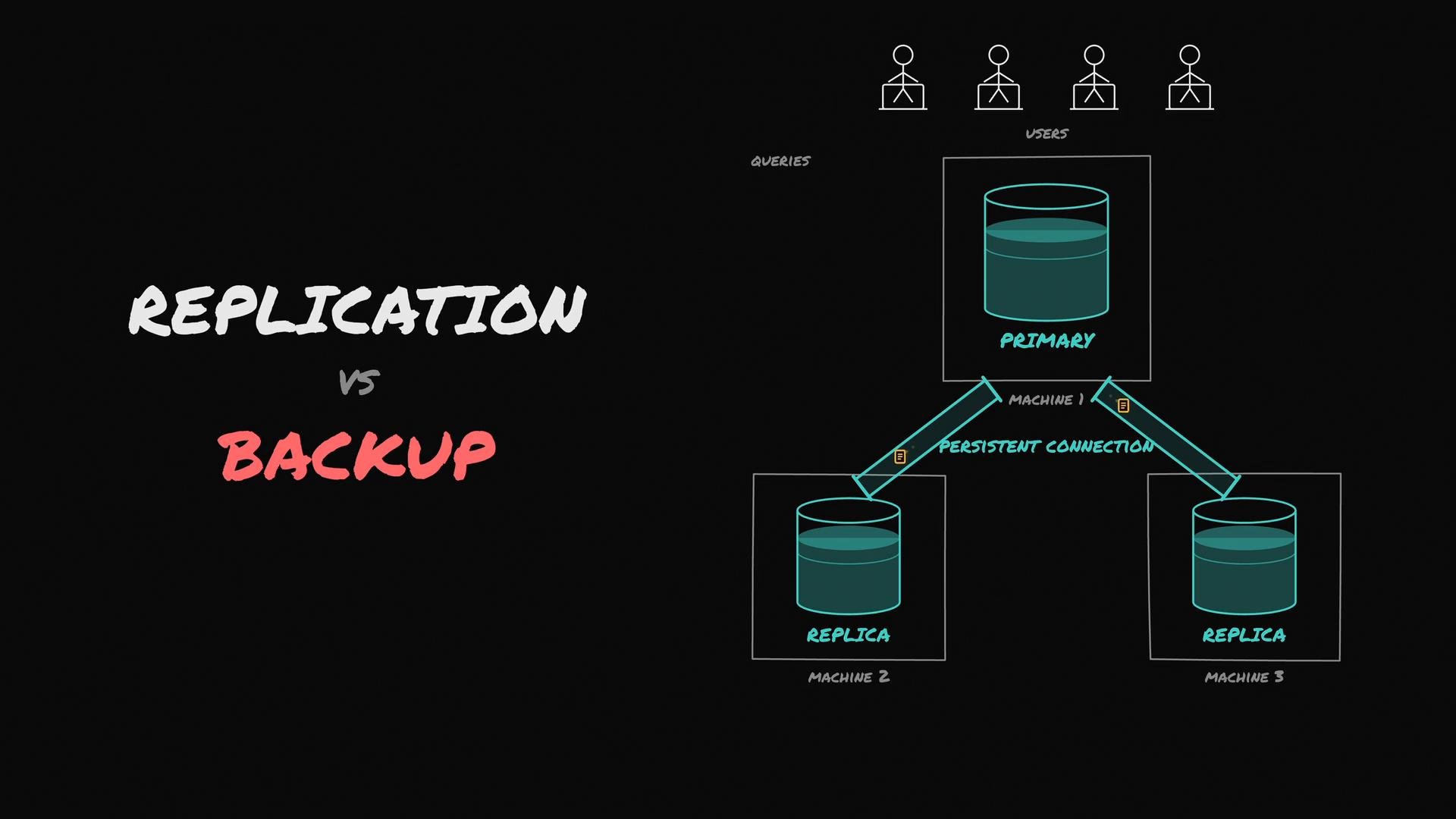
How replication helps (and where it stops)
Replication is primarily about high availability and read scaling:- Failover: If the primary fails, a replica can be promoted to primary quickly, minimizing downtime.
- Read scaling: Replicas can serve read-only queries to reduce load on the primary.
- Low-latency copies: Replication keeps near-real-time copies of the live dataset.
Replication propagates all changes from the primary to replicas, including human errors, application bugs, or corruption. Replication ensures uptime and read scaling, not protection against data loss caused by destructive changes.
Why backups are necessary
Backups are periodic snapshots or archived copies of your data stored separately from the live system (offsite and ideally immutable). Backups allow you to restore to a previous point in time, undoing destructive operations or recovering from data corruption that replication would otherwise repeat across replicas. Key recovery concepts:- RTO (Recovery Time Objective): How long it can take to restore service.
- RPO (Recovery Point Objective): How much data loss (time) is acceptable.
Quick comparison
Backup best practices
- Mix full and incremental backups to balance speed and storage.
- Enable point-in-time recovery (PITR) when supported by the database engine (e.g., PostgreSQL WAL archive).
- Store backups off-cluster and offsite; use immutability and versioning to prevent accidental deletion.
- Test restores regularly to validate backups and recovery processes.
- Define retention policies that meet legal and business requirements.
- Automate backup monitoring and alerting for failures or long-running jobs.
Recovery workflow (high level)
- Identify scope and time of the data loss (which tables, timestamp).
- Choose recovery method: restore full backup + apply transaction logs (PITR) or restore a backup snapshot.
- Restore into an isolated environment to verify the dataset before promoting to production.
- Validate integrity and consistency, then fail over production traffic only when confident.
In short
- Use replication for high availability and read scaling.
- Use backups for data protection and recovery from accidental/malicious changes or corruption.
- Both are necessary for a robust production system — replication keeps services online, backups let you recover correct data.
Links and further reading
- PostgreSQL: Continuous Archiving and Point-in-Time Recovery
- AWS RDS Backups and Automated Backups
- Database backup strategies (general guidance)