

kubectl drain on a node that has 12 pods. Eleven pods evict normally, but one pod remains on the node and the drain never completes.
What kubectl drain does
kubectl drain uses the Eviction API to evict every evictable pod from a node so workloads can be rescheduled elsewhere. This is typically done before maintenance (patching, rebooting, or decommissioning a node) so no pods are left running on the node.
When a single pod remains after a drain, the most common cause is a PodDisruptionBudget (PDB) preventing eviction.
PodDisruptionBudget (PDB) — the usual culprit
A PodDisruptionBudget declares how many pods of an application must stay available during voluntary disruptions (like node drains). If a PDB requires at least one pod and your cluster currently has only one replica, the Eviction API will refuse the eviction because it would violate the PDB. Example PDB that blocks eviction of the last replica:app: my-app, evicting it would reduce available to 0, so eviction is denied and the pod stays on the node.
The other 11 pods were evicted because they either had no restrictive PDB or they belonged to controllers with replicas already available on other nodes.
How to diagnose the blocking PDB and pod
Run these commands to find the PDBs and related pods:Safe remediation steps
-
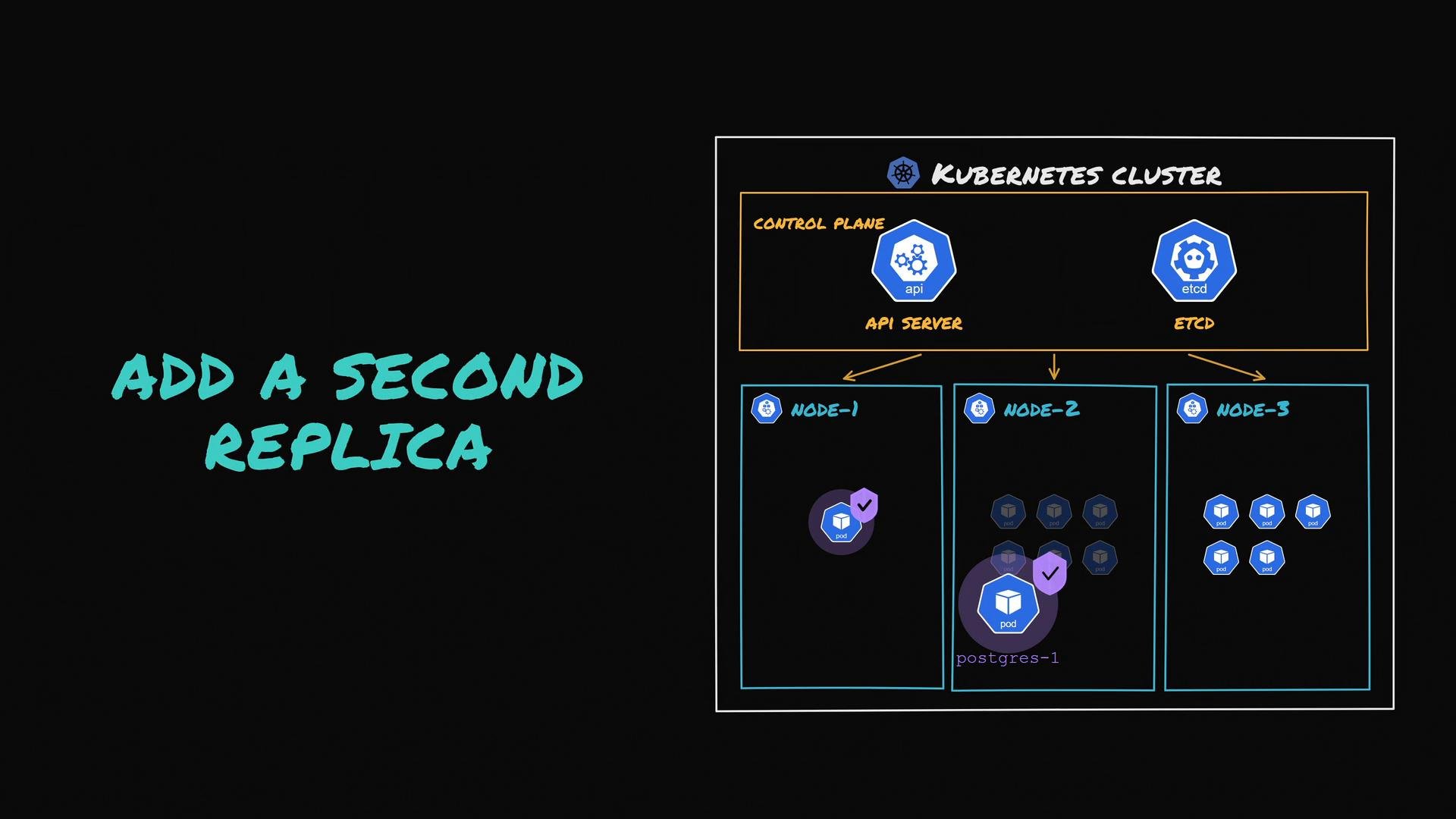
Scale the workload so the PDB can be satisfied, then drain:
- For a Deployment:
- For a StatefulSet:
- For a Deployment:
-
Once the additional replica is ready, run:
-
If you cannot scale (emergency maintenance), consider:
- Temporarily relaxing the PDB (for example, set
minAvailable: 0or change tomaxUnavailable), then restore it after maintenance. - Cordoning the node (
kubectl cordon node-1) and performing a controlled shutdown if you accept the risk. - As a last resort, force-delete the pod (see warning below).
- Temporarily relaxing the PDB (for example, set
Force deletion (last resort)
Force-deleting bypasses the Eviction API and PDB checks — it removes the Pod API object immediately but does not guarantee the container process on the node has stopped. Use only when you fully understand the risk.Force-deleting a pod can lead to split-brain or data corruption for stateful workloads (databases, etc.). It does not ensure the container process has stopped on the node, so you may end up with two active copies of the same stateful service.
Recommended safe approach (step-by-step)
- Inspect PDBs and determine which one is blocking eviction.
- Scale up the controller (Deployment/StatefulSet/ReplicaSet) so PDB constraints can be satisfied.
- Verify the new replica is ready.
- Run
kubectl drain node-1. - After maintenance, scale replicas back to the desired count and restore any modified PDBs.
If a pod is not managed by a controller (a “bare” pod) it will not be recreated elsewhere after eviction. Ensure pods are managed by a Deployment/StatefulSet/ReplicaSet so replacements are created automatically when evicted.
Quick reference table
Summary
- A single pod remaining during
kubectl drainis most often caused by a PodDisruptionBudget that prevents eviction. - The safest fix is to increase replicas so the PDB can be satisfied, then drain the node.
- Avoid force-deleting pods for stateful workloads unless you accept the risk and understand the consequences.