

.dockerignore file prevents sensitive and unnecessary files from being sent to the Docker daemon during docker build, reducing image size, build time, and leakage risk.
When you run docker build, Docker first collects everything in the build context (the current directory by default). Before the build starts, Docker reads .dockerignore and excludes any matching files and directories from the context. Files excluded by .dockerignore are not sent to the daemon and therefore cannot be included in any image layers.
What to exclude from the build context falls into three broad buckets:
- Heavy stuff
- Secret stuff
- Noisy stuff
Heavy stuff
Large host directories that are recreated during the image build should be excluded. For example,node_modules can be hundreds of MB and often contain native binaries built for the host OS. Copying them into the build context wastes time, bandwidth, and can break cross-platform builds. Ignore these directories and let the Dockerfile run package installs inside the container.
Secret stuff
Never send files containing credentials, keys, or tokens to the build context. Because each Dockerfile instruction creates a layer, copying a secret into the image—even if you delete it later in a subsequent instruction—leaves it recoverable in an earlier layer. Example illustrating why secrets must be excluded from the build context:Avoid copying secrets into images. If your build needs credentials (for private package registries, etc.), inject them at build or runtime using secure build-time secrets or your orchestrator’s secret management.
Noisy stuff
Files and folders that change constantly but don’t affect the build should be ignored. The common examples are.git (your commit history) and log files. Sending .git on every build can force unnecessary rebuilds because Docker sees the context as changed.
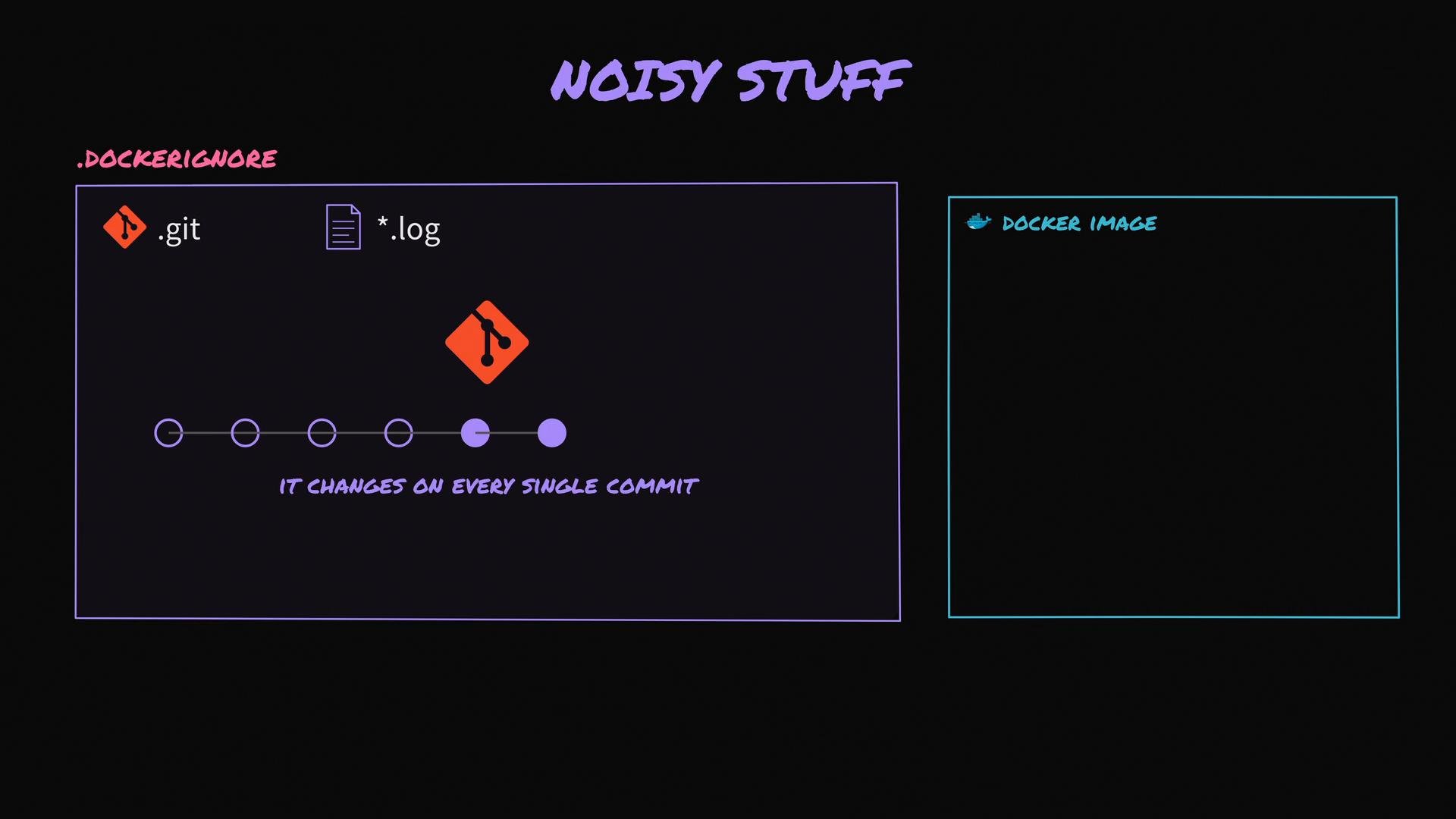
.dockerignore snippets for noisy files:
Common mistake: copying .gitignore into .dockerignore
A frequent trap is copying.gitignore contents into .dockerignore and assuming the semantics are identical. They are not. .gitignore patterns are intended for Git and operate differently from .dockerignore patterns, which are matched against paths in the build context.
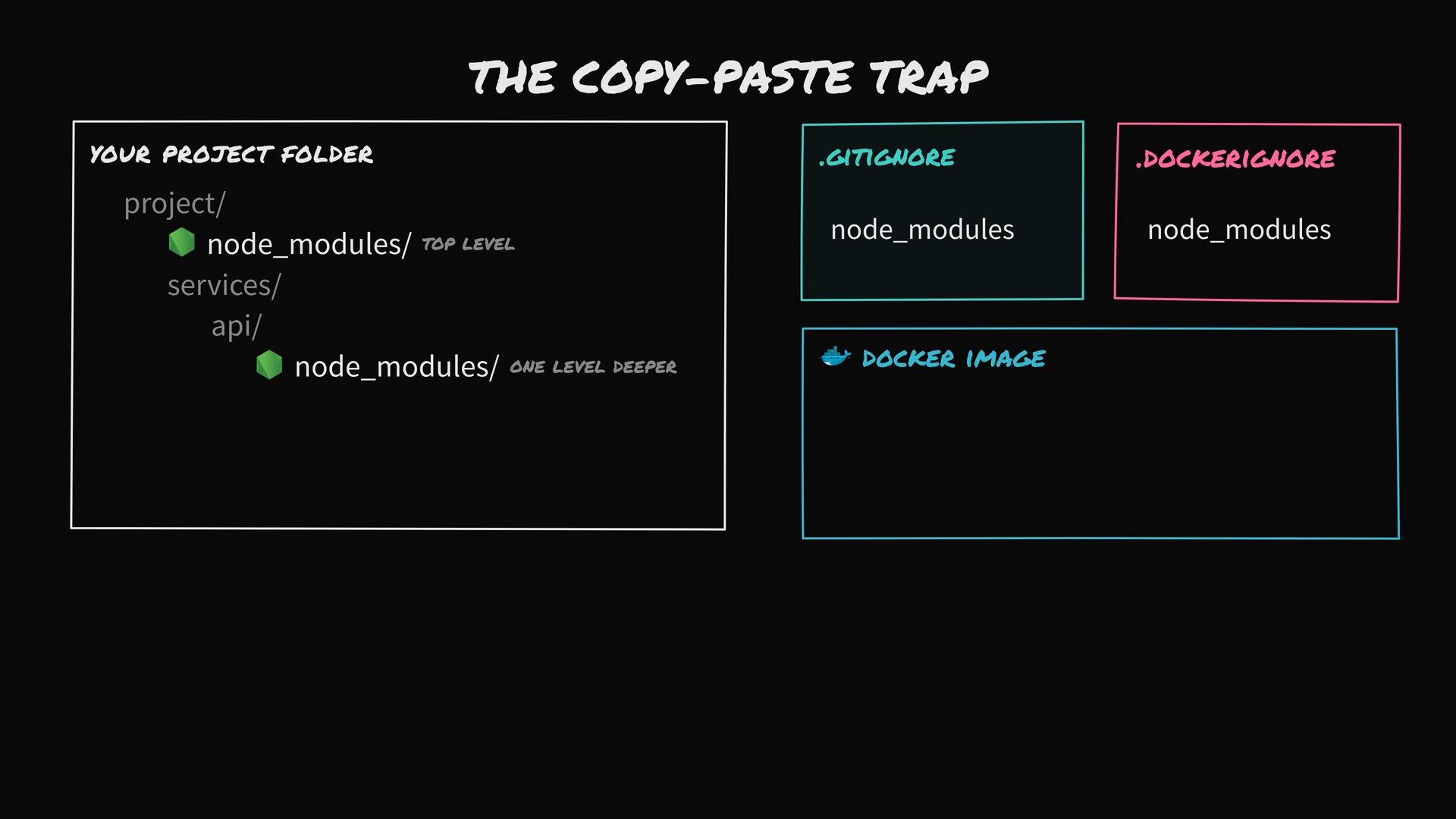
.gitignoreis evaluated in the repository with semantics that typically match files anywhere. For Docker you must be explicit about path matching. Anode_modulesline in.gitignoreignores that folder wherever it appears for Git. In.dockerignore, to ensure you excludenode_modulesanywhere in the context, use explicit glob patterns like**/node_modulesornode_modules/**.
.dockerignore patterns
- Ignore top-level
node_modules:node_modulesornode_modules/
- Ignore
node_modulesanywhere in the context:**/node_modules- or
node_modules/**
A recommended .dockerignore
Best practices and alternatives
- Never send secrets to the daemon. Instead:
- Use Docker build-time secrets or buildkit secrets to provide credentials during build without baking them into image layers.
- Use your orchestrator’s secret manager at runtime (for example, Docker Swarm secrets or Kubernetes Secrets).
- Inject environment variables at deploy time or mount secret files as volumes.
- Keep
.dockerignorein version control and review changes as part of PRs. - In monorepos or nested projects, explicitly use glob patterns so you exclude the intended paths.
- Test builds in CI where the context is controlled to avoid accidental local files leaking into images.
Quick reference links
- Docker build context and .dockerignore behavior
- Docker secrets (build-time and Swarm)
- Kubernetes Secrets
Never include secrets (like
.env, private keys, or cloud credentials) in the build context. Deleting them in a later Dockerfile instruction does not remove them from previous image layers..dockerignore accurate and up to date makes builds faster, images smaller, and your projects more secure.