

google.com in your browser, showing where DNS, TCP, TLS, and HTTP each fit.
You type google.com (browsers default to HTTPS if you don’t include a scheme). HTTPS typically uses port 443.
First, the browser needs an IP address for google.com. It checks its cache; if not found, it performs a DNS lookup to resolve the hostname to an IP address.
DNS queries are commonly sent over UDP, but they can fall back to TCP when responses are large or when the DNS server requires it. See Demystifying DNS for details.
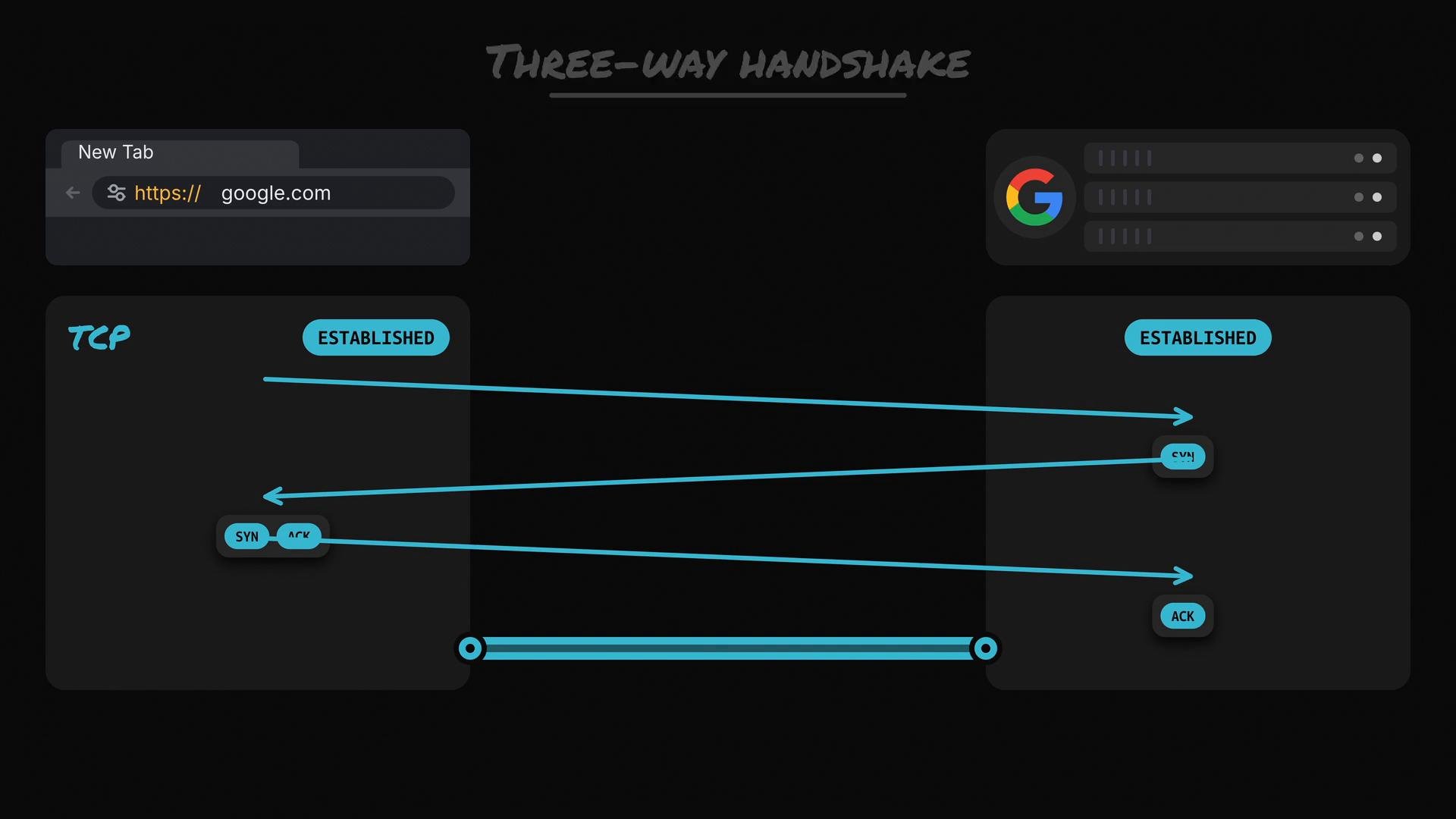
Step 1 — TCP connection: three-way handshake
Once the IP address is known, the browser establishes a transport connection to the server using TCP. TCP creates a reliable byte-stream channel via the three-way handshake:- Client sends SYN
- Server responds with SYN-ACK
- Client responds with ACK
- Reliable delivery (retransmit lost packets)
- Ordered byte-stream (sequence numbers and reassembly)
- Flow control and congestion control
- Encryption or message confidentiality
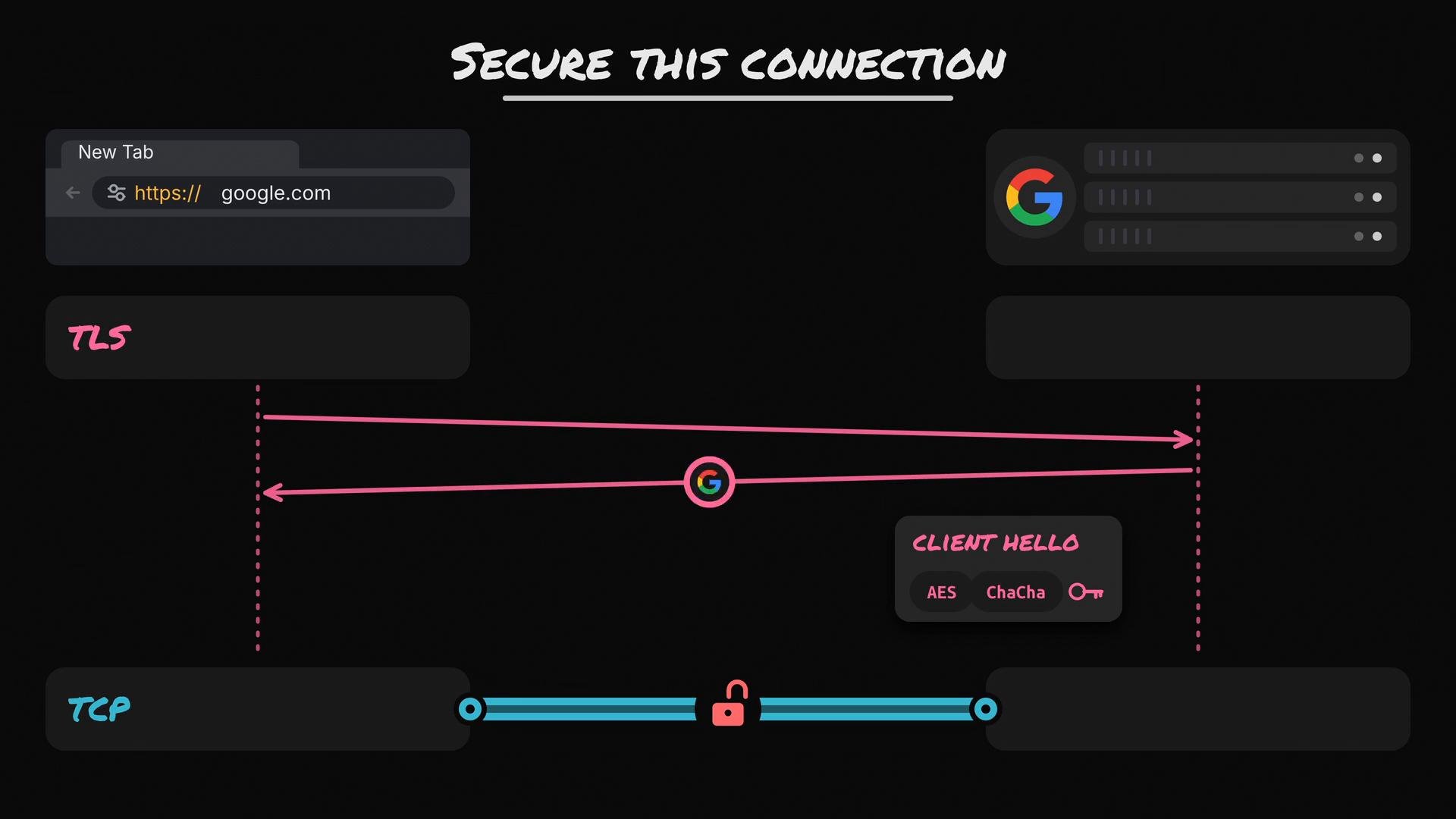
Step 2 — TLS handshake (over TCP)
To secure HTTP traffic, the browser and server perform a TLS handshake over the established TCP connection. During this handshake:- The client sends a ClientHello (supported TLS versions, cipher suites, key-exchange parameters).
- The server replies with a ServerHello and its certificate (plus any server key-exchange information).
- The client validates the certificate (is it valid for
google.com, issued by a trusted CA?). - Client and server derive shared symmetric keys from the exchanged parameters (keys are never sent in plain text).
Newer transport protocols such as QUIC integrate TLS 1.3 and run over UDP. QUIC is used by HTTP/3, so TLS is not strictly tied to TCP in all cases — TLS 1.3 can be part of QUIC’s handshake instead. See HTTP/3 and QUIC for more information.
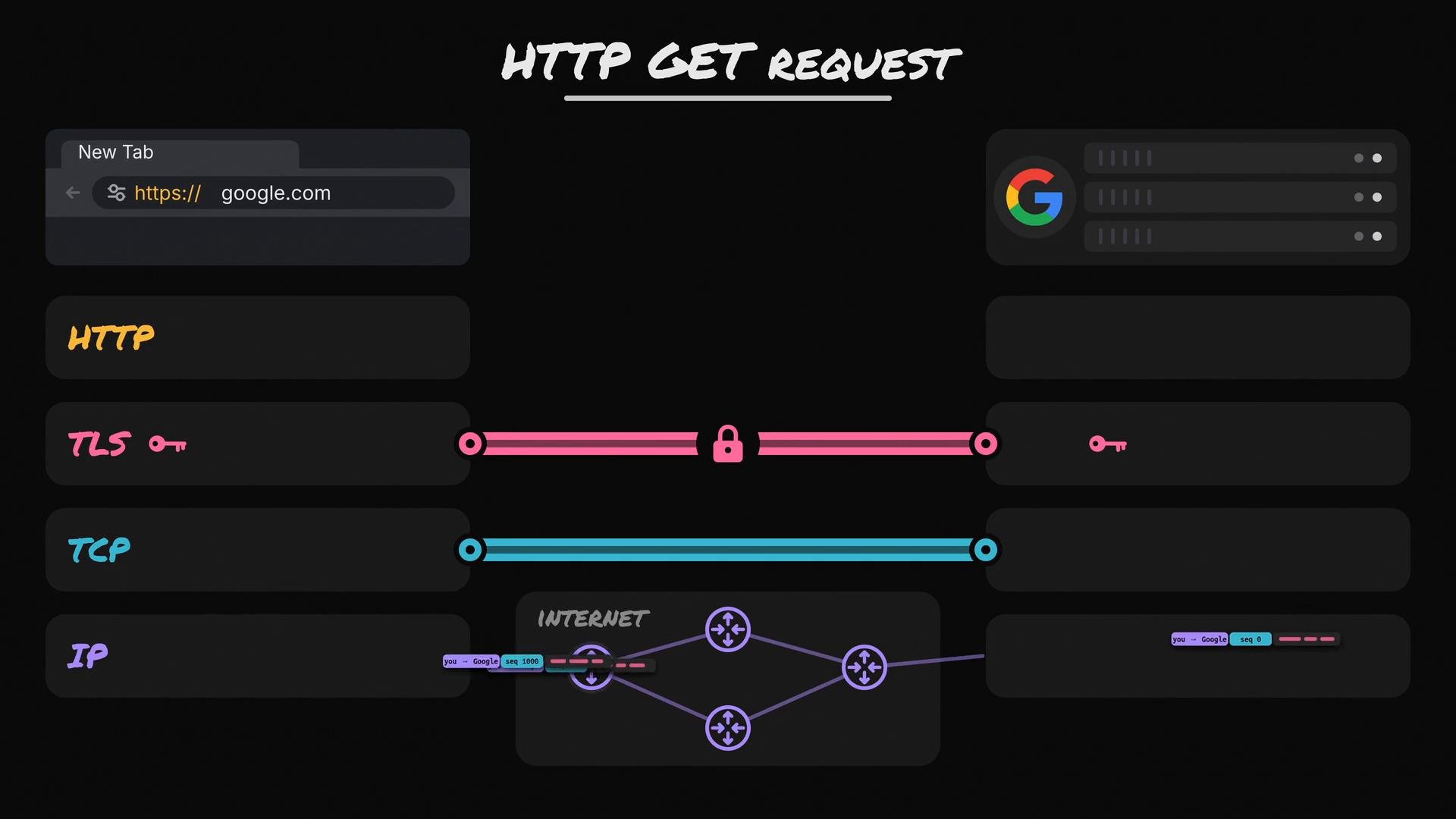
Step 3 — Encrypted HTTP over TLS, transported by TCP and routed by IP
After the TLS handshake completes, the browser encrypts the HTTP request using the negotiated session keys. Those encrypted bytes are then passed to TCP, which segments and sequences them for IP routing. Example of the HTTP request that will be encrypted and sent:- IP delivers packets to the server machine.
- TCP reassembles the encrypted byte-stream and handles retransmission if needed.
- TLS decrypts and verifies the data.
- The HTTP server receives the original HTTP request payload and prepares a response.
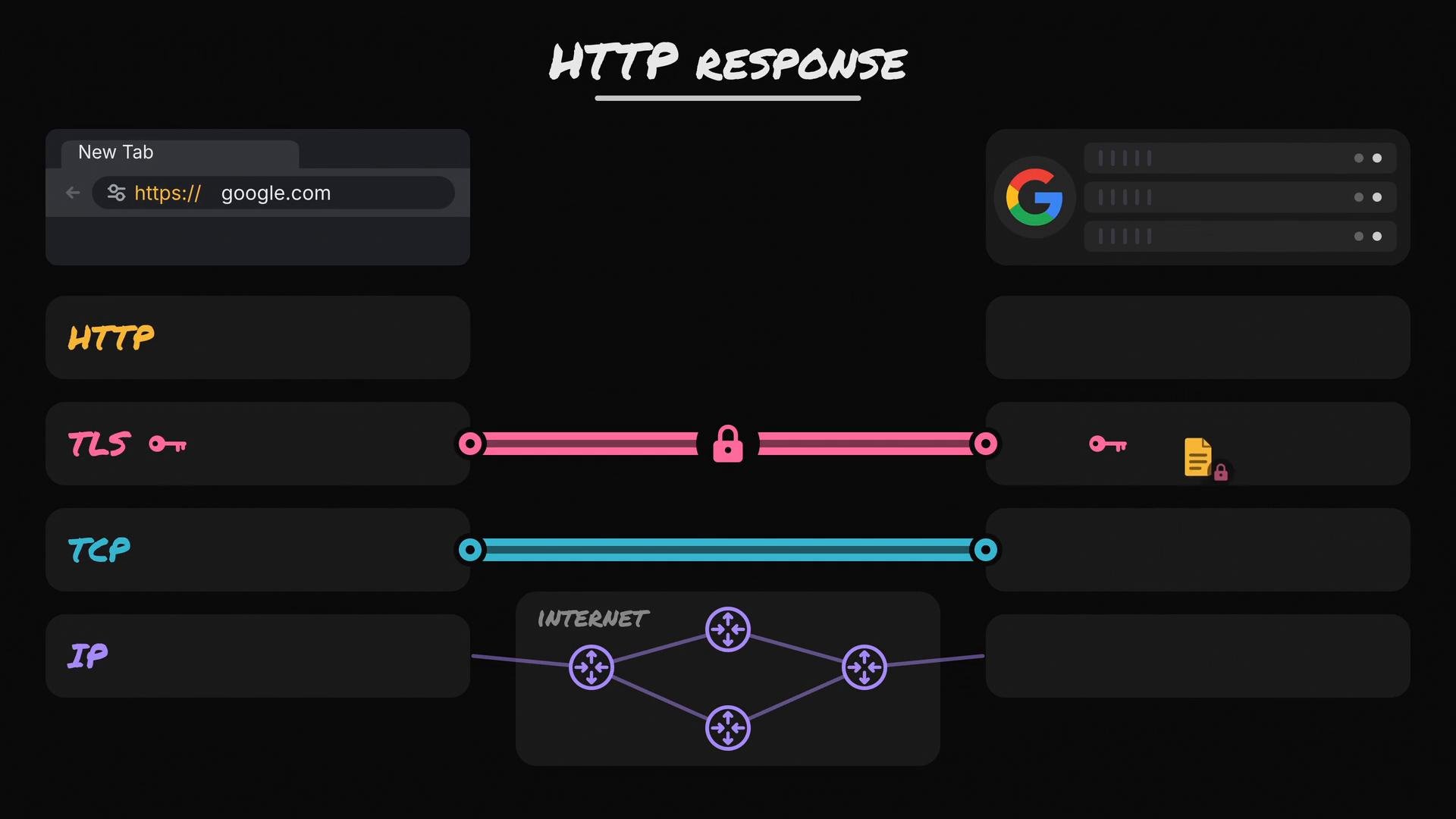
Step 4 — Response: encrypted, transported, and rendered
The server builds the HTTP response (HTML and other assets). That response is encrypted by TLS, handed to TCP for segmentation and ordering, and sent back over IP to the client. When it arrives:- TCP reassembles the encrypted stream in order.
- TLS decrypts and verifies integrity.
- The browser parses the HTTP response and renders the page.
Responsibilities by layer
Summary — typical sequence for a new HTTPS connection
- DNS resolves the hostname (
google.com) to an IP address. - TCP performs a three-way handshake to create a reliable connection.
- TLS handshake runs over that TCP connection to negotiate encryption keys and verify identity.
- HTTP requests/responses are exchanged: encrypted by TLS, transported by TCP, and routed by IP.