

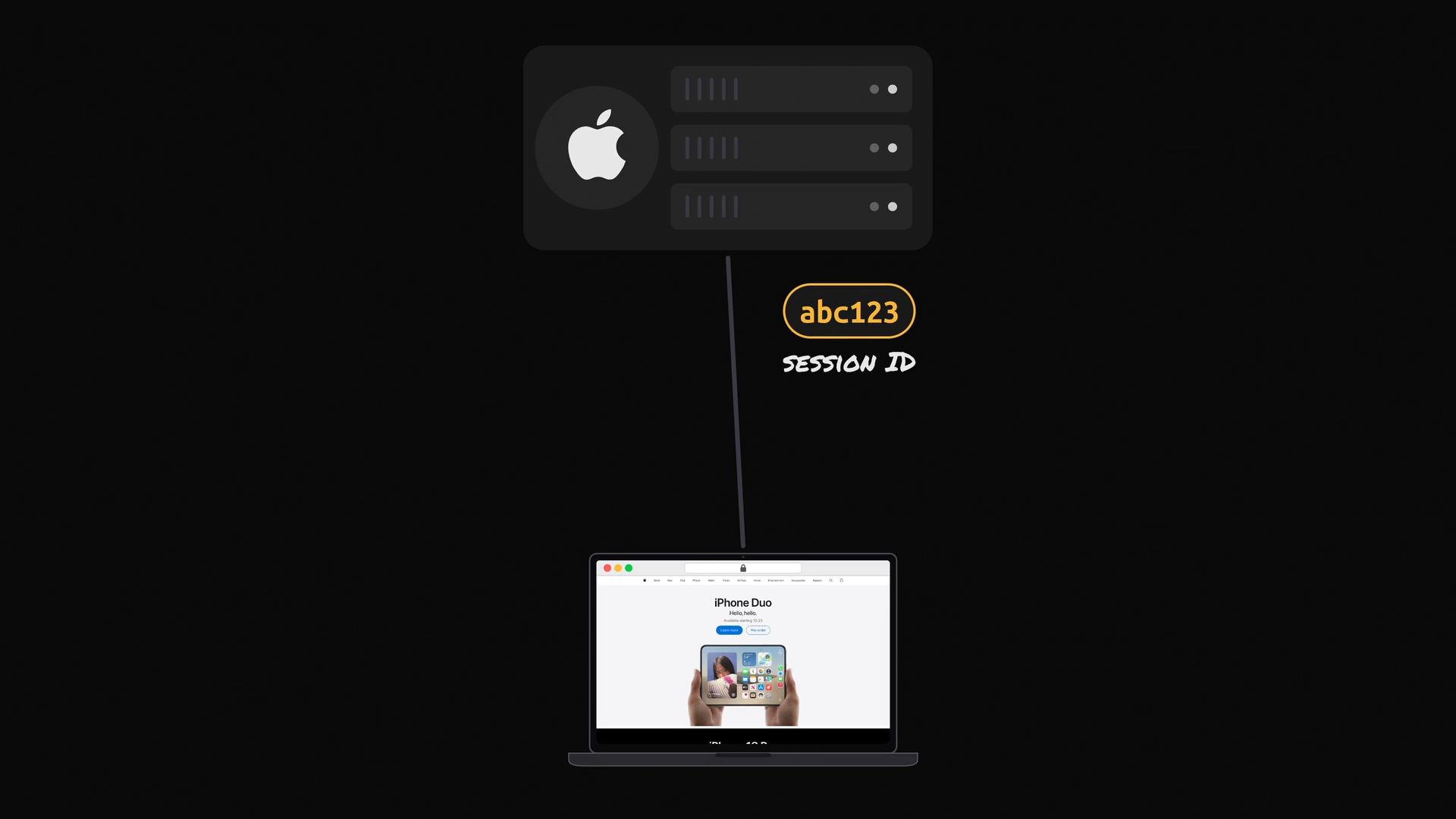
session_id=abc123. The server can also add attributes that control how the browser stores and sends the cookie.
Example Set-Cookie header:
apple.com) and the cookie attributes (expiration, Secure, HttpOnly, etc.). When you visit Apple again, the browser finds matching cookies and attaches only the cookie name and value to outgoing requests in a Cookie header — the attributes themselves are not sent.
Example request with cookie:
abc123 and returns the personalized page that shows your shopping bag and account state. In this model the session ID acts as your login token while it is valid.
A simplified view of the server-side record and the stored browser cookie:
Secure (send only over HTTPS) and HttpOnly (not accessible from JavaScript) is critical.
Cookie attributes reference
Cookies are a simple but powerful mechanism for maintaining state in the stateless HTTP protocol — session cookies for login state and persistent cookies for preferences or remember-me functionality.
Why websites ask for permission
Cookies can also be used to track users across multiple sites. For example, an advertising network can set a cookie when its ad is loaded on one site, then later read the same cookie when its ad appears on another site. Because the advertising cookie originates from a different domain than the page you’re visiting, it’s called a third-party cookie. Advertising companies can correlate visits across domains and build browsing profiles.
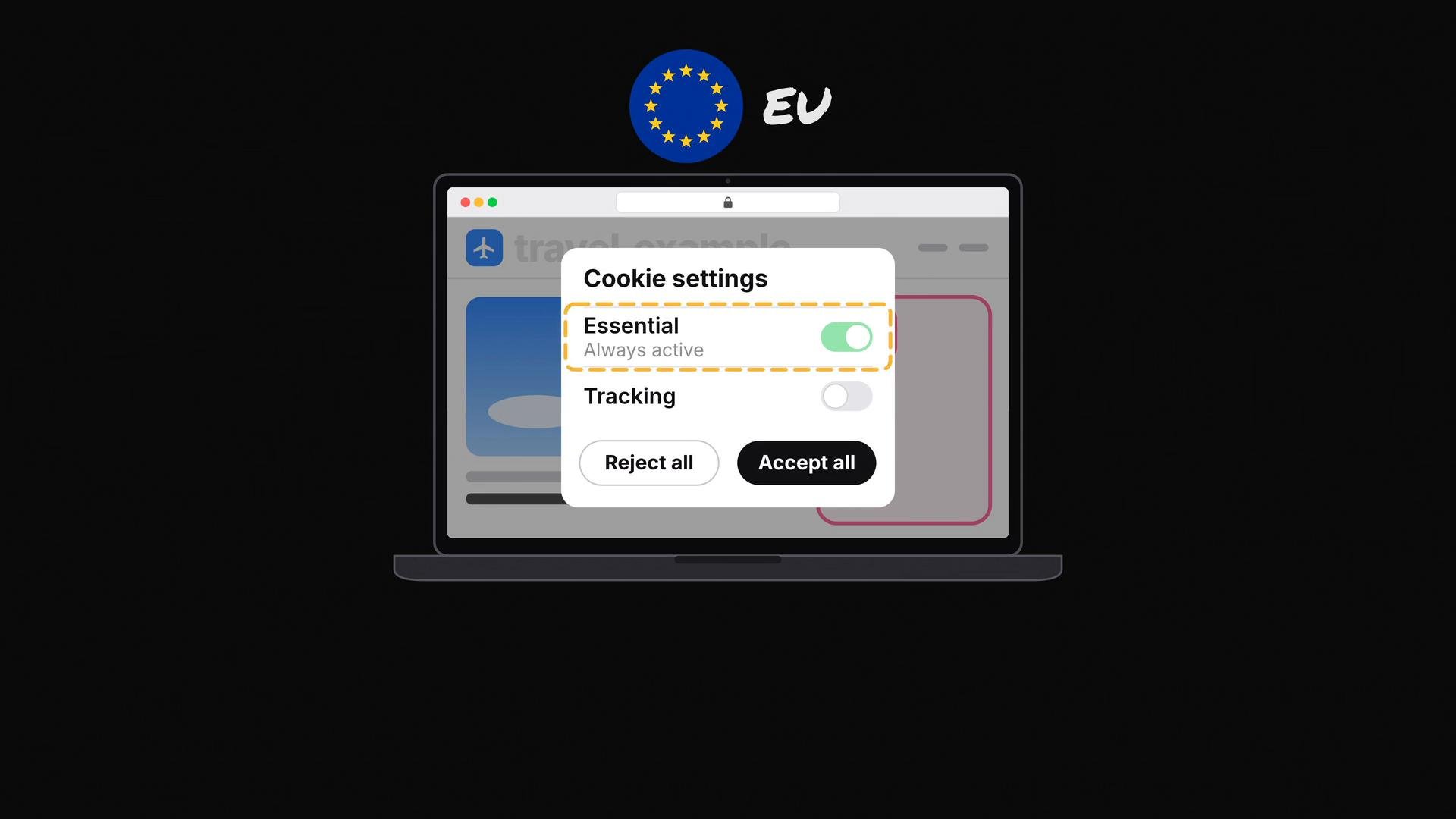
Many browsers now restrict third-party cookies by default, and regulations such as the EU’s GDPR require consent before using cookies for tracking. Essential cookies (those necessary to keep you logged in or remember a shopping cart) are usually considered exempt from consent requirements.
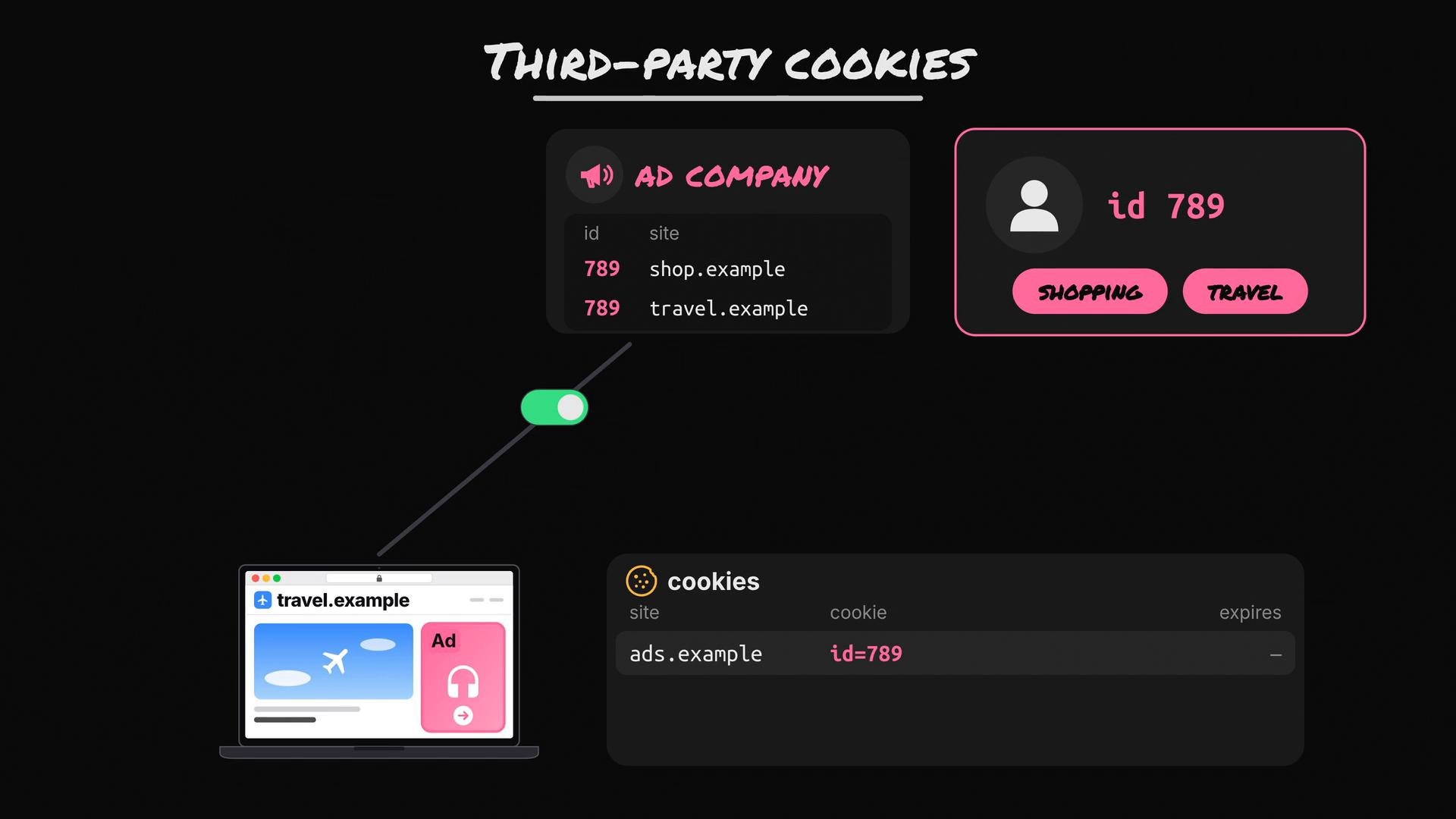
Third-party cookies are set by domains other than the one shown in the browser’s address bar. Browsers and privacy regulations increasingly limit their use to protect user privacy.
- Use
Secureto ensure cookies are only sent over HTTPS. - Use
HttpOnlyto avoid exposing session tokens to client-side scripts. - Consider
SameSiteto limit cross-site requests and reduce CSRF risks. - Keep session lifetimes reasonable and rotate session identifiers on sensitive actions (like password changes).
- Treat cookies containing authentication tokens as highly sensitive — use server-side session invalidation and short-lived tokens where appropriate.
- GDPR overview
- MDN Web Docs — Cookies: https://developer.mozilla.org/en-US/docs/Web/HTTP/Cookies
- OWASP — Session Management Cheat Sheet: https://cheatsheetseries.owasp.org/cheatsheets/Session_Management_Cheat_Sheet.html