

- Manage container placement across a cluster of machines (nodes).
- Maintain a declared desired state (replicas, config).
- Automatically restart or replace failed containers.
- Provide service discovery and networking between containers.
- Run
docker swarm initon the first node to make it the manager. - Use the
docker swarm jointoken to add worker nodes. - Declare services with a Compose file and deploy them with
docker stack deploy.
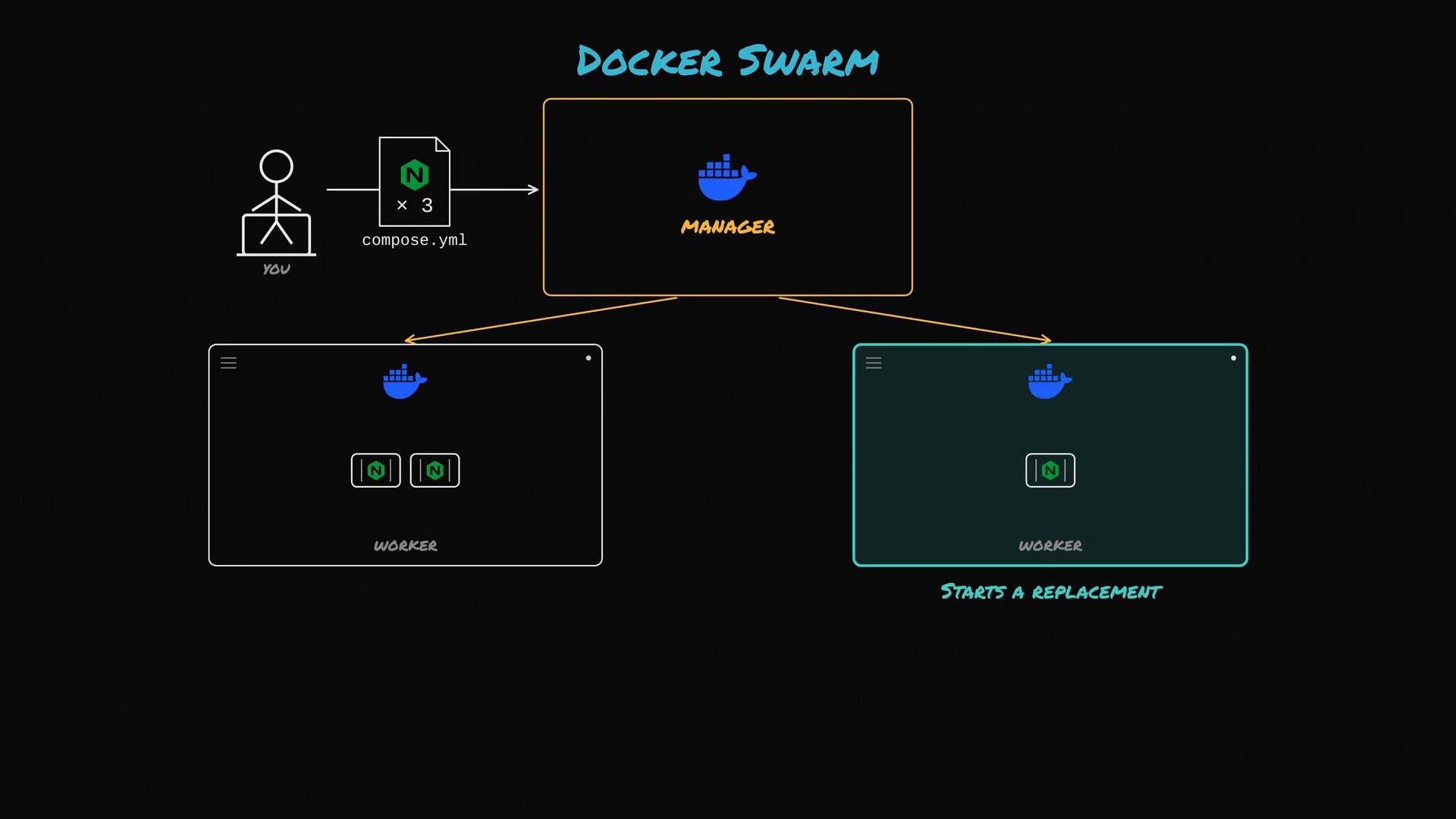
- Integrates directly with Docker tooling and Compose.
- Fast to set up and easy to reason about for small clusters.
- Good choice for simpler deployments or when you prefer Compose syntax.
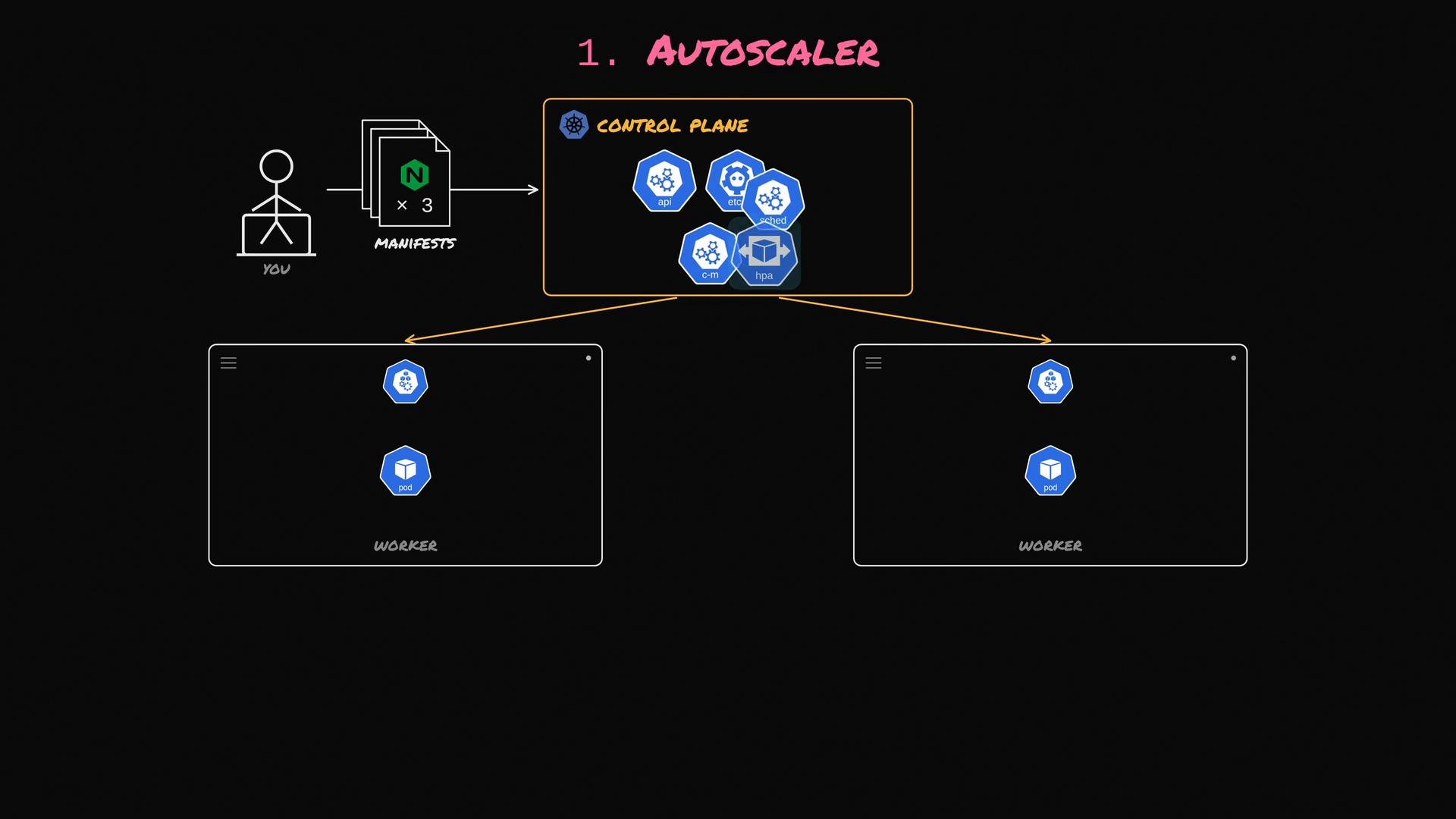
- Control plane components: API Server, etcd (cluster datastore), scheduler, controllers — each with a focused responsibility.
- Node agents: worker nodes run kubelet and a container runtime via the CRI (e.g., containerd, CRI-O).
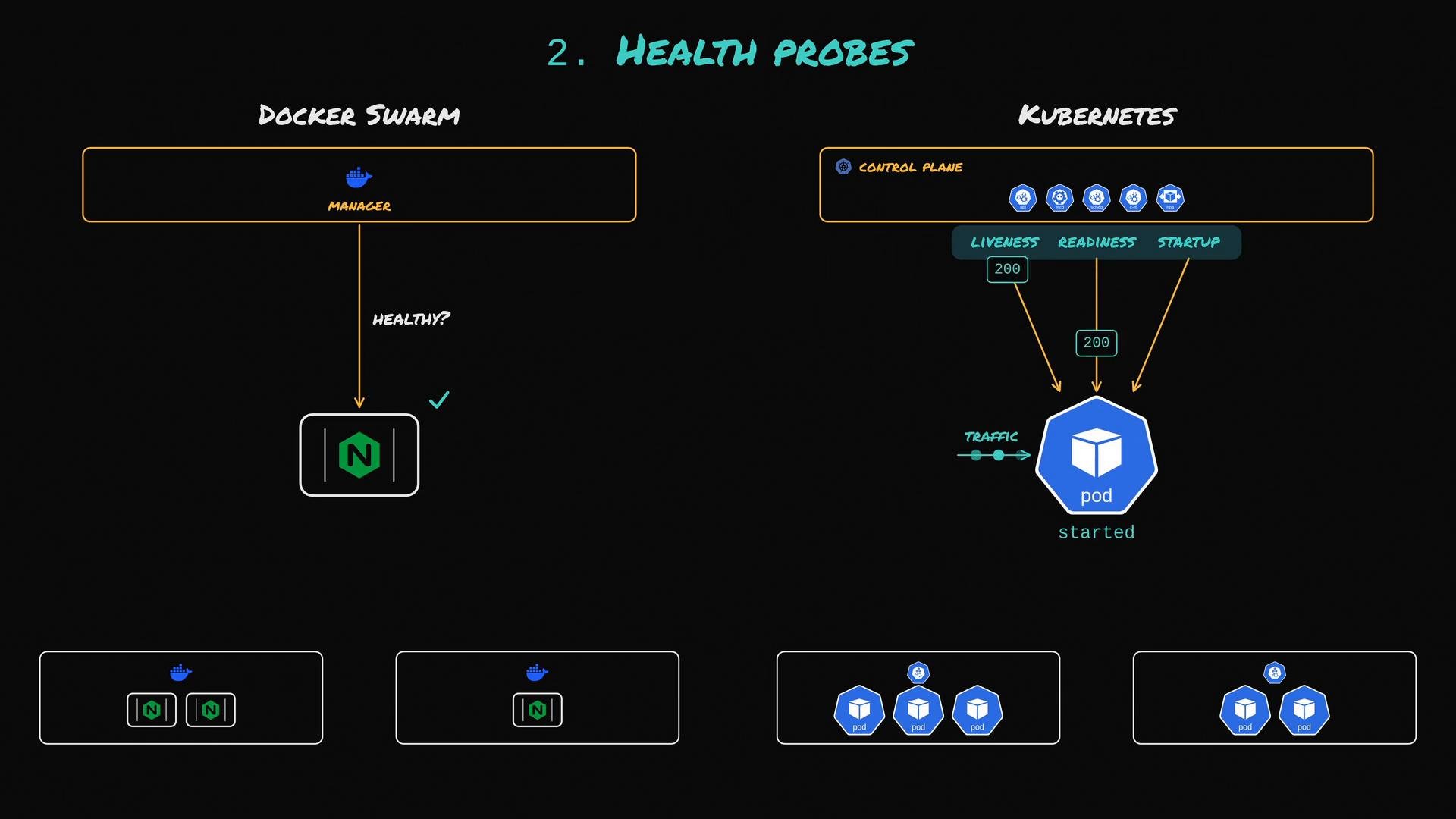
- Advanced features: built-in Horizontal Pod Autoscaler (HPA), multiple probe types (liveness, readiness, startup), namespaces and RBAC for multi-team clusters, and a large ecosystem (Helm, Prometheus, Argo CD, etc.).
- Kubernetes provides the Horizontal Pod Autoscaler (HPA) which can scale pods based on CPU, memory, or custom metrics when a metrics provider (like metrics-server) is present.
- livenessProbe: restarts a container if it becomes unresponsive.
- readinessProbe: indicates whether a container is ready to receive requests; if not ready, the pod is removed from service endpoints.
- startupProbe: delays liveness/readiness checks until a slow-starting application finishes startup.
- Packaging and releases: Helm charts
- GitOps: Argo CD, Flux
- Metrics & observability: Prometheus, Grafana
- Networking & storage: many CNI and CSI plugins
- Managed services: Kubernetes options from major cloud providers
Which should you use?
-
Use Docker Swarm when:
- You want a quick, Docker-native setup.
- You manage a small number of services and nodes.
- You prefer Compose files and minimal operational overhead.
-
Use Kubernetes when:
- You need autoscaling, namespaces, RBAC, and fine-grained lifecycle management.
- You operate at larger scale or across multiple teams.
- You want access to a wide ecosystem of tools and managed cloud offerings.
For small clusters and rapid setup, Swarm is simpler and integrates with Compose. For production at scale, multi-team environments, or when you need autoscaling and advanced lifecycle controls, Kubernetes is usually the better choice.
- Kubernetes — Kubernetes for the Absolute Beginners (course)
- Docker Swarm — Docker Swarm Services & Stacks (course)
- Docker Compose basics (course)
- Horizontal Pod Autoscaler (HPA) — Kubernetes autoscaling (course)
- Helm — packaging for Kubernetes (course)
- Argo CD (course)
- Flux (course)
- Prometheus & Grafana (course)